1. הקדמה
The TRIGKEY Speed S5 Pro Mini PC is a compact and high-performance desktop computer designed for various applications, including office tasks, home theater, gaming, and creative work. This manual provides essential information for setting up, operating, and maintaining your device to ensure optimal performance and longevity.
2. פּעקל אינהאַלט
Please verify that all items listed below are included in your package. If any items are missing or damaged, please contact TRIGKEY customer support.
- 1 x TRIGKEY Speed S5 Pro Mini PC
- 1 x מאַכט אַדאַפּטער
- 1 x באַניצער מאַנואַל
- 1 x VESA Mount (with screws)
- 1 x HDMI Cable (100cm)

Image: Contents of the TRIGKEY Speed S5 Pro Mini PC package, including the mini PC, power adapter, user manual, VESA mount, and HDMI cable.
3. פּראָדוקט איבערview
The TRIGKEY Speed S5 Pro is a compact and powerful mini PC. Familiarize yourself with its physical features and available ports.
3.1. גשמיות דימענשאַנז
- Dimensions: Approximately 12.6 cm x 11.3 cm x 4.2 cm (4.96 x 4.45 x 1.65 inches)
- וואָג: בעערעך 990 ג
3.2. פראָנט און הינטער פּאָרטן

בילד: דעטאַלירט view of the front and rear ports on the TRIGKEY Speed S5 Pro Mini PC. The front panel includes USB 3.2 Gen2 ports, a USB-C port, a power button, and an audio jack. The rear panel features LAN, USB 2.0, DP 1.4, HDMI 2.0, and a DC power input.
- פראָנט פּאַנעל:
- מאַכט קנעפּל
- 2 x USB 3.2 Gen2 Type-A Ports (10Gbps)
- 1 x USB 3.2 Gen2 Type-C Port (10Gbps, Data & Video)
- 1 רענטגענ 3.5 מם אַודיאָ דזשאַק
- CLR CMOS Button (for BIOS reset)
- ריר פּאַנעל:
- 1 x Gigabit Ethernet (LAN) Port (1000Mbps)
- 2 x USB 2.0 Type-A Ports (480Mbps)
- 1 x DisplayPort 1.4 (4K@144Hz)
- 1 x HDMI 2.0 Port (4K@60Hz)
- 1 x גלייכשטראָם מאַכט אַרייַנגאַנג

בילד: פראָנט און זייט view of the TRIGKEY Speed S5 Pro Mini PC, showcasing its compact design and front panel ports.
4. סעטאַפּ גייד
Follow these steps to set up your TRIGKEY Speed S5 Pro Mini PC.
4.1. קאַנעקטינג פּעריפעראַלס
- פֿאַרבינדן מאָניטאָר: Use an HDMI or DisplayPort cable to connect your monitor(s) to the corresponding ports on the rear of the mini PC. The USB-C port also supports video output.
- פֿאַרבינדן קלאַוויאַטור און מויז: Plug your USB keyboard and mouse into any available USB ports on the front or rear of the mini PC.
- פֿאַרבינדן נעץ (אָפּציאָנאַל): For a wired connection, connect an Ethernet cable from your router or modem to the LAN port on the rear of the mini PC. For wireless, ensure your Wi-Fi network is available during initial setup.
4.2. פּאַוערינג אויף
- פאַרבינדן מאַכט אַדאַפּטער: Plug the power adapter into the DC power input port on the rear of the mini PC, then plug the adapter into a power outlet.
- מאַכט אויף: Press the power button located on the front panel of the mini PC. The power indicator light should illuminate.
4.3. ערשטע ווינדאָוס סעטאַפּ
Upon first boot, the system will guide you through the Windows operating system setup. Follow the on-screen instructions to configure language, region, network, and user accounts.
Note on Keyboard Layout:
During initial setup, if you encounter issues with special characters (e.g., '@' symbol), ensure your keyboard layout is correctly selected. For Japanese keyboards, the '@' symbol is typically generated by pressing Shift + 2. If this does not work, temporarily try a US keyboard layout or adjust settings after Windows setup is complete via 'Hardware Keyboard Layout Change' in Windows settings.
5. אַפּערייטינג ינסטרוקטיאָנס
5.1. יקערדיק אָפּעראַציע
Your TRIGKEY Speed S5 Pro Mini PC comes pre-installed with Windows. Use it like any standard desktop computer. For optimal performance, ensure all drivers are up to date.
5.2. נעץ קאַנעקטיוויטי
- ווי-פי: The mini PC supports Wi-Fi 6. To connect, navigate to Windows Settings > Network & Internet > Wi-Fi, select your network, and enter the password.
- עטהערנעט: If you connected an Ethernet cable, the system should automatically establish a wired network connection.
5.3. Bluetooth Devices
The mini PC supports Bluetooth 5.2. To pair a Bluetooth device, go to Windows Settings > Devices > Bluetooth & other devices, turn on Bluetooth, and select 'Add Bluetooth or other device'.
5.4. Multi-Monitor Setup
The TRIGKEY Speed S5 Pro supports triple display output via its HDMI, DisplayPort, and USB-C ports. Connect up to three monitors simultaneously for extended desktop or mirrored displays. Configure display settings in Windows by right-clicking on the desktop and selecting 'Display settings'.
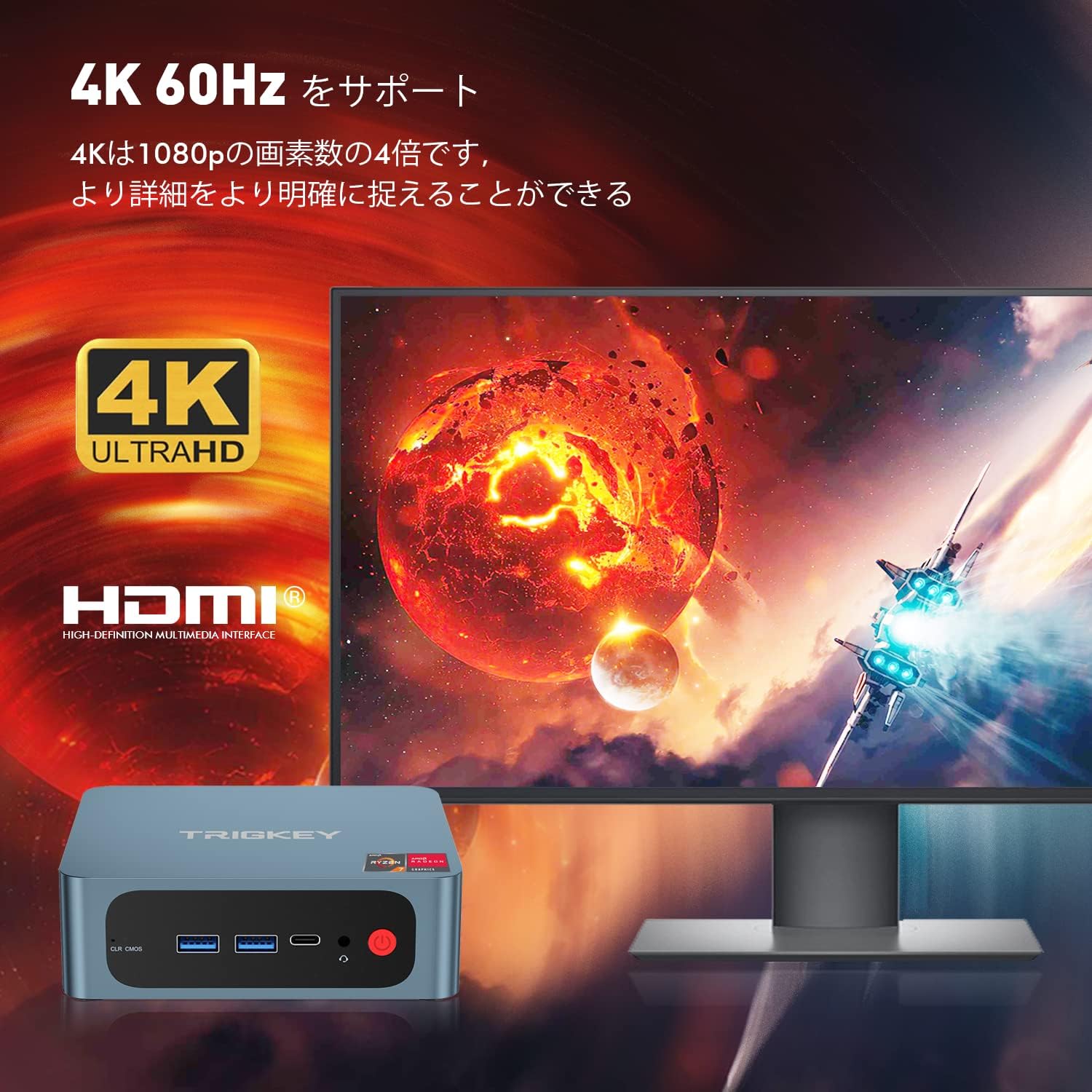
Image: Illustration of the TRIGKEY Speed S5 Pro Mini PC connected to a 4K monitor, demonstrating its 4K 60Hz display capability.
5.5. סטאָרידזש יקספּאַנשאַן
The mini PC includes a 500GB M.2 NVMe SSD. For additional storage, it supports a 2.5-inch SATA HDD/SSD. Refer to the maintenance section for instructions on installing additional storage.
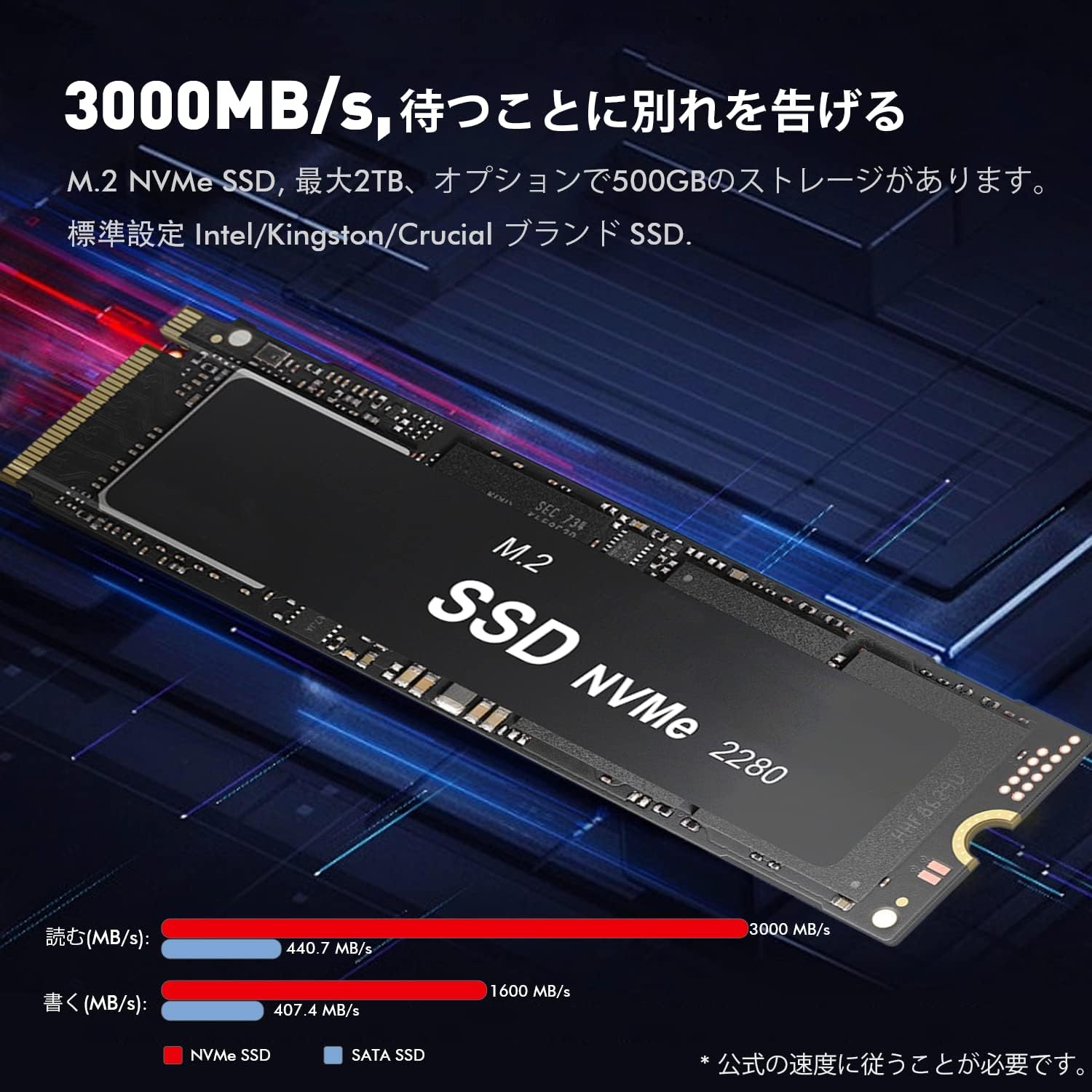
בילד: נאָענט-אַרויף view of an M.2 NVMe SSD, highlighting its compact form factor and high-speed data transfer capabilities, which are standard in the TRIGKEY Speed S5 Pro.
6. וישאַלט
Proper maintenance ensures the longevity and performance of your mini PC.
6.1. רייניקונג
- Regularly clean the exterior of the mini PC with a soft, dry cloth.
- Use compressed air to gently clear dust from ventilation grilles and ports to prevent overheating. Ensure the device is powered off and unplugged before cleaning.
6.2. ווייכווארג דערהייַנטיקונגען
Keep your Windows operating system and device drivers updated. Windows Update can manage most system updates. For specific driver updates (e.g., AMD graphics drivers), visit the TRIGKEY support website or AMD's official webפּלאַץ.
6.3. BIOS/CMOS Reset
If you encounter boot issues or need to reset BIOS settings, locate the 'CLR CMOS' button on the front panel. With the device powered off and unplugged, press and hold this button for 5-10 seconds. This will reset the BIOS to factory defaults.

בילד: עקספּלאָדירט view of the TRIGKEY Speed S5 Pro Mini PC, illustrating its internal components and modular design, which can be helpful for maintenance or upgrades.
7. טראָובלעשאָאָטינג
This section addresses common issues you might encounter with your mini PC.
7.1. קיין אַרויסווייַז רעזולטאַט
- Ensure the monitor is powered on and correctly connected to the mini PC via HDMI, DisplayPort, or USB-C.
- פרובירט אן אנדערן קאבל אדער מאָניטאָר אויב פאַראַן.
- באַשטעטיקן אַז די ריכטיקע אַרייַנגאַנג מקור איז אויסגעקליבן אויף דיין מאָניטאָר.
- Perform a BIOS/CMOS reset (refer to Section 6.3).
7.2. Wi-Fi or Bluetooth Not Working
- Check Windows Settings to ensure Wi-Fi and Bluetooth are enabled.
- Restart the mini PC.
- מאַכט ציקל: Unplug the power adapter from the mini PC and the wall outlet. Leave it unplugged for at least 30 seconds, then reconnect and power on. This can resolve temporary connectivity issues.
- דערהייַנטיקן נעץ און בלועטוט דרייווערס.
7.3. סיסטעם אינסטאביליטעט אדער קראַשיז
- Ensure the mini PC has adequate ventilation and is not overheating.
- Update all system drivers, especially graphics drivers.
- Run a memory diagnostic tool to check for RAM issues.
- Check the health of your SSD using appropriate software.
7.4. SSD Issues (e.g., Windows installation failure)
If you experience issues with the internal SSD, such as Windows failing to install or frequent errors, it may indicate a hardware problem. In such cases, contact TRIGKEY support for assistance.
8. ספּעסאַפאַקיישאַנז
Detailed technical specifications for the TRIGKEY Speed S5 Pro Mini PC.
| שטריך | באַשרייַבונג |
|---|---|
| סאָרט | TRIGKEY |
| מאָדעל נאָמען | Speed S5 Pro |
| פּראָדוקט מאָדעל נומער | S5 pro-5800H |
| פּראַסעסער | AMD Ryzen 7 5800H (8 קערנס, 16 פֿעדעם, ביז 4.4 GHz) |
| גראַפיקס | AMD Radeon Graphics (8 Cores) |
| באַראַן | 16 GB DDR4 SODIMM (3200MHz) |
| סטאָרידזש | 500 GB M.2 NVMe SSD |
| סטאָרידזש יקספּאַנשאַן | Supports 2.5-inch SATA HDD/SSD |
| ווירעלעסס קאַנעקטיוויטי | Wi-Fi 6, בלועטוט 5.2 |
| עטהערנעט | Gigabit LAN (1000Mbps) |
| ווידעא רעזולטאַט | 1 x HDMI 2.0 (4K@60Hz), 1 x DisplayPort 1.4 (4K@144Hz), 1 x USB-C (4K@120Hz) |
| וסב פּאָרץ | 2 x USB 3.2 Gen2 Type-A, 1 x USB 3.2 Gen2 Type-C, 2 x USB 2.0 Type-A |
| אַודיאָ | 1 רענטגענ 3.5 מם אַודיאָ דזשאַק |
| פאָרם פאַקטאָר | Small Form Factor Mini PC |
| אָפּערייטינג סיסטעם | Windows (Pre-installed) |

בילד: איבערview of key features including AMD Ryzen 7 5800H processor, efficient heat dissipation, M.2 PCIe 3.0 X4 SSD, DDR4 3200MHz RAM, Wi-Fi 6, and triple monitor support.
9. וואָראַנטי און שטיצן
TRIGKEY provides customer support for its products. For warranty information, technical assistance, or to report issues, please refer to the official TRIGKEY webזייטל אדער קאנטאקט זייער קאסטומער סערוויס גלייך. האלט אייער קויף קוויטל פאר גאראנטיע טענות.


