1. הקדמה
Thank you for choosing the BYINTEK U70 Pro Portable 4K 3D DLP Projector. This manual provides essential information for the safe and efficient operation of your device. Please read it thoroughly before use and retain it for future reference.

Image 1.1: The BYINTEK U70 Pro Portable Projector and its remote control.
2. זיכערקייַט אינפֿאָרמאַציע
- קוק נישט גלייך אריין אין די פּראָיעקטאָר לינז ווען די לamp איז אויף.
- פאַרזיכערן געהעריק ווענאַליישאַן צו פאַרמייַדן אָוווערכיטינג. דו זאלסט נישט פאַרשפּאַרן ווענטאַליישאַן אָופּאַנינגז.
- ניצן בלויז די צוגעשטעלט מאַכט אַדאַפּטער.
- האַלטן די מיטל אַוועק פון וואַסער, נעץ און עקסטרעם טעמפּעראַטורעס.
- פרובירט נישט צו צענעמען אדער פאררעכטן דעם פראיעקטאר אליין. קאנטאקטירט קוואליפיצירטע סערוויס פערסאנעל.
- האַלטן אויס פון דערגרייכן פון קינדער.
3. פּעקל אינהאַלט
באַשטעטיקן אַז אַלע זאכן זענען פאַראַן אין דיין פּעקל:
- 1 x BYINTEK U70 Pro Projector
- 1 x רימאָוט קאָנטראָל
- קסנומקס רענטגענ הד קאַבלע
- 1 x באַניצער מאַנואַל (דאָס דאָקומענט)
- 1 x DC 19V 3.42A מאַכט אַדאַפּטער
4. פּראָדוקט איבערview
מאַכט זיך באַקאַנט מיט די פּראָיעקטאָר'ס קאָמפּאָנענטן און אינטערפייסיז.
בילד 4.1: פאָרנט און הינטן views of the BYINTEK U70 Pro Projector, highlighting its various ports and controls.
שליסל קאַמפּאָונאַנץ:
- לענס: Projection output.
- קיפּאַד: Manual control buttons on top.
- IR ופנעמער: פֿאַר ווײַטקאָנטראָל סיגנאַלן.
- DC 12V-in: מאַכט אַרייַנשרייַב פּאָרט.
- USB 3.0 / USB 2.0: For connecting USB storage devices, mouse, or keyboard.
- מאַכט סוויטש: צו אנצינדן/אויסלעשן דעם פראיעקטאר.
- Audio-out (3.5mm Jack): פֿאַר עקסטערנע רעדנערס אָדער כעדפאָונז.
- HD-in (HDMI): פֿאַר פֿאַרבינדן עקסטערנע ווידעאָ קוועלער.
- 5W Speakers: געבויט-אין סטעריאָו ספּיקערז.
- אָפּנעמבאַר שטויב פילטער: פֿאַר גרינג רייניקונג און וישאַלט.
- Universal Bracket Hole (d=1/4inch, 6mm): For mounting on tripods or ceiling mounts.
5. סעטאַפּ
5.1 פּאַוערינג אויף / אַוועק
- Connect the DC 19V 3.42A Power Adapter to the projector's DC 12V-in port.
- Press the Power Switch to turn the projector on. The indicator light will illuminate.
- To power off, press the Power Switch again.
5.2 פּלאַצירונג און פּראָיעקציע
The BYINTEK U70 Pro supports a projection size of 30-300 inches with a projection distance of 1-8 meters. The optimal aspect ratio is 16:9, but 16:10 and 4:3 are also supported.
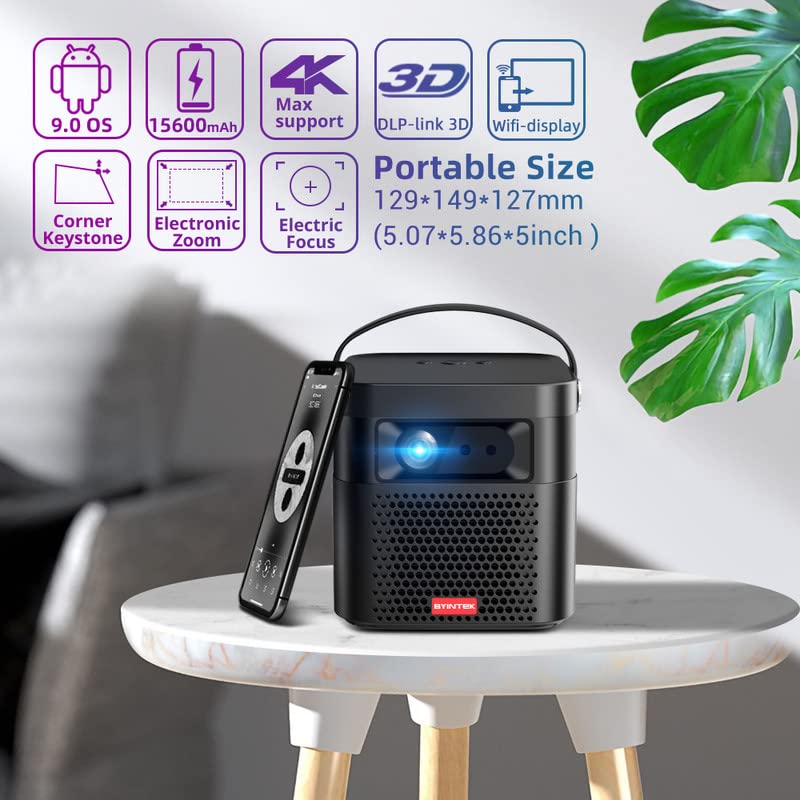
Image 5.1: The BYINTEK U70 Pro Projector highlighting its portable size and advanced features.
5.3 פאָקוס און קיסטאָון קאָרעקציע
- די פּראַדזשעקטער פֿעיִקייטן אַוטאָ פאָקוס for quick image clarity.
- For fine-tuning, use the עלעקטריק פאָקוס function via the remote control or on-device keypad.
- Auto Manual Vertical Keystone Correction is available to adjust image distortion when the projector is not perfectly perpendicular to the screen.
- Corner Keystone correction allows for individual corner adjustments.
5.4 קאַנעקטיוויטי
The projector offers various connection options:
- הדמי: Connect external devices like TV sticks, X-BOX, PS4, PCs, or laptops using the provided HD Cable.
- וסב: Insert USB sticks or SSD hard drives for media playback. Supports USB 2.0 and USB 3.0.
- ווי-פי: Connect to your wireless network for online content and wireless projection.
- בלועטאָאָטה: For connecting external Bluetooth speakers or headphones (if supported by the Android OS).
6. אַפּערייטינג ינסטרוקטיאָנס
6.1 Android 9.0 Smart OS
The BYINTEK U70 Pro runs on Android 9.0, providing a smart interface with 32GB internal storage. Navigate the interface using the remote control or by connecting a USB mouse/keyboard.

Image 6.1: The Android 9.0 operating system interface, allowing access to various applications.
6.2 ווירעלעסס פּרויעקציע
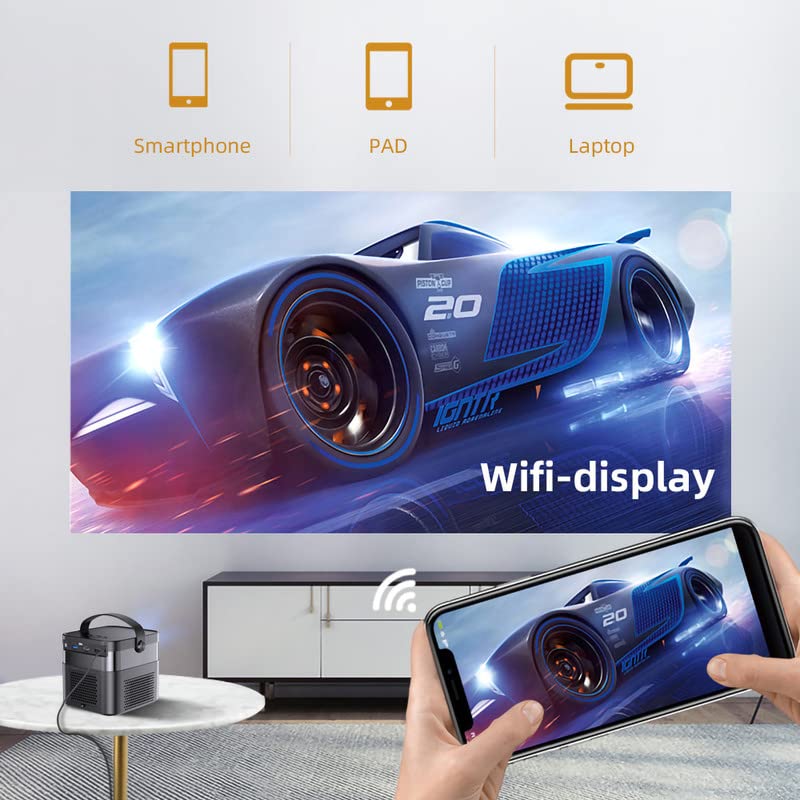
Wirelessly connect your Android or iOS devices for screen mirroring.

Image 6.2: Wireless display functionality, enabling screen mirroring from smartphones, tablets, and laptops.
- Ensure both the projector and your mobile device are connected to the same Wi-Fi network.
- Select the appropriate wireless projection app (e.g., Airplay, Miracast, DLNA, Eshare) on the projector's home screen.
- Follow the on-screen instructions to connect your smartphone, tablet, or laptop.
6.3 3D פונקציאָנאַליטעט
די פּראַדזשעקטער שטיצט Real 3D content for an immersive viewינג דערפאַרונג.
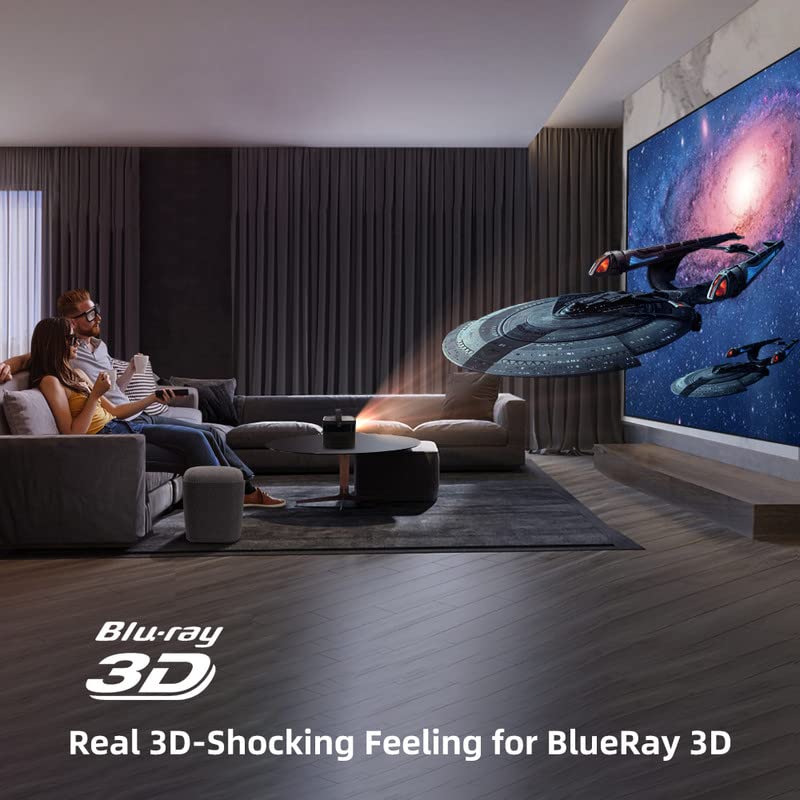
Image 6.3: The projector displaying 3D content for an immersive home theater experience.
- To enjoy 3D content, you will need compatible 3D glasses (sold separately).
- Play 3D-enabled media (e.g., Blu-ray 3D) through a connected device.
- Activate the 3D mode on the projector via the settings menu.
6.4 אַודיאָ רעזולטאַט
The projector has built-in 2 x 5W speakers. For enhanced audio, connect external speakers or headphones via the 3.5mm Audio Jack or Bluetooth.
7. וישאַלט
7.1 רייניקן די לינז
ניצט אַ ווייכע, לינט-פֿרייע שטאָף ספּעציעל דיזיינד פֿאַר אָפּטישע לענסעס. ניצט נישט קיין שרײַבנדיקע רייניגערס אָדער איבערגעטריבענע קראַפט.
7.2 רייניקונג פון דעם שטויב פילטער
The projector features a detachable dust filter. Regularly remove and clean it to maintain optimal performance and prevent overheating. Refer to Image 4.1 for the location of the detachable dust filter.
7.3 באַטערי קער
The projector includes a rechargeable battery. To prolong battery life:
- פֿאַרמײַדט אָפֿט פֿולשטענדיק אויסצולאָדן די באַטעריע.
- Store the projector in a cool, dry place if not used for extended periods.
- Charge the battery periodically if stored for a long time.
8. טראָובלעשאָאָטינג
אויב איר טרעפט פּראָבלעמען, זעט די פאלגענדע געוויינטלעכע פּראָבלעמען און לייזונגען:
| פּראָבלעם | מעגלעך סיבה | לייזונג |
|---|---|---|
| קיין בילד געוויזן | Power cable loose, input source incorrect, lens cap on | Check power connection, select correct input source, remove lens cap |
| בילד בלערי | Focus not adjusted, keystone incorrect | Adjust focus using remote/keypad, correct keystone settings |
| קיין געזונט | Volume too low, external audio device not connected, source audio issue | Increase volume, check external audio connections, verify source audio output |
| ווייַט קאָנטראָל נישט ארבעטן | Batteries dead, IR receiver blocked | Replace batteries, ensure clear line of sight to IR receiver |
| אָוווערכיטינג ווארענונג | Blocked ventilation, dusty filter | Ensure clear ventilation, clean dust filter |
9. ספּעסאַפאַקיישאַנז
Detailed technical specifications for the BYINTEK U70 Pro Projector:
| שטריך | באַשרייַבונג |
|---|---|
| סאָרט | BYINTEK |
| מאָדעל | BYINTEK-UFO-U70-PRO |
| ווייַז טעכנאָלאָגיע | DLP (LED) |
| בילד ברייטנאַס | 500 אַנסי לומענס |
| געבוירן האַכלאָטע | 1280 x 800 (supports 1080p Full HD Pixels, Max supports 4K signal input) |
| בילד קאַנטראַסט פאַרהעלטעניש | 15000:1 |
| אַספּעקט פאַרהעלטעניש | 16:9 (also 16:10, 4:3) |
| פּרויעקציע גרייס | 30-300 אינטשעס |
| פּרויעקציע דיסטאַנסע | 1-8 מעטער |
| אָפּערייטינג סיסטעם | אַנדרויד 9.0 |
| אינערלעכער סטאָרידזש | 32 גיגאבייט |
| ספּעציעלע פֿעיִקייטן | Built-In 3D, Auto Focus, Short Throw, Built-in Speakers, Rechargeable Battery, Wireless Projection |
| ייַזנוואַרג צובינד | HDMI, USB 2.0, USB 3.0 |
| קאַנעקטיוויטי טעכנאָלאָגיע | ווי-פי |
| אַודיאָ רעזולטאַט | 3.5mm Audio Jack, Built-in 2 x 5W Speakers |
| מאַכט מקור | DC 19V 3.42A, Rechargeable Battery |
| וואָסtage | 65 וואטס |
| פּראָדוקט דימענשאַנז | 12.9 X 14.9 X 12.7 סענטימעטער |
| פּונקט וואָג | 1.36 קג |
| מאָדעל יאָר | 2023 |
10. וואָראַנטי און שטיצן
10.1 וואָראַנטי אינפֿאָרמאַציע
The BYINTEK U70 Pro Projector comes with a 1 יאָר וואָראַנטי פֿון דעם קויפֿדאַטום. ביטע באַהאַלטן אייער קויפֿבאַווײַז פֿאַר וואָראַנטי־פֿאָדערונגען. די וואָראַנטי דעקט פֿאַבריקאַציע־דעפֿעקטן אונטער נאָרמאַלע באַניץ־באַדינגונגען.
10.2 קונה שטיצן
For technical assistance, warranty claims, or any other inquiries, please contact BYINTEK customer support:
- טעלעפאָן נומער: +91 8885241706
- בליצפּאָסט: care@justshop24x7.com


