1. הקדמה
Thank you for choosing the YABER K2s 4K Smart Projector. This manual provides essential information for setting up, operating, and maintaining your projector to ensure optimal performance and longevity. The YABER K2s combines advanced projection technology with smart features, including Android TV 11, high brightness, superior audio, and intelligent auto-correction, to deliver an immersive entertainment experience.

Figure 1.1: The YABER K2s Projector showcasing its smart entertainment capabilities with popular streaming services.
2. שליסל פֿעיִקייטן
- Android TV 11 Built-in: Access over 9,000 apps and 1,000,000+ movies from platforms like Netflix, Prime Video, and YouTube directly through the integrated Android TV dongle.
- שטוינענדיק בילד קוואַליטעט: Native 1080p resolution with 4K support and 800 ANSI Lumens brightness for vivid, detailed, and bright images.
- Superior Audio Experience: Co-created with JBL, featuring dual JBL stereo speakers with Dolby Audio support for 360° immersive sound. Can also function as a standalone Bluetooth speaker.
- Advanced Auto Screen Adaptation: Equipped with auto focus and auto keystone correction for instant, perfectly aligned, and sharp visuals.
- NFC Screencast: Effortlessly cast content from your NFC-enabled phone by simply tapping it on the projector.
- Alexa Voice Control: Seamlessly control your projector, switch signals, open apps, and adjust volume using voice commands when paired with Alexa.
- WiFi 6 Connectivity: Ensures ultra-high-speed and stable transmission for smooth streaming and gaming, 45% faster than previous generations.
- שטיל אָפּעראַציע: Designed with a quiet mode, operating at less than 28dB, and an auto-sleep mode for undisturbed viewing.

פיגורע 2.1: איבערview of the YABER K2s projector's core features.
3. סעטאַפּ גייד
3.1 אַנפּאַקינג און פּלייסמאַנט
Carefully remove all components from the packaging. Place the projector on a stable, flat surface or mount it on a ceiling or tripod. Ensure adequate ventilation around the projector.
3.2 מאַכט קאַנעקשאַן
- פֿאַרבינדט דעם מאַכט שנור צום פּראָיעקטאָר'ס מאַכט אַרייַנגאַנג פּאָרט.
- צאַפּן די אנדערע סוף פון די מאַכט שנור אין אַ מאַכט ווענטיל.
- דריק דעם מאַכט קנעפּל אויף דעם פּראָיעקטאָר אָדער ווײַטקאָנטראָל צו עס אנצינדן.
3.3 ערשטע סעטאַפּ און נעץ פֿאַרבינדונג
Upon first power-on, the projector will guide you through the initial setup process for the Android TV dongle. Follow the on-screen prompts to:
- אויסקלייַבן דיין שפּראַך.
- Connect to a Wi-Fi network (WiFi 6 recommended for best performance).
- Sign in with your Google account to access the Google Play Store and its applications.
3.4 Image Adjustment (Auto Focus & Keystone)
The YABER K2s features automatic focus and keystone correction. Once the projector is powered on and positioned, it will automatically adjust the image for clarity and shape. If manual adjustment is needed, navigate to the settings menu using the remote control.

Figure 3.1: The projector's auto focus and keystone correction ensure a perfect view אין סעקונדעס.
4. אַפּערייטינג ינסטרוקטיאָנס
4.1 Navigating Android TV
Use the provided remote control to navigate the Android TV interface. The home screen provides access to installed apps, recommended content, and settings. You can download additional apps from the Google Play Store.

Figure 4.1: The Android TV interface with access to 9000+ apps.
4.2 קאַנעקטינג פונדרויסנדיק דעוויסעס
The YABER K2s supports various connectivity options:
- הדמי: Connect laptops, gaming consoles, or other HDMI-enabled devices. The projector supports HDMI ARC and HDMI CEC.
- וסב: שפּיל מעדיע files גלייַך פֿון אַ וסב פאָר.
- בלועטאָאָטה: פֿאַרבינדט עקסטערנע בלועטוט רעדנערס אדער כעדפאָונז פֿאַר פֿאַרבעסערטן אַודיאָ.
4.3 NFC Screencast
To use NFC Screencast, ensure your smartphone has NFC enabled. Simply tap your phone to the designated NFC area on the projector to mirror your phone's screen content.
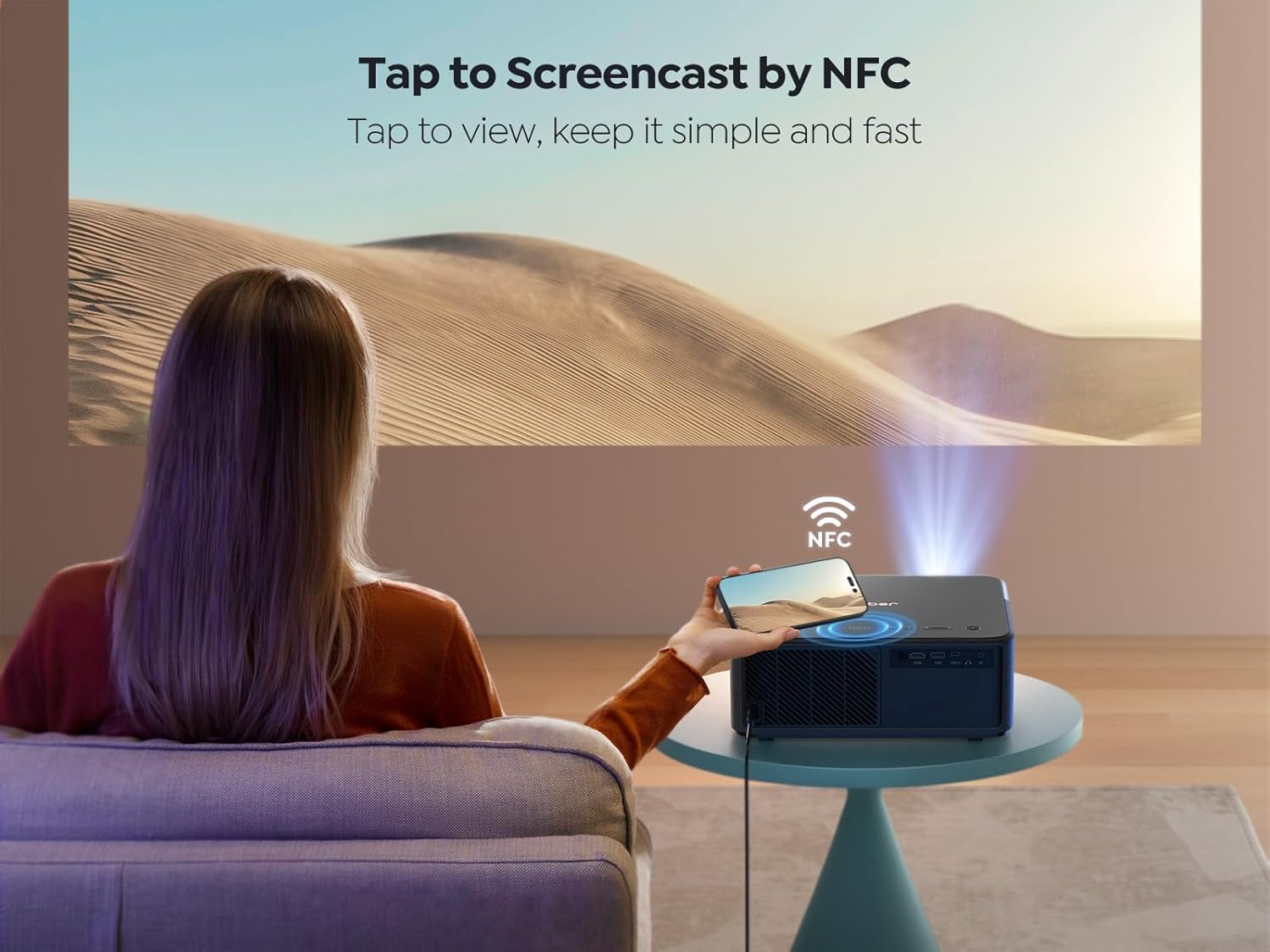
Figure 4.2: Tap to Screencast by NFC for quick content sharing.
4.4 אַלעקסאַ שטימע קאָנטראָל
Pair your YABER K2s with an Alexa-enabled device to control it using voice commands. For example, say "Alexa, open Netflix on projector" or "Alexa, adjust volume on K2s."

Figure 4.3: Hands-free control with Alexa smart voice control.
4.5 אַודיאָ סעטטינגס
The projector's dual JBL speakers with Dolby Audio provide rich sound. You can adjust audio settings through the Android TV interface. To use the projector as a standalone Bluetooth speaker, simply turn off the projection screen in the settings.

Figure 4.4: Experience 360° immersive audio with JBL and Dolby Audio.
4.6 Quiet Mode and Ambient Mode
The K2s features a quiet mode for reduced fan noise, ideal for undisturbed viewing. Additionally, an ambient mode allows you to project calming visuals like starry skies or bonfires, enhancing your environment.

Figure 4.5: Enjoy lower noise with energy saving in Quiet Mode.
5. וישאַלט
5.1 רייניקן די לינז
ניצט אַ ווייכע, לינט-פֿרייע שטאָף ספּעציעל דיזיינד פֿאַר אָפּטישע לענסעס צו פֿאָרזיכטיק ווישן די פּראָיעקטאָר לענס. פֿאַרמייַדט ניצן אַברייסיוו רייניגער אָדער איבערגעטריבענע קראַפֿט, ווײַל דאָס קען קראַצן די לענס.
5.2 אַלגעמיינע קער
- Keep the projector in a clean, dust-free environment.
- פאַרזיכערן געהעריק ווענאַליישאַן צו פאַרמייַדן אָוווערכיטינג. דו זאלסט נישט פאַרשפּאַרן די לופט ווענץ.
- When not in use, cover the lens with the provided lens cap to protect it from dust and scratches.
- Store the projector in a cool, dry place.
6. טראָובלעשאָאָטינג
6.1 קיין מאַכט
- קאָנטראָלירט צי דער עלעקטרישער שנור איז זיכער פארבונדן סיי צום פּראָיעקטאָר און סיי צום עלעקטרישן אַוטלעט.
- מאַכן זיכער אַז די מאַכט ווענטיל איז פאַנגקשאַנאַל.
- Try pressing the power button on the projector itself, not just the remote.
6.2 No Image/Poor Image Quality
- באַשטעטיקן אַז די אָביעקטיוו היטל איז אַוועקגענומען.
- Check the input source. Ensure the correct HDMI or USB input is selected.
- Perform auto focus and keystone correction again.
- Clean the projector lens if it appears smudged.
- Ensure the room is sufficiently dark for optimal viewing.

Figure 6.1: The 800 ANSI Lumens brightness ensures clear and vibrant images.
6.3 Wi-Fi קאָנעקטיוויטי פּראָבלעמען
- זיכער מאַכן אַז אייער Wi-Fi ראַוטער איז אָן און אַרבעט ריכטיק.
- קאָנטראָלירט צי די אַרייַנגעגעבענע Wi-Fi פּאַראָל איז ריכטיק.
- Move the projector closer to the Wi-Fi router to improve signal strength.
- Restart both the projector and your Wi-Fi router.

Figure 6.2: WiFi 6 provides fast, stable, and smooth experience for gaming and streaming.
7. ספּעסאַפאַקיישאַנז
| סאָרט | יאַבער |
| מאָדעל | ק2ס |
| ווייַז טעכנאָלאָגיע | לקד |
| געבוירן האַכלאָטע | 1920 רענטגענ 1080 (1080 פּ) |
| שטיצט רעסאָלוטיאָן | 4K |
| ברייטנאַס | 800 אַנסי לומענס |
| ראַש מדרגה | < 28 דב |
| אָפּערייטינג סיסטעם | אַנדרויד טעלעוויזיע 11 |
| אַודיאָ | Dual JBL Stereo Speakers, Dolby Audio Support |
| קאַנעקטיוויטי | HDMI ARC, HDMI CEC, WiFi 6 (5G+2.4G), Bluetooth, USB |
| ספּעציעלע פֿעיִקייטן | Auto Focus, Auto Keystone Correction, NFC Screencast, Alexa Voice Control, Quiet Mode, Auto Sleep Mode |
| פּראָדוקט דימענשאַנז | 29 X 27 X 12.6 סענטימעטער |
| וואָג | 4.45 קג |
8. וואָראַנטי און שטיצן
YABER is committed to providing excellent customer service and support for your K2s projector.
8.1 וואָראַנטי אינפֿאָרמאַציע
- 6-Month Money Back Guarantee: If you are not satisfied with your purchase, you may be eligible for a refund within six months.
- 3-יאָר רעפּאַראַטור גאַראַנטיע: The projector is covered by a three-year repair warranty from the date of purchase.
- לעבן טעכניש שטיצן: YABER provides lifetime technical assistance for your product.
8.2 קונה שטיצן
For any questions, technical assistance, or warranty claims, please contact YABER customer support:
- E- בריוו שטיצן: service@yaber.com (פאַראַן 24/7)