1. הקדמה
This user manual provides comprehensive instructions for the installation, operation, and maintenance of the Axis Communications AXIS Q6225-LE PTZ Camera. Please read this manual thoroughly before using the product to ensure proper functionality and safety. This camera is designed for robust outdoor surveillance in challenging conditions.
2. זיכערקייַט אינפֿאָרמאַציע
אָבסערווירן די פאלגענדע זיכערהייט מיטלען צו פאַרמייַדן שעדיקן צו די פּראָדוקט אָדער שאָדן צו פּערסאָנאַל:
- ייַנמאָנטירונג: Installation must be performed by qualified personnel in accordance with all local and national electrical and building codes.
- מאַכט צושטעלן: Use only the specified power supply (60 watts) for this device. Ensure the power source is stable and meets the camera's requirements.
- סוויווע: The camera is designed for outdoor use. However, avoid exposing it to extreme conditions beyond its specified operating range.
- רייניקונג: אָפּשטעקן די מאַכט איידער רייניקונג. ניצט אַ ווייכע, טרוקענע שטאָף. ניצט נישט פליסיקע אָדער אַעראָזאָל רייניגער.
- מאָדיפיקאַטיאָנס: Do not attempt to modify or disassemble the camera. This may void the warranty and pose safety risks.
3. פּעקל אינהאַלט
באַשטעטיקן אַז אַלע זאכן זענען פאַראַן אין פּעקל:
- AXIS Q6225-LE PTZ קאַמעראַ
- ינסטאַללאַטיאָן גייד
- מאָונטינג קלאַמער און ייַזנוואַרג
- Network Cable Connector
- Documentation and Software CD (if applicable)
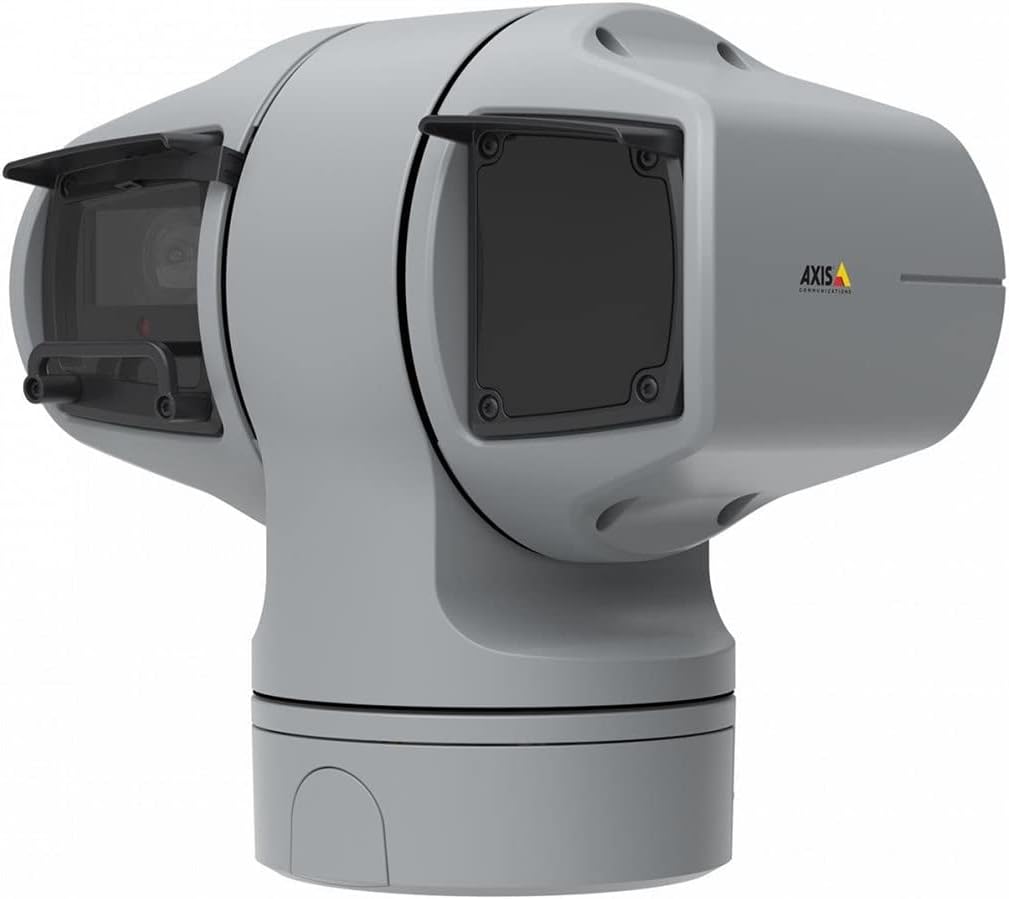
פיגורע 1: AXIS Q6225-LE PTZ Camera. This image displays the grey-colored PTZ camera unit, highlighting its robust housing and integrated lens system, designed for outdoor surveillance.
4. סעטאַפּ און ייַנמאָנטירונג
4.1 מאָונטינג די אַפּאַראַט
The AXIS Q6225-LE is designed for wall mount installation. Ensure the mounting surface is strong enough to support the camera's weight and withstand environmental conditions.
- אויסקלייבן אַ פּאַסיקע מאָנטירונג אָרט וואָס גיט די געוואונטשע פעלד פון view און איז אין דערגרייך פון עלעקטריע און נעץ פארבינדונגען.
- Use the provided mounting template to mark drill holes on the wall.
- Drill pilot holes and secure the mounting bracket using appropriate screws and anchors.
- Attach the camera to the mounting bracket, ensuring it is firmly locked in place.
4.2 מאַכט און נעץ פֿאַרבינדונג
Connect the camera to power and network as follows:
- מאַכט: Connect the power cable to a 60-watt power source. Ensure the connection is secure and weatherproof.
- נעץ: Connect an Ethernet cable from your network switch or router to the camera's network port. The camera supports Wi-Fi for wireless communication. Refer to the network configuration section for wireless setup.
4.3 ערשט קאַנפיגיעריישאַן
נאך דער פיזישער אינסטאַלאַציע און פֿאַרבינדונג, גייט צו צו דער קאַמעראַ'ס web interface for initial configuration:
- עפענען א web browser on a computer connected to the same network as the camera.
- Enter the camera's IP address in the browser's address bar. If the IP address is unknown, use the AXIS IP Utility tool to discover it.
- Follow the on-screen prompts to set up a new password for the administrator account.
- Configure basic network settings, date/time, and video stream settings.
5. אַפּערייטינג די קאַמעראַ
5.1 פּאַן, טילט, און זום (PTZ) קאָנטראָל
The AXIS Q6225-LE camera features full PTZ capabilities, allowing remote adjustment of its viewing angle and zoom level. Control is typically performed via the camera's web interface or compatible video management software (VMS).
- פּאַן: Rotate the camera horizontally to cover a wider area.
- טילט: Adjust the camera vertically to view objects at different heights.
- אָפּטיש פארגרעסער: Use the optical zoom feature to magnify distant objects without loss of image quality.
5.2 באַוועגונג דעטעקציע און וואָרענונגען
The camera supports motion-only alerts. Configure motion detection zones and sensitivity settings in the web interface to trigger recordings or notifications when movement is detected.
5.3 Infrared (IR) Illumination
Equipped with infrared light sources, the camera provides clear video surveillance in low-light or complete darkness. IR illumination activates automatically or can be manually controlled.
6. וישאַלט
6.1 רייניקונג
Regular cleaning of the camera lens and housing is recommended to ensure optimal performance, especially in dusty or harsh environments.
- ווישט אָפּ די לינז מיט אַ ווייכן, לינט-פֿרײַעם שטאָף. פֿאַר שווערן שמוץ, ניצט אַ לינז רייניקונג לייזונג ספּעציעל דיזיינד פֿאַר אָפּטישע סערפאַסיז.
- רייניקן די קאַמעראַ הויזינג מיט אַדamp שטאָף. פֿאַרמײַדט אַברייסיוו רייניגער אָדער סאָלווענטן.
6.2 פירמוואַרע דערהייַנטיקונגען
פּעריִאָדיש קאָנטראָלירן די אַקסיס קאָמוניקאַציעס website for firmware updates. Keeping the camera's firmware up-to-date ensures access to the latest features, security enhancements, and bug fixes.
7. טראָובלעשאָאָטינג
This section addresses common issues you might encounter with your AXIS Q6225-LE camera.
| פּראָבלעם | מעגלעך סיבה | לייזונג |
|---|---|---|
| קיין ווידעא קאָרמען | Power disconnected, network issue, incorrect IP address. | Check power connection. Verify network cable or Wi-Fi connection. Confirm camera's IP address. |
| נעבעך בילד קוואַליטעט | Dirty lens, improper focus, low light conditions. | Clean the lens. Adjust focus via web interface. Ensure adequate lighting or verify IR functionality. |
| PTZ קאָנטראָלס רעאַגירן נישט | Network latency, software glitch, motor issue. | Check network connection. Restart the camera. If problem persists, contact support. |
8. ספּעסאַפאַקיישאַנז
| שטריך | דעטאַל |
|---|---|
| מאָדעל נומער | 02316-002 |
| סאָרט | אַקס קאָמוניקאַציע |
| מאַונטינג טיפּ | וואנט בארג |
| קאָליר | ווייַס |
| מאַטעריאַל | מעטאַל |
| וואָסtage | 60 וואטס |
| קאַנעקטיוויטי טעכנאָלאָגיע | ווירעלעסס, ווי-פי |
| דרינענדיק / דרויסנדיק באַניץ | דרויסנדיק |
| קאָנטראָל מעטאָד | ווייַט |
| פאָטאָ סענסאָר טעכנאָלאָגיע | קמאָס |
| ווידעא קאַפּטורע פֿאָרמאַט | עמפּעג-4 |
| ליכט מקור טיפּ | ינפרערעד |
| פלינק טיפּ | בלויז באַוועגונג |
| פארגרעסער טיפּ | אָפּטיש פארגרעסער |
| פּונקט וואָג | 0.01 קילאָגראַמס (0.352 אונסעס) |
| אַרייַנגערעכנט קאַמפּאָונאַנץ | אַפּאַראַט / אַקסעסעריז |
9. וואָראַנטי און שטיצן
For warranty information and technical support, please refer to the official Axis Communications webזייטל אדער קאָנטאַקט אייער אויטאָריזירטן הענדלער. האַלט אייער קויף קוויטל ווי אַ באַווייַז פון קויפן.
אָנליין רעסורסן: www.axis.com


