הקדמה
This manual provides essential information for the proper setup, operation, and maintenance of your Unitech TS100 2D Hands-Free Presentation Barcode Scanner. Please read this manual thoroughly before using the device to ensure optimal performance and to prevent damage.
The Unitech TS100 is an omnidirectional USB wired desktop barcode reader designed for efficient and intuitive scanning of 1D and 2D barcodes, including PDF417 and Data Matrix, in retail and other point-of-sale environments.
זיכערקייַט אינפֿאָרמאַציע
- שטעלט נישט אויס דעם סקאַנער צו עקסטרעמע טעמפּעראַטורן, הומידיטי, אדער דירעקטע זונשייַן.
- פֿאַרמײַדט צו לאָזן דעם סקאַנער פאַלן אָדער אים אויסשטעלן צו שטאַרקע קלאַפּן.
- פרובירט נישט צו צענעמען אדער מאדיפיצירן דעם סקענער. דאס וועט בטל מאכן די גאראנטיע.
- ניצט נאָר דעם צוגעשטעלטן USB קאַבל פֿאַר פֿאַרבינדונג.
- Keep the scanning window clean to ensure accurate barcode reading.
פּעקל אינהאַלט
ביטע טשעקט די אינהאַלט פון די פּאַקעט צו זיכער מאַכן אַז אַלע זאכן זענען דאָרט:
- Unitech TS100 2D Presentation Barcode Scanner
- וסב קאַבלע
- שנעלע אָנהייב גייד (אויב אָנווענדלעך)
פּראָדוקט איבערview
The Unitech TS100 features a compact design with a large scan window for easy barcode presentation. Its omnidirectional scanning capability allows for quick and efficient data capture.
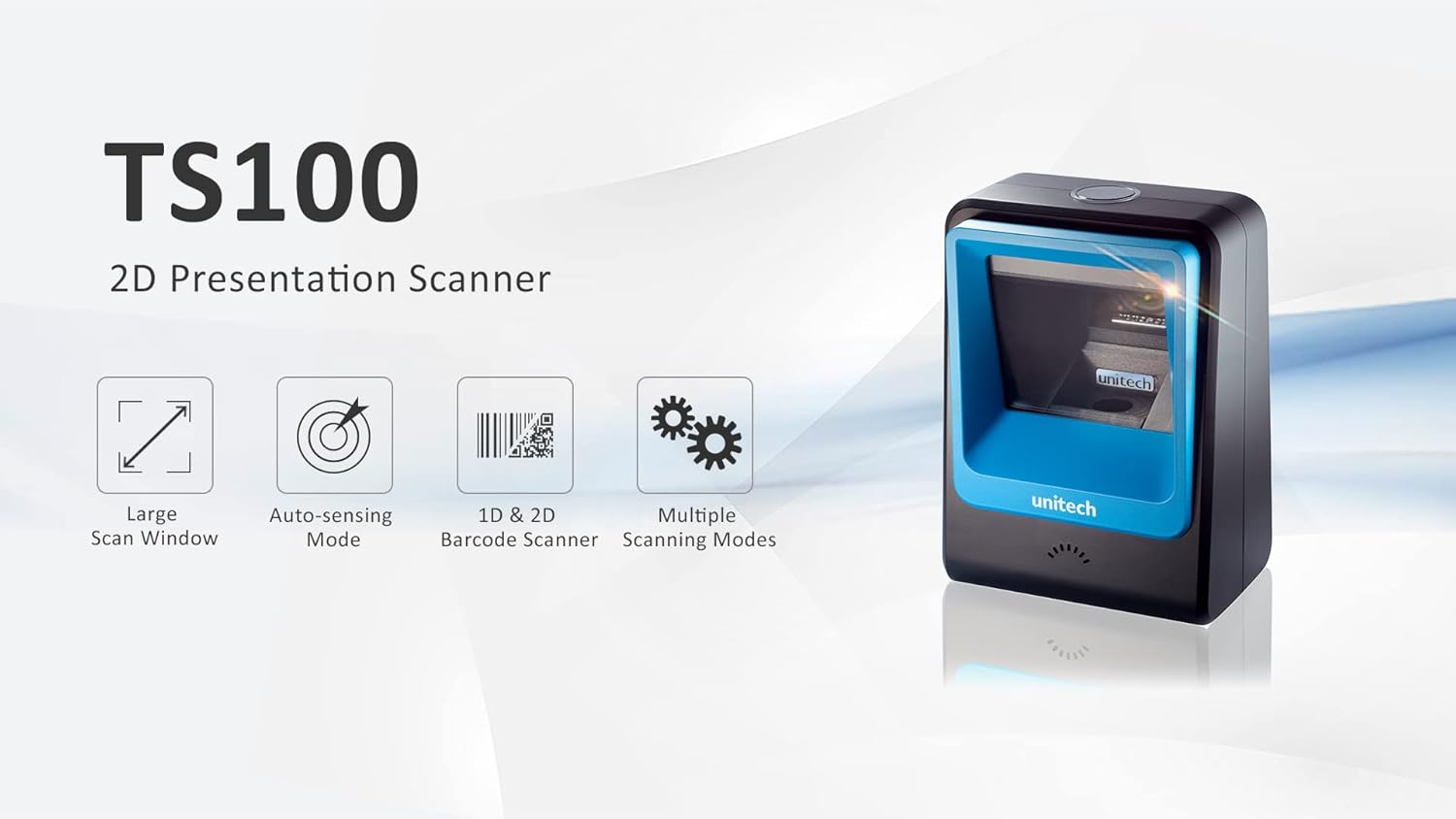
Figure 1: Unitech TS100 2D Presentation Scanner highlighting its large scan window, auto-sensing mode, 1D & 2D barcode scanning, and multiple scanning modes.

פיגורע 2: פראָנט view of the Unitech TS100 scanner, showing the blue scanning window and the Unitech logo.

פיגורע 3: צוריק view of the Unitech TS100 scanner, displaying the product label with model number TS100-SUCB00-SG and power specifications.
סעטאַפּ
Follow these steps to set up your Unitech TS100 barcode scanner:
- אויספּאַקן דעם סקאַנער: Carefully remove the TS100 scanner and its accessories from the packaging.
- פאַרבינדן די וסב קאַבלע: Insert the USB cable into the port at the back of the scanner.
- פאַרבינדן צו האָסט מיטל: Plug the other end of the USB cable into an available USB port on your computer, laptop, or POS system.
- דרייווער ינסטאַלירונג: The scanner is typically plug-and-play. Your operating system should automatically detect and install the necessary drivers. Wait for the installation to complete.
- מאַכט אויף: The scanner will power on automatically once connected to a powered USB port. A beep and/or LED indicator will confirm it is ready for use.
אַפּערייטינג ינסטראַקשאַנז
The Unitech TS100 is designed for hands-free operation, offering multiple scanning modes for various applications.
יקערדיק סקאַנינג
- לייגט דעם באַרקאָד אין דעם סקאַנער'ס פעלד פון view, facing the scanning window.
- The scanner will automatically detect the barcode and emit a successful scan indication (e.g., a beep and/or green LED).
- The scanned data will be transmitted to your connected host device as keyboard input.
סקאַנינג מאָדעס
The TS100 supports multiple scanning modes to optimize performance for different barcode types and environments:
- נאָרמאַל מאָדע: Standard scanning for most 1D and 2D barcodes.
- Smartphone Mode: Optimized for reading barcodes displayed on smartphone screens, which can sometimes be reflective.
- שנעל מאָדע: Designed for faster scanning of multiple barcodes in quick succession.
Refer to the full programming manual (available on the Unitech website) for instructions on how to switch between these modes using configuration barcodes.
וישאַלט
Proper maintenance ensures the longevity and performance of your scanner:
- רייניקן דעם סקענען פֿענצטער: ניצן אַ ווייך, לינט-פֿרייַ שטאָף לייטלי דampגעוואשן מיט וואַסער אָדער אַ מילדן, נישט-שרייַבנדיקן רייניגער. ניצט נישט שטרענגע כעמיקאַלן אָדער שרייַבנדיקע מאַטעריאַלן.
- רייניקונג די יקסטיריער: ווישט די אויסערליכע זייט פון דעם סקענער מיט א ווייכן, טרוקענעם שטאָף.
- סטאָרידזש: When not in use, store the scanner in a clean, dry environment away from direct sunlight and extreme temperatures.
טראָובלעשאָאָטינג
If you encounter issues with your TS100 scanner, refer to the table below for common problems and solutions:
| פּראָבלעם | מעגלעך סיבה | לייזונג |
|---|---|---|
| דער סקאַנער גייט נישט אָן. | USB cable not properly connected or host device USB port is not powered. | זיכער מאַכן אַז דער USB קאַבל איז זיכער פארבונדן צו ביידע דעם סקאַנער און דעם האָסט מיטל. פּרוּווט אַן אַנדער USB פּאָרט אָדער האָסט מיטל. |
| דער סקאַנער לייענט נישט קיין באַרקאָודז. | Barcode is damaged, poorly printed, or not supported. Scanning window is dirty. Incorrect scanning mode. | Ensure the barcode is clear and undamaged. Clean the scanning window. Verify the barcode symbology is supported. Try switching scanning modes (e.g., Smartphone Mode for screen barcodes). |
| די סקענירטע דאַטן זענען נישט ריכטיק אָדער נישט גאַנץ. | Poor barcode quality. Scanner configuration issues. | Ensure the barcode is clear. Refer to the programming manual for advanced configuration settings. |
| Scanner beeps but no data is transmitted. | Host device not recognizing the scanner as a keyboard input. | Ensure the cursor is in a text field on your host device. Reconnect the USB cable. Restart the host device. |
ספּעסאַפאַקיישאַנז
Detailed technical specifications for the Unitech TS100 scanner:
| שטריך | באַשרייַבונג |
|---|---|
| סענסאָר | Image Sensor with 1280x800 pixels |
| Illumination | 650nm RED LED |
| סקאַן קורס | 60 fps |
| Skew Angle | Horizontal Angle: 50°; Vertical Angle: 35° |
| פּעך ווינקל | ±65° |
| זעמל ווינקל | 360° |
| אָפּטיש האַכלאָטע | 1D: 4 mil; 2D: 6.7 mil |
| Printing Contrast Scale | 25% |
| האָסט צובינד | וסב |
| דימענסיעס (L X W X H) | 4.1 אינטש רענטגענ 5.7 אינטש רענטגענ 2.7 אינטש (105 מם רענטגענ 146 מם רענטגענ 70 מם) |
| וואָג | 12.1 oz / 345g (without cable) |
| 1D Symbologies Supported | UPC-A/E, EAN-8/13, UPC/EAN Supplementals, EAN-8 Extend, Code 128, Code 39, Code 93, Code 11, Interleaved 2 of 5, Matrix 2 of 5, Codabar, MSI Plessey, GS1 DataBar, China Postal, Korean Postal, etc. |
| 2D Symbologies Supported | PDF417, MicroPDF417, DataMatrix, DataMatrix-Inverse, Maxicode, QRcode, MicroQR, Aztec, Aztec Inverse, Han Xin, Han Xin Inverse |
| גראדן | געפירט, בוזזער |
| אַפּערייטינג טעמפּעראַטור | 32°F צו 122°F (0°C צו 50°C) |
| סטאָרידזש טעמפּעראַטור | -40°F צו 158°F (-40°C צו 70°C) |
| קאָרעוו הומידיטי | 0% צו 95% ניט-קאַנדענסינג |
וואָראַנטי און שטיצן
The Unitech TS100 barcode scanner main unit comes with a 1 יאָר וואָראַנטי פון די דאַטע פון קויפן. די וואָראַנטי קאָווערס חסרונות אין מאַטעריאַלס און ווערקמאַנשיפּ אונטער נאָרמאַל נוצן.
For technical support, warranty claims, or further assistance, please contact Unitech customer service or visit the official Unitech webזייטל. האַלט אייער קויף קוויטל ווי אַ באַווייַז פון קויפן פֿאַר וואָראַנטי באַדינונגען.
Unitech America Webפּלאַץ: www.unitechamerica.com


