1. פּראָדוקט איבערview
The BISOFICE 3-IN-1 Mini Projector is a versatile and portable device designed for various entertainment and presentation needs. Featuring Android TV 9.0, WiFi, and Bluetooth connectivity, it delivers 1080P HD projection with 150 ANSI lumens and automatic vertical keystone correction.
שליסל פֿעיִקייטן:
- Upgraded Performance & 1080P HD Projection: Android 9.0 system for smooth operation, 400:1 contrast ratio, 35,000-hour LED bulb lifetime, 100 ANSI lumens for clear images, and advanced color restoration technology.
- Low Noise 3-Side Stereo Speakers: Advanced noise reduction (max 28BD fan noise) and unique 3-sided speakers for clear, three-dimensional audio. Supports external speakers.
- קייפל ינטערפייסיז: Equipped with HDMI, VGA, AV, and USB ports for connecting smartphones, laptops, tablets, USB drives, and TV boxes.
- Travel Portable: Compact and lightweight design, 7000 mAh battery for 1-2 movies, supports Type-C mobile power supply or car charger (5V/2.5A required).
- ימפּרוווד האַכלאָטע: Natural resolution increased to 800*480 for improved brightness and color saturation.
פּעקל אינהאַלט:
- BISOFICE 3-IN-1 Mini Projector
- ווייַט קאָנטראָל
- טיפּ C קאַבלע
- וסב פלאַש דיסק
- 1.2 ם מאַכט שנור
- 1 ם הדמי קאַבלע
- דרייַפוס

Image: All items included in the BISOFICE Mini Projector package, including the projector, remote, cables, and tripod.
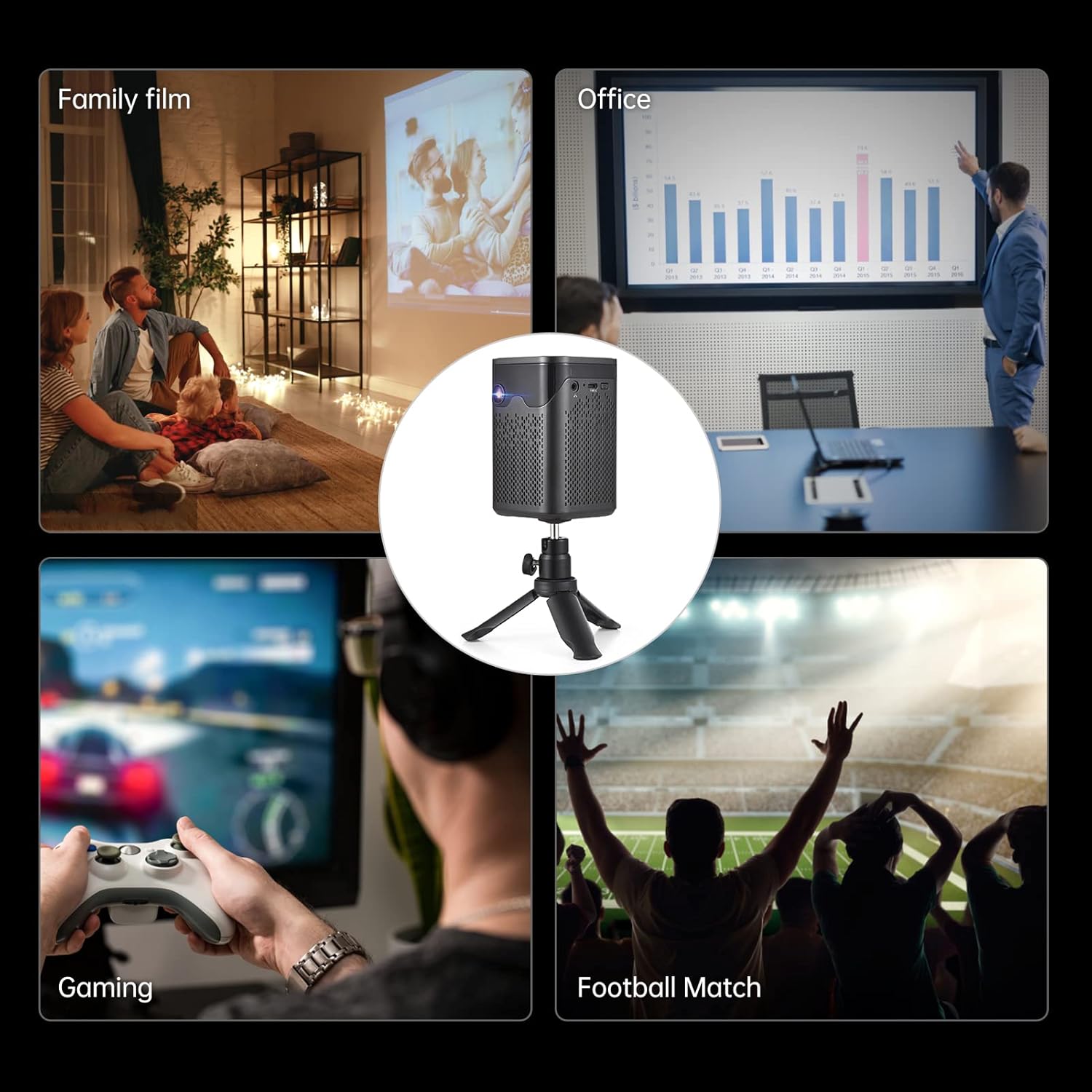
Image: A collage showing various usage scenarios for the projector, including family movie night, office presentations, gaming, and watching sports.
2. סעטאַפּ גייד
2.1 ערשט סעטאַפּ
- מאַכט אויף: Connect the projector to a power source using the provided power cord or use the built-in 7000 mAh battery. Press the power button on the projector or remote control to turn it on.
- אָרט: שטעלט דעם פּראָיעקטאָר אויף אַ שטאַרקער, גלאַטער ייבערפלאַך. פֿאַר אָפּטימאַלן viewing, position it perpendicular to the projection surface. The included tripod can be used for flexible placement.
- פאָקוס אַדזשאַסטמאַנט: Use the focus wheel on the side of the projector to achieve a clear image.
- Keystone Correction: The projector features auto-vertical keystone correction. If the image appears trapezoidal, the projector will automatically adjust it. Manual adjustment options may also be available in the settings.

Image: The BISOFICE Mini Projector shown with its remote control and a smartphone, highlighting its compact size and connectivity options.
2.2 קאַנעקטינג דעוויסעס
The projector offers multiple ways to connect your devices:
- הדמי: Connect laptops, gaming consoles, or TV boxes using an HDMI cable.
- וסב: Plug in USB drives for direct media playback.
- פון: פֿאַרבינדט עלטערע דעווייסעס מיט אַן AV קאַבל.
- טיפּ C: Use the Type-C port for power input or connecting compatible devices.
- WiFi: Connect to your home network for streaming and online content.
- בלועטאָאָטה: Pair with external Bluetooth speakers, headphones, or input devices like a mouse or keyboard.

Image: A hand holding the compact BISOFICE Mini Projector, illustrating its portable design and small dimensions (74x74x110mm, 410g).
3. אַפּערייטינג ינסטרוקטיאָנס
3.1 Navigating the Android TV 9.0 Interface
The projector runs on Android TV 9.0, providing access to various applications and settings. Use the remote control to navigate the interface.
- היים פאַרשטעלן: Access pre-installed apps like Netflix, YouTube, and Google Play.
- סעטטינגס: Adjust network, Bluetooth, language, date/time, and projection settings.
- ריר סקרין אָפּעראַציע: The top panel of the projector features touch controls for basic navigation and volume adjustment.

Image: The projector operating in Bluetooth Speaker Mode, connected to a smartphone playing music, demonstrating its audio capabilities.
3.2 Projection Settings
Access the "Projection Setting" menu to fine-tune your viewדערפאַרונג:
- פּרויעקציע מאָדע: Adjust for front, rear, ceiling front, or ceiling rear projection.
- Keystone Correction: Manual adjustment for image shape if needed.
- ברייטנאַס אַדזשאַסטמאַנט: Control the image brightness.
- פארגרעסער מאָדע: אַדזשאַסטירן די גרייס פון דעם עקראַן אָן צו רירן דעם פּראָיעקטאָר.

Image: The projector displaying the Android 9 Smart OS interface, showing various applications like Netflix, YouTube, and Google Play.
3.3 Video Playback and Connectivity
Enjoy movies, videos, and games by connecting your devices or streaming directly:
Video: A demonstration of the BISOFICE Mini Projector's interface, settings, and projection capabilities, including network and language settings, and media playback.
ווידעא: א קורצע איבערבליקview of the Mini Projector with WiFi and Bluetooth, showcasing its compact design, touch screen operation, headphone jack, battery life, keystone correction, and various usage scenarios.
4. וישאַלט
4.1 רייניקונג
- לענס: Gently wipe the projector lens with a soft, lint-free cloth. Avoid abrasive materials or harsh chemicals.
- עקסטעריע: Clean the exterior of the projector with a dry or slightly damp soft cloth. Do not use liquid cleaners directly on the device.
- ווענטילאַטיאָן: זיכער מאַכן אַז די ווענטילאַציע עפענונגען זענען ריין פון שטויב און שמוץ צו פאַרמייַדן איבערהיצונג.
4.2 לamp לעבן
The projector uses an LED light source with an estimated lifetime of 35,000 hours, providing long-term use without frequent lamp פאַרבייַט.

Image: Graphic illustrating the projector's LED lamp lifetime of 30,000 hours and 100 ANSI lumens brightness.
5. טראָובלעשאָאָטינג
- קיין בילד:
- Ensure the projector is powered on and connected correctly.
- קאָנטראָלירט די אויסוואַל פון די אַרייַנגאַנג מקור.
- באַשטעטיקן אַז די פּראַיעקציע־איבערפֿלאַך איז קלאָר.
- בלערי בילד:
- Adjust the focus wheel until the image is sharp.
- Ensure the projector is within the recommended projection distance (0.5m-3m for 10-100 inches).
- קאָנטראָלירט די קיסטאָון קערעקשאַן סעטטינגס.
- קיין קול:
- פֿאַרגרעסערט דעם קול אויף דעם פּראָיעקטאָר און דעם פֿאַרבונדענעם אַפּאַראַט.
- קאָנטראָלירט די אַודיאָ אַוטפּוט סעטטינגס אויף דעם פֿאַרבונדענעם מיטל.
- Ensure Bluetooth speakers are properly paired if used.
- קאַנעקטיוויטי ישוז (WiFi / בלועטאָאָטה):
- Ensure WiFi/Bluetooth is enabled on both the projector and the device.
- Restart the projector and the connected device.
- Check network settings and password for WiFi.
6. ספּעסאַפאַקיישאַנז
| שטריך | דעטאַל |
|---|---|
| סאָרט | ביסאָפיס |
| מאָדעל נומער | 3-IN-1 Mini Projector |
| אָפּערייטינג סיסטעם | אַנדרויד 9.0 |
| ווייַז טעכנאָלאָגיע | DLP |
| ווייַז האַכלאָטע | 3840 x 2160 (4K supported) |
| ברייטנאַס | 150 אַנסי לומענס |
| קאַנטראַסט פאַרהעלטעניש | 400:1 |
| קאַנעקטיוויטי | WiFi, Bluetooth, HDMI, VGA, AV, USB, Type-C |
| רעדנער טיפּ | Built-In 3W Stereo Speakers |
| באַטערי | 7000 mAh (up to 1-2 movies playback) |
| דימענשאַנז | 2.91 X 2.91 X 4.33 אינטשעס |
| פּונקט וואָג | 2.2 פונט |
| ספּעציעלע פֿעיִקייטן | HDMI Connectivity, Portable, USB Connectivity, Auto-Vertical Keystone |
7. וואָראַנטי און שטיצן
This BISOFICE product comes with a standard manufacturer's warranty. Please refer to the warranty card included in your package for specific terms and conditions. For technical support, troubleshooting assistance, or warranty claims, please contact BISOFICE customer service through their official webפּלאַץ אָדער די זיצער ווו די פּראָדוקט איז פּערטשאַסט.
האַלט אייער קויף קוויטל און פּראָדוקט סעריע נומער גרייט ווען איר קאָנטאַקטירט שטיצע.


