1. הקדמה
The Beurer LR 401 Air Purifier is designed to provide clean and healthy indoor air by effectively filtering various airborne particles. This device offers convenient monitoring and control of ambient air quality through a dedicated smartphone application, whether you are at home or away. Its modern design ensures it integrates seamlessly into any living space.
שליסל פֿעיִקייטן אַרייַננעמען:
- אַפּ קאָנטראָל: Easily monitor and purify ambient air using the 'beurerFreshHome' application.
- עפעקטיוו פילטריישאַן סיסטעם: A three-layer system comprising a pre-filter, HEPA H13 filter, and activated carbon filter removes up to 99.95% of particles such as bacteria, viruses, fine dust, and pollen.
- אַדזשאַסטאַבאַל פאָכער ספּידז: Four fan speed levels and an additional turbo mode for effective air purification in rooms up to 69 m².
- נאַכט מאָדע: Operates ultra-quietly with an unlit control panel for undisturbed sleep, including a programmable timer function.
- לופט קוואַליטעט ינדיקאַטאָר: A color-coded display provides real-time information on ambient air quality, alongside a filter change indicator.
2. זיכערקייַט אינסטרוקציעס
Please read these safety instructions carefully before using the Beurer LR 401 Air Purifier to ensure safe operation and prevent damage.
- Always connect the device to a power outlet with the correct voltagE ווי אנגעוויזן אויף די שאַץ פירמע.
- Do not operate the device with a damaged power cord or plug. Contact customer service for repairs.
- Keep the air purifier away from water, moisture, and direct sunlight. Do not use it in bathrooms or other humid environments.
- Ensure proper ventilation around the device. Do not block air inlets or outlets.
- דער מיטל קענען ווערן גענוצט דורך קינדער אַלט 8 יאר און העכער און מענטשן מיט רידוסט פיזיש, סענסערי אָדער גייַסטיק קייפּאַבילאַטיז אָדער פעלן פון דערפאַרונג און וויסן אויב זיי האָבן באקומען השגחה אָדער לימעד וועגן נוצן פון די אַפּפּליאַנסע אויף אַ זיכער וועג און פֿאַרשטיין די כאַזערדז ינוואַלווד. .
- קינדער זאָל זיין סופּערווייזד צו ענשור אַז זיי טאָן ניט שפּילן מיט די אַפּפּליאַנסע.
- נעמט ארויס דעם אפאראט איידער איר רייניגט אדער פירט אויס קיין שום אויפהאלטונג.
- Only use original Beurer replacement filters.
- צי ניט שטעלן קיין אַבדזשעקץ אין די אָופּאַנינגז פון די מיטל.
3. פּראָדוקט קאַמפּאָונאַנץ
The Beurer LR 401 Air Purifier consists of the main unit, a control panel, and a multi-layer filter system.

The Beurer LR 401 Air Purifier positioned in a modern living room environment.

נאָענט-אַרויף view of the Beurer LR 401 Air Purifier's top control panel, showing touch buttons for power, fan speed, UV-C light, timer settings, and filter reset.
3.1 פילטריישאַן סיסטעם
The LR 401 utilizes a comprehensive three-layer filter system to ensure optimal air purification:
- פאַר-פילטער: Captures larger particles such as dust, pet hair, and small insects.
- HEPA H13 Filter: Filters out up to 99.95% of smaller particles, including bacteria, viruses, fine dust, and pollen.
- אַקטיווייטיד קאַרבאָן פילטער: אַבזאָרבירט שעדלעכע גאַזן, וואַלאַטאַל אָרגאַנישע קאַמפּאַונדז (VOCs), און אומאַנגענעמע ריחות.

Diagram illustrating the three-layer filtration system of the Beurer LR 401, including the pre-filter, HEPA H13 filter, and activated carbon filter.
4. סעטאַפּ
Follow these steps to set up your Beurer LR 401 Air Purifier:
- ופשליסן די מיטל: פֿאָרזיכטיק אַרויסנעמען דעם לופֿט רייניגער און אַלע פֿאַרפּאַקונג מאַטעריאַלן פֿון דער קעסטל.
- ינסטאַלירן פילטערס: Open the filter compartment (usually at the bottom or back of the unit). Remove the plastic packaging from all filters (pre-filter, HEPA H13, activated carbon) and insert them into the device in the correct order. Close the filter compartment securely.
- אָרט: Place the air purifier on a flat, stable surface, ensuring there is adequate space (at least 20 cm) around all sides for optimal airflow. Avoid placing it near heat sources or in direct sunlight.
- מאַכט קשר: צאַפּן די מאַכט שנור אין אַ פּאַסיק עלעקטריקאַל ווענטיל.
- ערשט מאַכט אויף: דרוק די מאַכט קנעפּל אויף די קאָנטראָל טאַפליע צו קער אויף די מיטל.
- אַפּ דאַונלאָוד און פּערינג:
- Download the 'beurerFreshHome' app from your smartphone's app store (iOS or Android).
- Follow the in-app instructions to create an account and pair your LR 401 Air Purifier with your smartphone via Wi-Fi.

Beurer LR 401 Air Purifier being controlled by a user via the 'beurerFreshHome' smartphone application.
5. אַפּערייטינג ינסטרוקטיאָנס
The Beurer LR 401 can be operated via its touch control panel or the 'beurerFreshHome' smartphone application.
5.1 קאָנטראָל פּאַנעל פאַנגקשאַנז
- מאַכט אויף / אַוועק: דרוק די מאַכט קנעפּל צו קער די מיטל אויף אָדער אַוועק.
- פאָכער ספּיד אַדזשאַסטמאַנט: Cycle through four fan speeds (1, 2, 3, 4) and a turbo mode by pressing the fan speed button.
- נאַכט מאָדע: Activate night mode for quiet operation and dimmed display.
- טיימער פֿונקציע: Set the operating time (e.g., 2h, 4h, 8h) after which the device will automatically turn off.
- UV-C ליכט: Activate or deactivate the integrated UV-C light for enhanced sterilization.
- פילטער באַשטעטיק: After replacing the filter, press and hold the filter button to reset the filter life indicator.
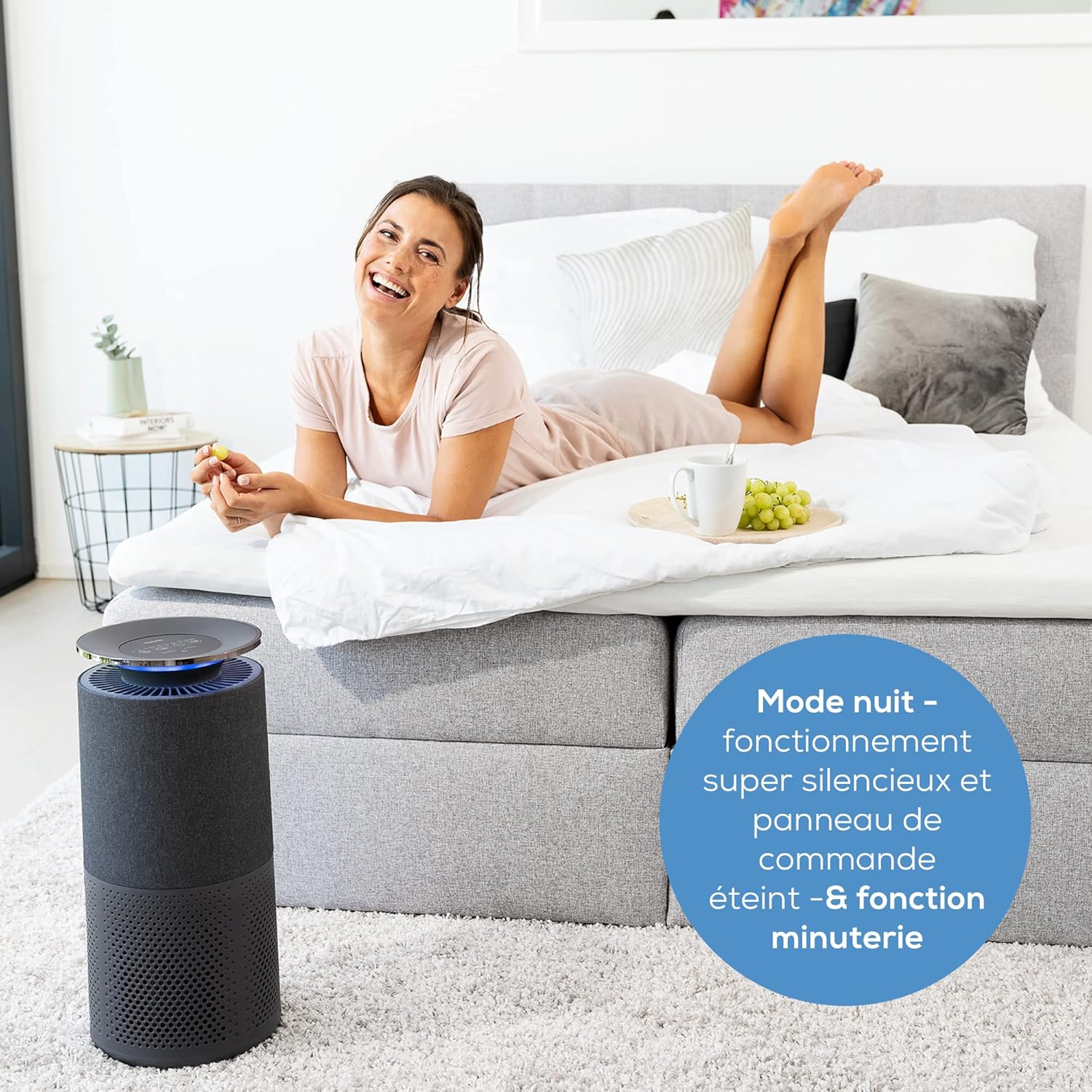
Beurer LR 401 Air Purifier operating in a bedroom during night mode, with a user relaxing nearby, emphasizing its quiet operation.
5.2 לופט קוואַליטי ינדיקאַטאָר
The device features a color-coded light ring that indicates the current air quality:
- בלוי: ויסגעצייכנט לופט קוואַליטעט
- גרין: גוט לופט קוואַליטעט
- געל: מעסיק לופט קוואַליטעט
- רויט: נעבעך לופט קוואַליטעט

Beurer LR 401 Air Purifier in a living room, demonstrating its intelligent sensor detecting fine dust particles up to 2.5 µm.
5.3 App Control ('beurerFreshHome')
Once paired, the 'beurerFreshHome' app allows you to:
- Remotely turn the device on/off.
- Adjust fan speed and activate turbo mode.
- Set and manage the timer.
- Activate/deactivate UV-C light.
- Monitor real-time air quality data.
- Receive notifications for filter changes.
6. וישאַלט
Regular maintenance ensures the optimal performance and longevity of your air purifier.
6.1 רייניקונג די אַפּאַראַט
- שטענדיק אָפּשטויסן די מיטל איידער רייניקונג.
- ווישן די יקסטיריער פון די אַפּאַראַט מיט אַ ווייך, דamp שטאָף. דו זאלסט נישט נוצן אַברייסיוו קלינערז אָדער סאָלוואַנץ.
- Periodically vacuum the pre-filter to remove accumulated dust and debris.
6.2 פילטער פאַרבייַט
The filter system has an approximate lifespan of 4300 operating hours. The filter change indicator on the control panel and in the app will notify you when replacement is needed.
- אָפּשטעקן די לופט פּיוראַפייער פון די מאַכט ווענטיל.
- עפענען די פילטער אָפּטייל.
- Remove the old filter unit and dispose of it properly.
- Insert a new, original Beurer replacement filter unit, ensuring it is correctly seated.
- פאַרמאַכן די פילטער אָפּטייל סיקיורלי.
- Plug the device back in and press and hold the filter reset button on the control panel until the indicator light turns off or resets.
7. טראָובלעשאָאָטינג
If you encounter issues with your Beurer LR 401, refer to the following common problems and solutions:
| פּראָבלעם | מעגלעך סיבה | לייזונג |
|---|---|---|
| די מיטל איז נישט קער אויף | No power supply; Power cord not properly connected | Check if the power cord is securely plugged into the outlet and the device. Try a different outlet. |
| שלעכטע לופט רייניקונג פאָרשטעלונג | Filters are dirty or expired; Air inlets/outlets blocked | Check and replace filters if necessary. Ensure no obstructions around the device. |
| ומגעוויינטלעך ראַש בעשאַס אָפּעראַציע | Foreign object inside; Filter not installed correctly | Unplug and check for any foreign objects. Reinstall filters to ensure they are seated properly. |
| אַפּ קען נישט פאַרבינדן צו מיטל | Wi-Fi issues; Incorrect pairing process | Ensure your Wi-Fi network is stable. Restart the air purifier and your smartphone. Repeat the pairing process in the 'beurerFreshHome' app. |
אויב די פראבלעם בלייבט נאך פרובירן די לייזונגען, ביטע קאנטאקטירן Beurer קאסטומער שטיצע.
8. טעכניש ספּעסאַפאַקיישאַנז
| מאָדעל נומער | 68013 |
| פּראָדוקט דימענשאַנז (L x W x H) | 55.7 x 29.2 x 29 cm (21.5P x 21.5l x 50.5H centimeters) |
| פּונקט וואָג | 5.03 קילאָגראַמס |
| מאַכט מקור | קאָרדעד עלעקטריק |
| קאָנטראָל מעטאָד | Application, Touch Panel |
| פילטער טיפּ | Pre-filter, HEPA H13, Activated Carbon |
| שטאָק שטח קאַווערידזש | אַרויף צו 69 קוואַדראַט מעטער |
| ראַש מדרגה | 45 דעציבעלן |
| סערטיפיקאַטיאָנס | HEPA Certified |
| קאָליר | שוואַרץ |
| לאַנד פון אָריגין | כינע |
9. וואָראַנטי און שטיצן
For warranty information, please refer to the warranty card included with your Beurer LR 401 Air Purifier. This document outlines the terms and conditions of your product's warranty.
If you require technical assistance, have questions about your product, or need to purchase replacement parts (such as filters), please contact Beurer customer support. You can typically find contact information on the Beurer official webפּלאַץ אָדער אין די פּראָדוקט פּאַקקאַגינג.
בוירער אפיציעל Webפּלאַץ: www.beurer.com