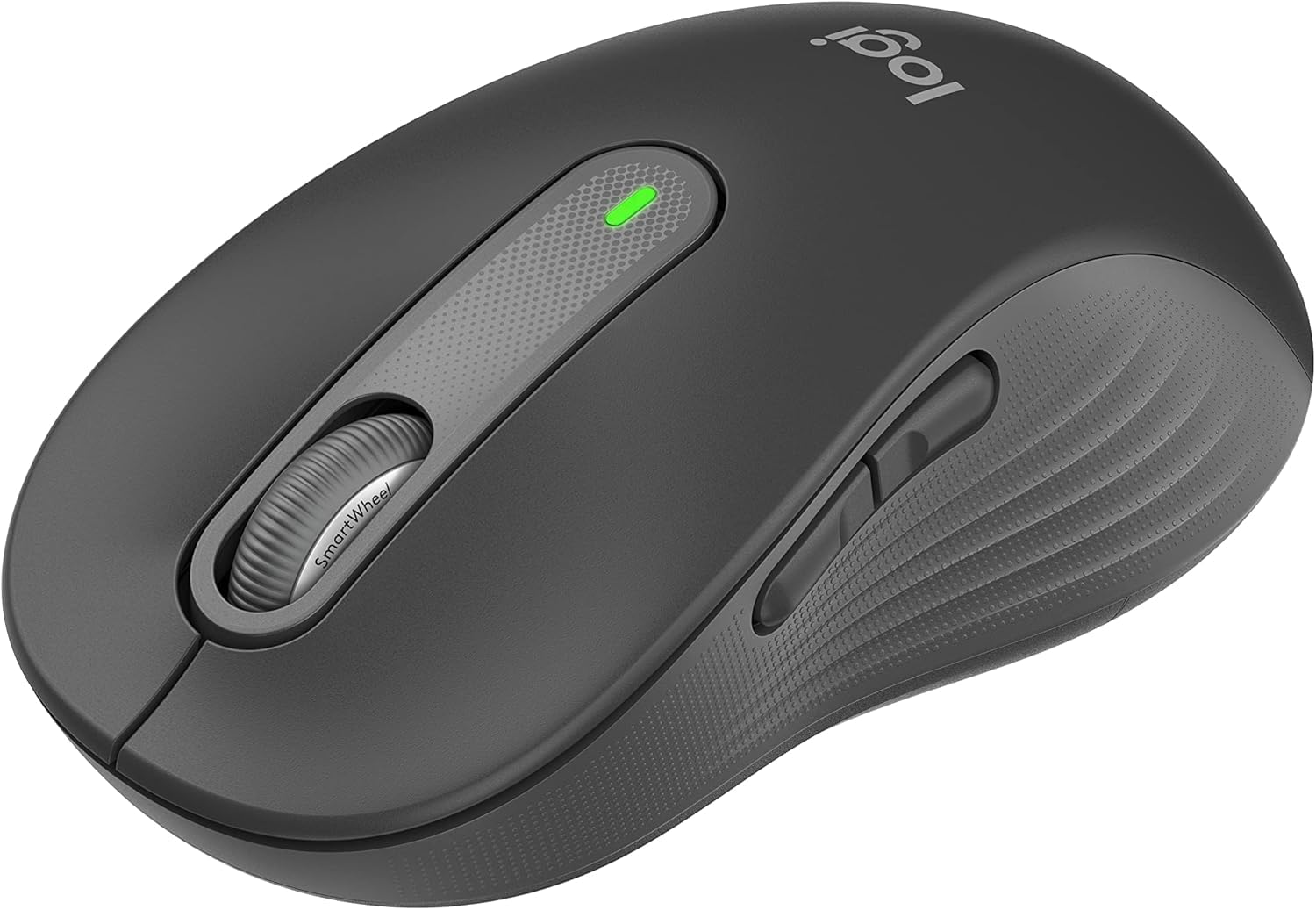
1. סעטאַפּ
Follow these steps to set up your Logitech Signature M650 L Wireless Mouse.
1.1 באַטאַרייע ייַנמאָנטירונג
The mouse requires one AA battery. To install or replace the battery:
- געפינט דעם דעקל פונעם באַטעריע־אָפּטייל אויף דער אונטערשטער זייט פון דער מויז.
- רוק די דעקל עפענען.
- אַרײַנשטעלן איין AA באַטעריע, און זיכער מאַכן אַז די פּאָלאַריטעט איז ריכטיק (+/-).
- פאַרמאַכן די באַטאַרייע אָפּטייל דעקן סיקיורלי.

The underside of the mouse, revealing the battery compartment and the storage slot for the Logi Bolt USB receiver.
1.2 קאַנעקטיוויטי
The mouse offers two connection options: Bluetooth Low Energy or the Logi Bolt USB receiver.
- ניצן לאָגי באָלט יו-עס-בי ריסיווער: Plug the Logi Bolt USB receiver into an available USB port on your computer. The mouse should connect automatically.
- ניצן בלועטאָאָטה: Turn on the mouse. On your computer, navigate to Bluetooth settings and select to add a new device. Choose the Logitech Signature M650 L from the list of available devices to pair.
1.3 מאַכט אויף / אַוועק
A power switch is located on the underside of the mouse. Slide the switch to the 'On' position to activate the mouse and to the 'Off' position to conserve battery when not in use.
2. אפערירן די מויז
The Logitech Signature M650 L is designed for comfort and efficiency.
2.1 SmartWheel Scrolling
The adaptive SmartWheel provides two modes of scrolling:
- Line-by-Line Precision: For detailed navigation in documents and spreadsheets.
- סופּער-שנעלער פרייער דריי: Automatically switches to free spin mode for rapid scrolling through long web pages or documents with a flick of the finger.
2.2 שטילע קליקן
The mouse features SilentTouch technology, reducing click noise by 90% for a quieter work environment.

A user operating the Logitech Signature M650 L mouse, highlighting its silent click feature.
2.3 Customizable Side Buttons
The side buttons can be customized to perform various functions, such as navigating forwards and backwards in web browsers or activating specific application commands. Use the Logitech Options+ software to personalize these buttons.

The Logitech Options+ software interface, demonstrating how to customize the mouse's side buttons.
2.4 ערגאָנאָמישער פּלאַן
Designed for larger hands, the contoured shape, soft thumb area, and rubber side grips provide comfort during long hours of use.
3. וישאַלט
געהעריגע אויפהאלטונג גאראנטירט די לאנגעוויטי און אפטימאלע פערפארמאנס פון אייער מויז.
3.1 רייניקונג
צו ריין דיין מויז:
- ניצן אַ ווייך, לינט-פֿרייַ שטאָף.
- Dampen the cloth lightly with water or a mild, non-abrasive cleaner.
- Wipe the surface of the mouse gently. Avoid getting moisture into openings.
- פֿאַר דעם אָפּטישן סענסאָר, ניצט אַ טרוקענע וואַטע שטעכל צו פֿאָרזיכטיק אַראָפּנעמען יעדן שטויב אָדער דעבריס.
3.2 באַטערי פאַרבייַט
Replace the AA battery when the mouse's indicator light signals low power or when performance degrades. Refer to section 1.1 for battery installation instructions.
4. טראָובלעשאָאָטינג
If you encounter issues with your mouse, try the following solutions:
4.1 קאָנעקטיוויטי פּראָבלעמען
- טשעק מאַכט: Ensure the mouse is turned on and has sufficient battery power.
- איבערפּאַרן דעם מיטל: If using Bluetooth, try unpairing and re-pairing the mouse in your computer's Bluetooth settings. If using the USB receiver, try unplugging and re-inserting it into a different USB port.
- ינטערפיראַנס: Move the mouse closer to your computer and away from other wireless devices that might cause interference.
4.2 Jumpy or Erratic Cursor
- ריין סענסער: זיכער מאַכן אַז דער אָפּטישער סענסאָר אויף דער אונטערשטער זייט פון דער מויז איז ריין און פריי פון שמוץ.
- ייבערפלאַך: Use the mouse on a non-reflective, opaque surface. Highly reflective or transparent surfaces can interfere with tracking.
4.3 קנעפּלעך רעאַגירן נישט
- באַטערי: טוישט די באַטעריע אויב זי איז נידעריק.
- ווייכווארג: If customizable buttons are not working, check the Logitech Options+ software for correct configuration.
5. ספּעסאַפאַקיישאַנז
| פּראָדוקט דימענשאַנז | 4.7 X 2.6 X 0.04 אינטשעס |
| פּונקט וואָג | 3.92 אונסעס |
| נומער מאָדעל נומער | M650 |
| באַטעריז | 1 אַאַ באַטאַרייע פארלאנגט (אַרייַנגערעכנט) |
| סאָרט | Logitech |
| קאָליר | גראַפיטע |
| קאַנעקטיוויטי טעכנאָלאָגיע | Bluetooth, USB, Wireless |
| ספּעציעלע שטריך | ווירעלעסס |
| באַוועגונג דעטעקשאַן טעכנאָלאָגיע | אָפּטיש |
6. וואָראַנטי און שטיצן
This product is a renewed item. Please refer to the seller's specific return policy for details. The typical return policy for renewed items is a 90-day refund/replacement period.
For further assistance or technical support, please visit the official Logitech support webפּלאַץ אָדער קאָנטאַקט זייער קונה דינסט.


