1. פּראָדוקט איבערview
The BAOFENG Anysecu HB980 is a wireless handheld speaker microphone designed for two-way radios and compatible with Bluetooth-enabled devices. It offers clear audio transmission and reception, robust construction with IP66 waterproofing, and extended battery life for reliable communication in various environments. This manual provides detailed instructions for setup, operation, and maintenance.
2. פּעקל אינהאַלט
Upon opening your BAOFENG Anysecu HB980 package, please verify that all the following items are included:
- 1x HB980 Wireless Handheld Speaker Microphone
- 1x 2-Pin K1 Connector Bluetooth Adapter
- 1x USB טשאַרדזשינג קאַבל (טיפּ-C)
- 1x באַניצער מאַנואַל (דאָס דאָקומענט)

Figure 2.1: Standard package contents of the BAOFENG Anysecu HB980.
3. פּראָדוקט פֿעיִקייטן און קאָמפּאָנענטן
The BAOFENG Anysecu HB980 is engineered for convenience and durability. Key features include:
- IP66 וואָטערפּרוף שאַץ: Resistant to water spray and splashes, suitable for outdoor use. Note: Not designed for partial or full submersion.
- בלועטוט וו4.0 קאָנעקטיוויטי: Ensures stable wireless connection up to 10 meters (30 ft).
- לאַנג-בלייַביק באַטערי: Equipped with a 1000mAh Lithium Ion battery, providing approximately 10 hours of music time, 15 hours of talk time, and 300 hours of standby time on a 2-3 hour charge.
- מולטי-פאַנגקשאַנאַל קנעפּלעך: Dedicated buttons for Power On/Off, Volume Up/Down, Push-to-Talk (PTT), and a programmable button (P1) for answering/hanging up calls or playing/pausing music.
- Rotatable Belt Clip: Allows for flexible attachment to clothing or gear.
- טיפּ C טשאַרדזשינג פּאָרט: מאָדערן און באַקוועם טשאַרדזשינג צובינד.
- 3.5mm Only Listen Jack: For connecting an external earpiece for private listening.

Figure 3.1: Labeled components of the HB980 Wireless Handheld Speaker Microphone and K1 Adapter.
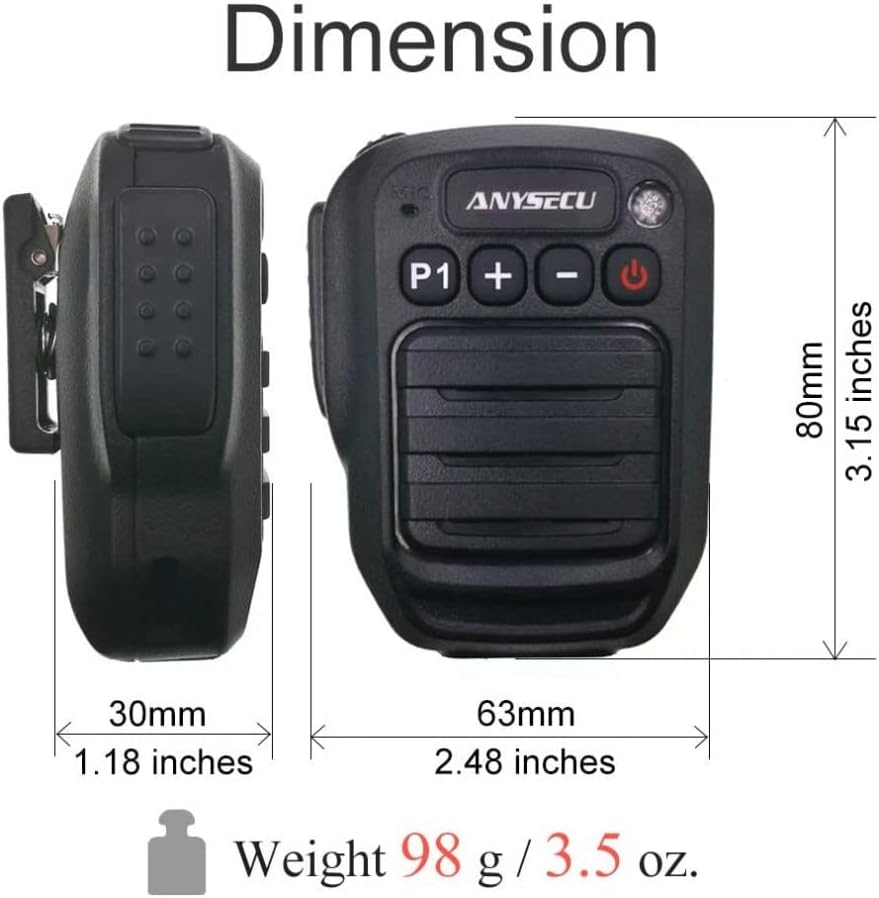
Figure 3.2: Dimensions and weight of the HB980 Wireless Handheld Speaker Microphone.
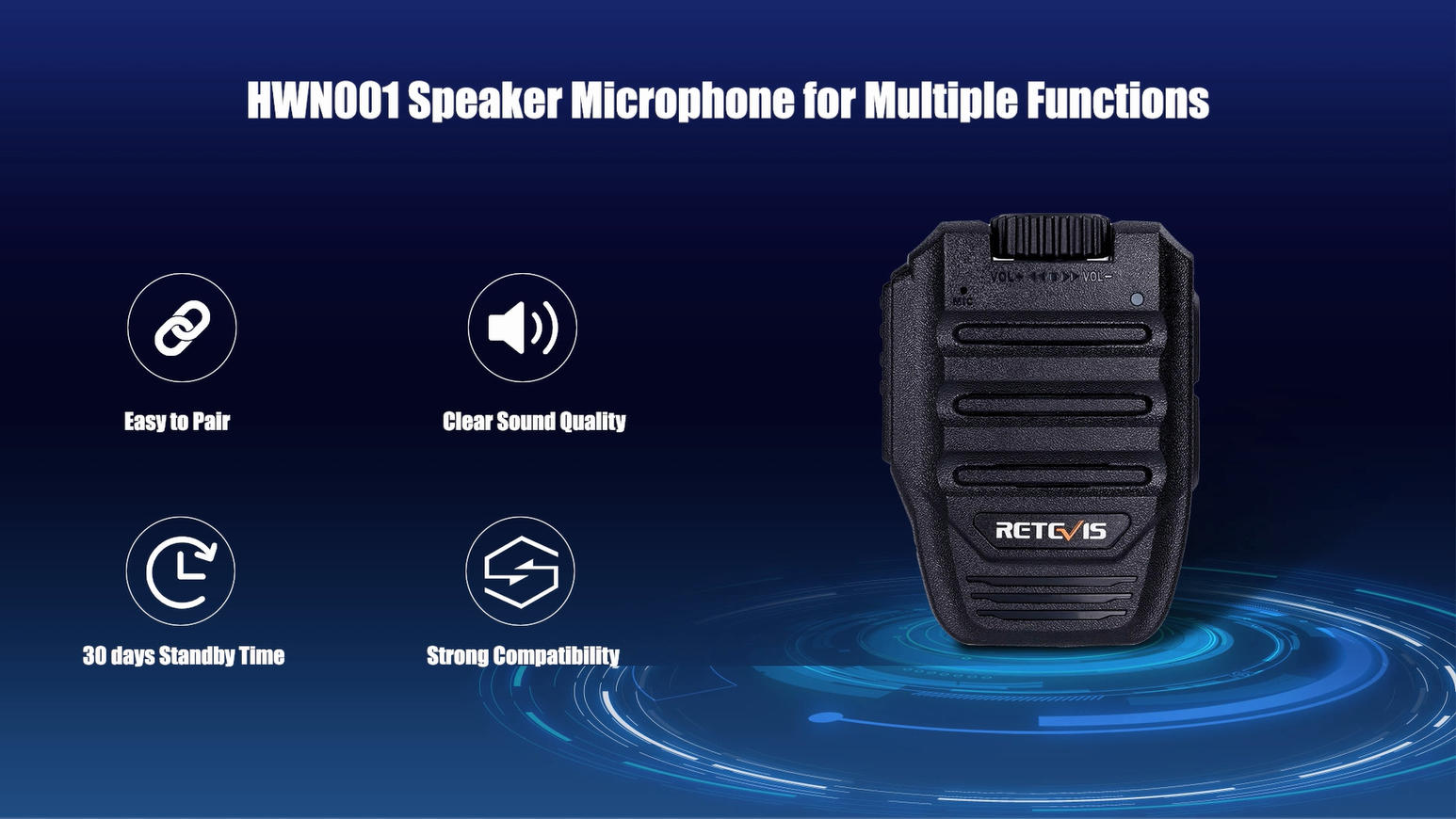
Figure 3.3: Important compatibility notice regarding Bluetooth protocols for various radio brands.
4. סעטאַפּ און ייַנמאָנטירונג
4.1 Connecting to a Two-Way Radio
- Ensure both the HB980 microphone and the K1 Bluetooth adapter are fully charged.
- Long press the power button on the HB980 microphone until it powers on and enters pairing mode (indicator light will flash).
- Long press the power button on the K1 Bluetooth adapter until it powers on and enters pairing mode (indicator light will flash).
- Insert the K1 Bluetooth adapter into the 2-pin jack of your compatible two-way radio (e.g., Baofeng UV-5R, UV-82 series).
- The microphone and adapter should automatically pair. A voice prompt will confirm "Connected" once pairing is successful.

Figure 4.1: Wireless connection between the HB980 microphone and a two-way radio.
Video 4.1: Demonstration of connecting the HB980-M wireless microphone to a two-way radio.
Video 4.2: Unboxing and initial setup of the HB980 wireless microphone with a radio.
4.2 Connecting to a Smartphone (for Zello APP)
- Ensure the HB980 microphone is powered on and in pairing mode.
- On your smartphone, navigate to Bluetooth settings and enable Bluetooth.
- זוכן פֿאַר available devices and select "Herdt980D-Zello" or a similar name for the HB980.
- Once connected, open the Zello application. You may need to configure the PTT button within the Zello app settings to recognize the HB980.
Video 4.3: Guide on connecting the Wireless Walkie Talkie Speaker Mic to a smartphone for Zello application.
5. אַפּערייטינג ינסטרוקטיאָנס
5.1 מאַכט אויף / אַוועק
- צו מאַכט אויף: לאנג דריקן די מאַכט אויף / אַוועק button (red button) for approximately 3 seconds until you hear a voice prompt "Power On" and the indicator light illuminates.
- צו מאַכט אַוועק: לאנג דריקן די מאַכט אויף / אַוועק button for approximately 3 seconds until you hear a voice prompt "Power Off" and the indicator light turns off.
5.2 פּוש-טו-רעד (PTT) פונקציע
- To transmit, press and hold the large PTT button on the side of the microphone. Speak clearly into the microphone.
- מעלדונג די PTT קנעפּל צו אפשטעלן די טראַנסמיטינג און הערן צו אן ענטפער.
5.3 באַנד קאָנטראָל
- ניצן די + קנעפּל צו פאַרגרעסערן די רעדנער באַנד.
- ניצן די - קנעפּל צו פאַרמינערן די רעדנער באַנד.
5.4 Phone Call and Music Control (via P1 Button)
- ענטפֿערן / הענגען אַרויף קאַללס: When connected to a smartphone, press the P1 button to answer an incoming call. Press it again to hang up.
- שפּיל / פּויזע מוזיק: When playing music from a connected smartphone, press the P1 button to pause playback. Press it again to resume.
6. טשאַרדזשינג ינסטרוקטיאָנס
The BAOFENG Anysecu HB980 features a Type-C charging port for convenient recharging.
- Locate the Type-C charging port on the side of the microphone and the K1 adapter.
- Connect the provided USB charging cable to the device(s) and a compatible USB power source (e.g., wall adapter, computer USB port, power bank, car charger).
- די אינדיקאַטאָר ליכט וועט טיפּיש ווייַזן רויט בעשאַס טשאַרדזשינג און קער זיך אויס אָדער טוישן קאָליר ווען גאָר טשאַרדזשד.
- א פול אָפּצאָל נעמט בעערעך 2-3 שעה.
באַמערקונג: Low battery levels may affect transmission sensitivity and overall performance. Ensure your device is adequately charged for optimal operation.

Figure 6.1: Battery information and charging method for the HB980.
7. ספּעסאַפאַקיישאַנז
| שטריך | באַשרייַבונג |
|---|---|
| מאָדעל נומער | HB980 |
| מיקראָפאָן פאָרם פאַקטאָר | כאַנדכעלד |
| קאַנעקטיוויטי טעכנאָלאָגיע | בלועטאָאָטה וו4.0 |
| קאַנעקטער טיפּ | יו-עס-בי (טיפ-סי פאר אויפלאדן) |
| מאַכט מקור | Battery Powered (1x Lithium Ion, included) |
| באַטאַרייע קאַפּאַציטעט | 1000 מאַה |
| אָפּצאָל צייט | 2-3 שעה |
| רעדן צייט | בעערעך. 15 שעה |
| מוזיק צייט | בעערעך. 10 שעה |
| סטאַנדביי צייט | בעערעך. 300 שעה |
| וואָטערפּרוף רייטינג | IP66 (Rainproof, splash-resistant) |
| פּונקט וואָג | 3.53 אונסעס (100 גראַם) |
| פּעקל דימענשאַנז | 5.55 X 4.8 X 2.87 אינטשעס |
| קאַמפּאַטאַבאַל ראַדיאָס | Baofeng UV5R/Plus, UV5RA/Plus, UV5RB, UV5RC, UV5RE/Plus, UV-82, UV-B5, UV-B6, UV-82 GT-3, A52, BF-888S, etc. (with Standard 2Pin Connector) |
8. טראָובלעשאָאָטינג
If you encounter issues with your BAOFENG Anysecu HB980, please refer to the following common troubleshooting steps:
- מיטל נישט פּאַוערינג אויף: Ensure the battery is charged. Connect the device to a power source using the USB Type-C cable and allow it to charge for at least 30 minutes before attempting to power on again.
- פּערינג דורכפאַל: Make sure both the microphone and adapter (if used) are in pairing mode (indicator light flashing). Ensure they are within close proximity (within 1 meter) during the initial pairing process. Turn off and restart both devices, then attempt pairing again. Verify that the radio is compatible with a standard 2-pin K1 connector.
- קיין אַודיאָ/שלעכטע אַודיאָ קוואַליטעט: Check the volume levels on both the microphone and the connected radio/smartphone. Ensure the devices are properly paired and within the effective Bluetooth range (up to 10 meters). Obstructions or interference can affect audio quality.
- קורץ באַטאַרייע לעבן: Ensure the device is fully charged before use. Battery life can vary based on usage patterns (e.g., continuous transmission, high volume). Extreme temperatures can also affect battery performance.
- Incompatible with Other Radio Brands: As noted in Figure 3.3, the Bluetooth protocol may differ for brands like ICOM, Kenwood, AnyTone, and Motorola. This device is primarily designed for Baofeng radios with a standard 2-pin K1 connector.
9. זיכערקייַט אינפֿאָרמאַציע
To ensure safe and optimal use of your BAOFENG Anysecu HB980, please observe the following safety guidelines:
- Do not attempt to disassemble, repair, or modify the device. Unauthorized modifications can void the warranty and pose safety risks.
- האַלט דעם אַפּאַראַט אַוועק פון עקסטרעמע טעמפּעראַטורן, דירעקט זונשייַן און אָפֿענע פֿלאַמען.
- While the device is IP66 waterproof, it is not designed for submersion. Avoid prolonged exposure to heavy rain or water jets.
- Use only the provided or approved charging cable. Using incompatible chargers may damage the device or cause fire.
- אַוועקוואַרפן באַטעריעס און עלעקטראָנישע קאָמפּאָנענטן פאַראַנטוואָרטלעך לויט די לאָקאַלע רעגולאַציעס.
- Avoid using the device at excessively high volumes for extended periods to prevent hearing damage.
10. וואָראַנטי און שטיצן
For warranty information, technical support, or service inquiries regarding your BAOFENG Anysecu HB980 Wireless Handheld Speaker Microphone, please refer to the warranty card included in your package or contact BAOFENG customer service directly. Please have your product model number (HB980) and purchase details ready when contacting support.


