זעבראָניקס זעב-פּאַראַדיז וויירלעס כעדפאָון באַניצער מאַנואַל
Model: ZEB-PARADISE
1. פּראָדוקט איבערview
The Zebronics ZEB-PARADISE is a versatile wireless headphone designed for an immersive audio experience. It features Bluetooth connectivity, an AUX input, Micro SD card support, and an FM radio function, providing multiple ways to enjoy your music and manage calls.

Image 1: Zebronics ZEB-PARADISE Wireless Headphone. This image displays the over-ear design of the headphone, highlighting its sleek appearance and comfortable earcups.
2. פּעקל אינהאַלט
ביטע אָפּהאַקן דאָס קעסטל פֿאַר די פֿאָלגנדיקע זאַכן:
- 1 Unit Headphone
- 1 Unit Charging Cable
- 1 Unit Aux Cable
- 1 Unit User Manual
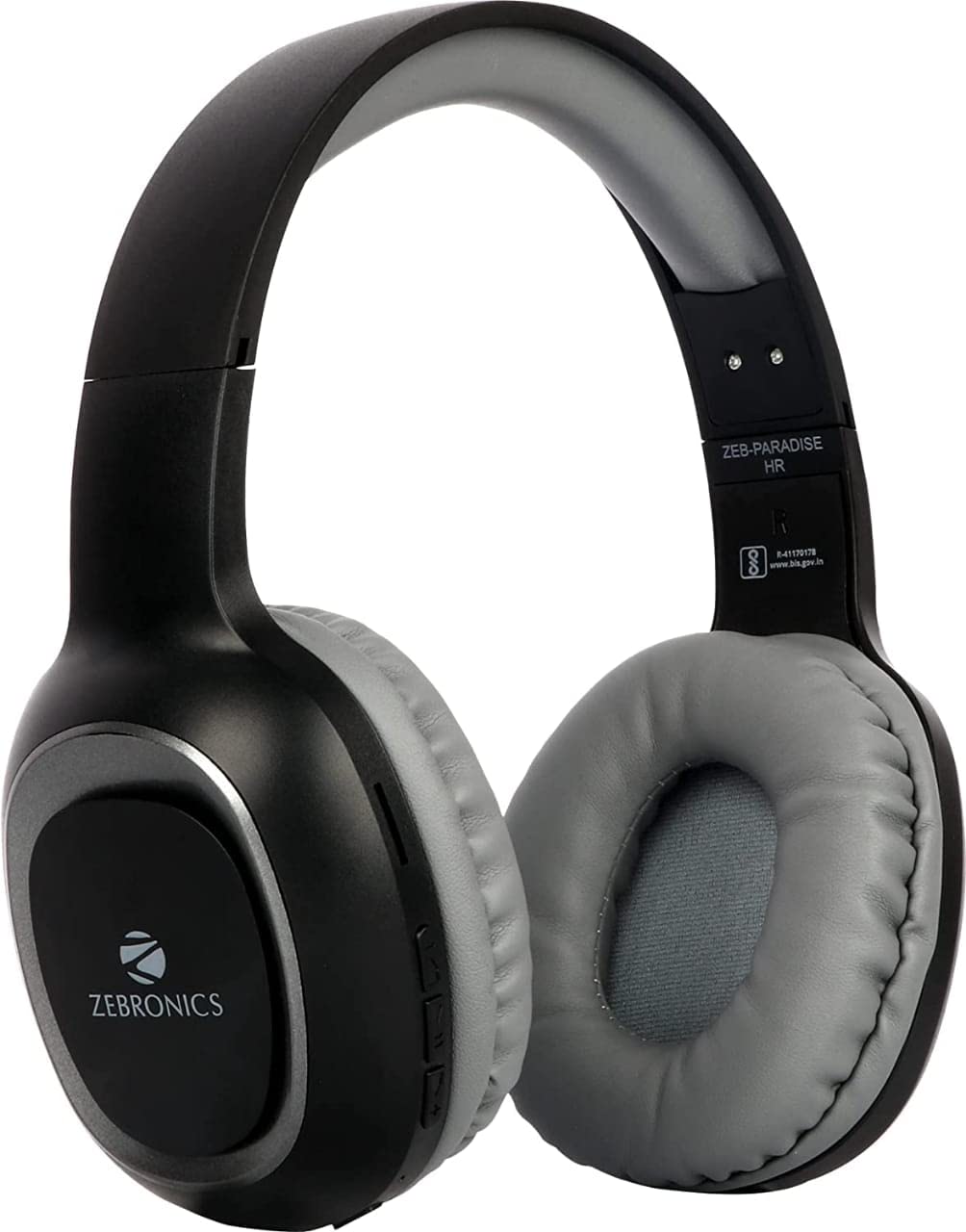
Image 2: Packaging of the Zebronics ZEB-PARADISE Wireless Headphone. This image shows the product box, detailing the package contents and key features printed on the packaging.
3. זיכערקייַט אינפֿאָרמאַציע
וואָרענען:
Please be aware of your surroundings while using the headphone. Constant exposure to high volume may damage your hearing. Please use the headphone at moderate volume to protect your ears.
4. שליסל פֿעיִקייטן
- בלועטוט וו4.2 קאנעקטיוויטי
- AUX Input for Wired Connection
- Micro SD Card Support for MP3 Playback
- עפעם ראַדיאָ פונקציע
- Call Function with Built-in Microphone
- Media Volume Control
- Dual Pairing Capability
- 40mm Audio Drivers
- געבויט-אין קריקאָנלאָדלעך באַטערי
- שנעל טשאַרדזשינג שטיצן
5. סעטאַפּ
5.1 Charging the Headphone
- Connect the provided USB charging cable to the charging port on the headphone.
- פֿאַרבינדט דעם אַנדערן עק פֿונעם USB קאַבל צו אַ USB מאַכט אַדאַפּטער (נישט אַרייַנגערעכנט) אָדער אַ קאָמפּיוטער'ס USB פּאָרט.
- The LED indicator will illuminate to show charging status. It will typically turn off or change color once fully charged.
5.2 בלועטאָאָטה פּערינג
- Ensure the headphone is fully charged.
- Press and hold the Power button on the headphone until the LED indicator flashes blue and red, indicating pairing mode.
- On your smartphone or Bluetooth-enabled device, go to the Bluetooth settings and search for available devices.
- Select "ZEB-PARADISE" from the list of found devices.
- Once paired, the LED indicator will flash blue slowly or remain solid blue.
5.3 Using the AUX Cable
- Connect one end of the provided 3.5mm AUX cable to the AUX input port on the headphone.
- Connect the other end of the AUX cable to the 3.5mm audio output jack of your audio device.
- The headphone will automatically switch to AUX mode.
6. אַפּערייטינג ינסטרוקטיאָנס
6.1 יקערדיק קאָנטראָלס
- מאַכט אויף / אַוועק: דריקן און האַלטן די מאַכט קנעפּל.
- שפּיל / פּויזע: דריקן די שפּיל / פּויזע קנעפּל אַמאָל.
- באנד אַרויף/ווייַטער טראַק: Press the Volume Up (+) button to increase volume. Press and hold to skip to the next track.
- באנד אַראָפּ/פרייַערדיק שפּור: Press the Volume Down (-) button to decrease volume. Press and hold to go to the previous track.
- מאָדע באַשטימען: Press the 'M' button to switch between Bluetooth, FM Radio, and Micro SD modes.
6.2 רופן פֿונקציע
- ענטפער רופן: דריק דעם שפּיל/פּויזע קנעפּל איין מאָל ווען אַ רוף קומט אַרײַן.
- סוף רופן: דריק דעם שפּיל/פּויזע קנעפּל איין מאָל בעת אַ רוף.
- אָפּוואַרפן רופן: דריק און האלט דעם שפּיל/פּויזע קנעפּל פֿאַר 2 סעקונדעס ווען אַ רוף קומט אַרײַן.
- ריאַל די לעצטע נומער: טאָפּל דריקן די שפּיל / פּויזע קנעפּל.
6.3 עפעם ראַדיאָ מאָדע
- Switch to FM Radio mode using the 'M' button.
- Press the Play/Pause button once to auto-scan and save available FM channels.
- Use the Volume Up (+) and Volume Down (-) buttons to navigate between saved channels.
6.4 מיקראָ SD קאַרטל ווידערשפּיל
- Insert a Micro SD card (with MP3 files) into the designated slot on the headphone.
- Switch to Micro SD mode using the 'M' button.
- Music playback will start automatically. Use the control buttons for play/pause, next/previous track, and volume adjustment.
7. וישאַלט
- Clean the headphone with a soft, dry cloth. Do not use harsh chemicals or abrasive materials.
- Avoid exposing the headphone to extreme temperatures, humidity, or direct sunlight.
- Store the headphone in a cool, dry place when not in use.
- Do not attempt to disassemble or repair the headphone yourself, as this will void the warranty.
8. טראָובלעשאָאָטינג
- קיין מאַכט: Ensure the headphone is fully charged. Connect it to a power source using the charging cable.
- קען נישט פארבינדן דורך בלועטוט: Make sure the headphone is in pairing mode (flashing blue and red LED). Ensure Bluetooth is enabled on your device and it is within range. Try restarting both devices.
- קיין קול: Check the volume level on both the headphone and your connected device. Ensure the correct mode (Bluetooth, AUX, SD) is selected. If using AUX, ensure the cable is fully inserted.
- FM ראַדיאָ ניט ארבעטן: Ensure you are in an area with good FM signal. Perform an auto-scan to save channels.
- Micro SD Card Not Playing: Ensure the Micro SD card is inserted correctly and contains compatible audio fileס (למשל, MP3).
9. טעכניש ספּעסאַפאַקיישאַנז
| שטריך | באַשרייַבונג |
|---|---|
| מאָדעל | ZEB-PARADISE |
| קאַנעקטיוויטי | דראָטלאָז (בלוטוט וו4.2) |
| אַרייַנגערעכנט קאַמפּאָונאַנץ | Headphone, Charging Cable, Aux Cable, User Manual |
| דריווערס | 40 מם |
| באַטערי | געבויט-אין קריקאָנלאָדלעך |
| ספּעציעלע פֿעיִקייטן | FM Radio, Micro SD Card Support, Call Function, Media Volume Control, Dual Pairing, Fast Charging |
| כעדפאָון דזשאַק | 3.5 מם דזשאַק |
| פאָרם פאַקטאָר | איבער אויער |
| קאָליר | שוואַרץ |
| פאַבריקאַנט | Zebronics India Private Limited |
10. וואָראַנטי און שטיצן
10.1 וואָראַנטי אינפֿאָרמאַציע
This product comes with a standard manufacturer's warranty. Please refer to the warranty card included in your package or contact customer support for detailed warranty terms and conditions.
10.2 קונה שטיצן
For any complaints, feedback, or support inquiries, please contact:
Consumer Care Executive
אַדרעס: ZEBRONICS INDIA PRIVATE LIMITED, NO. 118, POONAMALLEE HIGH ROAD, CHENNAI-600084.
טעלעפאן: 044-4000 0004
בליצפּאָסט: ENQUIRY@ZEBRONICS.COM
איר קענט אויך באַזוכן דעם באַאַמטער webפּלאַץ: www.zebronics.com


