1. הקדמה
This manual provides detailed instructions for the Focket 2.4GHz Wireless XLR Microphone System. This system is designed to convert any dynamic microphone into a wireless microphone, offering stable and reliable audio transmission for various applications including live performances, public address systems, and recording setups. Please read this manual thoroughly before operating the device to ensure proper use and optimal performance.
2. פּעקל אינהאַלט
באַשטעטיקט אַז אַלע זאכן וואָס זענען אויסגערעכנט אונטן זענען אַרייַנגערעכנט אין אייער פּעקל:
- 1 x Wireless XLR Transmitter (MTU-002T)
- 1 x Wireless XLR Receiver (MTU-002R)
- 2 x Dynamic Microphone Converters (6.35mm jack to XLR)
- 2 רענטגענ וסב טשאַרדזשינג קאַבלעס
- 1 רענטגענ גאַסקאַט
- 1 x באַניצער מאַנואַל

Image: All components included in the Focket Wireless XLR Microphone System package, laid out neatly.
3. פּראָדוקט איבערview
The Focket Wireless XLR Microphone System consists of a transmitter and a receiver, both compact and designed for ease of use. They feature a 2.4GHz wireless band for stable signal transmission.
3.1 קאַמפּאָונאַנץ

Image: The Focket Wireless XLR Transmitter and Receiver units, showing their compact design and XLR connectors.
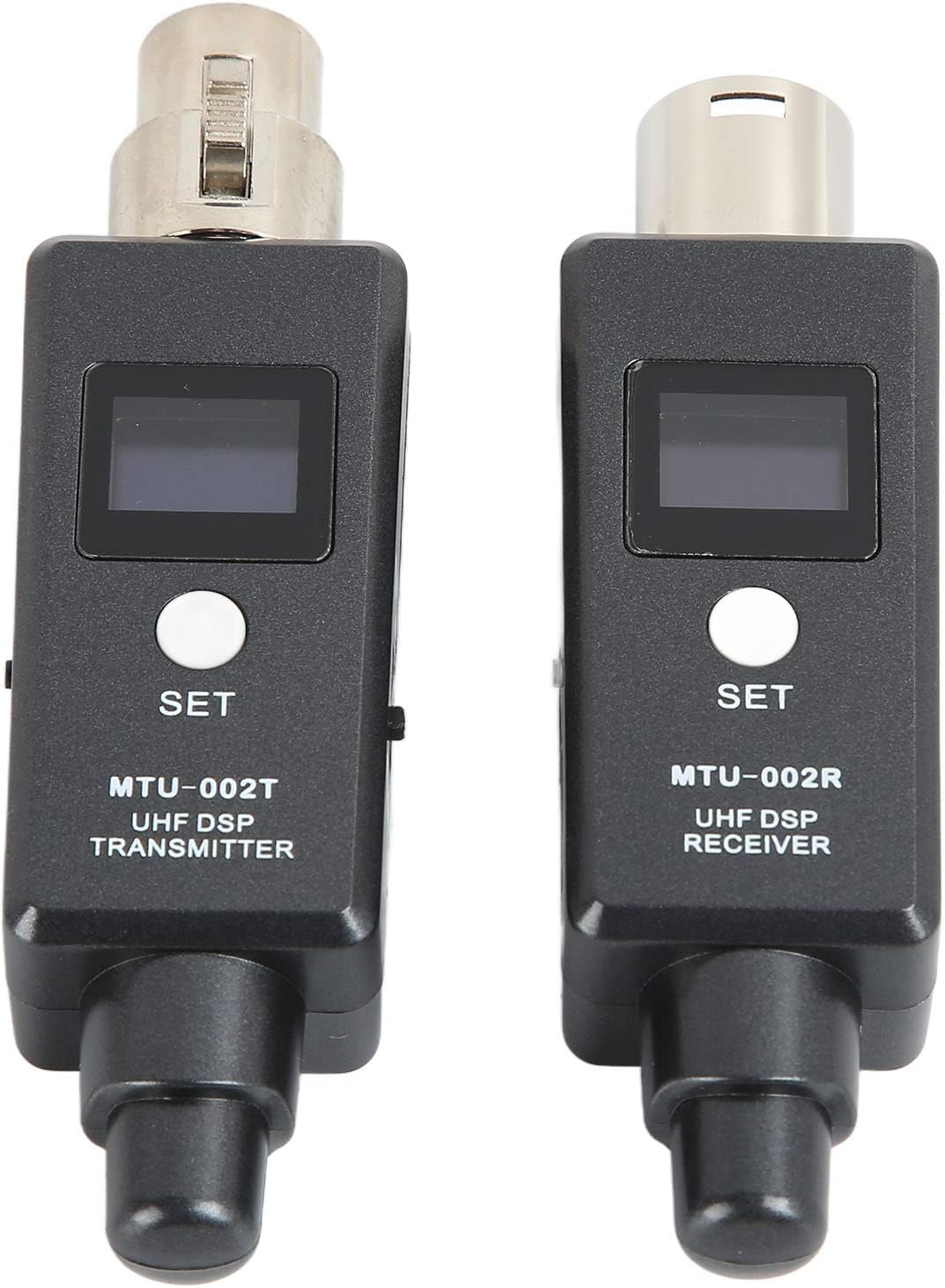
בילד: א נאָענטע בילד view of the front panels of the transmitter (MTU-002T) and receiver (MTU-002R), highlighting the display screens and 'SET' buttons.
3.2 Receiver (MTU-002R) Features

בילד: א דעטאַלירטע view of the receiver (MTU-002R) with labels pointing to its key components: Microphone Input (XLR), Display screen, Power switch, Frequency keys ('SET' button), USB charging jack, and Antenna.
- מיקראָפאָן אַרייַנשרייַב: XLR connector for dynamic microphones.
- ווייַז פאַרשטעלן: Shows channel, battery status, and signal strength.
- מאַכט סוויטש: טורנס די אַפּאַראַט אויף אָדער אַוועק.
- Frequency Keys (SET): Used for channel selection and pairing.
- USB טשאַרדזשינג דזשאַק: פֿאַר איבערלאָדן די אינערלעכע באַטאַרייע.
- אַנטענע: Integrated for wireless signal reception.
3.3 Transmitter (MTU-002T) Features
The transmitter shares similar features with the receiver, including a display screen, power switch, frequency keys, USB charging jack, and an integrated antenna for sending the wireless signal.

Image: An illustration highlighting the built-in dual antenna design of the Focket wireless system, emphasizing its resistance to WiFi and electromagnetic interference for stronger signal and longer transmission distance.
3.4 Dynamic Microphone Converters

Image: Two dynamic microphone converters, featuring a 6.35mm (1/4 inch) jack on one end and an XLR connector on the other, used to adapt microphones to the wireless system.
4. סעטאַפּ
Follow these steps to set up your Focket Wireless XLR Microphone System:
- לאָד די איינהייטן: Before first use, fully charge both the transmitter and receiver using the provided USB charging cables. Connect them to a standard USB power adapter (not included). The charging indicator will show charging status.
- Connect Microphone to Transmitter: Plug your dynamic microphone's XLR output directly into the XLR input of the wireless transmitter (MTU-002T). If your microphone has a 6.35mm jack, use one of the provided dynamic microphone converters.
- Connect Receiver to Audio Device: Plug the wireless receiver (MTU-002R) into the XLR input of your audio mixer, PA system, amplifier, or active speaker. If your audio device has a 6.35mm input, use the other dynamic microphone converter.
- מאַכט אויף: Press and hold the power button on both the transmitter and receiver until their display screens light up.
- אָטאַמאַטיק פּערינג: The transmitter and receiver are designed to automatically pair upon power-on. The display will show the selected channel and signal strength once connected. If they do not pair automatically, proceed to the 'Operating Instructions' section for manual channel selection.

Image: A diagram illustrating the Focket Wireless XLR Microphone System connected to various audio devices such as mixers, PA systems, portable speakers, and home theater systems, demonstrating its wide compatibility.
5. אַפּערייטינג ינסטרוקטיאָנס
5.1 מאַכט אויף / אַוועק
- צו מאַכט אויף, דריקן און האַלטן די מאַכט קנעפּל ביז די אַרויסווייַזן ילומאַנייץ.
- צו מאַכט אַוועק, דריקן און האַלטן די מאַכט קנעפּל ביז די אַרויסווייַזן טורנס אַוועק.
5.2 קאַנאַל סעלעקציע
The system supports 20 channels. If you experience interference or need to change channels:
- With both units powered on, briefly press the 'SET' button on the transmitter. The channel number on the display will change.
- Repeat this on the receiver until both units display the same channel number.
- The units will automatically re-pair on the newly selected channel.
5.3 באַניץ עצות
- Ensure a clear line of sight between the transmitter and receiver for optimal performance.
- Keep the units away from strong electromagnetic interference sources (e.g., Wi-Fi routers, microwave ovens).
- Monitor the battery indicator on the display to ensure sufficient power for your usage.
6. ספּעסאַפאַקיישאַנז
| שטריך | באַשרייַבונג |
|---|---|
| נומער טיפּ | XLR מיקראָפאָן ווירעלעסס סיסטעם |
| מאַטעריאַל | מעטאַל, אַבס |
| Sample קורס | 24 bit / 48 kbps audio |
| טונינג באַנדווידט | 470-960 מהז |
| אַודיאָ ענטפער | 20Hz to 20KHz (-3dB) (depending on microphone type or input signal) |
| ארבעטן דיסטאַנסע | Up to 30m / 32.8yd (open environment) |
| פאַרהאַלטן | ווייניקער ווי 3ms |
| דינאַמיש קייט | 110dB |
| נומער פון טשאַנאַלז | 20 טשאַנאַלז |
| רף סענסיטיוויטי | -88דבם |
| גאַנץ האַרמאָניק דיסטאָרשאַן | 0.2% |
| רף רעזולטאַט מאַכט | 10 mW E.I.R.P. Maximum |
| אַפּערייטינג צייט | בעערעך 5 שעה |
| באַטערי טיפּ | 2000mAh Lithium-ion battery (Built-in) |
| שטיצן | Dynamic Microphone, Mixer, Amplifier Speaker, PA System |
| פּעקל דימענשאַנז | 16.5 X 13.4 X 5.3 סענטימעטער |
| וואָג | 350 ג |
7. טראָובלעשאָאָטינג
אויב איר טרעפט פּראָבלעמען מיט אייער דראָטלאָזער מיקראָפאָן סיסטעם, זעט די פאלגענדע געוויינטלעכע פּראָבלעמען און לייזונגען:
- קיין סאָונד רעזולטאַט:
- זיכער מאַכן אַז ביידע דער טראַנסמיטער און ופנעמער זענען אנגעצונדן און גאָר אויפגעלאָדן.
- Verify that the microphone is properly connected to the transmitter.
- Check that the receiver is correctly plugged into your audio device's input.
- Confirm that the audio device's volume is turned up and not muted.
- Ensure the transmitter and receiver are paired to the same channel.
- Interference or Dropouts:
- Change the operating channel on both the transmitter and receiver to an unoccupied frequency.
- פארקלענערן די דיסטאַנץ צווישן דעם טראַנסמיטער און ופנעמער.
- Ensure there are no large metallic objects or walls obstructing the line of sight.
- Move away from other 2.4GHz wireless devices (e.g., Wi-Fi routers, Bluetooth devices).
- קורץ באַטאַרייע לעבן:
- Ensure both units are fully charged before use.
- די לעבן פון די באַטאַרייע קען זיין אַנדערש לויט באַניץ און סביבה'דיקע סיבות.
- אויב די באַטאַרייע לעבן ווערט באַדייטנד ערגער, קאָנטאַקטירט קונה שטיצע.
- איינהייטן נישט פארבינדן:
- Power off both units, then power them back on simultaneously.
- Manually select the same channel on both the transmitter and receiver using the 'SET' button.
8. וישאַלט
To ensure the longevity and optimal performance of your Focket Wireless XLR Microphone System, follow these maintenance guidelines:
- רייניקונג: ניצט אַ ווייכע, טרוקענע שטאָף צו רייניקן די אויסערלעכע זייט פון די אַפּאַראַטן. ניצט נישט קיין פליסיקע רייניגער אָדער סאָלווענטן.
- סטאָרידזש: האַלט די סיסטעם אין אַ קיל, טרוקן אָרט אַוועק פון דירעקט זונשייַן און עקסטרעמע טעמפּעראַטורן.
- באַטערי זאָרגן: For prolonged storage, charge the batteries to approximately 50% every three months to maintain battery health.
- ויסמיידן פּראַל: באַשיצן די אַפּאַראַטן פון פאַלן און קלאַפּן, וואָס קענען שעדיקן אינעווייניקסטע קאָמפּאָנענטן.
9. וואָראַנטי און שטיצן
This Focket Wireless XLR Microphone System comes with a 12-חודש וואָראַנטי. If you experience any issues or have concerns about your purchase, please contact Focket customer support. We are committed to resolving any problems within 24 hours.