הקדמה
This manual provides detailed instructions for the installation, operation, and maintenance of your INKBIRD IVC-001W 15CM Inline Duct Fan with Smart Controller. This system is designed to provide efficient ventilation, deodorization, dehumidification, and temperature regulation for various indoor environments.
ביטע ליינט דעם מאַנואַל גרינטלעך איידער איר ניצט דעם פּראָדוקט צו ענשור זיכער און אָפּטימאַל פאָרשטעלונג.
זיכערקייַט אינפֿאָרמאַציע
אָבסערווירן די פאלגענדע זיכערהייט מיטלען צו פאַרמייַדן שאָדן אָדער שעדיקן צו די מיטל:
- עלעקטריקאַל זיכערקייַט: Ensure the power supply matches the fan's requirements. Do not operate with damaged cords or plugs.
- ייַנמאָנטירונג: Install the fan in a stable location, ensuring proper duct connections to prevent air leaks.
- וישאַלט: אָפּשטעקן די מאַכט איידער איר רייניקן אָדער דורכפירן קיין וישאַלט.
- קינדער און פּעץ: האַלטן די מיטל אויס פון דערגרייכן פון קינדער און פּעץ.
- סוויווע: Do not expose the fan or controller to water or extreme temperatures.
פּראָדוקט קאַמפּאָונאַנץ
The INKBIRD IVC-001W package includes the following:
- 1 x INKBIRD IVC-001W Inline Duct Fan (15CM / 6-inch)
- 1 x Wi-Fi Enabled Smart Controller
- 1 x Temperature and Humidity Probe
- קסנומקס X מאַכט קאָרד
- Mounting Hardware (e.g., straps, screws)
- באַניצער מאַנואַל (דעם דאָקומענט)
סעטאַפּ און ינסטאַלירונג
Follow these steps to properly install your INKBIRD Inline Duct Fan:
- אויספּאַקן: נעמט פֿאָרזיכטיק אַרויס אַלע קאָמפּאָנענטן פֿון דער פּאַקאַדזשינג. קאָנטראָלירט אויב עס זענען פֿאַראַן שאָדנס.
- מאָונטינג די פאַן: Secure the inline duct fan in your desired location (e.g., within a grow tent, basement, or kitchen ductwork). Use the provided mounting hardware to ensure it is stable and vibration-free.
- פֿאַרבינדן רערן: Connect appropriate ducting to both ends of the fan. Ensure all connections are sealed to prevent air leakage and maximize efficiency.
- מאַונטינג די קאָנטראָללער: Choose a convenient location for the smart controller. It can be wall-mounted or placed on a flat surface.
- קאַנעקטינג די קאָנטראָללער: Connect the fan to the smart controller using the provided cable. Then, connect the temperature and humidity probe to the controller.
- מאַכט קשר: Plug the power cord into a standard electrical outlet. The controller screen should illuminate.
- Wi-Fi סעטאַפּ: Download the INKBIRD app on your smartphone. Follow the in-app instructions to connect the smart controller to your Wi-Fi network. This enables remote control and monitoring.

Image: The INKBIRD IVC-001W Inline Duct Fan connected to flexible ducting, shown in an indoor growing environment.

בילד: א דעטאַלירטע view of the duct fan illustrating the direction of air flow (inlet and outlet) and its connection to ductwork.
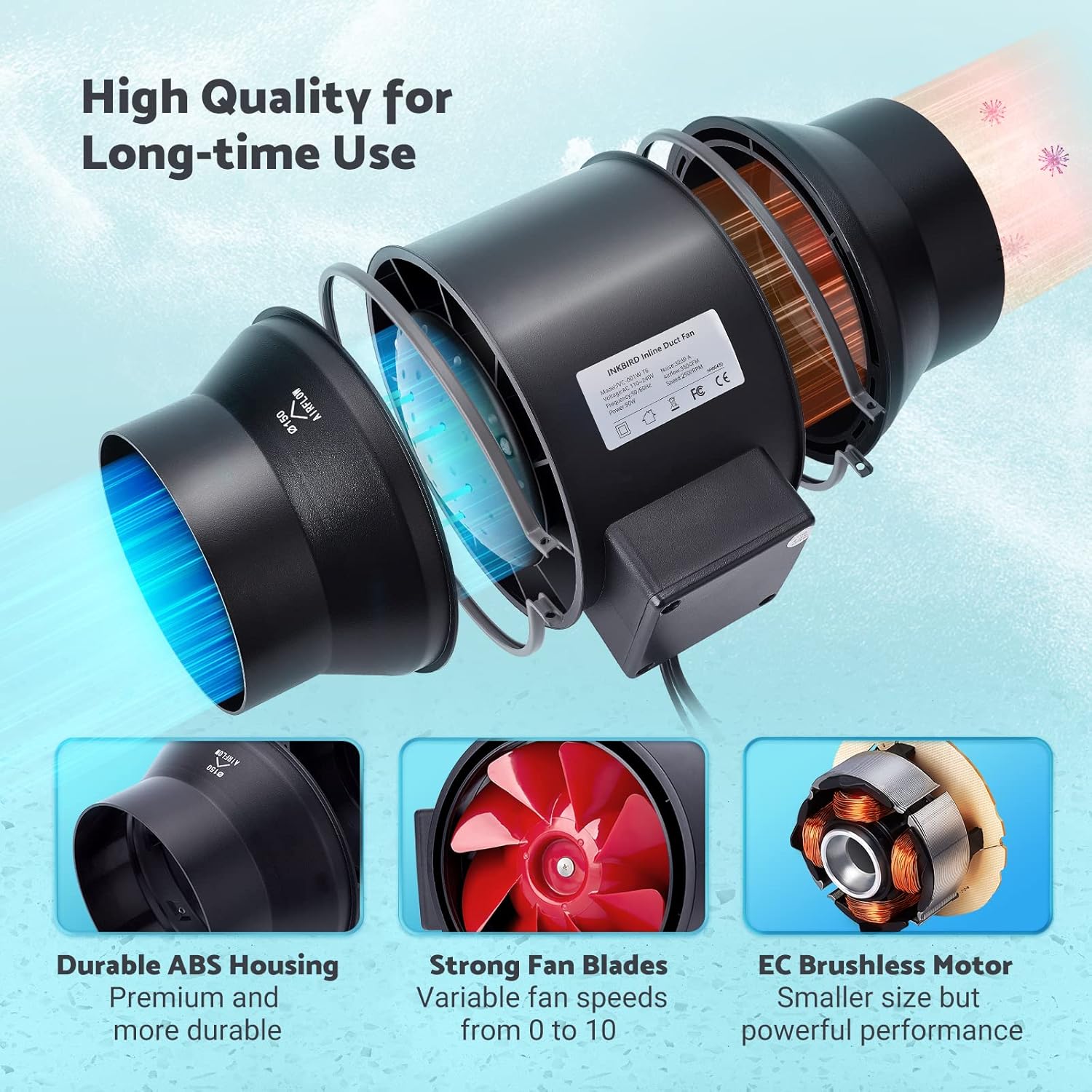
Image: The Wi-Fi enabled smart controller displaying temperature and humidity readings, with its probe connected.
אַפּערייטינג ינסטראַקשאַנז
The INKBIRD IVC-001W offers multiple operating modes for flexible environmental control.
קאָנטראָללער צובינד
The smart controller features a high-definition VA screen displaying current temperature, humidity, fan status, and settings. Buttons on the controller allow for direct interaction.

בילד: א דעטאַלירטע view of the smart controller's screen, showing temperature, humidity, and fan speed settings, along with its physical buttons.
אַפּערייטינג מאָדעס
You can select from Automatic, Manual, or Timer modes:
- אָטאַמאַטיק מאָדע:
- Set desired temperature and humidity ranges.
- The fan will automatically adjust its speed (0-10) to maintain these preset conditions.
- Ideal for maintaining a consistent environment without constant manual adjustment.
- מאַנואַל מאָדע:
- Manually set the fan speed from 0 (off) to 10 (maximum).
- The fan will operate at the selected speed until manually changed or turned off.
- טיימער מאָדע:
- Program up to 6 individual operating times per day.
- For each time slot, you can customize the start time, running length, and fan speed.
- This mode allows for precise scheduling of ventilation cycles.

Image: Screenshot of the INKBIRD smartphone app demonstrating the Automatic Mode interface, where users can set temperature and humidity thresholds.

Image: Screenshot of the INKBIRD smartphone app demonstrating the Manual Mode interface, allowing users to set a specific fan speed.

Image: Screenshot of the INKBIRD smartphone app demonstrating the Timer Mode interface, where users can schedule multiple fan operations throughout the day.
Smart App Features
The INKBIRD app provides enhanced control and monitoring capabilities:
- ווייַט קאָנטראָל: Adjust settings and change modes from anywhere.
- מאָניטאָרינג: View פאַקטיש-צייט טעמפּעראַטור און הומידיטי דאַטן.
- געשיכטע: Access historical temperature and humidity data.
- אַלאַרמס: Receive notification messages on your phone if detected temperature/humidity reaches preset alarm values.
- קינד שלאָס: Enable the child lock function via the app or by pressing the '+' and '-' buttons simultaneously on the controller for 2 seconds to prevent unintended changes.
- עקאָ מאָדע: The controller supports ECO mode for power saving.
שליסל פֿעיִקייטן
- עפעקטיווע לופט באַוועגונג: Provides 350 CFM air volume and 2500 RPM fan speed for effective ventilation, deodorization, dehumidification, and temperature regulation.
- שטיל אָפּעראַציע: Features an energy-efficient EC motor, producing only 32 dB of noise during operation (measured at 3 meters from the fan connected to a 1-meter duct).
- וועריאַבלע פאַן ספּיד: Fan speed is adjustable from 0 to 10, allowing precise control over airflow.
- דוראַבאַל קאַנסטראַקשאַן: Built with a durable ABS housing and strong fan blades for long-term use.
- Multi-Fan Control: The smart controller can connect and control two INKBIRD fans simultaneously.
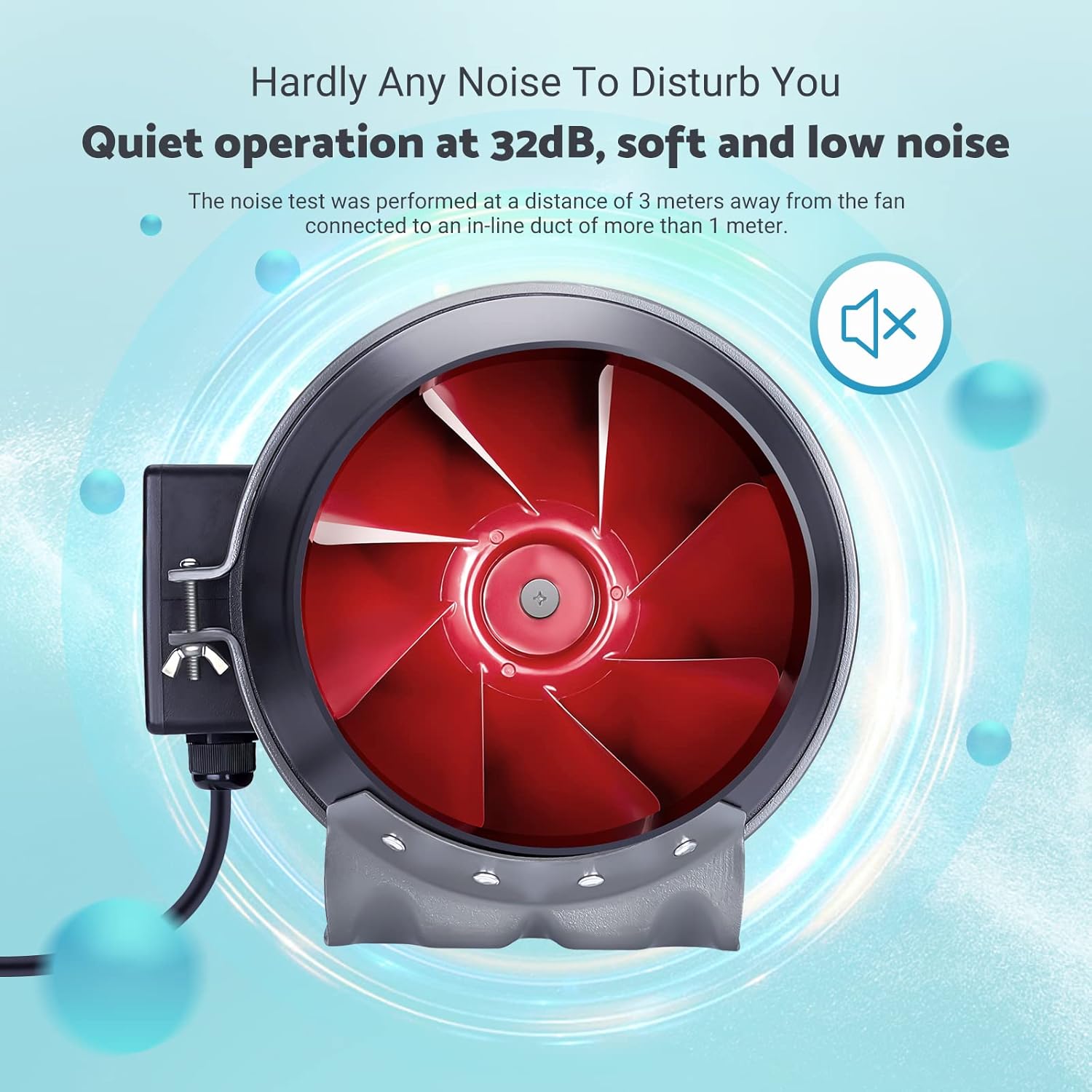
Image: The inline duct fan highlighting its multifunctional capabilities: ventilation, deodorization, humidity regulation, and temperature regulation.

בילד: אן אינערליכע view of the fan, emphasizing its quiet operation at 32 dB, with the red fan blades visible.
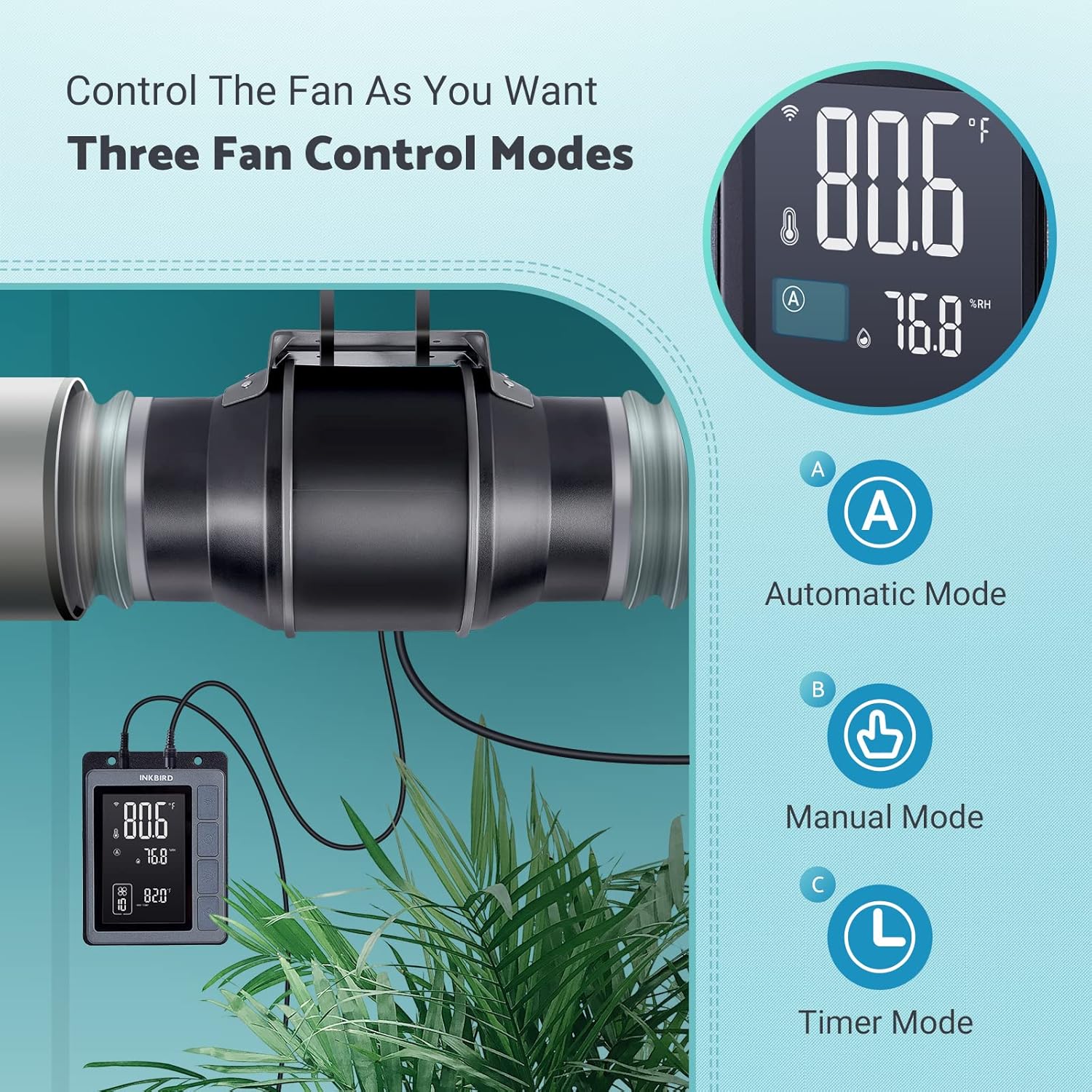
Image: An exploded diagram of the fan, highlighting its durable ABS housing, robust fan blades, and the efficient EC brushless motor.
וישאַלט
Regular maintenance ensures the longevity and efficiency of your INKBIRD Inline Duct Fan.
- מאַכט דיסקאַנעקשאַן: Always unplug the fan from the power source before performing any cleaning or maintenance.
- עקסטעריאָר רייניקונג: Wipe the exterior of the fan and controller with a soft, damp שטאָף. דו זאלסט נישט נוצן אַברייסיוו קלינערז אָדער סאָלוואַנץ.
- רייניקונג פון די פען בליידס: Periodically inspect the fan blades for dust and debris accumulation. If necessary, carefully remove the fan from the ducting and gently clean the blades with a soft brush or cloth. Ensure no moisture enters the motor housing.
- זאָנד רייניקונג: Keep the temperature and humidity probe clean and free from obstructions to ensure accurate readings.
- Ducting Inspection: Regularly check the ducting for any blockages, tears, or loose connections that could impede airflow.
טראָובלעשאָאָטינג
If you encounter issues with your INKBIRD Inline Duct Fan, refer to the following common problems and solutions:
| פּראָבלעם | מעגלעך סיבה | לייזונג |
|---|---|---|
| דער ווענטילאַטאָר צינדט זיך נישט אָן. | No power supply; loose connection; child lock enabled. | Check power cord connection and outlet. Ensure fan cable is securely connected to the controller. Disable child lock via app or controller buttons. |
| דער פען לויפט אבער דער לופט שטראם איז שוואך. | Ducting blockage; fan speed set too low; air leaks in ducting. | Inspect ducting for obstructions. Increase fan speed setting. Check duct connections for leaks and seal if necessary. |
| נישט פּינקטלעכע טעמפּעראַטור/פֿײַכטקייט מעסטונגען. | Probe is dirty or obstructed; probe is placed in an unsuitable location. | Clean the probe. Relocate the probe to an area that accurately represents the environment you wish to monitor. |
| Wi-Fi פֿאַרבינדונג פּראָבלעמען. | אומרעכט Wi-Fi פּאַראָל; ראַוטער צו ווייט; נעץ שטערונג. | Verify Wi-Fi password. Move controller closer to the router. Restart router and controller. Ensure 2.4GHz Wi-Fi network is used. |
| פאן איז טומלדיק. | High fan speed; loose mounting; debris in fan blades. | Reduce fan speed. Ensure the fan is securely mounted. Disconnect power and inspect/clean fan blades. |
ספּעסאַפאַקיישאַנז
| שטריך | דעטאַל |
|---|---|
| סאָרט | ינקבירד |
| מאָדעל | IVC-001W |
| פאָכער דיאַמעטער | 15CM (6-inch) |
| לופט באנד | 350 קפם |
| פאַן ספּיד | 2500 רפּם (מאַקס) |
| ראַש מדרגה | 32 dB (at 3 meters) |
| Voltage | 24V |
| וואָסtage | 50 וו |
| מאַכט מקור | קאָרדעד עלעקטריק |
| מאַטעריאַל | Plastic (ABS Housing) |
| מאַונטינג טיפּ | וואנט בארג |
| ספּעציעלע פֿעיִקייטן | Timer, Wi-Fi Smart Controller, Temperature & Humidity Control, Child Lock, ECO Mode |
| מאַכט שנור לענג | 150 סענטימעטער (59 אינטשעס) |
| Fan to Controller Cord Length | 240 סענטימעטער (94.5 אינטשעס) |
| זאָנד לענג | 250 סענטימעטער (98.43 אינטשעס) |
| פּראָדוקט דימענשאַנז | 35 ד רענטגענ 26.7 וו רענטגענ 28 ה סענטימעטער |

Image: A technical diagram illustrating the dimensions of the inline duct fan, smart controller, and the temperature/humidity probe, including cable lengths.
וואָראַנטי און שטיצן
The INKBIRD IVC-001W Inline Duct Fan comes with a 2 יאָר וואָראַנטי פון די דאַטע פון קויפן.
For technical support, warranty claims, or further assistance, please contact INKBIRD customer service through their official webזייטל אדער די קאָנטאַקט אינפֿאָרמאַציע וואָס איז צוגעשטעלט מיט אייער פּראָדוקט פּאַקאַדזשינג.
איר קענט אויך באַזוכן די יו אינקבירד קראָם אויף עמעזאן פֿאַר מער פּראָדוקט אינפֿאָרמאַציע און שטיצע רעסורסן.


