1. הקדמה
This instruction manual provides detailed information on the setup, operation, maintenance, and specifications of your MINISFORUM HM80 Mini PC. Please read this manual thoroughly before using the device to ensure proper functionality and to maximize its performance.
2. פּעקל אינהאַלט
באַשטעטיקט אַז אַלע זאכן וואָס זענען אויסגערעכנט אונטן זענען אַרייַנגערעכנט אין אייער פּעקל:
- 1x MINISFORUM HM80 Mini PC
- 1 קס מאַונטינג קלאַמער
- 1x HDMI Cable (60cm)
- 1x מאַכט אַדאַפּטער
- 1x ינסטרוקטיאָן מאַנואַל
3. פּראָדוקט פֿעיִקייטן
The MINISFORUM HM80 Mini PC offers a range of features designed for efficient computing:
- שטאַרק פאָרשטעלונג: Equipped with an AMD Ryzen 7 4800U processor (8 Cores/16 Threads, up to 4.0 GHz) for smooth handling of demanding tasks and multitasking.
- טריפל דיספּליי אַוטפּוט: Features integrated AMD Radeon Graphics (1750 MHz) supporting 4K@60Hz output across three independent displays via HDMI 2.0, DisplayPort, and USB-C.
- העכער קאַנעקטיוויטי: Includes M.2 2230 WIFI with WiFi 6 (802.11ax) and Bluetooth 5.1, offering dual-band 5GHz/2.4GHz support and multi-user 2x2 MIMO (MU-MIMO) for high-speed wireless connections. Two 2.5 Gigabit LAN ports are also provided for robust wired networking.
- גרויס קאַפּאַציטעט: Comes with 32GB DDR4 RAM (2x16GB, upgradable to 32GB per slot) and a 512GB 2280 PCIe SSD (upgradable up to 2TB). Additionally, two 2.5-inch SATA HDD slots are available for further storage expansion (up to 2TB each).
4. ייַזנוואַרג איבערview
4.1 פראָנט און דערציען פּאַנאַלז
Familiarize yourself with the ports and buttons on your HM80 Mini PC.

Image: Front and Rear Panel Ports of the HM80 Mini PC. The front panel includes the power button, audio jacks, and USB ports. The rear panel features multiple USB ports, LAN ports, HDMI, DisplayPort, and a USB-C port.
פראָנט פּאַנעל:
- מאַכט קנעפּל: צו קער די מיטל אויף אָדער אַוועק.
- 3.5 מ״מ מיקראָפאָן דזשעק: פֿאַר קאַנעקטינג אַ מיקראָפאָן.
- 3.5 מם אַודיאָ דזשאַק: פֿאַר פֿאַרבינדן כעדפֿאָונז אָדער רעדנערס.
- USB 3.1 פּאָרט (x2): פֿאַר פֿאַרבינדן USB דעוויסעס.
- וסב- C פּאָרט: פֿאַר דאַטן אַריבערפירן און אַרויסווייַזן רעזולטאַט.
ריר פּאַנעל:
- USB 3.0 פּאָרט (x4): פֿאַר פֿאַרבינדן USB דעוויסעס.
- 2.5G LAN Port (x2): פֿאַר ווייערד נעץ קאַנעקשאַנז.
- הדמי פּאָרט: פֿאַר פֿאַרבינדן צו אַן עקראַן.
- DisplayPort: פֿאַר פֿאַרבינדן צו אַן עקראַן.
- Kensington Lock Slot: For security locking.
- וסב- C פּאָרט: פֿאַר דאַטן אַריבערפירן און אַרויסווייַזן רעזולטאַט.
- מאַכט אַרייַנשרייַב: פֿאַר קאַנעקטינג די מאַכט אַדאַפּטער.
4.2 אינערלעכע קאָמפּאָנענטן
The HM80 Mini PC is designed for easy access to internal components for upgrades.

בילד: עקספּלאָדירט view of the HM80 Mini PC showing internal components like RAM, SSD, and HDD slots.
- M.2 2230 WIFI Module: גיט וויירליס קאַנעקטיוויטי.
- DDR4 SO-DIMM Slots (x2): For system memory (RAM).
- M.2 2280 PCIe SSD Slot: For the primary solid-state drive.
- 2.5-inch SATA HDD Slots (x2): For additional hard disk drives.
5. סעטאַפּ אינסטרוקציעס
5.1 קאַנעקטינג פּעריפעראַלס
- Connect your monitor(s) to the HDMI, DisplayPort, or USB-C video output ports on the rear panel.
- פֿאַרבינדט אייער קלאַוויאַטור און מויז צו אַלע פֿאַראַן USB פּאָרץ.
- If using a wired network, connect an Ethernet cable from your router or modem to one of the 2.5G LAN ports.
5.2 מאַכט קאַנעקשאַן
- Connect the power adapter to the power input port on the rear of the Mini PC.
- צאַפּן די מאַכט אַדאַפּטער אין אַ וואַנט ווענטיל.
5.3 ערשט שטיוול
- Press the power button located on the front panel of the Mini PC.
- The system will boot up. Follow any on-screen instructions for initial Windows 11 Pro setup.
6. אַפּערייטינג ינסטרוקטיאָנס
6.1 מאַכט אויף / אַוועק
- צו מאַכט אויף: דרוק די מאַכט קנעפּל אויף די פראָנט טאַפליע.
- צו מאַכט אַוועק: Click the Start button in Windows, then select Power > Shut down. Alternatively, press and hold the power button for 4-5 seconds for a forced shutdown (use only when necessary).
6.2 נעץ קאָנעקטיוויטי
- ווייערד קשר: If an Ethernet cable is connected, the system should automatically detect and connect to the network.
- דראָטלאָזע פֿאַרבינדונג (Wi-Fi): In Windows, click the Wi-Fi icon in the taskbar, select your desired network, enter the password, and click Connect.
6.3 ווייַז קאַנפיגיעריישאַן
The HM80 supports up to three independent 4K@60Hz displays.
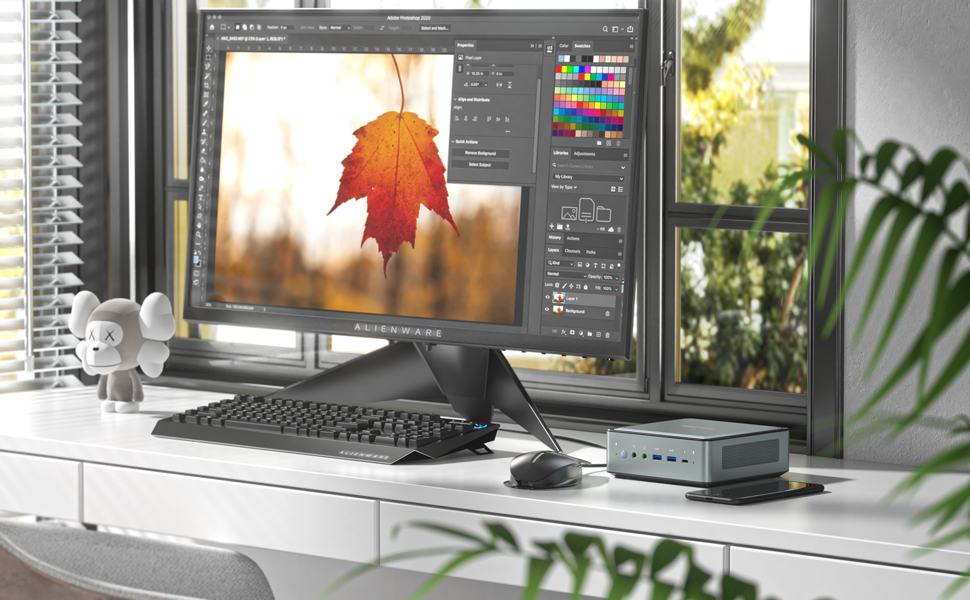
Image: Illustration of the HM80 Mini PC connected to three monitors, demonstrating its triple display output capability.
- Connect your monitors to the HDMI, DisplayPort, and USB-C video outputs.
- In Windows, right-click on the desktop and select 'Display settings' to configure display arrangement, resolution, and orientation.
7. וישאַלט
7.1 רייניקונג
- Use a soft, dry cloth to clean the exterior of the Mini PC.
- פֿאַר שטויב אָנזאַמלונג אין ווענטילאַציעס, ניצט קאָמפּרעסירטע לופט. זיכערט זיך אַז דער אַפּאַראַט איז אויסגעלאָשן איידער איר רייניקט.
7.2 סטאָרידזש און ראַם אַפּגרעידס
The HM80 Mini PC allows for easy upgrades of RAM, SSD, and HDD.
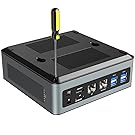
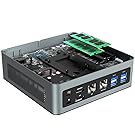

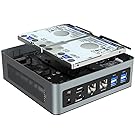
Images: Steps for opening the HM80 Mini PC and installing RAM, SSD, and HDD components.
- זיכער מאַכן אַז דער מיני פּיסי איז אויסגעלאָשן און אָפּגעטיילט פֿון דער מאַכט מקור.
- פֿאָרזיכטיק אַראָפּנעמען דעם אונטערשטן דעקל פֿונעם מיני פּיסי.
- Locate the RAM (SO-DIMM) slots, M.2 SSD slot, or 2.5-inch HDD bays.
- Install or replace components according to their specific instructions. Ensure components are seated correctly.
- Replace the bottom cover and reconnect the power.
Note: Refer to the specific component's manual for detailed installation steps. Handle internal components with care to avoid damage.
8. טראָובלעשאָאָטינג
If you encounter issues with your MINISFORUM HM80 Mini PC, refer to the following common troubleshooting steps:
- קיין מאַכט: זיכער מאַכן אַז דער מאַכט אַדאַפּטער איז זיכער פארבונדן צו ביידע די מיני פּיסי און אַ אַרבעטנדיק מאַכט אַוטלעט. פּרוּווט אַן אַנדער אַוטלעט אויב נייטיק.
- קיין ווייַז: Verify that the monitor is powered on and the video cable (HDMI, DisplayPort, or USB-C) is securely connected to both the Mini PC and the monitor. Try a different cable or monitor if possible.
- קיין אינטערנעט פֿאַרבינדונג: For wired connections, check the Ethernet cable and router/modem status. For Wi-Fi, ensure Wi-Fi is enabled in Windows settings and you are connected to the correct network with the correct password.
- סיסטעם רעאַגירט נישט: If the system freezes, press and hold the power button for 4-5 seconds to force a shutdown, then restart the device.
- פּעריפעראַל נישט דעטעקטירט: Ensure USB devices are properly connected. Try connecting them to a different USB port.
If problems persist, consult the MINISFORUM support webפּלאַץ פֿאַר ווייַטער הילף.
9. ספּעסאַפאַקיישאַנז
Detailed technical specifications for the MINISFORUM HM80 Mini PC:
| שטריך | באַשרייַבונג |
|---|---|
| פּראַסעסער | AMD Ryzen 7 4800U (8 Cores, 16 Threads, 3.4 GHz base, up to 4.0 GHz boost) |
| גראַפיקס | Integrated AMD Radeon Graphics (1750 MHz) |
| באַראַן | 16 GB DDR4 (2x8GB, upgradable to 32GB per slot) |
| סטאָרידזש | 512 GB 2280 PCIe SSD (up to 2TB), 2x 2.5-inch SATA HDD slots (up to 2TB each) |
| אָפּערייטינג סיסטעם | Windows 11 פּראָ |
| ווידעא רעזולטאַט | HDMI 2.0, DisplayPort, USB-C (supports triple 4K@60Hz displays) |
| ווירעלעסס קאַנעקטיוויטי | Wi-Fi 6 (802.11ax), בלועטוט 5.1 |
| לאַן פּאָרץ | 2x 2.5 Gigabit Ethernet (RJ45) |
| וסב פּאָרץ | 4x USB 3.0, 2x USB 3.1, 2x USB-C |
| אַודיאָ | 3.5mm Microphone Jack, 3.5mm Audio Jack |
| דימענשאַנז | בעערעך 14.96 X 14.96 X 5.55 סענטימעטער (5.89 X 5.89 X 2.19 אינטשעס) |
| וואָג | Approximately 1.5 kg (3.32 pounds) |
10. וואָראַנטי און שטיצן
MINISFORUM products typically come with a standard manufacturer's warranty. For specific warranty terms, duration, and to register your product, please visit the official MINISFORUM webפּלאַץ אָדער קאָנטאַקט זייער קונה שטיצן.
For technical support, driver downloads, and frequently asked questions, please refer to the MINISFORUM support page: www.minisforum.com/support


