הקדמה
Thank you for choosing the Vikeri (A1 + B1) Trail Camera. This high-performance game camera is designed to capture stunning vibrant images and clear audible videos of wildlife, day or night. Featuring a 120° wide-angle motion sensor, 940nm no-glow infrared LEDs for discreet night vision, and an IP66 waterproof rating, it is built for reliable outdoor use in various environments. This manual provides detailed instructions to help you set up, operate, and maintain your camera for optimal performance.
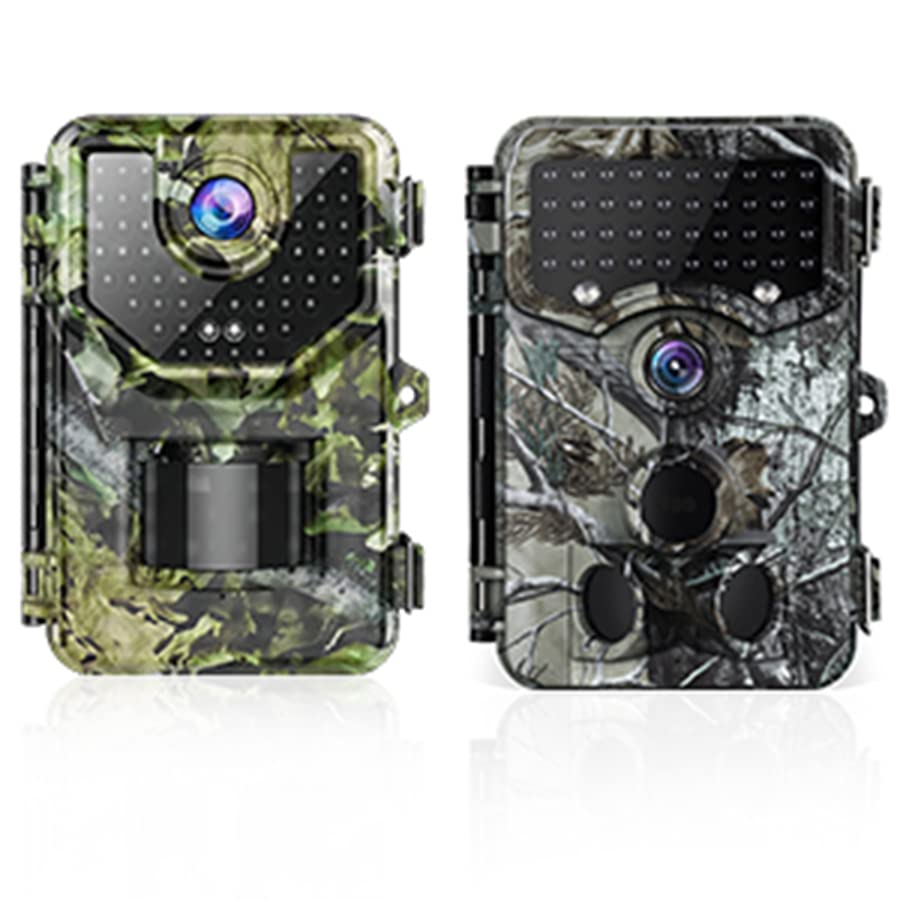
Image: The Vikeri A1 (green camo) and B1 (grey camo) Trail Cameras.
זיכערקייַט אינפֿאָרמאַציע
- Do not attempt to disassemble or modify the camera. This may cause damage and void the warranty.
- Use only recommended batteries. Incorrect battery types or improper installation can lead to malfunction or damage.
- Keep the camera away from extreme temperatures, direct sunlight for prolonged periods, and corrosive materials.
- Ensure the battery compartment is securely closed to maintain the IP66 waterproof rating.
- אַוועקוואַרפן באַטעריעס פאַראַנטוואָרטלעך לויט די לאָקאַלע רעגולאַציעס.
פּעקל אינהאַלט
Upon opening your Vikeri Trail Camera package, please verify that all the following items are included:
- Vikeri Trail Camera (A1 or B1 model)
- מאַונטינג רימען
- וסב קאַבלע
- באַניצער מאַנואַל
- SD Card (often included, check packaging)
- AA Batteries (often included, check packaging)

Image: Typical contents included with the Vikeri Trail Camera, such as an SD card and batteries.
פּראָדוקט איבערview
Familiarize yourself with the main components of your Vikeri Trail Camera:

Image: Labeled diagram of the Vikeri Trail Camera's external features.
- 20 MP HD Lens: Captures high-resolution images and videos.
- 40PCS No Glow IR-LEDs: גיט אומזעיקבארע באלויכטונג פאר קלארע נאכט זעאונג אן שטערן ווילדע חיות.
- Motion Sensors (Center & Side): Detects movement within the camera's field of view to trigger recording.
- בלוי געפירט ינדיקאַטאָר: סטאַטוס גראדן.
- Red/Yellow LED Indicator: סטאַטוס גראדן.
- 2.4" LCD Color Screen: For menu navigation, settings adjustment, and playback review.
- באַטערי אָפּטייל: Located at the bottom, holds AA batteries.
- SD Card Slot: פֿאַר אַרײַנשטעלן די זכּרון קאַרטל.
- וסב פּאָרט: פֿאַר קאַנעקטינג צו אַ קאָמפּיוטער.
סעטאַפּ
1. באַטאַרייע ייַנמאָנטירונג
Open the battery compartment cover. Insert 4 or 8 (depending on model) AA batteries, ensuring correct polarity (+/-). Close the cover securely to maintain the waterproof seal.
2. סד קאַרד ינסטאַללאַטיאָן
Locate the SD card slot. Insert a formatted SD card (up to 32GB recommended) with the metal contacts facing down until it clicks into place. To remove, push the card in slightly until it springs out.
3. מאָונטינג די קאַמעראַ
Use the provided mounting strap to secure the camera to a tree or pole. Ensure the camera is stable and pointed towards the desired monitoring area. The camera is designed for outdoor use and is IP66 waterproof, making it resistant to rain, dust, and fog.
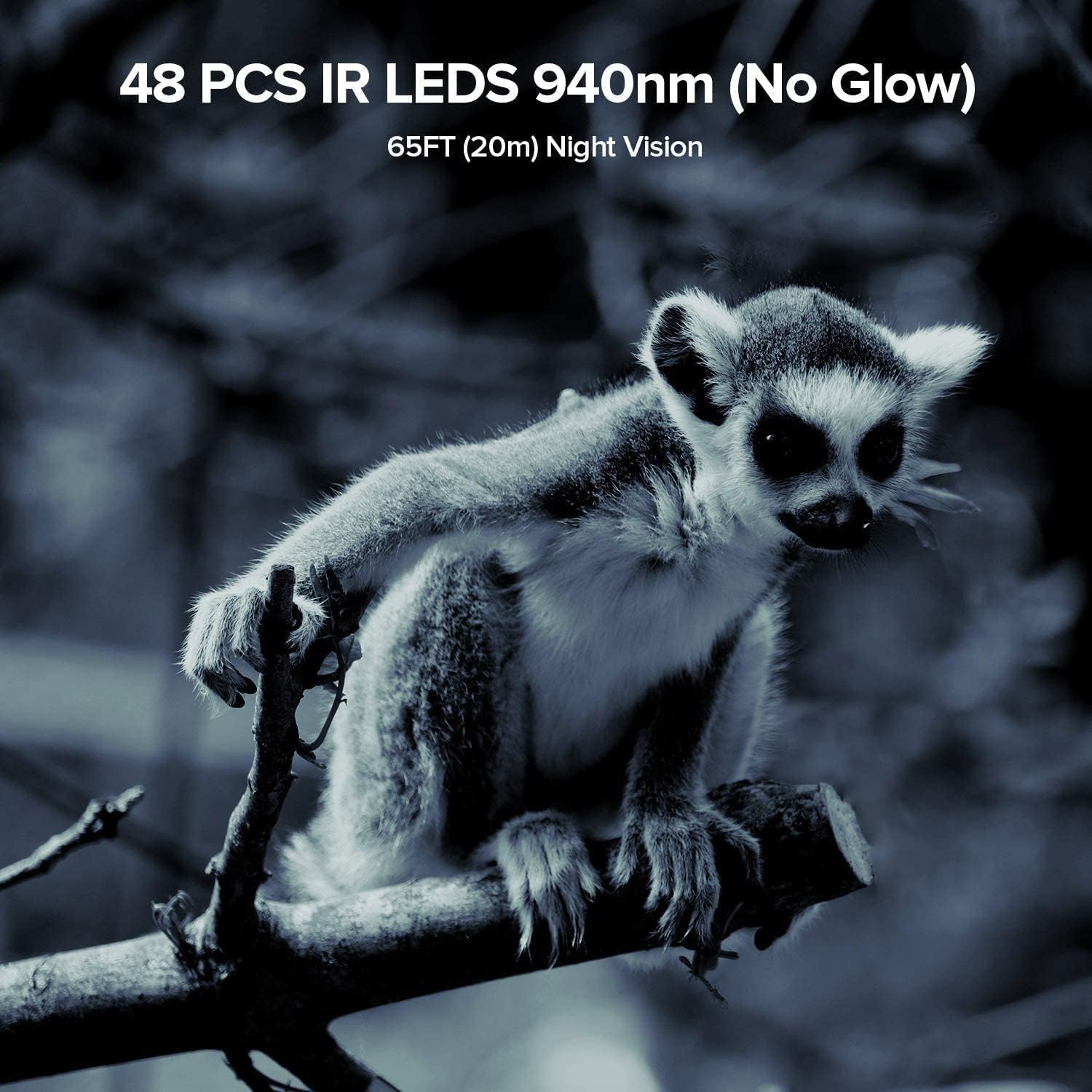
Image: The Vikeri Trail Camera mounted on a tree, demonstrating its IP66 waterproof and sturdy design.
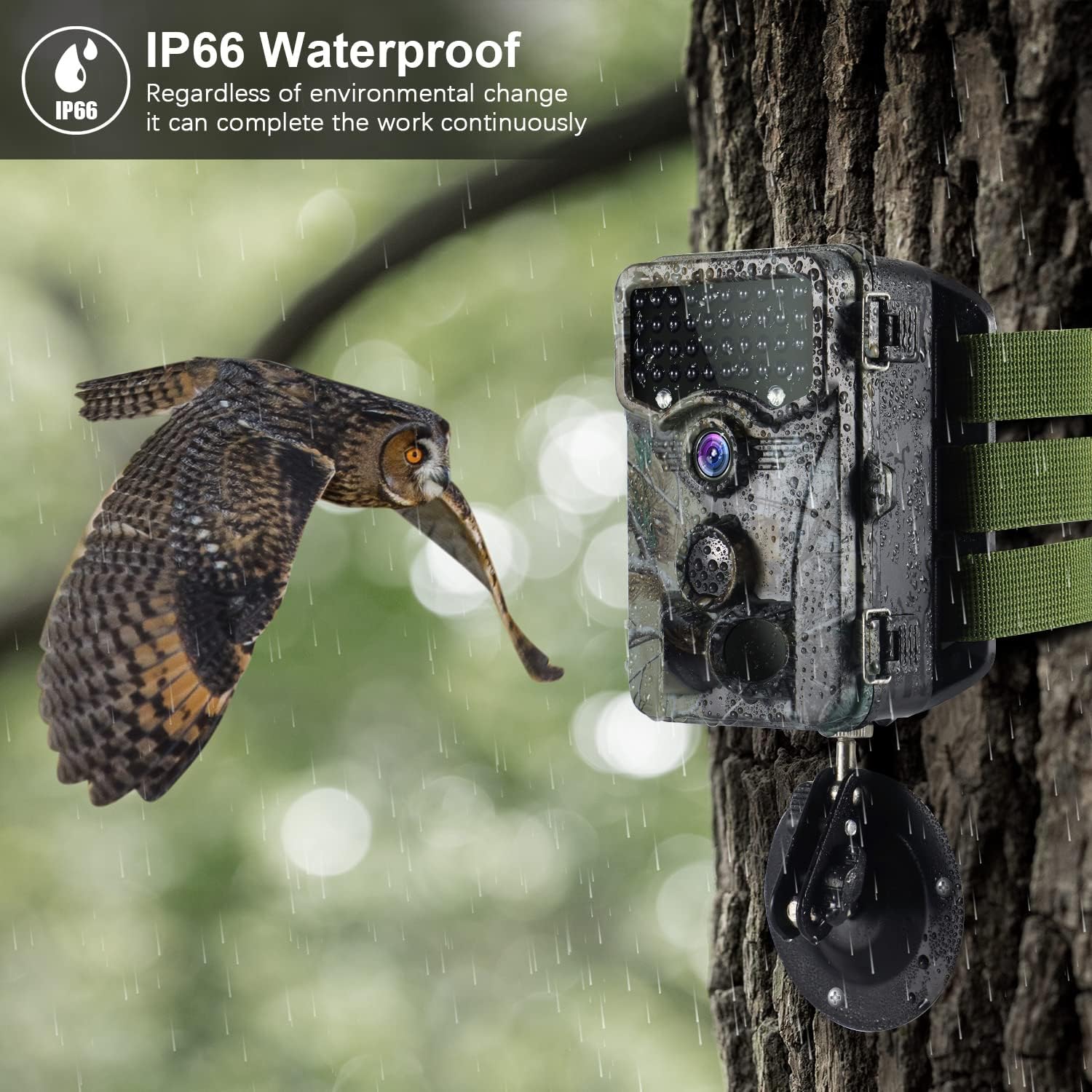
Image: The camera's IP66 waterproof design allows it to operate continuously in various environmental conditions, including rain.
אַפּערייטינג ינסטראַקשאַנז
1. פּאָווערינג אויף / אויסגעלאשן
Locate the power switch inside the camera. Slide it to the 'ON' position to power on the camera. To power off, slide it to the 'OFF' position.
2. מעניו נאַוויגאַציע
Once powered on, the 2.4" LCD screen will display the main menu. Use the navigation buttons (Up, Down, Left, Right, OK) to browse through options and confirm selections.
3. באַשטעטיקן טאָג און צייט
Navigate to the 'Date/Time' setting in the menu. Adjust the year, month, day, hour, and minute using the navigation buttons. Press 'OK' to save.
4. Photo/Video Mode Selection
Select your desired recording mode: 'Photo' for still images, 'Video' for video clips, or 'Photo+Video' for both. You can also set the resolution for each mode.

Image: The camera captures stunning 1520P video and 20MP photos, providing clear and detailed visuals.
5. באַוועגונג סענסאָר סעטטינגס
Adjust the PIR (Passive Infrared) sensitivity (Low, Medium, High) based on your environment to prevent false triggers. Set the 'PIR Interval' to determine the delay between detections.
6. נאַכט זעאונג
The camera is equipped with 940nm no-glow IR LEDs, providing clear night vision up to 65 feet (20 meters) without emitting a visible flash that could scare animals. The camera automatically switches to night mode in low-light conditions.

Image: The camera's 940nm no-glow IR LEDs provide clear night vision, capturing detailed images even in complete darkness.

Image: Comparison of daytime and nighttime capture capabilities, showcasing the camera's versatility.
7. Viewing Playback
In the menu, select 'Playback' to review captured photos and videos directly on the 2.4" LCD screen. Use the navigation buttons to scroll through files.
8. קאַנעקטינג צו אַ קאָמפּיוטער
Connect the camera to your computer using the provided USB cable. The camera will appear as a removable disk, allowing you to access and transfer files. Alternatively, you can remove the SD card and insert it into a card reader connected to your computer.
וישאַלט
- רייניקונג: Gently wipe the lens and camera housing with a soft, dry cloth. Avoid abrasive cleaners or solvents.
- באַטערי פאַרבייַט: Replace batteries when the low battery indicator appears or when performance degrades. Always replace all batteries at once with new ones of the same type.
- סד קאַרד מאַנאַגעמענט: Regularly format your SD card within the camera's menu to ensure optimal performance and prevent data corruption. Back up important files איידער פאָרמאַטטינג.
- סטאָרידזש: ווען נישט אין באַנוץ פֿאַר לענגערע פּעריאָדן, אַרויסנעמען די באַטעריעס און האַלטן די קאַמעראַ אין אַ קיל, טרוקן אָרט.
- Waterproofing Care: Ensure the battery compartment and all ports are sealed tightly after opening to maintain the IP66 waterproof rating.

Image: The camera's IP66 rating ensures protection against water splashes and dust, making it suitable for various outdoor conditions.
טראָובלעשאָאָטינג
| פּראָבלעם | מעגלעך סיבה | לייזונג |
|---|---|---|
| די אַפּאַראַט טוט נישט קער אויף | Low or dead batteries; Incorrect battery polarity; Power switch in OFF position. | Replace batteries with new ones, ensuring correct polarity. Check if the power switch is set to 'ON'. |
| שלעכטע בילד/ווידעא קוואַליטעט | Dirty lens; Low light conditions; Incorrect resolution settings. | Clean the lens. Ensure adequate lighting or rely on night vision. Adjust resolution settings in the menu. |
| באַוועגונג סענסאָר טריגערט נישט | PIR sensitivity too low; Obstructions in front of sensor; PIR interval too long. | Increase PIR sensitivity. Clear any obstructions. Reduce PIR interval. Ensure camera is positioned correctly. |
| Files corrupted or unreadable | SD card issue; Improper shutdown; File סיסטעם קאָרופּציע. | Format the SD card in the camera. Try a different SD card. Ensure camera is powered off correctly before removing card. |
| שוועריקייט viewing videos on computer | Incompatible video player; SD card formatting issues; USB connection problems. | Ensure your computer has a compatible video player for AVI/MPEG-4 files. Try using an SD card reader. Reformat the SD card in the camera. |
ספּעסאַפאַקיישאַנז
| שטריך | דעטאַל |
|---|---|
| סאָרט | וויקערי |
| מאָדעל | A1 + B1 |
| האַכלאָטע | 1520P Video / 20MP Photo |
| לענס | 20 MP HD Lens |
| יר לעדס | 40/48 PCS 940nm No Glow IR-LEDs |
| נאַכט וויזשאַן ראַנגע | Up to 65FT (20m) |
| באַוועגונג סענסאָר ווינקל | 120° ברייט-אַנגלע |
| ווייַז סקרין | 2.4" LCD Color Screen |
| וואָטערפּרוף רייטינג | IP66 |
| מאַכט מקור | Battery Powered (AA batteries) |
| קאַנעקטיוויטי טעכנאָלאָגיע | ווירעלעסס (ווי-פי) |
| קאַמפּאַטאַבאַל דעוויסעס | סמאַרטפאָנע |
| מאַונטינג טיפּ | וואנט בארג |
| ווידעא קאַפּטורע פֿאָרמאַט | עמפּעג-4 |
| דרינענדיק / דרויסנדיק באַניץ | דרויסנדיק |
וואָראַנטי און שטיצן
Vikeri products are designed for reliability and performance. For warranty information, technical support, or any inquiries regarding your Vikeri Trail Camera, please refer to the contact details provided on the product packaging or visit the official Vikeri website. Our customer service team is available to assist you with any questions or issues you may encounter.


