1. הקדמה
Thank you for choosing the realme TechLife Portable Room Air Purifier. This manual provides essential information for the safe and efficient operation, maintenance, and troubleshooting of your device. Please read this manual thoroughly before use and retain it for future reference.
2. זיכערקייַט אינסטרוקציעס
כדי צו רעדוצירן דעם ריזיקע פון עלעקטרישן שאק, פייער, אדער שאדן, ביטע באמערקן די פאלגנדע זיכערהייט מיטלען:
- שטענדיק אויסשטעקן דעם לופט רייניגער איידער איר רייניגט, טוט אויפהאלטונג, אדער ווען עס איז נישט אין באנוץ.
- ניצט נישט דעם אַפּאַראַט מיט אַ צעבראָכענעם שנור אָדער פּלאָג. אויב דער שנור אָדער פּלאָג איז צעבראָכן, קאָנטאַקטירט קונה שטיצע.
- בלאָקירט נישט לופט אריינגאנגען אדער ארויסגאנגען. זאָרגט פֿאַר גענוג פּלאַץ אַרום דעם אַפּאַראַט פֿאַר געהעריקן לופטפלוס.
- דו זאלסט נישט נוצן די לופט פּיוראַפייער אין נאַס אָדער דamp environments, such as bathrooms or laundries.
- האַלט דעם אַפּאַראַט אַוועק פון היץ קוועלער, דירעקט זונשייַן און ברענענדיקע מאַטעריאַלן.
- דער אַפּפּליאַנסע איז נישט בדעה פֿאַר נוצן דורך מענטשן (אַרייַנגערעכנט קינדער) מיט רידוסט גשמיות, סענסערי אָדער גייַסטיק קייפּאַבילאַטיז, אָדער פעלן פון דערפאַרונג און וויסן, סייַדן זיי האָבן באקומען השגחה אָדער לימעד וועגן די נוצן פון דעם אַפּפּליאַנסע דורך אַ מענטש פאַראַנטוואָרטלעך פֿאַר זייער זיכערקייַט.
- Only use genuine realme replacement filters.
3. פּעקל אינהאַלט
באַשטעטיקן אַז אַלע זאכן זענען פאַראַן אין פּעקל:
- realme TechLife Portable Room Air Purifier Unit
- HEPA H12 Filter (pre-installed or separate)
- מאַכט אַדאַפּטער
- באַניצער מאַנואַל
4. פּראָדוקט איבערview
4.1 קאַמפּאָונאַנץ
The image below illustrates the main components of the realme TechLife Portable Room Air Purifier.
פיגורע 1: פראָנט view of the realme TechLife Portable Room Air Purifier. The unit is white with a sleek, minimalist design.
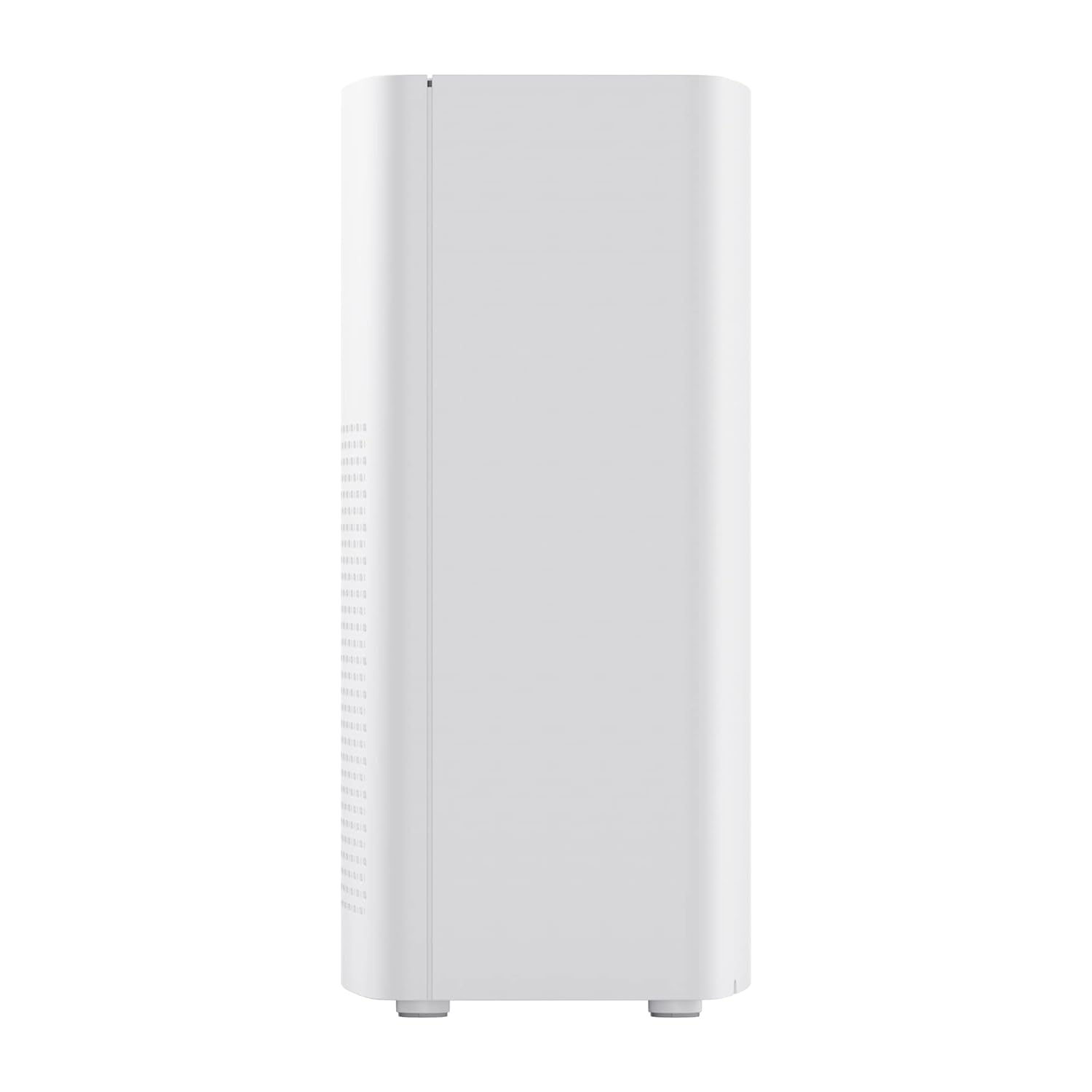
פיגורע 2: זייַט view of the realme TechLife Portable Room Air Purifier, showing its compact and lightweight profile.
4.2 קאָנטראָל פּאַנעל
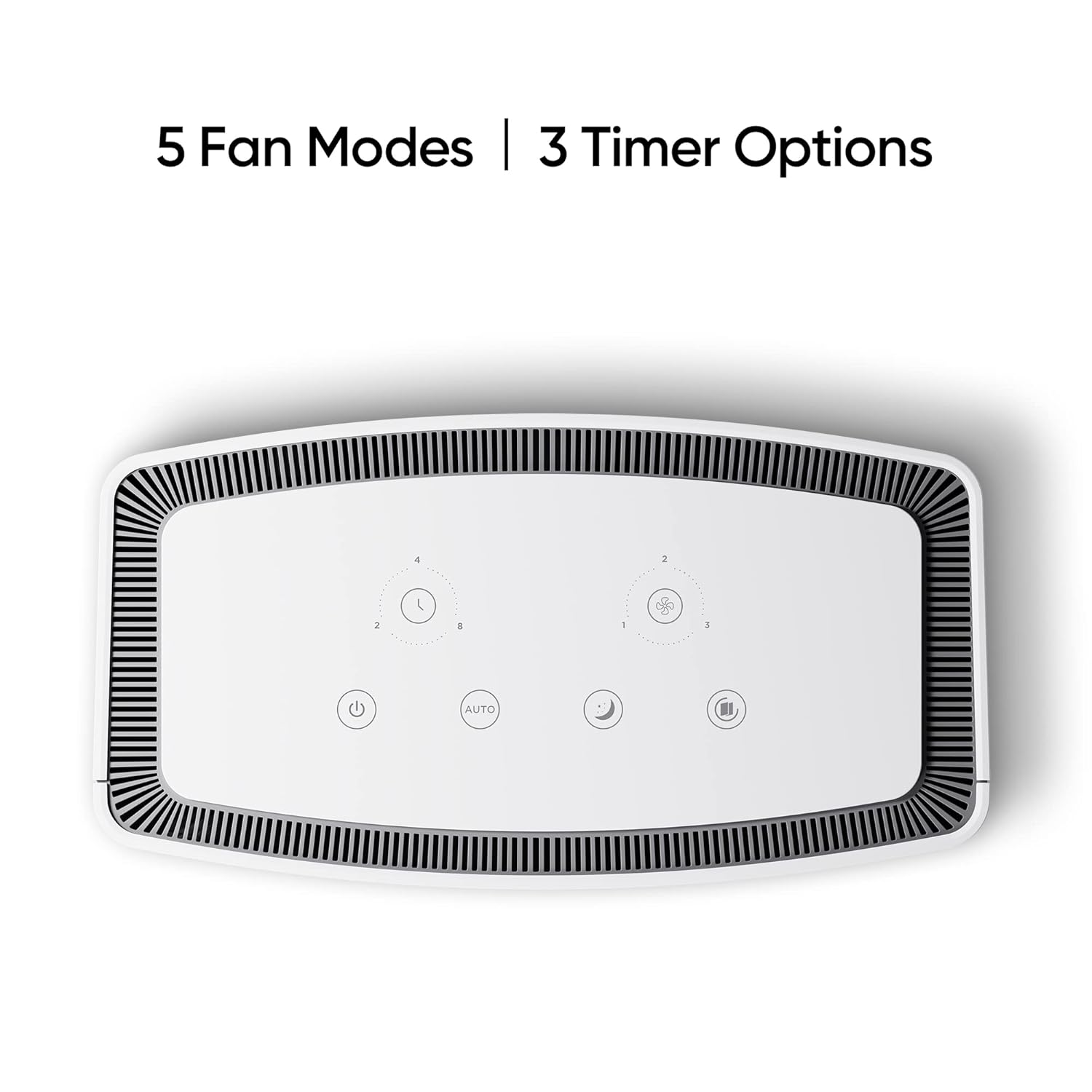
The control panel is located on the top of the air purifier and features touch-sensitive buttons for various functions.

פיגור 3: פון אויבן אַראָפּ view of the control panel, displaying touch buttons for power, auto mode, sleep mode, fan speed, and timer settings.
- מאַכט קנעפּל: טורנס די אַפּאַראַט אויף אָדער אַוועק.
- AUTO Mode Button: Activates automatic fan speed adjustment based on air quality.
- שלאָף מאָדע קנעפּל: Sets the fan to its lowest speed for quiet operation.
- פאָכער ספּיד קנעפּל: Cycles through manual fan speed settings (e.g., Level 1, 2, 3).
- טיימער קנעפּל: Sets the operating duration (e.g., 2, 4, 8 hours).
- לופט קוואַליטעט ינדיקאַטאָר: Displays current air quality (color-coded).
5. סעטאַפּ
5.1 פילטער ינסטאַללאַטיאָן
The HEPA filter may be pre-installed or require installation before first use.
- Unpack the air purifier and place it on a stable, flat surface.
- Locate the filter compartment cover, usually at the bottom or rear of the unit.
- Open the cover and remove any plastic packaging from the HEPA filter.
- Insert the filter into the compartment, ensuring it is seated correctly.
- פֿאַרמאַכט דעם דעקל פֿון דעם פֿילטער־אָפּטייל זיכער.
5.2 פּלייסמאַנט
For optimal performance, place the air purifier in a location with good air circulation, away from walls or furniture that might obstruct airflow. Avoid placing it near windows or vents.
5.3 מאַכט קאַנעקשאַן
פֿאַרבינדט דעם מאַכט אַדאַפּטער צום לופט רייניגער'ס מאַכט פּאָרט, און דערנאָך שטעק דעם אַדאַפּטער אין אַ נאָרמאַלן עלעקטרישן אַוטלעט.
6. אַפּערייטינג ינסטרוקטיאָנס
6.1 מאַכט אויף / אַוועק
דרוק די מאַכט קנעפּל once to turn the air purifier on. Press it again to turn the unit off.
6.2 Fan Speed Modes
- אַוטאָ מאָדע: דרוק די AUTO קנעפּל. The purifier will automatically adjust its fan speed based on the detected air quality.
- שלאָפן מאָדע: דרוק די שלאָף מאָדע קנעפּל. The fan operates at its lowest speed for quiet purification, ideal for nighttime use.
- מאַנועלע ווענטילאַטאָר גיכקייט: דרוק די פאָכער ספּיד קנעפּל repeatedly to cycle through different fan speed levels (e.g., Level 1, Level 2, Level 3).
6.3 טיימער סעטטינגס
דרוק די טיימער קנעפּל repeatedly to set the desired operating duration (e.g., 2 hours, 4 hours, 8 hours). The unit will automatically turn off after the set time expires.
6.4 לופט קוואַליטי ינדיקאַטאָר
The air quality indicator light changes color to reflect the current air quality:
- גרין: גוט לופט קוואַליטעט
- געל/אראנדזש: מעסיק לופט קוואַליטעט
- רויט: נעבעך לופט קוואַליטעט
7. וישאַלט
7.1 פילטער פאַרבייַט
The HEPA filter has a limited lifespan and needs regular replacement to maintain purification efficiency. The filter life depends on usage and air quality. A filter replacement indicator light will typically illuminate when replacement is due.
- אָפּשטעקן די לופט פּיוראַפייער פון די מאַכט ווענטיל.
- עפֿנט דעם דעקל פֿונעם פֿילטער־אָפּטייל.
- אַראָפּנעמען דעם אַלטן פילטער און אַוועקוואַרפן עס ריכטיק.
- Insert a new, genuine realme HEPA H12 replacement filter.
- פֿאַרמאַכט דעם דעקל פֿון דעם פֿילטער־אָפּטייל זיכער.
- Plug in the air purifier and reset the filter life indicator (refer to specific model instructions if available, usually by pressing and holding the filter button for a few seconds).
Note: Replacement filters may need to be purchased separately. Ensure availability of replacement filters for continued use of the product.
7.2 רייניקונג די אַפּאַראַט
Regular cleaning helps maintain performance and appearance.
- ווישט די אויסערליכע זייט פון דער איינהייט מיט א ווייכן, טרוקענעם שטאָף.
- ניצט נישט קיין אברייסיוו רייניגער, וואקס, אדער סאָלווענטן.
- Gently vacuum the air inlet and outlet grilles to remove dust accumulation.
8. טראָובלעשאָאָטינג
אויב איר טרעפט פּראָבלעמען מיט אייער לופט רייניגער, זעט די טאַבעלע אונטן פֿאַר געוויינטלעכע פּראָבלעמען און לייזונגען.
| פּראָבלעם | מעגלעך סיבה | לייזונג |
|---|---|---|
| אַפּאַראַט טוט נישט קער אויף | No power supply; Power adapter not connected; Unit damaged. | Check power cord and outlet; Ensure adapter is securely connected; Contact customer support if damaged. |
| שוואַך לופט לויפן | Air inlets/outlets blocked; Filter clogged; Filter not installed correctly. | Clear obstructions; Replace filter; Reinstall filter correctly. |
| ומגעוויינטלעך ראַש | Foreign object inside; Unit not on a flat surface; Filter not seated correctly. | Unplug and check for obstructions; Place on a stable surface; Reinstall filter. |
| לופט קוואַליטעט אינדיקאַטאָר שטענדיק רויט/מאַראַנץ | High pollution level; Sensor dirty; Sensor malfunction. | Allow more time for purification; Clean the sensor area (if accessible); Contact customer support. |
If the problem persists after trying these solutions, please contact realme customer support.
9. ספּעסאַפאַקיישאַנז
Technical specifications for the realme TechLife Portable Room Air Purifier:
| שטריך | באַשרייַבונג |
|---|---|
| סאָרט | realme |
| מאָדעל | TechLife Portable Room Air Purifier |
| קאָליר | ווייַס |
| פילטער טיפּ | העפּאַ ה 12 |
| Contaminant Filtration | 99.97% |
| קאָנטראָללער טיפּ | ריר קאָנטראָל |
| ספּעציעלע פֿעיִקייטן | High Precision Air Quality Sensor, Lightweight |
| פּונקט וואָג | קסנומקס קג קסנומקס ג |
| מאַכט מקור | Battery Powered (Please refer to product label for specific power input) |
10. וואָראַנטי און שטיצן
The realme TechLife Portable Room Air Purifier comes with a limited warranty. Please refer to the warranty card included with your product for detailed terms and conditions, including warranty period and coverage.
For technical support, service, or to purchase genuine replacement parts and filters, please visit the official realme website or contact realme customer service through the contact information provided in your warranty documentation.
האַלט אייער קויף קוויטל ווי אַ באַווייַז פון קויפן פֿאַר וואָראַנטי קליימז.


