הקדמה
This manual provides instructions for the proper use and maintenance of your 1MORE Omthing AirFree Buds wireless earbuds. Please read this manual thoroughly before using the product to ensure optimal performance and longevity.
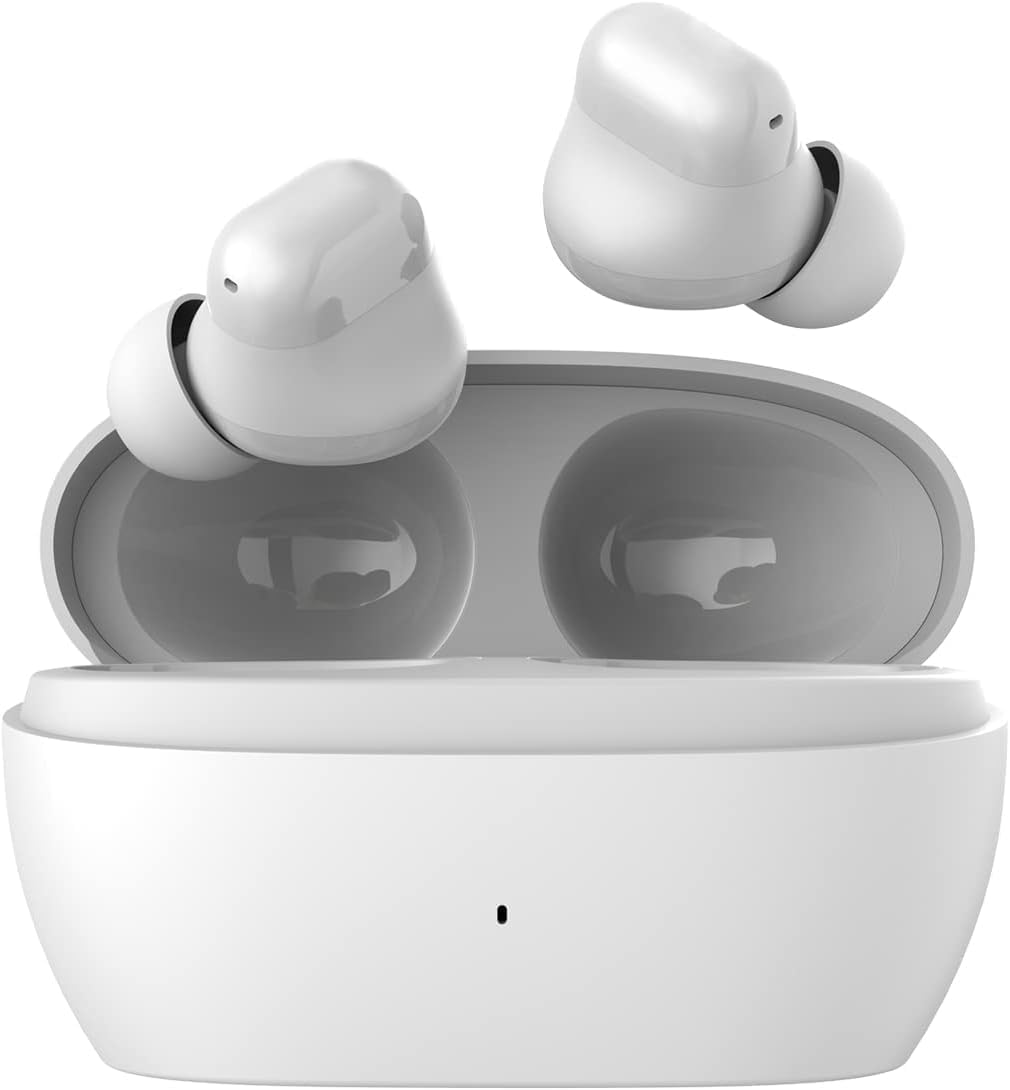
Image: The 1MORE Omthing AirFree Buds, white wireless earbuds, are shown resting inside their matching white charging case. The case is open, revealing the earbuds nestled in their charging slots.
פּעקל אינהאַלט
באַשטעטיקן אַז אַלע זאכן זענען פאַראַן אין דיין פּעקל:
- 1MORE Omthing AirFree Buds (Left and Right Earbuds)
- טשאַרדזשינג קאַסע
- וסב טשאַרדזשינג קאַבלע
- באַניצער מאַנואַל (דעם דאָקומענט)
- אויער-שפּיצן (פאַרשידענע גרייסן)

Image: The front of the product box for the 1MORE Omthing AirFree Buds. The box is white with an orange accent, displaying the brand logo and an image of the earbuds.
סעטאַפּ
1. אויפלאָדן די אויערקנעפּלעך און קעסטל
Before first use, fully charge the earbuds and charging case. The charging case provides additional power for the earbuds on the go.
- Earbud Playtime: אַרויף צו 7 שעה אויף אַ איין אָפּצאָל.
- גאַנץ שפּילצייט מיט קעיס: אַרויף צו 44 שעה.
- קאַסע טשאַרדזשינג צייט: בעערעך 165 מינוט.

Image: A graphic showing the 1MORE Omthing AirFree Buds in their charging case, with a large "44h" indicating the total battery life. A charging symbol is visible below the case.
2. פּערינג מיט דיין מיטל
The AirFree Buds utilize Bluetooth 5.3 for a stable and efficient wireless connection.
- עפֿנט דעם טשאַרדזשינג קעסטל. די אויערקנעפּלעך וועלן אויטאָמאַטיש אַרײַן אין פּערינג מאָדע.
- אויף אייער דעווייס (סמאַרטפאָן, טאַבלעט, אאז"וו), אַקטיווירט בלועטוט.
- זוכן פֿאַר "omthing AirFree Buds" in the list of available Bluetooth devices.
- Select "omthing AirFree Buds" to connect. A confirmation sound will indicate successful pairing.

Image: A smartphone screen displaying the Bluetooth pairing interface, showing "omthing AirFree Buds" as an available device to connect. The earbuds in their open charging case are depicted below the phone.

Image: A stylized graphic of a microchip with "Bluetooth 5.3" prominently displayed, illustrating the advanced connectivity technology of the earbuds.
3. טראָגן די אויערקנעפּלעך
Choose the eartips that provide the best fit and seal for optimal sound quality and comfort. The earbuds are designed to be lightweight for extended wear.

Image: A selection of white, skin-friendly eartips in different sizes, designed for a comfortable and secure fit.

Image: Two white earbuds are depicted resting on soft white feathers, emphasizing their lightweight and comfortable design.
אַפּערייטינג ינסטראַקשאַנז
ריר קאָנטראָלס
The earbuds feature intuitive touch controls for managing playback and calls:
- שפּיל / פּויזע: צאַפּן צוויי מאָל אויף איינעם פֿון די אויערקנעפּלעך.
- שטימע אַססיסטאַנט: דריק דריי מאָל אויף איינעם פון די אויערקנעפּלעך.
- לאנג דרוק (2 סעקונדעס): Function may vary based on settings (e.g., skip track, answer/reject call). Refer to the app for customization.
Adjustable EQ Modes
Customize your audio experience using the companion app. You can select from preset equalizer modes or create your own custom settings.
- Choose from 6 EQ presets (including Default).
- Set 2 custom equalizer profiles to match your preferred music genres.

Image: A smartphone screen displaying an equalizer interface within an app, allowing users to adjust audio frequencies for a personalized sound experience. Earbuds are shown on either side of the phone.
Smart Call Noise Cancellation
The earbuds are equipped with microphones and an advanced Deep Neural Network (DNN) algorithm to enhance call clarity by suppressing environmental noise and accurately capturing your voice.
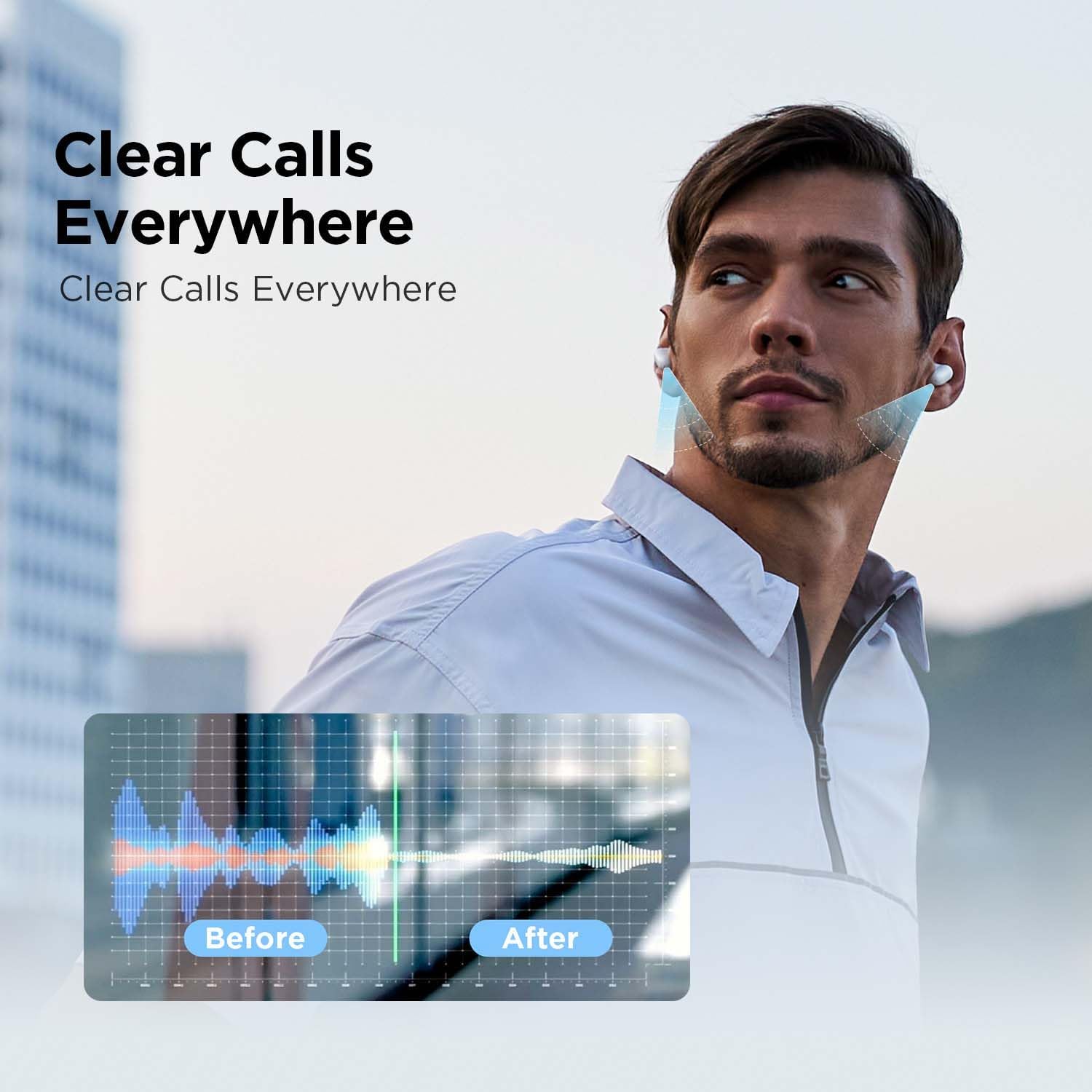
Image: A graphic demonstrating the effect of call noise cancellation. It shows a "Before" waveform with significant background noise and an "After" waveform with a clearer, more isolated voice signal.
וישאַלט
To ensure the longevity and optimal performance of your AirFree Buds, follow these maintenance guidelines:
- רייניקונג: ווישט רעגולער אויס די אויערקנעפּלעך און די טשאַרדזשינג קעסטל מיט אַ ווייכן, טרוקענעם, לינט-פֿרייע שטאָף. ניצט נישט קיין שרײַבנדיקע רייניגער אָדער סאָלווענטן.
- אויער עצות: Remove eartips periodically and clean them with a damp שטאָף. מאַכט זיכער אַז זיי זענען גאָר טרוקן איידער איר זיי צוריק אָנשטעלן.
- טשאַרדזשינג פּאָרץ: האַלט די טשאַרדזשינג קאָנטאַקטן אויף די אויערקנעפּלעך און אינעווייניק פון דעם קעסטל ריין און פריי פון שמוץ.
- סטאָרידזש: ווען נישט אין באַנוץ, לייגט די אויערקנעפּלעך אין זייער טשאַרדזשינג קעסטל צו באַשיצן זיי פון שטויב און שעדיקן.
- וואַסער קעגנשטעל: The earbuds feature IPX4 water resistance, meaning they are protected against splashing water from any direction. Do not submerge them in water or expose them to heavy rain.
טראָובלעשאָאָטינג
If you encounter issues with your AirFree Buds, try the following solutions:
- קיין קול:
- זיכער מאַכן אַז די אויערקנעפּלעך זענען אויפֿגעלאָדן.
- קאָנטראָלירט די בלועטוט פֿאַרבינדונג צו אייער מיטל.
- אַדזשאַסטירן די באַנד אויף ביידע אייער מיטל און די אויערקנעפּלעך.
- פּאָרינג ישוז:
- זיכער מאַכן אַז די אויערקנעפּלעך זענען אין פּערינג מאָדע (אָפן קעסטל).
- אויסלעשן און אנשטעלן בלועטוט אויף אייער דעווייס.
- Forget "omthing AirFree Buds" from your device's Bluetooth list and re-pair.
- זיכער מאַכן אַז קיין אַנדערע דעוויסעס זענען נישט פֿאַרבונדן צו די אויערקנעפּלעך.
- איין עאַרבוד טוט נישט אַרבעטן:
- לייגט צוריק ביידע אויערקנעפּלעך אין דעם טשאַרדזשינג קעסטל, מאַכט צו דעם דעקל, וואַרט אַ פּאָר סעקונדעס, און עפֿנט ווידער.
- מאַכן זיכער אַז ביידע עאַרבודז זענען באפוילן.
- נעבעך רופן קוואַליטי:
- זיכער מאַכן אַז די מיקראָפאָנען זענען נישט פֿאַרשטאָפּט.
- אריבערציען זיך צו א שטילערע סביבה אויב מעגלעך.
- קאָנטראָלירט די נעץ סיגנאַל שטאַרקייט אויף אייער טעלעפאָן.
- טשאַרדזשינג פּראָבלעמס:
- זיכער מאַכן אַז דער טשאַרדזשינג קאַבל איז זיכער פארבונדן.
- פרובירט אן אנדערן טשאַרדזשינג קאַבל אדער מאַכט אַדאַפּטער.
- רייניקט די טשאַרדזשינג קאָנטאַקטן אויף די אויערקנעפּלעך און קעסטל.
If problems persist, consult the 1MORE support webפּלאַץ אָדער קאָנטאַקט קונה דינסט.
ספּעסאַפאַקיישאַנז
| שטריך | דעטאַל |
|---|---|
| מאָדעל נאָמען | AirFree Buds |
| מאָדעל נומער | עאָ 009 |
| קאַנעקטיוויטי טעכנאָלאָגיע | ווירעלעס (בלוטוט 5.3) |
| אַודיאָ דרייווער טיפּ | 8 מם דינאַמיש דרייווער |
| עאַרבוד באַטערי לעבן | אַרויף צו 7 שעה |
| גאַנץ שפּילצייט (מיט קעסטל) | אַרויף צו 44 שעה |
| טשאַרדזשינג צייט (קאַסע) | בעערעך 165 מינוט |
| בלועטאָאָטה קייט | 10 מעטער |
| ראַש קאָנטראָל | Smart Call Noise Cancellation |
| ספּעציעלע פֿעיִקייטן | Adjustable EQ Modes, Built-in Voice Assistant, IPX4 Water Resistant |
| פּונקט וואָג | 0.08 קילאָגראַמס (2.82 אונסעס) |
| פאַבריקאַנט | 1MORE INC |
| UPC | 190280000668 |
וואָראַנטי אינפֿאָרמאַציע
1MORE products are covered by a limited warranty. For detailed warranty terms and conditions, including coverage period and service procedures, please refer to the official 1MORE webזייטל אדער קאנטאקט זייער קאסטומער סופארט. האלט אייער באווייז פון קויפן פאר גאראנטיע טענות.
קונה שטיצן
For further assistance, technical support, or inquiries regarding your 1MORE Omthing AirFree Buds, please visit the official 1MORE support page or contact their customer service team. Contact information can typically be found on the 1MORE webפּלאַץ.
אָנליין רעסורסן: www.1more.com