הקדמה
This manual provides detailed instructions for the setup, operation, maintenance, and troubleshooting of your Pokitter Go Pro Mini Portable Projector. Please read this manual thoroughly before using the product to ensure proper functionality and to extend the lifespan of your device.
The Pokitter Go Pro is a compact and powerful portable projector featuring integrated Android TV 10.0, Google Assistant, 200 ANSI lumens brightness, 1080p Full HD resolution with 4K support, dual-band 2.4G/5G WiFi, and a maximum projection size of 120 inches. It is designed for versatile entertainment, offering a cinematic experience on the go.
פּעקל אינהאַלט
ביטע באַשטעטיקן אַז אַלע זאכן זענען פאַראַן אין דעם פּעקל:
- Pokitter Go Pro Mini Portable Projector
- ווייַט קאָנטראָל
- מאַכט אַדאַפּטער
- באַניצער מאַנואַל (דעם דאָקומענט)
- פירן רימען

Image: The Pokitter Go Pro Mini Portable Projector, highlighting its compact design and integrated handle for easy portability.
פּראָדוקט איבערview
פראָנט View
The front of the projector features the projection lens and ventilation grilles.
דערציען View
The rear panel typically includes various ports for connectivity.
- הדמי פּאָרט: פֿאַר פֿאַרבינדן עקסטערנע דעוויסעס ווי לאַפּטאַפּס, גיימינג קאַנסאָולז, אָדער בלו-רэй פּלייַערס.
- וסב פּאָרט: For connecting USB drives for media playback or external peripherals.
- אַודיאָ אַרויס (3.5 מם דזשעק): פֿאַר פֿאַרבינדן עקסטערנע רעדנערס אָדער כעדפאָונז.
- DC אין: מאַכט אַרייַנשרייַב פּאָרט.
Top View
The top surface may include control buttons or indicators.
זייַט View
The sides often feature additional ventilation and a carrying handle.
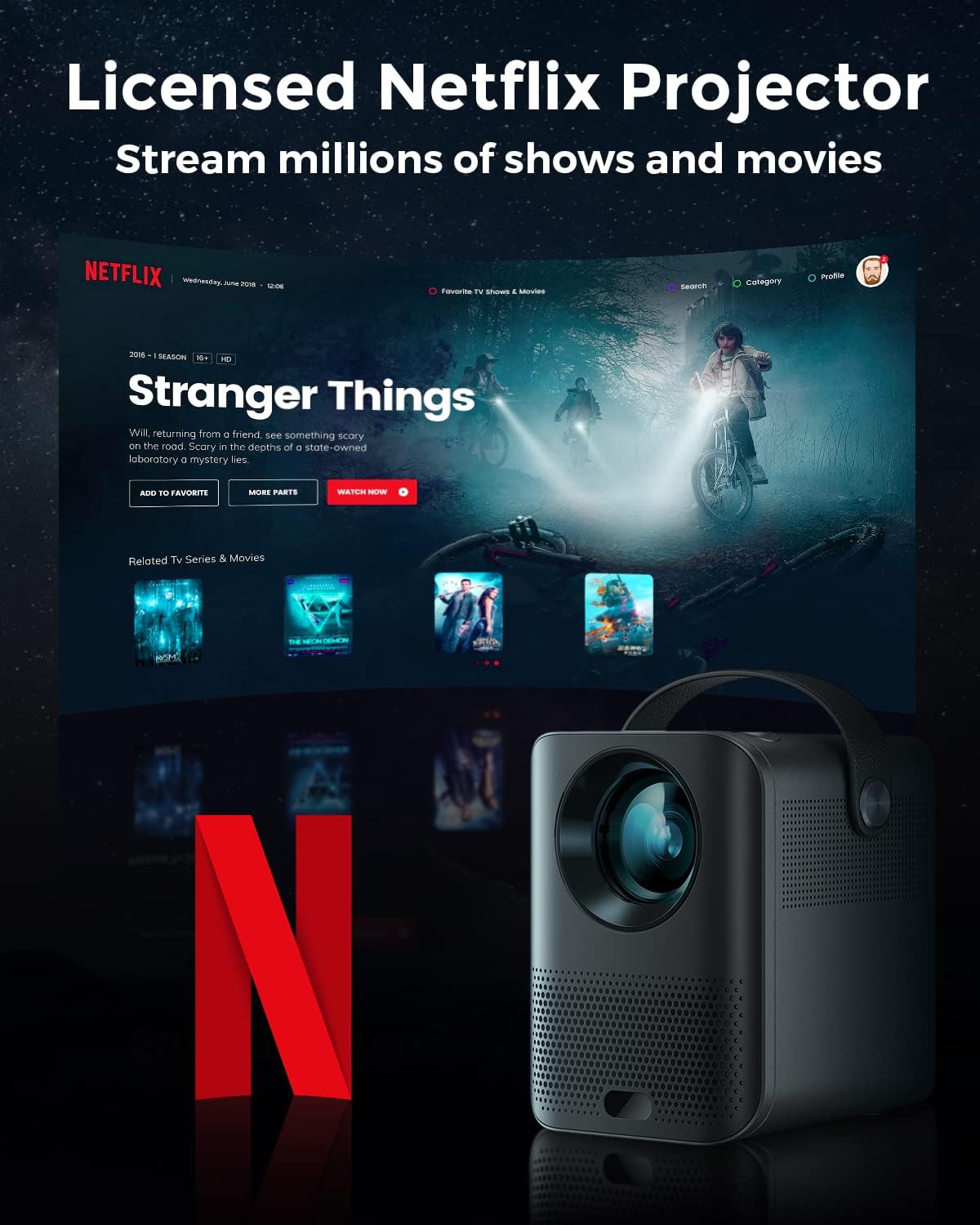
Image: The Pokitter Go Pro projector showcasing its integrated Netflix license and streaming capabilities.

Image: A size comparison of the Pokitter Go Pro projector with a smartphone, illustrating its mini and portable form factor.
סעטאַפּ
1. מאַכט קאַנעקשאַן
- פֿאַרבינדט דעם מאַכט אַדאַפּטער צום DC אין פּאָרט אויף דעם פּראָיעקטאָר.
- צאַפּן די מאַכט אַדאַפּטער אין אַ וואַנט ווענטיל.
- די מאַכט גראדן ליכט וועט ילומיניט.
2. ערשטע איינשאַלטונג
- דרוק די מאַכט קנעפּל אויף די פּראַדזשעקטער אָדער די ווייַט קאָנטראָל צו קער אויף די מיטל.
- Allow a few moments for the Android TV system to boot up.
3. פאָקוס אַדזשאַסטמאַנט
Use the focus ring (if mechanical) or the remote control's focus buttons to achieve a clear image. The Pokitter Go Pro features automatic vertical keystone correction up to 40 degrees.

Image: Illustration of the automatic keystone correction feature, which adjusts the image for optimal viewing even when the projector is not perfectly aligned.
4. סקרין גרייס אדזשאַסטמענט
Adjust the distance between the projector and the projection surface to achieve the desired screen size. The projector supports a screen size up to 120 inches.

Image: Guide for optimal projection distances to achieve screen sizes of 40, 80, and 120 inches.
5. נעץ פֿאַרבינדונג (Wi-Fi)
- Navigate to the Wi-Fi settings in the Android TV interface.
- אויסקלייבן אייער געוואונטשענע Wi-Fi נעץ פון דער ליסטע.
- אַרייַן די פּאַראָל אויב פּראַמפּטיד.
- The projector supports dual-band 2.4G and 5G Wi-Fi for stable and fast transmission.

Image: The Pokitter Go Pro projector demonstrating its 2.4/5GHz WiFi capabilities for seamless wireless screen casting from various devices.
אַפּערייטינג ינסטראַקשאַנז
ניצן די רימאָוט קאָנטראָל
The included remote control allows full navigation and control of the Android TV interface. Key functions include:
- מאַכט קנעפּל: טורנס די פּראַדזשעקטער אויף / אַוועק.
- נאַוויגאַציע פּאַד: For moving through menus.
- OK קנעפּל: קאַנפערמז סאַלעקשאַנז.
- צוריק קנעפּל: קערט צו די פריערדיקע פאַרשטעלן.
- היים קנעפּל: קערט צוריק צום אַנדרויד טיווי היים עקראַן.
- באַנד קנעפּלעך: אַדזשאַסטירט אַודיאָ באַנד.
- גוגל אַסיסטאַנט קנעפּל: אַקטיוויזירט שטימע קאָמאַנדעס.
אַנדרויד טעלעוויזיע צובינד
The Pokitter Go Pro runs on Android TV 10.0, providing access to a wide range of streaming applications such as Netflix, YouTube, Amazon Prime Video, and Disney+.
- אַפּ נאַוויגאַציע: Use the remote's navigation pad to select and open applications.
- אינהאַלט סטרימינג: Log in to your streaming accounts to access content.
- גוגל אַססיסטאַנט: Press the Google Assistant button on the remote and speak your commands to search for content, control playback, or get information.

בילד: אן איבערview of the Pokitter Go Pro's key features, including its Android TV operating system, Google Assistant integration, and display capabilities.
Screen Mirroring (Chromecast Built-in)
The projector features built-in Chromecast for easy screen mirroring from compatible devices (smartphones, tablets, laptops).
- Ensure your device and the projector are connected to the same Wi-Fi network.
- Open a Chromecast-enabled app on your device (e.g., YouTube, Netflix).
- צאַפּן אויף די קאַסט ייקאַן (usually a rectangle with a Wi-Fi symbol) אין די אַפּ.
- Select your Pokitter Go Pro projector from the list of available devices.
- The content from your device will be mirrored or cast to the projector.

Image: Demonstrating the Chromecast built-in feature, allowing users to stream content from their smartphone to the projector's large display.
Connecting External Devices (HDMI/USB)
- הדמי: Connect an HDMI cable from your external device (e.g., laptop, game console) to the HDMI port on the projector. The projector will automatically switch to the HDMI input or you may need to select it from the input source menu.
- וסב: Insert a USB flash drive into the USB port. The Android TV system will typically prompt you to open a file browser to access media fileס אויף די פאָר.
וישאַלט
רייניקונג די לענס
ניצט אַ ווייכע, לינט-פֿרייע שטאָף ספּעציעל דיזיינד פֿאַר אָפּטישע לענסעס צו פֿאָרזיכטיק ווישן די פּראָיעקטאָר לענס. ניצט נישט קיין שרײַבנדיקע רייניגערס אָדער איבערגעטריבענע קראַפֿט, ווײַל דאָס קען קראַצן די לענס.
Cleaning the Projector Body
Wipe the exterior of the projector with a soft, dry cloth. For stubborn stains, a slightly damp cloth can be used, followed by a dry cloth. Avoid getting liquids inside the projector.
ווענטילאַטיאָן
Ensure that the ventilation grilles are not blocked during operation to prevent overheating. The Pokitter Go Pro features a dust-proof design to maintain picture quality.

Image: An internal diagram of the Pokitter Go Pro, illustrating its dust-proof design for long-lasting, flawless picture quality.
סטאָרידזש
ווען נישט אין באַנוץ פֿאַר לענגערע פּעריאָדן, זאָל מען האַלטן דעם פּראָיעקטאָר אין אַ קיל, טרוקן אָרט, אַוועק פֿון דירעקטער זון און עקסטרעמע טעמפּעראַטורן. עס איז רעקאָמענדירט צו נוצן די אָריגינעלע פּאַקאַדזשינג אָדער אַ פּראַטעקטיוו קעסטל.
טראָובלעשאָאָטינג
| פּראָבלעם | מעגלעך סיבה | לייזונג |
|---|---|---|
| קיין מאַכט | שטראָם קאַבל נישט פארבונדן; שטראָם אַוטלעט דעפעקטיוו. | זיכער מאַכן אַז דער עלעקטרישער קאַבל איז זיכער פֿאַרבונדן. פּרוּווט אַן אַנדער עלעקטרישער אַוטלעט. |
| קיין בילד / פארשוואָמען בילד | Lens out of focus; Incorrect input source; Obstruction in projection path. | Adjust focus using the remote or focus ring. Select correct input source. Remove any obstructions. |
| קיין געזונט | Volume too low; Muted; External speakers not connected properly. | Increase volume. Unmute the projector. Check external speaker connections. |
| Wi-Fi קאַנעקשאַן ישוז | אומרעכט פּאַראָל; ראַוטער צו ווייט; נעץ שטערונג. | Verify Wi-Fi password. Move projector closer to router. Restart router and projector. |
| ווייַט קאָנטראָל איז נישט ארבעטן | טויטע באַטעריעס; שטערונג צווישן ווייַטקאָנטראָל און פּראָיעקטאָר. | טוישן די באַטעריעס. זיכער מאַכן אַז עס איז קלאָר ווי דער טאָג צום פּראָיעקטאָר'ס IR ופנעמער. |
ספּעסאַפאַקיישאַנז
- מאָדעל: F1A
- סאָרט: פּאָקיטער
- ווייַז טעכנאָלאָגיע: געפירט
- געבוירן רעזאלוציע: 1920 רענטגענ 1080 (פול הד)
- מאַקס סופּפּאָרטעד האַכלאָטע: 3840 X 2160 (4K)
- ברייטקייט: אַרויף צו 200 אַנסי לומענס
- פּרויעקציע גרייס: אַרויף צו 120 אינטשעס
- אַפּערייטינג סיסטעם: אַנדרויד טעלעוויזיע 10.0
- שטימע אַססיסטאַנט: Google אַססיסטאַנט געבויט-אין
- ווירעלעסס קאַנעקטיוויטי: 2.4G/5G Dual-band Wi-Fi, Bluetooth 5.1
- קאַנעקטיוויטי פּאָרץ: HDMI, USB, 3.5mm Audio Out, DC In
- רעדנער: Integrated (2x5W as per infographic)
- Average Lifespan (Light Source): 50,000 שעה
- פאָרם פאַקטאָר: פּאָרטאַטיוו
- מאַונטינג טיפּ: טיש בארג

Image: An illustration of the projector's internal speaker system, designed to provide true-to-life sound for a cinematic viewינג דערפאַרונג.
וואָראַנטי און שטיצן
The Pokitter Go Pro Mini Portable Projector comes with a 2 יאָר וואָראַנטי. For any questions or professional assistance regarding this product, please contact Pokitter customer support. We are committed to supporting our customers.
For the latest support information, FAQs, and contact details, please visit the official Pokitter webזייטל אדער זעט די קאנטאקט אינפארמאציע וואס איז צוגעשטעלט געווארן מיט אייער קויפן.


