הקדמה
א דאנק פארן קויפןasing the Singsation Karaoke Machine. This portable speaker system is designed to provide dynamic sound and an engaging karaoke experience with its built-in light show, Bluetooth connectivity, and multiple audio input options. This manual will guide you through the setup, operation, and maintenance of your device to ensure optimal performance and enjoyment.
זיכערקייַט אינפֿאָרמאַציע
ביטע ליינט אלע זיכערהייט אינסטרוקציעס קערפול איידער איר ניצט דעם אפאראט. האלט דעם מאנואל פאר שפעטערדיגע רעפערענץ.
- שטעלט נישט אויס דעם אַפּאַראַט צו רעגן אָדער פייכטקייט כּדי צו פאַרמייַדן פייער אָדער עלעקטרישע קלאַפּן.
- בלאָקירט נישט קיין ווענטילאַציע עפענונגען. זאָרגט פֿאַר געהעריקן לופטפֿלוס אַרום דעם אַפּאַראַט.
- ניצן בלויז אַטאַטשמאַנץ / אַקסעסעריז ספּעסיפיעד דורך דער פאַבריקאַנט.
- אָפּשטעקן די אַפּאַראַט בעשאַס בליץ סטאָרמז אָדער ווען אַניוזד פֿאַר לאַנג פּיריאַדז.
- Do not attempt to repair the unit yourself. Refer all servicing to qualified service personnel.
- האַלט דעם אַפּאַראַט אַוועק פון היץ קוועלער ווי ראַדיאַטאָרן, היץ רעגיסטערס, אויוון, אָדער אַנדערע אַפּאַראַטן וואָס פּראָדוצירן היץ.
פּעקל אינהאַלט
Carefully unpack your Singsation Karaoke Machine and ensure all items are present:
- Singsation Karaoke Speaker
- ווייערד מיקראָפאָן
- ווייַט קאָנטראָל
- וסב טשאַרדזשינג קאַבלע
- קעריינג רימען

Image: Included accessories: wired microphone, remote control, and USB charging cable.
פּראָדוקט איבערview
The Singsation Karaoke Machine features an intuitive control panel and various ports for versatile use.

בילד: פראָנט view of the Singsation Karaoke Machine.
קאָנטראָל פּאַנעל פֿעיִקייטן:
- געפֿירט ווייַז: ווײַזט איצטיקן מאָדע, טרעק נומער, אָדער FM אָפטקייט.
- מיקראָפאָן באַנד קאָנטראָל: אַדזשאַסטירט דעם מיקראָפאָן אַרייַנגאַנג לעוועל.
- עקאָו קאָנטראָל: Adds an echo effect to the microphone sound.
- בעל באַנד קאָנטראָל: אַדזשאַסטירט די אַלגעמיינע געזונט רעזולטאַט.
- מאָדע קנעפּל: Switches between Bluetooth, AUX, USB, Micro SD, and FM Radio modes.
- שפּיל / פּויזע קנעפּל: קאָנטראָלס מעדיע פּלייבאַק.
- פרייַערדיק / ווייַטער שפּור קנעפּלעך: נאַוויגירט דורך לידער אָדער FM סטאַנציעס.
- וסב פּאָרט: פֿאַר שפּילן מוזיק פֿון USB דרייווז.
- TF קאַרטל שפּעלטל (מיקראָ SD): For playing music from Micro SD cards.
- AUX אַרייַנשרייַב: פֿאַר פֿאַרבינדן עקסטערנע אַודיאָ דעוויסעס דורך אַ 3.5 מם קאַבל.
- מיקראָפאָן אַרייַנשרייַב: For connecting the wired microphone.
- מאַכט סוויטש: טורנס די אַפּאַראַט אויף / אַוועק.

Image: The built-in handle allows for easy portability.
סעטאַפּ
טשאַרדזשינג די אַפּאַראַט:
Before first use, fully charge the karaoke machine. Connect the provided USB charging cable to the unit's charging port and the other end to a USB power adapter (not included) or a computer USB port. The charging indicator light will show the charging status.

Image: The unit provides up to 4 hours of playtime on a single charge.
מאַכט אויף / אַוועק:
Locate the Power switch on the unit and slide it to the 'ON' position to power on the device. Slide it to 'OFF' to power off.
קאַנעקטינג די מיקראָפאָן:
Insert the plug of the wired microphone into the Microphone Input jack on the control panel.
אַפּערייטינג ינסטראַקשאַנז
Bluetooth Pairing:
- Turn on the Singsation Karaoke Machine. It will automatically enter Bluetooth pairing mode, indicated by a flashing Bluetooth icon on the LED display.
- אַקטיווירן בלועטוט אויף אייער סמאַרטפאָון, טאַבלעט, אָדער אַנדערע בלועטוט-ענייבאַלד מיטל.
- זוכן פֿאַר "Singsation" or the specific model name (e.g., "SPKA24") in your device's Bluetooth list.
- Select the device to pair. Once connected, the Bluetooth icon on the display will stop flashing.
- You can now stream audio wirelessly from your device to the karaoke machine.
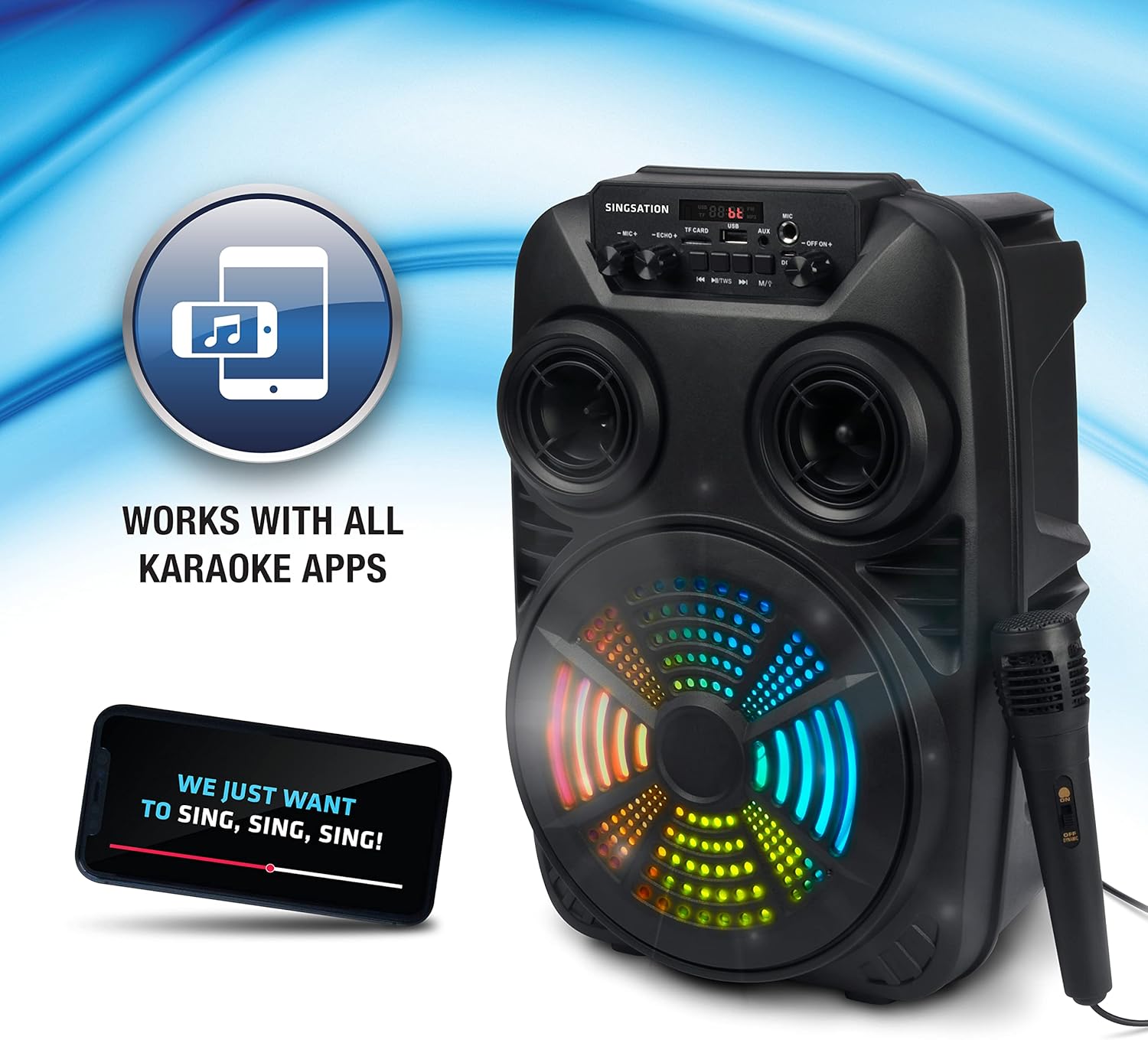
Image: The Singsation Karaoke Machine works seamlessly with all karaoke applications.
Using Other Audio Inputs (AUX, USB, Micro SD, FM Radio):
Press the 'Mode' button repeatedly to cycle through the available input modes: Bluetooth, AUX, USB, Micro SD, and FM Radio.
- AUX מאָדע: Connect an external audio device (e.g., MP3 player, computer) to the AUX input using a 3.5mm audio cable.
- וסב / מיקראָ סד מאָדע: Insert a USB drive or Micro SD card (TF card) containing MP3 audio files into the respective port/slot. The unit will automatically begin playing music.
- עפעם ראַדיאָ מאָדע: In FM mode, press the Play/Pause button to auto-scan and save available radio stations. Use the Previous/Next Track buttons to navigate between saved stations.

Image: Multiple connectivity options for enjoying your music.
ניצן מיקראָפאָן:
Once the microphone is connected, adjust the 'MIC VOL' knob to control the microphone's volume. Use the 'ECHO' knob to add an echo effect for a more professional vocal sound.
Light Show Features:
The Singsation Karaoke Machine features multi-color LED lights that synchronize with the music, creating a dynamic light show. These lights automatically activate when the unit is powered on.

Image: Features include vibrant color-changing lights and an adjustable echo effect.
רימאָוט קאָנטראָל פאַנגקשאַנז:
The included remote control allows you to manage playback, volume, and other settings from a distance.
- מאַכט קנעפּל: טורנס די אַפּאַראַט אויף/אַוועק.
- מאָדע קנעפּל: גייט דורך די אינפוט מאָדעס.
- באנד +/-: אַדזשאַסץ בעל באַנד.
- עק קנעפּל: גייט דורך ציקלען דורך יקוואַלייזער פּרעסעטס.
- Play/Pause, Previous/Next: קאָנטראָלס מעדיע פּלייבאַק.
- נומער קנעפּלעך: For direct track selection in USB/Micro SD mode or FM station selection.
באַס באָאָסט:
The unit is designed with an 8-inch dynamic driver and a rear heavy bass guide tube to deliver impressive bass tones and strong stereo sound. No specific button for bass boost, it's an inherent feature of the speaker design.

Image: Enjoy singing along with your favorite tunes.
וישאַלט
- רייניקונג: ניצט אַ ווייכע, טרוקענע שטאָף צו רייניקן די אויסערלעכע זייט פון דעם אַפּאַראַט. ניצט נישט קיין שרײַבנדיקע רייניגער אָדער סאָלווענטן.
- סטאָרידזש: When not in use, store the unit in a cool, dry place away from direct sunlight and extreme temperatures.
- באַטערי זאָרגן: To prolong battery life, avoid fully discharging the battery frequently. Charge the unit regularly, even if not in use for extended periods.
טראָובלעשאָאָטינג
If you encounter issues with your Singsation Karaoke Machine, refer to the table below for common problems and solutions.
| פּראָבלעם | מעגלעך סיבה | לייזונג |
|---|---|---|
| קיין מאַכט | Battery is depleted; Power switch is OFF. | Charge the unit; Ensure the power switch is in the 'ON' position. |
| קיין געזונט | Volume is too low; Incorrect input mode selected; Device not paired (Bluetooth). | Increase master volume; Press 'Mode' button to select correct input; Re-pair Bluetooth device. |
| מיקראָפאָן טוט נישט אַרבעטן | מיקראָפאָן נישט ריכטיק פֿאַרבונדן; מיקראָפאָן וואָלומען צו נידעריק. | Ensure microphone is fully plugged into the input jack; Increase 'MIC VOL' knob. |
| בלועטאָאָטה קשר אַנסטייבאַל | Device is too far from the unit; Interference from other devices. | Move the Bluetooth device closer to the karaoke machine; Turn off other Bluetooth devices nearby. |
| Charging port feels loose/damaged | Physical damage to the port. | Handle charging cable with care. If damaged, contact customer support for repair options. |
ספּעסאַפאַקיישאַנז
| שטריך | דעטאַל |
|---|---|
| מאָדעל נומער | SPKA24 |
| רעדנער גרייס | 8-inch Dynamic Driver |
| קאַנעקטיוויטי | Bluetooth 5.0, AUX, USB, Micro SD, FM Radio |
| מאַכט מקור | קריקאָנלאָדלעך באַטערי |
| פּלייַטימע | אַרויף צו 4 שעה (אויף אַ איין אָפּצאָל) |
| דימענסיעס (בעערעך) | 16.6 X 10.2 X 8.1 אינטשעס |
| וואָג (בעערעך) | 4.14 פונט |
| אַרייַנגערעכנט קאַמפּאָונאַנץ | Karaoke Machine, Microphone, Remote Control, USB Charging Cable, Carrying Strap |
וואָראַנטי און שטיצן
Singsation products are manufactured with high-quality standards. For warranty information, technical support, or service inquiries, please refer to the warranty card included with your product or visit the official Singsation webזייטל. האַלט אייער קויף קוויטל ווי אַ באַווייַז פון קויפן.


