1. הקדמה
This manual provides instructions for the Meizu LifemeHIFI Audio USB-C to 3.5mm DAC Headphone Adapter. This device converts digital audio signals from a USB-C port to analog audio for 3.5mm headphones, while also functioning as a headphone amplifier. Please read this manual carefully before use to ensure proper operation and to maximize your audio experience.
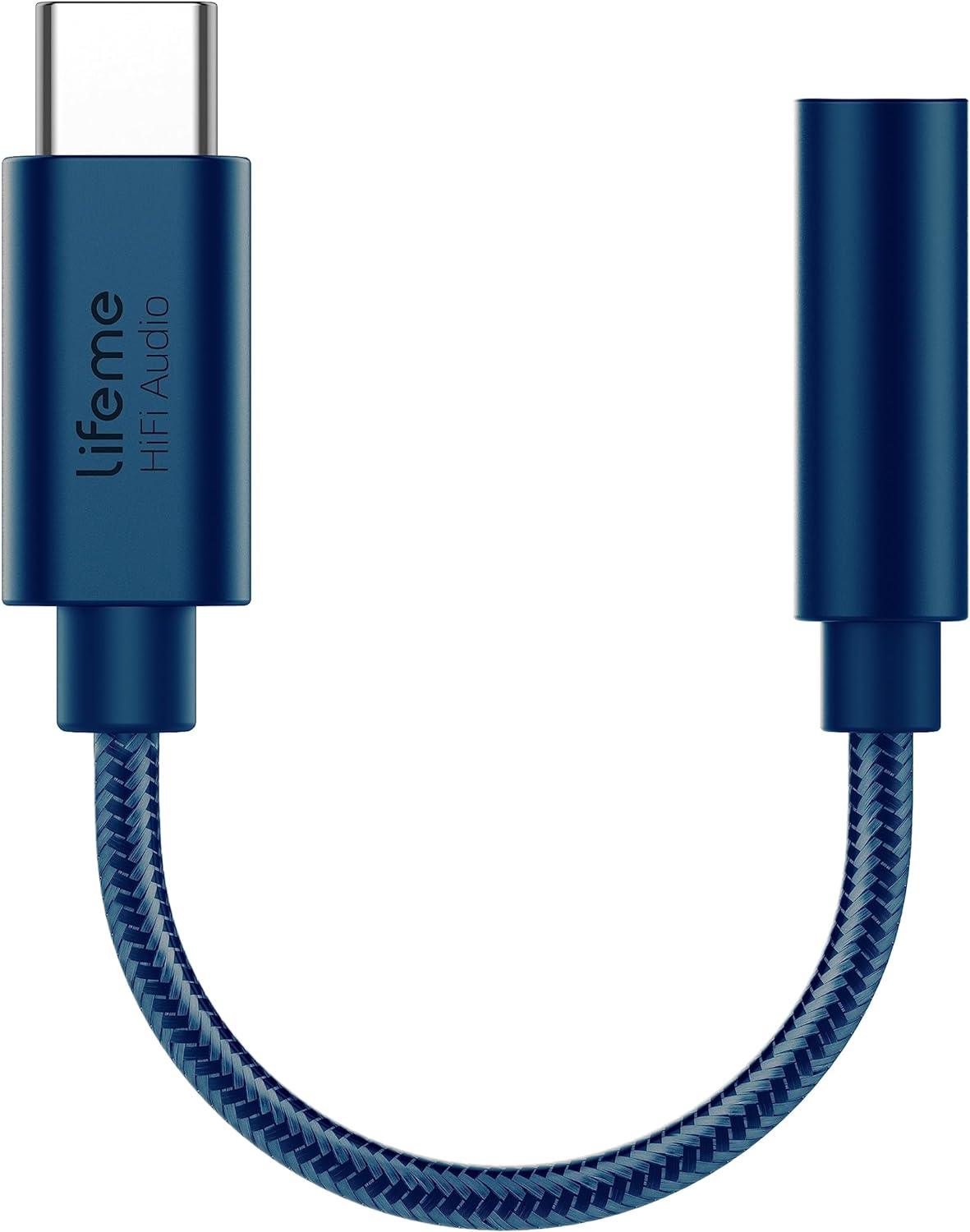
פיגורע 1: Meizu LifemeHIFI Audio USB-C to 3.5mm DAC Headphone Adapter. This image shows the compact design of the adapter, featuring a USB-C male connector on one end and a 3.5mm female jack on the other, connected by a braided cable.
2. פּראָדוקט פֿעיִקייטן
- High-Fidelity Audio Conversion: Integrates a Digital-to-Analog Converter (DAC) for superior sound quality.
- כעדפאָון Ampלייבער: Built-in precision power amplifier circuit supports headphone impedances from 16 to 600 ohms.
- ברייט קאַמפּאַטאַבילאַטי: Designed for devices with a USB-C port, including various smartphones and tablets (e.g., Samsung S24/S23, iPad Pro, Google Pixel 9/8/7).
- Advanced DAC Chip: Utilizes the Conexant CX31993 high-performance independent DAC decoder chip.
- Exceptional Audio Specifications:
- סיגנאַל-צו-ראַש פאַרהעלטעניש (SNR): >124dB
- Dynamic Range (DNR): >111dB
- Distortion (THD+N): -95dB
- PCM Decoding: Up to 32bit/384kHz
- אָפטקייַט ענטפער: 20-40 כז
- Output Load: 16-600Ω adaptive
- Output Power: 31mW dual channel @32Ω
- דוראַבאַל פּלאַן: Features a braided cable for enhanced durability, tested for a 10,000 bend lifespan.

פיגורע 2: Independent DAC Decoder Chip. This image highlights the Conexant CX31993 DAC chip, emphasizing its role in providing a pure HiFi audio experience with high signal-to-noise ratio and dynamic range.

פיגורע 3: 600 Ohm Impedance Support. This graphic illustrates the adapter's capability to drive headphones with impedances from 16 to 600 ohms, along with its 32bit/384kHz PCM output and DSD64/DSD128 decoding.

פיגורע 4: Built to Last Design. This image showcases the adapter's robust construction, highlighting its braided cable and a tested 10,000 bend lifespan, indicating enhanced durability.
3. סעטאַפּ אינסטרוקציעס
- פאַרבינדן כעדפאָונז: Plug your 3.5mm headphones or audio device into the 3.5mm female jack of the Meizu LifemeHIFI Audio adapter. Ensure the connection is secure.
- פאַרבינדן צו מיטל: Insert the USB-C male connector of the adapter into the USB-C port of your compatible smartphone, tablet, or computer.
- אָטאַמאַטיק דערקענונג: Most compatible devices will automatically recognize the adapter as an external audio output device. No additional drivers are typically required.
- Audio Output Selection (if necessary): On some devices, you may need to manually select the USB audio output in your device's sound settings. Refer to your device's user manual for specific instructions on audio output selection.

פיגורע 5: Wide Compatibility. This image displays various smartphones and tablets with USB-C ports, illustrating the broad range of devices compatible with the Meizu LifemeHIFI Audio adapter.
4. אַפּערייטינג ינסטרוקטיאָנס
Once the adapter is connected and recognized by your device, it operates as a standard audio output. Simply play audio from your device, and the sound will be routed through the adapter to your connected 3.5mm headphones.
- באַנד קאָנטראָל: Adjust the volume using your connected device's volume controls. The adapter amplifies the signal, but the primary volume control remains with the source device.
- High Impedance Headphones: די געבויט-אין amplifier is designed to drive high-impedance headphones effectively, providing clear and powerful audio.
5. וישאַלט
- רייניקונג: ניצט אַ ווייכע, טרוקענע שטאָף צו רייניקן דעם אַדאַפּטער. פֿאַרמייַדט ניצן פֿליסיגע רייניגער אָדער סאָלווענטן.
- סטאָרידזש: Store the adapter in a cool, dry place when not in use. Avoid extreme temperatures.
- האַנדלינג: Do not bend the cable excessively or apply undue force to the connectors. While designed for durability, improper handling can cause damage.
- קאַנעקטער זאָרגן: Keep the USB-C and 3.5mm connectors free from dust and debris to ensure optimal connection.
6. טראָובלעשאָאָטינג
| פּראָבלעם | מעגלעך סיבה | לייזונג |
|---|---|---|
| קיין קלאַנג פֿון די כעדפאָונז. |
|
|
| Static or distorted sound. |
|
|
| Adapter not recognized by device. |
|
|
7. ספּעסאַפאַקיישאַנז
| שטריך | דעטאַל |
|---|---|
| מאָדעל | LifemeHIFI Audio (HA01) |
| סאָרט | Meizu |
| קאַנעקטער טיפּ | USB Type-C Male to 3.5mm Female Auxiliary |
| DAC שפּאָן | קאָנעקסאַנט CX31993 |
| סיגנאַל-צו-ראַש פאַרהעלטעניש (SNR) | > 124 דב |
| דינאַמיש ראַנגע (DNR) | > 111 דב |
| דיסטאָרשאַן (THD+N) | -95dB |
| PCM Decoding | אַרויף צו 32 ביט / 384 כז |
| אָפטקייַט ענטפער | 20-40כז |
| רעזולטאַט מאַסע | 16-600Ω adaptive |
| רעזולטאַט מאַכט | 31mW dual channel @32Ω |
| פּונקט וואָג | 0.634 אונס (בעערעך 18 גראַמז) |
| קאָליר | בלוי |
8. וואָראַנטי און שטיצן
Meizu products are designed for reliability and performance. For warranty information and technical support, please refer to the official Meizu webזייטל אדער קאָנטאַקט אייער הענדלער. האַלט אייער קויף קוויטל ווי אַ באַווייַז פון קויפן פֿאַר קיין וואָראַנטי קליימז.
פֿאַר ווייטערדיקע הילף, ביטע באַזוכט די Meizu Store on Amazon.


