1. הקדמה
Thank you for choosing the Steelplay Impulse Gaming Headset. This manual provides detailed instructions for setting up, operating, and maintaining your headset. The Steelplay Impulse offers versatile connectivity, supporting both Bluetooth wireless and 3.5mm wired connections, making it compatible with a wide range of devices including PC, Mac, Nintendo Switch, smartphones, tablets, PlayStation 4, PlayStation 5, Xbox One, and Xbox Series consoles.
Key features include a detachable microphone, up to 28 hours of battery life, comfortable ear cushions, an adjustable headband, and integrated controls for audio and microphone management.
2. פּראָדוקט איבערview און קאַמפּאָונאַנץ
The Steelplay Impulse Gaming Headset package includes the following components:
- Steelplay Impulse Gaming Headset
- דעטאַטשאַבלע מיקראָפאָן
- 3.5mm Audio Jack Cable (2 meters)
- USB-C Charging Cable (1.5 meters)
Familiarize yourself with the headset's main parts:

Figure 2.1: Steelplay Impulse Gaming Headset with detachable microphone attached.
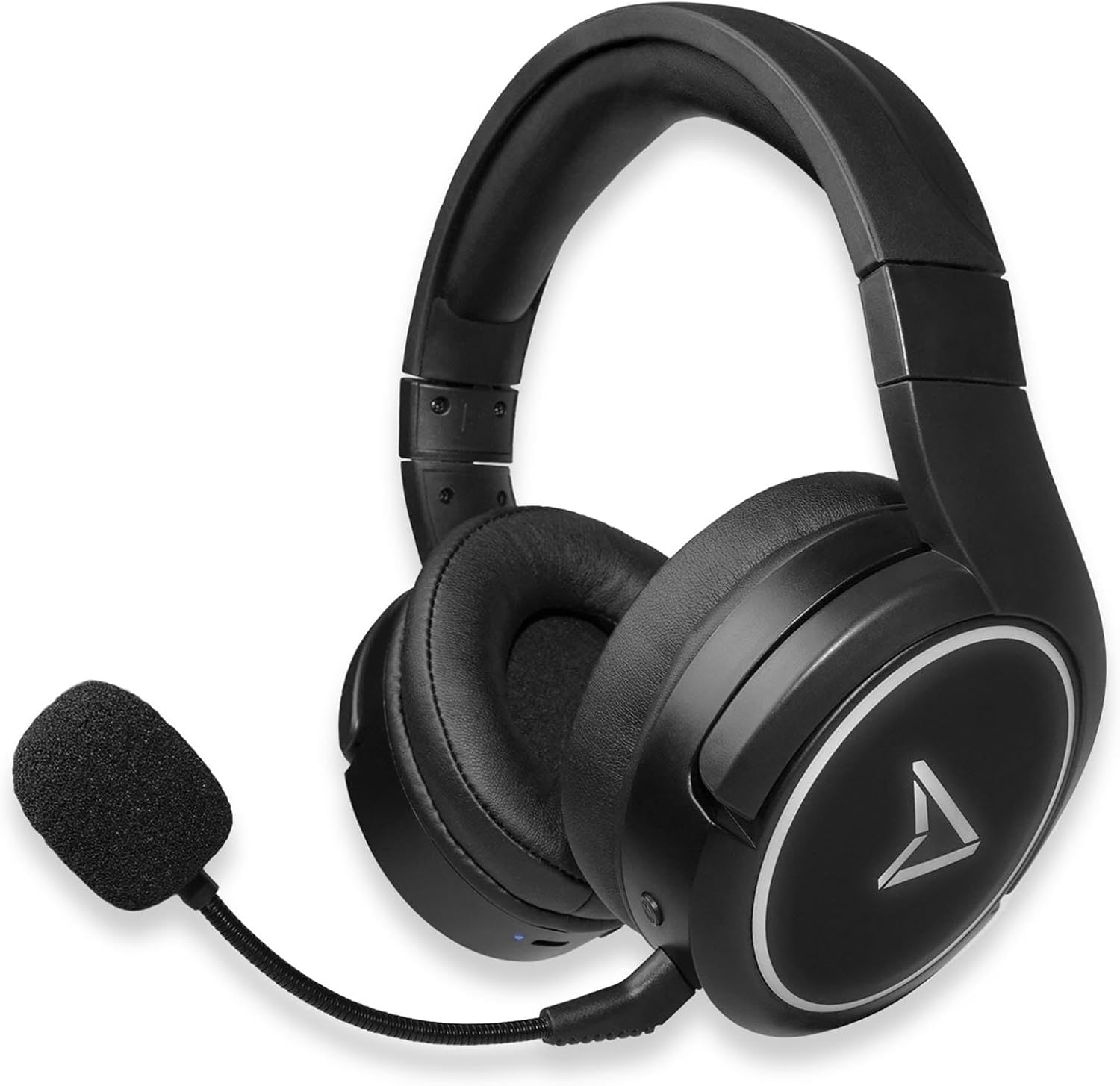
Figure 2.2: Steelplay Impulse Gaming Headset, highlighting the left earcup with integrated controls and microphone port.

פיגורע 2.3: נאָענט-אַרויף view of the detachable microphone, showing its flexible arm and 3.5mm jack connector.
3. סעטאַפּ
3.1 ערשט טשאַרדזשינג
Before first use, fully charge the headset. Connect the supplied USB-C charging cable to the headset's USB-C port and the other end to a compatible USB power source (e.g., computer USB port, USB wall adapter). The charging indicator light will show the charging status and turn off or change color when fully charged. A full charge provides up to 28 hours of autonomy.
3.2 בלועטוט וויירלעס פֿאַרבינדונג
The Steelplay Impulse headset can connect wirelessly via Bluetooth to compatible devices such as PC, Mac, Nintendo Switch, Android smartphones, iOS smartphones, and tablets.
- מאַכט אויף: Press and hold the Power button on the headset until the indicator light flashes, indicating it is in pairing mode.
- געבן בלועטאָאָטה: On your device (PC, Mac, Switch, smartphone, tablet), navigate to the Bluetooth settings.
- פּאָר: Select "Steelplay Impulse" from the list of available devices. Once connected, the indicator light on the headset will typically show a solid color or slow flash.
3.3 Wired Connection (3.5mm Jack)
For wired use, connect the supplied 3.5mm audio jack cable to the headset's 3.5mm port and the other end to your device. This connection is compatible with PS5, PS4, Xbox Series X/S, Xbox One, Nintendo Switch, PC, laptops, Mac, smartphones, and tablets.
- Microphone Note: When using the 3.5mm wired connection, the detachable microphone functions on all compatible platforms.
- Ensure the 3.5mm jack is fully inserted into both the headset and your device for optimal audio and microphone performance.
4. אַפּערייטינג ינסטרוקטיאָנס
4.1 מאַכט אויף / אַוועק
- צו מאַכט אויף: דריק און האלט דעם פּאַוער קנעפּל פֿאַר אַרום 3 סעקונדעס ביז די אינדיקאַטאָר ליכט צינדט זיך אָן.
- צו מאַכט אַוועק: דריק און האלט דעם פּאַוער קנעפּל פֿאַר אַרום 5 סעקונדעס ביז די אינדיקאַטאָר ליכט גייט אויס.
4.2 באַנד קאָנטראָל
The headset features integrated volume controls, typically located on one of the earcups. Use the volume up (+) and volume down (-) buttons or wheel to adjust the audio level.
4.3 מיקראָפאָן באַניץ
- אַטאַטשינג די מיקראָפאָן: Insert the detachable microphone's 3.5mm jack into the dedicated microphone port on the headset.
- מיקראָפאָן קאַמפּאַטאַבילאַטי: The detachable microphone is designed for use with PC, Mac, and mobile devices when connected via Bluetooth. When using the 3.5mm wired connection, the microphone is compatible with all listed platforms (PS5, PS4, Xbox Series X/S, Xbox One, Switch, PC, Mac, smartphone, tablet).
- שטום פֿונקציע: The headset includes integrated microphone controls. Refer to the specific button layout on your headset for the microphone mute function.
5. וישאַלט
Proper maintenance ensures the longevity and performance of your Steelplay Impulse Gaming Headset.
- רייניקונג: Use a soft, dry cloth to clean the earcups and headband. For stubborn dirt, a slightly damp cloth can be used, but ensure no moisture enters the speaker grilles or ports. Avoid harsh chemicals or abrasive cleaners.
- סטאָרידזש: Store the headset in a cool, dry place away from direct sunlight and extreme temperatures. If storing for an extended period, ensure the battery is partially charged (around 50%) to help preserve battery health.
- קאַבלע זאָרגן: Avoid sharply bending or twisting the audio and charging cables. Disconnect cables by pulling the plug, not the cable itself.
- וואַסער קעגנשטעל: דאס פּראָדוקט איז נישט וואַסערפּרוף. פֿאַרמייַדט קאָנטאַקט מיט פֿליסיקייטן.
6. טראָובלעשאָאָטינג
אויב איר טרעפט פּראָבלעמען מיט אייער כעדסעט, באַזירט זיך אויף די פאלגענדע געוויינטלעכע לייזונגען:
- קיין קול:
- Ensure the headset is powered on and connected (Bluetooth or wired).
- קאָנטראָלירט די וואָלומען לעוועלס אויף ביידע די כעדסעט און אייער פֿאַרבונדענע מיטל.
- If using Bluetooth, try re-pairing the headset.
- If wired, ensure the 3.5mm cable is fully inserted and try a different audio port if available.
- מיקראָפאָן איז נישט ארבעטן:
- זיכער מאַכן אַז דער אָפּנעמבאַרער מיקראָפאָן איז זיכער באַפעסטיקט.
- Check if the microphone is muted on the headset or in your device's settings.
- Verify microphone input settings on your PC or console.
- Remember the microphone's specific compatibility for Bluetooth (PC, Mac, mobile) vs. wired (all platforms).
- בלועטאָאָטה פּערינג ישוז:
- Ensure the headset is in pairing mode (flashing indicator light).
- אויסלעשן און אנשטעלן בלועטוט אויף אייער דעווייס.
- Remove "Steelplay Impulse" from your device's Bluetooth list and attempt to re-pair.
- זיכער מאַכן אַז די כעדסעט איז גענוג אויפגעלאָדן.
- טשאַרדזשינג פּראָבלעמס:
- Verify the USB-C cable is correctly connected to both the headset and the power source.
- פרובירט אן אנדערן USB-C קאבל אדער מאכט מקור.
- Ensure the charging port on the headset is clean and free of debris.
7. ספּעסאַפאַקיישאַנז
| שטריך | באַשרייַבונג |
|---|---|
| מאָדעל נאָמען | JVAMUL00143 |
| סאָרט | סטילפּלייַ |
| קאַנעקטיוויטי טעכנאָלאָגיע | בלועטוט, ווייערד (3.5 מ״מ דזשעק) |
| ווירעלעסס קאָמוניקאַציע טעכנאָלאָגיע | בלועטאָאָטה |
| קאַמפּאַטאַבאַל דעוויסעס | PC, Mac, Switch, Android/iOS smartphones, tablets, PS5, PS4, Xbox Series X/S, Xbox One |
| מיקראָפאָן | Detachable, included |
| באַטערי לעבן | אַרויף צו 28 שעה |
| אָפטקייַט ראַנגע | 20 הערץ - 20000 הערץ |
| מאַטעריאַל | פּלאַסטיק |
| קאָליר | שוואַרץ |
| אויער פּלייסמאַנט | Over-Ear (Circum-Aural) |
| קאָנטראָל טיפּ | ינטעגראַטעד קאָנטראָל |
| קאַבלע שטריך | דעטאַטשאַבלע |
| וואַסער קעגנשטעל מדרגה | ניט וואַסער קעגנשטעליק |
8. וואָראַנטי און שטיצן
The Steelplay Impulse Gaming Headset comes with a standard manufacturer's warranty. Please refer to the warranty card included in your product packaging or visit the official Steelplay webזייטל פֿאַר דעטאַלירטע וואָראַנטי טערמינען און באדינגונגען.
For technical support, troubleshooting assistance beyond this manual, or warranty claims, please contact Steelplay customer service through their official webוועבזייטל אדער דער הענדלער פון וועמען איר האט געקויפט דעם פּראָדוקט.


