הקדמה
Thank you for choosing the Hoco EW15 Clear Explore Edition TWS Wireless Headset. This manual provides detailed instructions on how to set up, operate, and maintain your new headset. Please read this manual carefully before use to ensure optimal performance and longevity of your device.
The Hoco EW15 features Bluetooth v5.1 for stable connectivity, a 30mAh headset battery providing up to 4 hours of call and music time, and a 300mAh charging case for extended use. Its translucent design offers a unique aesthetic, showcasing the internal components.
פּעקל אינהאַלט
- Hoco EW15 Clear Explore Edition True Wireless BT Headset (Left and Right Earbuds)
- טשאַרדזשינג קאַסע
- וסב טשאַרדזשינג קאַבלע
- באַניצער מאַנואַל
פּראָדוקט איבערview




סעטאַפּ
Charging the Headset and Case
Before first use, fully charge the Hoco EW15 headset and its charging case.
- לייגט ביידע אויערקנעפּלעך אין דעם טשאַרדזשינג קעסטל. מאַכט זיכער אַז זיי זענען ריכטיק אַרײַנגעזעצט.
- Connect the USB charging cable to the charging port on the case and to a compatible USB power source (e.g., computer USB port, wall adapter).
- The indicator light on the charging case will show charging status. It takes approximately 1.5 hours to fully charge the case and 1 hour for the headset.
- אַמאָל גאָר באפוילן, דיסקאַנעקט די טשאַרדזשינג קאַבלע.
פּערינג מיט אַ מיטל
The Hoco EW15 supports automatic pairing and master-slave switching.
- עפֿנט דעם טשאַרדזשינג קעסטל. די אויערקנעפּלעך וועלן זיך אויטאָמאַטיש אָנצינדן און אַרײַן אין פּערינג מאָדע.
- אויף אייער דעווייס (סמאַרטפאָן, טאַבלעט, אאז"וו), אַקטיווירט בלועטוט.
- זוכן פֿאַר פֿאַראַן בלועטוט דעוויסעס און אויסקלײַבן "Hoco EW15" פון דער רשימה.
- Once connected, you will hear a confirmation tone, and the indicator light on the earbuds will change.
- After the initial pairing, the earbuds will automatically connect to the last paired device when taken out of the case, provided Bluetooth is enabled on the device.
אַפּערייטינג ינסטראַקשאַנז
ריר קאָנטראָלס
The Hoco EW15 earbuds feature touch-sensitive controls for easy operation.
| קאַמף | פֿונקציע |
|---|---|
| איין קלאַפּ (לינקס/רעכטס אויערקנעפּל) | שפּילן/פּויזירן מוזיק, ענטפֿערן/ענדיגן רוף |
| טאָפּל צאַפּן (לינקס עאַרבוד) | פֿריִערדיקע שפּירט |
| טאָפּל צאַפּן (רעכט עאַרבוד) | ווייַטער שפּור |
| טריפל טאַפּ (לינקס/רעכטס אויערקנעפּל) | אַקטאַווייט קול אַססיסטאַנט (סירי, Google אַססיסטאַנט) |
| לאנג דרוק (2 סעקונדעס) | אָפּוואַרפן רופן |
| לאנג דרוק (5 סעקונדעס) | מאַכט אויף/אויס (ווען נישט אין פאַל) |
רופן פאַרוואַלטונג
- ענטפֿערן / סאָף רופט: איין דריק אויף יעדן אויערקנעפל.
- רידזשעקטינג רופט: לאנג דריקן יעדער עאַרבוד פֿאַר 2 סעקונדעס.
קול אַססיסטאַנט
Triple tap either earbud to activate your device's voice assistant (e.g., Siri for iOS, Google Assistant for Android).
וישאַלט
Proper maintenance ensures the longevity and performance of your Hoco EW15 headset.
- רייניקונג: ניצט אַ ווייכע, טרוקענע, לינט-פֿרייע שטאָף צו רייניקן די אויערקנעפּלעך און די טשאַרדזשינג קעסטל. ניצט נישט קיין שרײַבנדיקע רייניגער אָדער סאָלווענטן.
- סטאָרידזש: ווען נישט אין באַנוץ, לייגט די אויערן-קנעפּלעך אין זייער טשאַרדזשינג קעסטל צו באַשיצן זיי און האַלטן זיי טשאַרדזשד.
- ויסמיידן וואַסער: די אויערקנעפּלעך זענען נישט וואַסערפּרוף. פֿאַרמייַדן אויסשטעלונג צו וואַסער, נעץ, אָדער עקסטרעמע טעמפּעראַטורן.
- טשאַרדזשינג: Use the provided charging cable and a certified power adapter. Avoid overcharging.
טראָובלעשאָאָטינג
If you encounter issues with your Hoco EW15 headset, refer to the following common solutions:
- אויערקנעפּלעך פּאַסן נישט איינער מיטן אַנדערן אָדער מיטן מיטל:
- מאַכן זיכער אַז ביידע עאַרבודז זענען באפוילן.
- Place both earbuds back into the charging case, close the lid, wait a few seconds, then open the lid again. This often resets the connection.
- On your device, forget or delete "Hoco EW15" from the Bluetooth device list, then try pairing again.
- Ensure your device's Bluetooth is enabled and within 10 meters of the earbuds.
- קיין קלאַנג אָדער נידעריקע באַנד:
- קאָנטראָלירט דעם וואָלומען אויף ביידע אייער דעווייס און די אויערקנעפּלעך.
- זיכער מאַכן אַז די אויערקנעפּלעך זענען ריכטיק פֿאַרבונדן צו דיין מיטל.
- רייניקט יעדן שמוץ פון די אויערקנעפל רעדנערס.
- טשאַרדזשינג פאַל ניט טשאַרדזשינג:
- קאָנטראָלירט דעם טשאַרדזשינג קאַבל און מאַכט אַדאַפּטער. פּרוּווט אַן אַנדער קאַבל אָדער אַדאַפּטער.
- זיכער מאַכן אַז די טשאַרדזשינג פּאָרט אויף דער קעיס איז ריין און פריי פון שמוץ.
- Microphone quality is poor:
- Ensure the microphone opening on the earbuds is not obstructed.
- Try using the earbuds in a quieter environment.
ספּעסאַפאַקיישאַנז

| שטריך | דעטאַל |
|---|---|
| פּראָדוקט נאָמען | EW15 Clear Explore Edition true wireless BT headset |
| בלועטאָאָטה ווערסיע | Bluetooth 5.1 (Chip: JL AC6973) |
| באַטעריע קאַפּאַציטעט (כעדסעט) | 30 מאַה (יעדער עאַרבוד) |
| באַטאַרייע קאַפּאַציטעט (טשאַרדזשינג פאַל) | 300 מאַה |
| רעדן / מוזיק צייט | אַרויף צו 4 שעה |
| סטאַנדביי צייט | 120 שעה |
| טשאַרדזשינג צייט (כעדסעט) | בעערעך 1 שעה |
| טשאַרדזשינג צייט (קאַסע) | בעערעך 1.5 שעה |
| טראַנסמיסיע ראַנגע | ביז 10 מעטער (אָן קיין שטערונגען) |
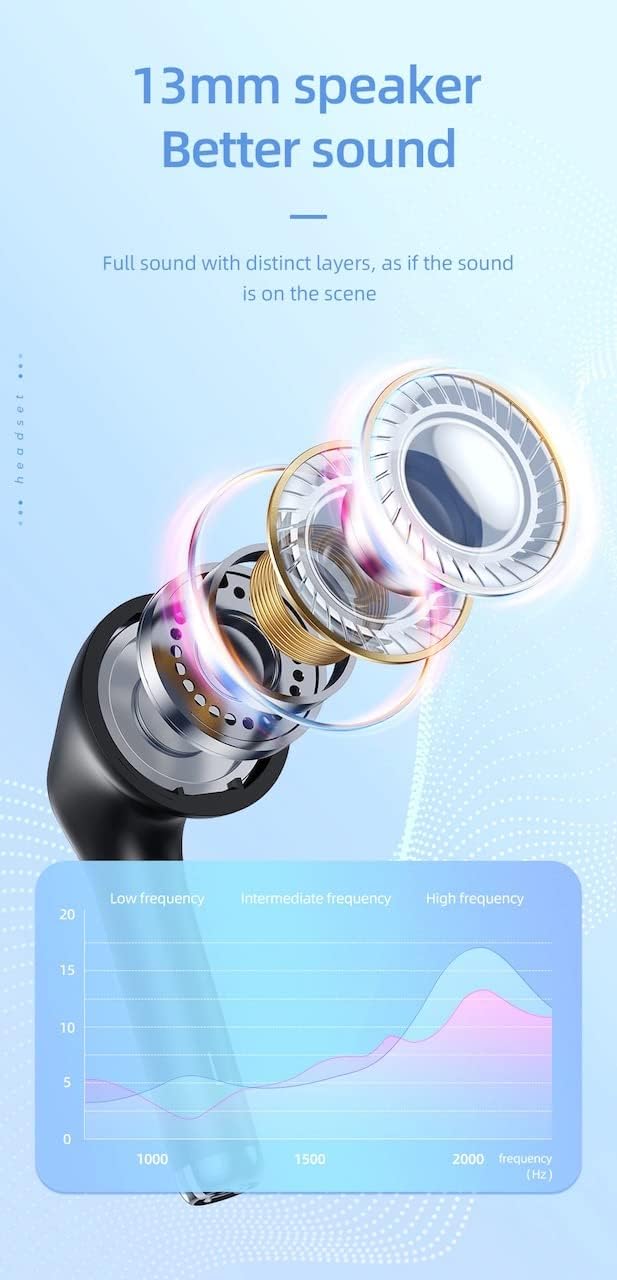
| רעדנער גרייס | 13 מם |
| אָפטקייַט ענטפער | 20-20000 הז |
| פּראָדוקט דימענשאַנז | 5.45 x 4.7 x 2.5 ס״מ (קעסטל) |
| וואָג | Whole device 40g, single headset 3g |
| מאַטעריאַל | פּלאַסטיק |
וואָראַנטי און שטיצן
For warranty information and technical support, please refer to the official HOCO webזייטל אדער קאָנטאַקט אייער לאקאלן דיסטריביאַטאָר.
באַאַמטער Webפּלאַץ: www.hocotech.com
ביטע באַהאַלטן אייער קויפן-באַווייַז פֿאַר יעדע וואָראַנטי-פאָדערונג.


