1. פּראָדוקט איבערview
The FLEXISPOT E6 Essential Electric Standing Desk is designed to provide a versatile and ergonomic workspace. Featuring a robust dual-motor system and a 3-stage lift mechanism, it offers smooth and quiet height adjustments to suit various user needs and preferences.

Figure 1: FLEXISPOT E6 Essential Standing Desk (White Frame + Mahogany Desktop)
שליסל פֿעיִקייטן:
- Cozy & Ergonomic Whole-Piece Workspace: Spacious 47.5” x 29.5” desktop provides ample room for multiple monitors and accessories.
- 3-Stage ליפט סיסטעם: Offers a wide lifting range from 23.6” to 48.8”, accommodating users of various heights.
- Quiet & Smooth Dual Motors: Operates with less than 50 dB of sound, supporting up to 220 lbs with minimal noise.
- פּראָגראַממאַבלע קאָנטראָללער: Features a convenient control panel with four memory buttons for effortless height adjustments.
- דוראַבאַל קאַנסטראַקשאַן: Built with a strong steel structure for stability and longevity.
2. סעטאַפּ און אַסעמבלי
The FLEXISPOT E6 Essential desk is designed for straightforward assembly. While the manual suggests a two-person job, it can be managed by one individual with basic tools.
2.1 אויספּאַקן און צוגרייטן
- Carefully unpack all components from the two packages (frame and desktop usually ship separately).
- Verify all parts are present against the packing list provided in the instruction manual.
- Clear a spacious area for assembly to ensure ease of movement and prevent damage.
2.2 אַסעמבלי סטעפּס
Follow the detailed instructions provided in the included assembly manual. A screwdriver is the primary tool required. Ensure all screws are tightened securely for stability.

Figure 2: Intelligent Keypad and Height Ranges
The desk frame offers three different positions depending on your tabletop size. For the 48"x30" desktop, align the frame accordingly. Some pre-drilled holes may not perfectly align, requiring new pilot holes to be drilled for optimal fit and stability.
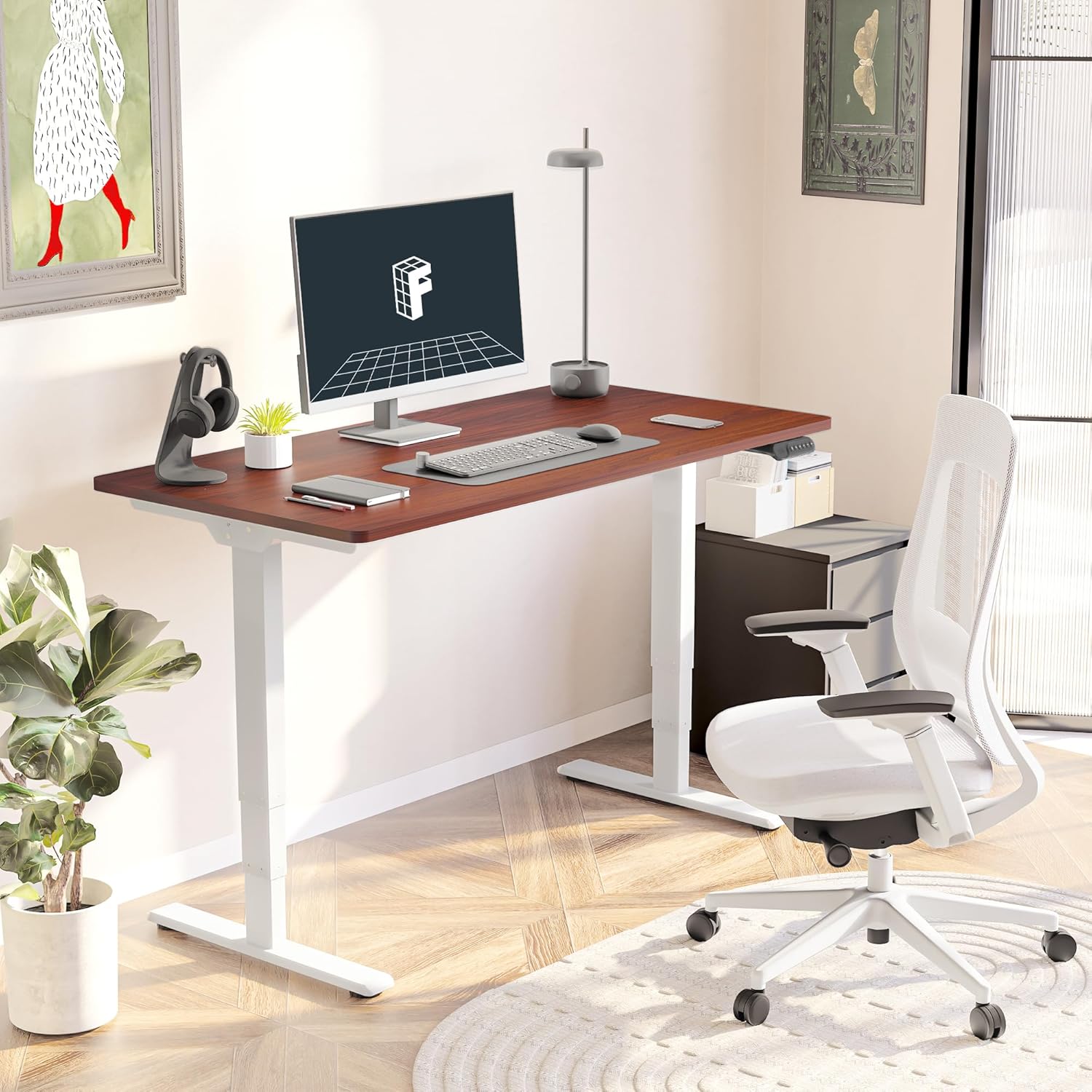
Figure 3: Assembled Desk in a Home Office
2.3 Optional Wheels
The desk feet are equipped with wheels that can be locked into position for mobility or replaced with pads for a stationary setup. Both options are provided to suit your preference.
3. אַפּערייטינג ינסטרוקטיאָנס
The intelligent keypad provides intuitive control over your standing desk's height and settings.
3.1 קאָנטראָל פּאַנעל פאַנגקשאַנז

Figure 4: Intelligent Keypad
- LED Display Panel: ווײַזט די איצטיקע טיש הייך אין אינטשעס.
- אַרויף / אַראָפּ אַראָוז: Use these buttons to manually adjust the desk height.
- זכּרון פּרעסעטס (1, 2, 3, 4): Program up to four preferred height settings (e.g., sitting height, standing height, child height, extra tall height). To save a height, adjust the desk to the desired position, then press and hold a numbered memory button until the display confirms the setting.
- Min/Max Adjustment: The desk can be adjusted from a minimum height of 23.6” to a maximum height of 48.8”.
3.2 אַנטי-קאָליזיע סיסטעם
The desk is equipped with an anti-collision system that detects obstacles during height adjustment and automatically stops to prevent damage to the desk or surrounding objects. This feature enhances safety during operation.
4. וישאַלט
Proper maintenance ensures the longevity and optimal performance of your FLEXISPOT E6 Essential desk.
4.1 רייניקונג
- The desktop surface is water-resistant. For general cleaning, wipe with a soft, damp שטאָף.
- Avoid using harsh chemicals or abrasive cleaners that could damage the finish.
- Ensure no liquids seep into the control panel or motor components.
4.2 רעגולער טשעקס
- קאָנטראָלירט פּעריִאָדיש אַלע שרויפן און באָלטן צו זיכער מאַכן אַז זיי בלייבן פעסט. פֿעסטשטײַערט ווידער אויב נייטיק.
- Inspect power cables for any signs of wear or damage.
5. טראָובלעשאָאָטינג
If you encounter any issues with your FLEXISPOT E6 Essential desk, refer to the following common troubleshooting tips. For more complex problems, please contact customer support.
5.1 Desk Not Adjusting Height
- קאָנטראָלירט צי דער מאַכט קאַבל איז זיכער אַרייַנגעשטעקט אין ביידע דעם טיש און די וואַנט אַוטלעט.
- Ensure there are no obstructions preventing movement (e.g., objects under the desk, cables caught).
- Perform a reset procedure as outlined in the full manual (if applicable).
5.2 טיש וואָקלען
- Verify that all assembly screws are tightly secured.
- Ensure the desk is on a flat, stable surface. Adjust leveling glides on the feet if necessary.
- Avoid exceeding the maximum weight recommendation of 220 lbs.
5.3 Control Panel Not Responding
- נעמט ארויס דעם טיש פון דער עלעקטרישער אויסשטעל פאר 30 סעקונדעס, און דערנאך שטעקט עס צוריק אריין.
- Check the connection of the control panel cable to the motor unit.
6. ספּעסאַפאַקיישאַנז
| אַטריביוט | דעטאַל |
|---|---|
| סאָרט | FLEXISPOT |
| מאָדעל נומער | ET365 |
| פּראָדוקט דימענשאַנז (ד רענטגענ וו רענטגענ ה) | 47.5"ד רענטגענ 29.5"וו רענטגענ 23.6"ה |
| דעסקטאָפּ גרייס | 48"x30" גאנצע שטיק |
| קאָליר | White Frame + Mahogany Top |
| מינימום הייך | 23.6 אינטשעס |
| מאַקסימום הייך | 48.8 אינטשעס |
| מאַקסימום וואָג רעקאָממענדאַטיאָן | 220 פונט |
| מאָטאָר טיפּ | צווייענדיק מאָטאָר |
| Lift System Stages | 3-Stage |
| ראַש מדרגה | ווייניקער ווי 50 דב |
| קאָנטראָל פּאַנעל | Programmable with 4 memory settings |
| שפּיץ מאַטעריאַל טיפּ | ענדזשאַנירד האָלץ |
| באַזע מאַטעריאַל | מעטאַל |
| פארלאנגט אַסעמבלי | יא (רעקאָמענדירט 2 מענטשן) |

פיגור 5: טיש גרייסן

Figure 6: Maximum Load Capacity
7. וואָראַנטי און שטיצן
7.1 וואָראַנטי אינפֿאָרמאַציע
פלעקסיספּאָט אָפפערט אַ פולשטענדיקע גאַראַנטיע פֿאַר אייער רואיגקייט:
- 5-יאָר קאַווערידזש: גילט פארן טיש ראם און מאטאר.
- 2-יאָר שוץ: גילט פארן קאנטראל פאנעל און עלעקטראניק.
This warranty covers manufacturing defects and ensures the quality and durability of your product.
7.2 קונה שטיצן
For any assistance, questions, or warranty claims, please contact FLEXISPOT customer support. You can find contact information on the official FLEXISPOT webזייטל אדער דורך אייער קויפן פּלאַטפאָרמע.
7.3 וויכטיק סאַפעטי אינפֿאָרמאַציע
Warning: Exceeding the maximum weight recommendation of 220 lbs or using the desk at heights outside the range of 23.6 inches to 48.8 inches may pose a risk to the stability and safety of the desk.


