1. פּראָדוקט איבערview
The KEiiD KD-C01 Bluetooth Computer Speakers offer a compact stereo audio solution with versatile connectivity options. Featuring aluminum housing and a built-in DSP sound optimization chip, these speakers are designed to deliver rich, clear sound with enhanced bass for various applications including computers, music players, and smartphones.

Image 1: KEiiD KD-C01 Bluetooth Computer Speakers (Front View)
2. סעטאַפּ
2.1 אויספּאַקן און פּאַקעט אינהאַלט
פֿאָרזיכטיק אויספּאַקן אַלע קאָמפּאָנענטן פֿון דער קעסטל. זיכער מאַכן אַז אַלע זאַכן וואָס זענען אויסגערעכנט אונטן זענען פֿאַראַן:
- Stereo Speaker L+R (Left and Right Speakers)
- 12V2A DC Power adapter
- DC to DC Speaker cord (59 inch)
- 3.5mm Audio Cable (59 inch)
- באַניצער מאַנואַל (דעם דאָקומענט)

Image 2: Package Contents including speakers, power adapter, speaker cord, and audio cable.
2.2 רעדנער פּלייסמאַנט
Place the left and right speakers on a stable, flat surface, ensuring they are positioned for optimal stereo sound. The main speaker (with controls) typically serves as the right channel.
2.3 מאַכט קאַנעקשאַן
- Connect the DC to DC Speaker cord between the Left and Right speakers.
- Plug the 12V2A DC Power adapter into the main speaker's power input.
- צאַפּן די מאַכט אַדאַפּטער אין אַ וואַנט ווענטיל.
2.4 ערשט מאַכט אויף
Press and hold the power button on the main speaker for 3 seconds to power on the device. An audible prompt will indicate the current input mode.
ווידעא 1: איבערview of KEiiD Bluetooth Computer Speakers KD-C02 Gray Aluminum, demonstrating physical features and basic operation.
3. אַפּערייטינג ינסטרוקטיאָנס
3.1 קאָנטראָל קנעפּלעך
The main speaker features three control buttons for easy operation:
- מאַכט אויף / אַוועק: האַלטן פֿאַר 3 סעקונדעס.
- Mode Switch (BT/AUX): Double-click the main control button.
- באנד +/-: ניצט די באַזונדערע וואָלומען קנעפּלעך.
- Mute (AUX mode) / Pause/Play (BT mode): Single-click the main control button.
- Switch EQ (Music, Movie, Game): Hold the main control button for 1 second.

Image 3: Close-up of the control buttons on the main speaker, showing power, volume, and mode/EQ controls.
3.2 קאָנעקטיוויטי מאָדעס
The speakers support both wired (AUX) and wireless (Bluetooth) connections.
3.2.1 בלועטאָאָטה מאָדע
- Double-click the main control button to switch to Bluetooth mode. The LED indicator will flash blue.
- On your device (computer, phone, tablet), enable Bluetooth and search for 'KEiiD KD-C01'.
- Select the speaker to pair. A confirmation tone will sound upon successful connection.
- אַמאָל פּערד, קענט איר סטרימען אַודיאָ וויירלעס.
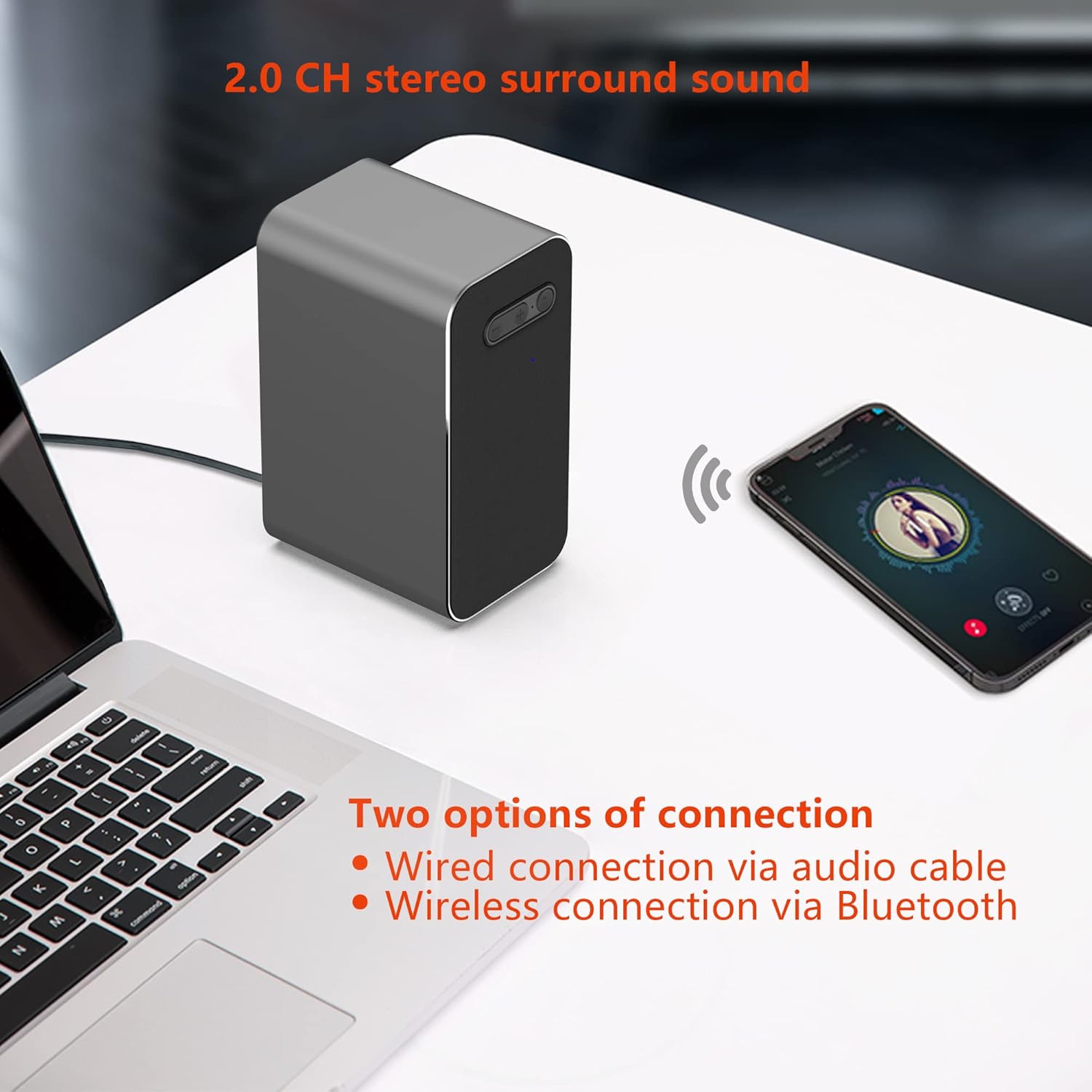
Image 4: KEiiD KD-C01 speakers wirelessly connected to a smartphone via Bluetooth.
3.2.2 AUX מאָדע
- Double-click the main control button to switch to AUX mode. The LED indicator will turn green.
- Connect one end of the provided 3.5mm Audio Cable to the AUX input on the main speaker.
- Connect the other end of the 3.5mm Audio Cable to the audio output jack of your device (e.g., computer, MP3 player).
- Audio will now play through the speakers via the wired connection.
3.3 EQ Options
The speakers offer three equalizer (EQ) modes to optimize audio for different content:
- מוזיק מאָדע: Balanced audio for general music listening.
- פֿילם מאָדע: Enhanced dialogue and sound effects for films.
- שפּיל מאָדע: Features 3D surround sound for an immersive gaming experience.
To switch between EQ modes, hold the main control button for 1 second. The speaker will announce the selected mode.

Image 5: Visual representation of the three EQ modes: Music, Movie, and Game.
4. וישאַלט
4.1 רייניקונג
To maintain the appearance and performance of your speakers, wipe them with a soft, dry cloth. Avoid using abrasive cleaners, solvents, or harsh chemicals, as these can damage the aluminum housing and fabric covers.
4.2 סטאָרידזש
When not in use for extended periods, store the speakers in a cool, dry place away from direct sunlight and extreme temperatures. Disconnect the power adapter to conserve energy.
5. טראָובלעשאָאָטינג
If you encounter issues with your KEiiD KD-C01 speakers, please refer to the following common problems and solutions:
| פּראָבלעם | מעגלעך סיבה | לייזונג |
|---|---|---|
| קיין געזונט | Speakers not powered on, incorrect input mode, volume too low, loose cable connection. | Ensure speakers are powered on. Double-click to cycle through input modes (Bluetooth/AUX). Increase volume. Check all cable connections. |
| בלועטאָאָטה דיסקאַנעקץ אָפט | Device out of range, interference, previous pairing issues. | Ensure your device is within 10 meters (33 feet) of the speakers. Reduce interference from other wireless devices. Forget the device in your Bluetooth settings and re-pair. |
| Static or Hissing sound (AUX mode) | Poor quality audio cable, electrical interference, faulty audio source. | Try using a different 3.5mm audio cable. Ensure the cable is securely connected. Test with a different audio source to rule out source issues. |
| Speakers do not turn on | קיין עלעקטריע, דעפעקטיווער עלעקטרישער אַדאַפּטער. | Check if the power adapter is securely plugged into both the speaker and the wall outlet. Try a different power outlet. |
6. ספּעסאַפאַקיישאַנז
| שטריך | דעטאַל |
|---|---|
| מאָדעל נאָמען | KD-C01 |
| מאַונטינג טיפּ | טאַבלעטאָפּ בארג |
| מאַטעריאַל | אַקרילאָניטריל בוטאַדין סטירען (ABS), אַלומינום |
| רעדנער טיפּ | סטערעאָ |
| ספּעציעלע פֿעיִקייטן | 3 EQ options, Aluminum housing, DSP sound optimization, Wireless connection via Bluetooth |
| רעקאָממענדעד ניצט | For Computers, For Music Players, For Smartphones or Tablets |
| קאַמפּאַטאַבאַל דעוויסעס | Computers, Music Players |
| אַרומרינגלען סאָונד קאַנאַל קאַנפיגיעריישאַן | 2.0 |
| קאָליר | גרוי |
| פּראָדוקט דימענשאַנז | 3.5"ד רענטגענ 2.5"וו רענטגענ 5.1"ה |
| פּונקט וואָג | 1000 גראַמז (2.2 פונט) |
| קאָנטראָל מעטאָד | ריר |
| ווירעלעסס קאָמוניקאַציע טעכנאָלאָגיע | בלועטאָאָטה |
| רעדנער גרייס | 3.5 אינטשעס |
| מאַכט מקור | Corded Electric via DC 12V power adapter |
| אַודיאָ דרייווער טיפּ | דינאַמיש דרייווער |
| רעדנער מאַקסימום רעזולטאַט מאַכט | 25 וואטס |
| קאַנעקטיוויטי טעכנאָלאָגיע | הילפס-פארבינדונג, בלועטוט |
| אַודיאָ רעזולטאַט מאָדע | סטערעאָ |
| אַרייַנשרייַב וואָלtage | 240 וואלטס |
7. וואָראַנטי און שטיצן
The KEiiD KD-C01 Bluetooth Computer Speakers come with a 1-year limited warranty. For any product inquiries, technical assistance, or after-sales support, please contact KEiiD customer service. We offer 24-hour support to ensure your satisfaction.
For further assistance, please visit the official KEiiD webזייטל אדער קאנטאקט זייערע קאסטומער שטיצע קאנאלן.


