הקדמה
This manual provides detailed instructions for the operation and maintenance of your Kuephom Portable Bluetooth CD Walkman. Designed for versatility, this device supports CD, Bluetooth, USB, and AUX playback, featuring anti-skip protection and a built-in speaker. Please read this manual thoroughly before use to ensure proper functionality and longevity of your device.
פּעקל אינהאַלט
באַשטעטיקט אַז אַלע זאכן וואָס זענען אויסגערעכנט אונטן זענען אַרייַנגערעכנט אין אייער פּעקל:
- CD player X 1
- עאַרבודז X 1
- אַודיאָ קאַבלע X 1
- טשאַרדזשינג קאַבלע X 1
- Pouch X 1
פּראָדוקט איבערview

Figure 1: Kuephom Portable Bluetooth CD Walkman and its accessories, including earbuds, audio cable, charging cable, and pouch.

Figure 2: Detailed diagram illustrating the various buttons and ports on the Kuephom Portable CD Walkman, including volume controls, playback buttons, mode selection, Bluetooth transmit, USB slot, AUX in jack, earphone jack, and speaker.
סעטאַפּ
טשאַרדזשינג די מיטל
The CD player has a built-in rechargeable lithium battery. Before first use, fully charge the device.
- Connect the provided USB charging cable to the charging port (DC 5V) on the device.
- Connect the other end of the USB cable to a compatible USB power source (e.g., wall charger, power bank, car charger, or computer USB port).
- די טשאַרדזשינג אינדיקאַטאָר ליכט וועט זיך אָנצינדן בעת טשאַרדזשינג און זיך אויסלעשן ווען עס איז גאָר טשאַרדזשד. א פולע טשאַרדזשינג נעמט אַרום 4 שעה.

Figure 3: The portable CD player connected to a power source via its USB charging cable, demonstrating various charging options.
מאַכט אויף / אַוועק
רוק די ON/OFF switch located on the side of the device to turn it on or off.
ינסערטינג אַ קאָמפּאַקטדיסק
- רוק די עפענען switch to open the CD compartment cover.
- Carefully place a CD (CD, CD-R, CD-RW, MP3, WMA, WAV formats supported) onto the spindle with the label side facing up.
- Gently press the center of the CD until it clicks into place.
- Close the CD compartment cover firmly until it latches.
Video 1: Demonstration of inserting a CD into the Kuephom Portable CD Player and closing the compartment. This video also shows the supported disc formats.
Connecting Headphones or External Speakers (AUX)
For private listening or connecting to non-Bluetooth devices:
- Insert the 3.5mm jack of your headphones into the ירפאָון דזשאַק.
- To connect to external speakers or a car audio system, use the provided 3.5mm audio cable. Insert one end into the AUX אין דזשאַק on the CD player and the other end into the AUX input of your external device.

Figure 4: The portable CD player connected to a car's audio system via an AUX cable, demonstrating its use in a vehicle with anti-shock protection for uninterrupted playback.
אַפּערייטינג ינסטראַקשאַנז
יקערדיק פּלייַבאַקק
- דרוק די שפּיל / פּויזע button (►▮▮) to start or pause playback.
- דרוק די ווייַטער button (►►) to skip to the next track.
- דרוק די פֿריִערדיקע button (◄◄) to go to the beginning of the current track or the previous track.
- דרוק די האַלטן button (■) to stop playback.
- סטרויערן באַנד ניצן די Vol+ און Vol- קנעפּלעך.
בלועטאָאָטה פאַנגקשאַנאַליטי
The device supports two-way Bluetooth connection:
Bluetooth Transmitting (Connecting to Bluetooth Headphones/Speakers)
- Ensure the CD player is powered on and a CD is inserted.
- דרוק די בלועטאָאָטה טראַנסמיט button (labeled "TRANSMIT" or "BT" on some models) to enter Bluetooth transmitting mode. The Bluetooth icon on the display will flash.
- שטעלט אייערע בלועטוט כעדפאָונז אדער רעדנער אין פּערינג מאָדע.
- The CD player will automatically search for and connect to nearby Bluetooth devices. Once connected, the Bluetooth icon will stop flashing.

Figure 5: The portable CD player actively transmitting audio via Bluetooth to both headphones and a separate Bluetooth speaker, illustrating its wireless output capability.
Bluetooth Receiving (Connecting to Smartphone/Laptop)
- דרוק די BT מאָדע button (labeled "BT" or "MODE" on some models) to switch the CD player into Bluetooth receiving mode.
- אויף אייער סמאַרטפאָון, טאַבלעט, אָדער לאַפּטאַפּ, אַקטיווירט בלועטוט און זוכט פֿאַר פֿאַראַן דעוויסעס.
- Select "Kuephom CD Player" (or similar name) from the list of devices to pair.
- Once connected, you can play audio from your smart device through the CD player's built-in speaker.
Video 2: This video demonstrates the Bluetooth playback feature, showing the CD player connecting to a smartphone to stream audio, highlighting its versatility as a Bluetooth speaker.
Other Playback Modes
- וסב פּלייַבאַקק: אַרייַנלייגן אַ וסב בליץ פאָר אין די וסב שפּעלטל. The player will automatically switch to USB mode and begin playing compatible audio files.
- איבערחזרן פֿונקציע: דרוק די איבערחזרן קנעפּל צו דורכגיין איבערחזרן מאָדעס (למשל, איבערחזרן איינס, איבערחזרן אַלע).
- A-B Repeating: דרוק די AB button to set a starting point (A) and an ending point (B) for a section of audio to repeat. Press again to clear.
- גיכקייט אַדזשאַסטמאַנט: ניצן די ספּיד אַדזשאַסטינג buttons (labeled "SPEED" or "SPEED +/-") to increase or decrease the playback speed. This feature is particularly useful for language learning.
- Programming Playback: Refer to the detailed product diagram (Figure 2) for the "PROG." button if available on your model for custom track sequencing.
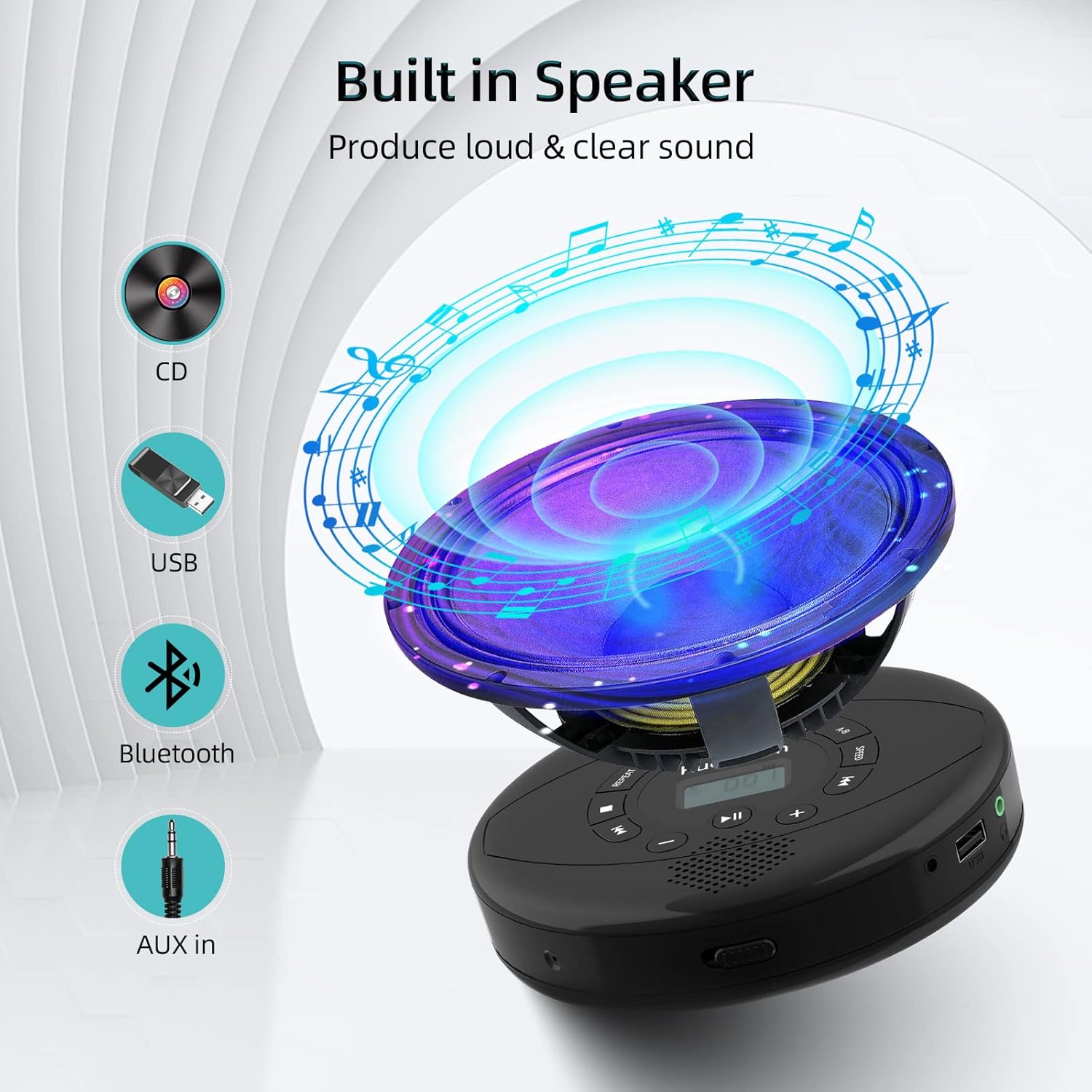
Figure 6: Illustration of the built-in speaker and the various audio input options supported by the device, including CD, USB, Bluetooth, and AUX in.
וישאַלט
- האַלט דאָס אַפּאַראַט ריין דורך עס אָפּווישן מיט אַ ווייכן, טרוקענעם שטאָף. פֿאַרמייַדט ניצן אַברייסיוו רייניגער אָדער סאָלווענטן.
- שטעלט נישט אויס דעם אפאראט צו עקסטרעמע טעמפעראטורן, דירעקטע זונשייַן, אדער הויכע הומידיטי.
- Handle CDs by their edges to prevent scratches and smudges. Clean CDs with a soft, lint-free cloth, wiping from the center outwards.
- ווען נישט אין באַנוץ פֿאַר לענגערע פּעריאָדן, האַלט די מיטל אין אַ קיל, טרוקן אָרט.
טראָובלעשאָאָטינג
| פּראָבלעם | מעגלעך סיבה | לייזונג |
|---|---|---|
| די מיטל טוט נישט מאַכט אויף. | Battery is low or depleted. Power switch is off. | Charge the device fully. Ensure the ON/OFF switch is in the "ON" position. |
| די סי-די שפרינגט איבער אדער שפילט נישט. | CD is dirty, scratched, or damaged. Device is unstable. | Clean the CD. Try another CD. Ensure the device is on a stable surface or utilize its anti-skip protection during movement. |
| No sound from headphones/speakers. | Volume is too low. Headphones/speakers not properly connected. Incorrect mode selected. | Increase volume. Re-insert headphone/AUX cable firmly. Ensure correct mode (CD, Bluetooth, USB, AUX) is selected. |
| בלועטאָאָטה פּערינג פיילז. | Device not in pairing mode. Bluetooth device too far. Interference. | Ensure the CD player is in Bluetooth transmitting/receiving mode. Move devices closer. Turn off other Bluetooth devices to reduce interference. |
ספּעסאַפאַקיישאַנז
| שטריך | דעטאַל |
|---|---|
| פּראָדוקט דימענשאַנז | 5.7 X 5.7 X 1.2 אינטשעס |
| פּונקט וואָג | 1.21 פונט |
| מאָדעל נומער | PM10-Black |
| באַטערי | 1 ליטהיום פּאָלימער באַטאַרייע (אַרייַנגערעכנט) |
| סאָרט | קועפהאם |
| קאַנעקטיוויטי טעכנאָלאָגיע | בלועטאָאָטה, אַגזיליערי, וסב |
| שטיצט פֿאָרמאַטירונגען | CD, CD-R, CD-RW, MP3, WMA, WAV |
| ספּעציעלע שטריך | Portable, Anti-Skip, Built-in Speakers |
וואָראַנטי און שטיצן
For warranty information or technical support, please refer to the contact details provided with your purchase or visit the official Kuephom webזייטל. האַלט אייער קויף קוויטל ווי אַ באַווייַז פון קויפן פֿאַר קיין וואָראַנטי קליימז.


