1. הקדמה
די פיפֿינע AmpliGame A8 is a versatile USB RGB condenser microphone designed for high-quality audio capture in various applications, including live streaming, online meetings, podcasting, and video creation. Its plug-and-play functionality ensures easy setup across multiple platforms, providing clear and crisp audio for effective communication and engaging content.
שליסל פֿעיִקייטן:
- Handy Control: Integrated 3.5mm headphone jack for real-time monitoring, gain knob for volume adjustment, and a tap-to-mute button with LED indicator.
- Optional RGB Lighting: Features 3 modes of controllable RGB lights (static, dynamic, gradient) to enhance your setup's aesthetic.
- Smooth Communication: Condenser microphone capsule delivers clear voice, complemented by a cardioid polar pattern that reduces background noise.
- גרינג אָנהייב: Plug-and-play USB connectivity for quick setup with computers (MAC OS/Windows) and gaming consoles (PS4/PS5).
- פונדרויסנדיק אַקסעסעריז: Includes a metal anti-plosive pop filter and an integrated shock mount to minimize unwanted noise from vibrations and plosives.
2. וואָס איז אין דער קעסטל
Upon opening your FIFINE AmpliGame A8 package, you will find the following components:
- USB Microphone (with based stand and shock mount)
- שרויף אַדאַפּטער
- USB Cable (6.5ft USB-C to USB-A)
- באַניצער ס מאַנואַל
- קנאַל פילטער

Image: All components included in the FIFINE AmpliGame A8 package.
3. סעטאַפּ
די פיפֿינע AmpliGame A8 microphone is designed for quick and easy setup, allowing you to start recording or communicating without complex installations.
3.1 Physical Assembly:
- Attach the microphone to its desktop stand. The stand is designed for stability and to reduce vibrations.
- Install the included pop filter onto the microphone to minimize plosive sounds (P, B, T, K sounds).
- If using a boom arm (not included), unscrew the microphone from the desktop stand and use the provided screw adapter to attach it to your boom arm.
3.2 Connecting to Your Device:
- Connect the USB-C end of the provided 6.5ft cable to the USB-C port at the bottom of the microphone.
- Connect the USB-A end of the cable to an available USB port on your computer (Windows/MAC OS) or gaming console (PS4/PS5).
- דער מיקראָפאָן איז פּלאַג-און-פּלעי און זאָל אויטאָמאַטיש דערקענט ווערן דורך אייער אָפּערירן סיסטעם. קיין נאָך דרייווערס זענען טיפּיש נישט נויטיק.

Image: The FIFINE AmpliGame A8 microphone ready for use with a computer.
3.3 Initial Audio Settings:
- Windows: Go to Sound Settings > Input > Select 'FIFINE AmpliGame A8' as your input device. Adjust the input volume as needed.
- MAC OS: Go to System Preferences > Sound > Input > Select 'FIFINE AmpliGame A8'. Adjust the input volume as needed.
- PS4/PS5: Navigate to Sound/Audio Devices in the system settings and select 'FIFINE AmpliGame A8' as the input device.
Video: An official seller video demonstrating the FIFINE AmpliGame A8 microphone's RGB lighting and features, including its use in a gaming setup.
4. אַפּערייטינג ינסטרוקטיאָנס
Familiarize yourself with the microphone's controls to optimize your audio experience.
4.1 Headphone Monitoring:
The 3.5mm headphone jack located at the bottom of the microphone allows for real-time audio monitoring. Plug your headphones into this jack to hear your voice and device audio directly, ensuring optimal sound levels during recording or streaming.

Image: The headphone jack for direct audio monitoring.
4.2 Gain Control:
The gain knob on the microphone allows you to adjust the microphone's sensitivity. Turn the knob to increase or decrease the input volume to prevent audio clipping or to pick up softer sounds. Adjust based on your environment and desired vocal presence.

Image: Adjusting the microphone gain for optimal sound input.
4.3 Tap-to-Mute Function:
The top of the microphone features a touch-sensitive tap-to-mute button. Tap once to mute or unmute the microphone. An LED indicator will change color (e.g., green for active, red for muted) to clearly show the microphone's status.

Image: The tap-to-mute button with visual status indicator.
4.4 RGB לייטינג קאנטראל:
The microphone features controllable RGB lighting with three distinct modes: static, dynamic, and gradient. Use the dedicated RGB control button (often located near the gain knob or on the base) to cycle through different colors and lighting effects to match your setup or mood.
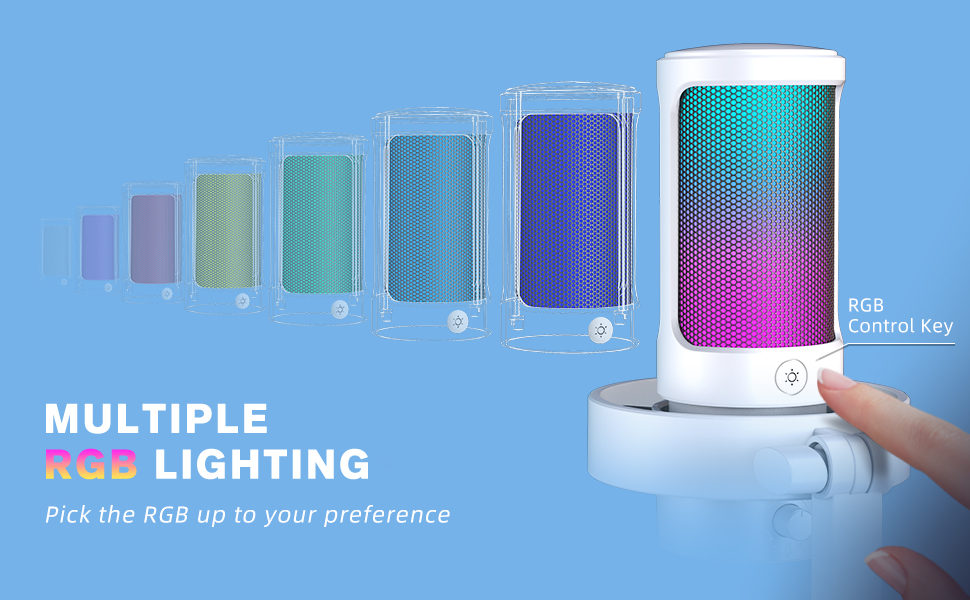
Image: Demonstrating multiple RGB lighting options on the microphone.
4.5 Cardioid Polar Pattern:
The microphone utilizes a cardioid polar pattern, which primarily picks up sound from the front, reducing unwanted noise from the sides and rear. Position the microphone with the FIFINE logo facing you for optimal voice capture and background noise rejection.
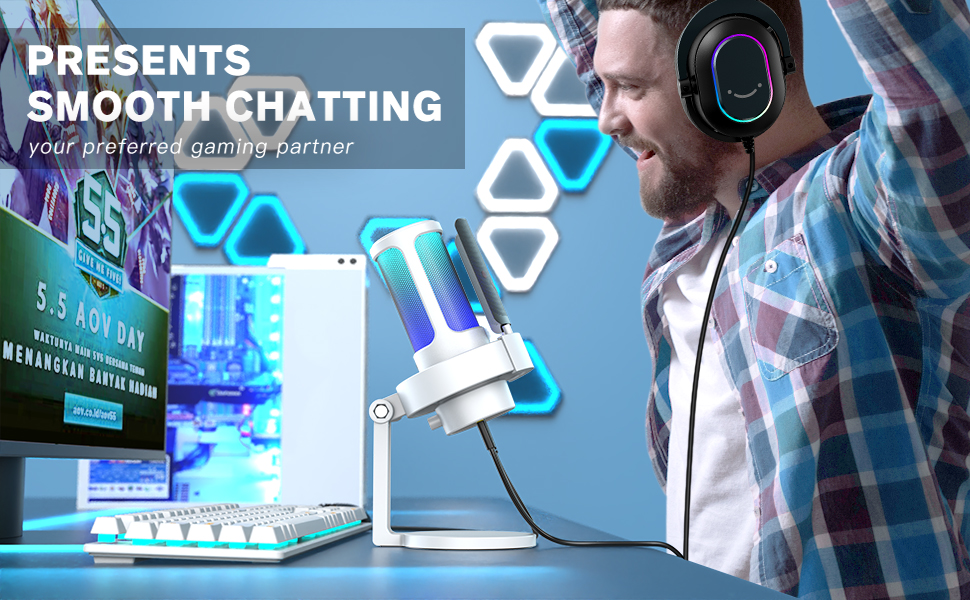
Image: The microphone positioned for clear voice capture in a gaming environment.
5. וישאַלט
Proper maintenance ensures the longevity and optimal performance of your FIFINE AmpliGame A8 microphone.
5.1 רייניקונג:
- Gently wipe the microphone body with a soft, dry cloth to remove dust and fingerprints.
- Do not use liquid cleaners or abrasive materials, as these can damage the microphone's finish or internal components.
- The pop filter can be carefully removed and cleaned with a soft brush if necessary.
5.2 סטאָרידזש:
- האַלט דעם מיקראָפאָן אין אַ קיל, טרוקן אָרט אַוועק פון דירעקט זונשייַן און עקסטרעמע טעמפּעראַטורן.
- When not in use, ensure the microphone is disconnected from your device to prevent accidental power draw.
6. טראָובלעשאָאָטינג
If you encounter any issues with your FIFINE AmpliGame A8 microphone, refer to the following common solutions:
6.1 No Sound/Low Volume:
- טשעק קאַנעקשאַנז: זיכער מאַכן אַז דער USB קאַבל איז זיכער פארבונדן צו ביידע דעם מיקראָפאָן און אייער מיטל.
- באַשטעטיקן דיווייס סעטטינגס: Confirm that 'FIFINE AmpliGame A8' is selected as the input device in your computer's or console's sound settings.
- Adjust Gain Knob: Rotate the gain knob on the microphone clockwise to increase the input volume.
- Unmute Microphone: Tap the mute button on top of the microphone to ensure it is not muted (LED should be green).
6.2 Distorted/Peaking Audio:
- רעדוצירן געווינס: Rotate the gain knob counter-clockwise to decrease the input volume.
- סטרויערן דיסטאַנסע: Move further away from the microphone. Optimal distance is typically 6-12 inches.
- Use Pop Filter: Ensure the pop filter is correctly installed to reduce plosive sounds.
6.3 Background Noise:
- Optimize Environment: Record in a quiet environment, away from fans, air conditioners, or other noise sources.
- Software Noise Reduction: Utilize noise reduction features available in your recording software or communication applications.
- גראָונדינג ישוז: If experiencing persistent hums or static, try plugging your computer into a different wall outlet or using a different USB port.
6.4 RGB Lights Not Working:
- טשעק מאַכט: זייט זיכער אז דער מיקראָפאָן איז ריכטיק פארבונדן און באַקומט מאַכט.
- ציקל מאָדעס: Press the RGB control button to cycle through the lighting modes.
- באַשטעטיק: אָפּשטעקן און פאַרבינדן די וסב קאַבלע ווידער.
7. ספּעסאַפאַקיישאַנז
| שטריך | דעטאַל |
|---|---|
| מאָדעל נאָמען | AmpliGame A8 |
| נומער מאָדעל נומער | A8W |
| סאָרט | FIFINE |
| קאַנעקטיוויטי טעכנאָלאָגיע | וסב |
| קאַנעקטער טיפּ | וסב טיפּ-א |
| פּאָליאַר מוסטער | ונידירעקטיאָנאַל (קאַרדיאָיד) |
| מיקראָפאָן פאָרם פאַקטאָר | גרענעץ |
| קאַמפּאַטאַבאַל דעוויסעס | Laptop, Macbook, PS4/5, Personal Computer |
| רעקאָממענדעד ניצט | Gaming, Streaming, Recording, Video Creation, Podcasting |
| קאָליר | ווייַס |
| מאַטעריאַל | אַקרילאָניטרילע בוטאַדיענע סטירענע, מעטאַל |
| פּונקט וואָג | 1.32 פונט (600 גראַמז) |
| פּראָדוקט דימענשאַנז | 4.53 X 6.46 X 9.33 אינטשעס |
| סיגנאַל-צו-נויז ראַטיאָ | 80 דב |
| נומער פון טשאַנאַלז | 1 |
| מאַכט מקור | קאָרדעד עלעקטריק |
| ספּעציעלע פֿעיִקייטן | Controllable RGB, RGB Control Button, Tap-to-Mute, Gain Knob, 6.5ft Detachable USB-C Cable, Plug and Play, Desktop Mic |
8. וואָראַנטי און שטיצן
For warranty information, technical support, or any product-related inquiries, please refer to the official FIFINE webזייטל אדער קאנטאקט זייער קאסטומער סערוויס גלייך. האלט אייער קויף קוויטל אלס באווייז פון קויפן פאר גאראנטיע קליימס.
אָנליין רעסורסן:
- באַזוכן די FIFINE Store on Amazon פֿאַר נאָך פּראָדוקטן און שטיצע.


