1. הקדמה
This manual provides essential information for the safe and efficient use of your Philips 329P1H 32-inch 4K UHD LCD Monitor. This monitor features a 32-inch 4K UHD (3840 x 2160) display, an integrated USB-C docking station with power delivery, a pop-up webcam with Windows Hello™ facial recognition, and various eye-care technologies. Please read this manual thoroughly before operating the device.
2. זיכערקייַט אינפֿאָרמאַציע
Observe the following safety precautions to prevent damage to the monitor or injury to yourself:
- שטעלט נישט אויס דעם מאָניטאָר צו רעגן אָדער פייכטקייט.
- עפֿנט נישט דעם מאָניטאָר casinז. איבערגעבן אלע סערוויסינג צו קוואַליפֿיצירטע פּערסאָנעל.
- ענשור געהעריק ווענטאַליישאַן אַרום די מאָניטאָר.
- ניצט נאָר דעם מאַכט אַדאַפּטער וואָס ווערט צוגעשטעלט מיטן מאָניטאָר.
- ויסמיידן פּלייסינג די מאָניטאָר אין דירעקט זונשייַן אָדער לעבן היץ קוואלן.
- רייניקט דעם עקראַן מיט אַ ווייכן, לינט-פֿרייע שטאָף. ניצט נישט פֿליסיקע רייניגער גלייך אויף דעם עקראַן.
3. פּעקל אינהאַלט
Information regarding the exact contents of the product package is not available. Typically, a monitor package includes:
- Philips 329P1H Monitor
- מאַכט קאַבלע
- וסב- C קאַבלע
- HDMI קאַבל (קען זיין אַנדערש לויט ראַיאָן)
- שנעל אָנהייב גייד
4. סעטאַפּ
4.1 פיזישע אויפשטעל
Carefully remove the monitor and its components from the packaging. Assemble the stand according to the instructions provided in the Quick Start Guide. Place the monitor on a stable, level surface.
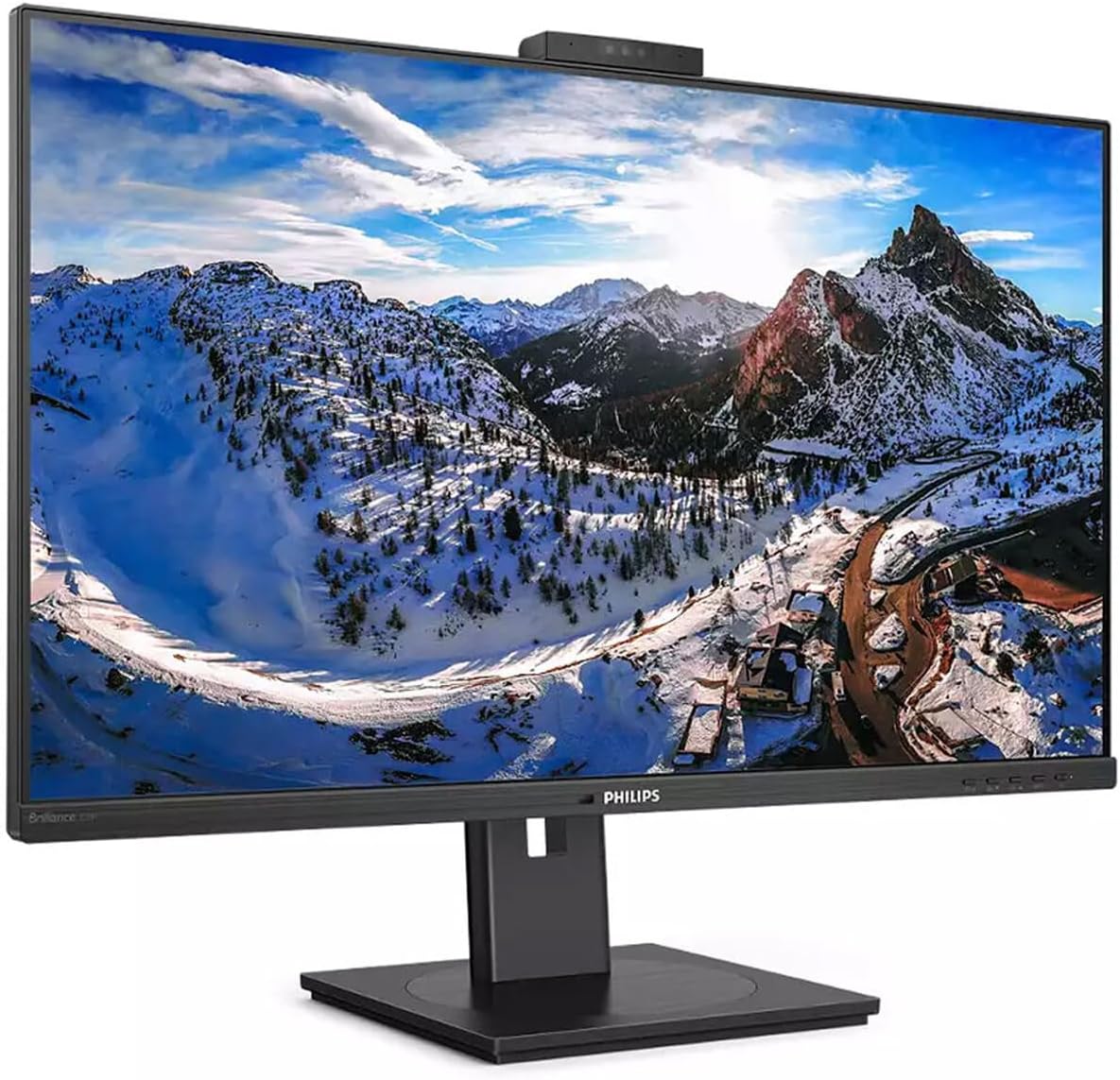
פיגורע 4.1: פראָנט view of the Philips 329P1H Monitor.
4.2 קאַנעקטינג קאַבלעס
- מאַכט קשר: פֿאַרבינדט דעם מאַכט קאַבל צום מאָניטאָר'ס מאַכט אַרייַנגאַנג און דערנאָך צו אַ מאַכט ווענטיל.
- ווידעא קשר: Connect a video cable (e.g., HDMI, DisplayPort, or USB-C) from your computer to the corresponding input on the monitor. For 4K UHD resolution, ensure your graphics card and cable support the required bandwidth.
- יו-עס-בי-סי דאָקינג: If your laptop supports USB-C with power delivery, connect the supplied USB-C cable from your laptop to the monitor's USB-C port. This single cable can provide video, data, and power charging to your laptop.
- יו-עס-בי פּעריפעראַלס: Connect your keyboard, mouse, or other USB devices to the USB ports on the monitor.
- עטהערנעט קשר: Connect an RJ-45 Ethernet cable from your network router/modem to the monitor's RJ-45 port for network access through the USB-C connection.
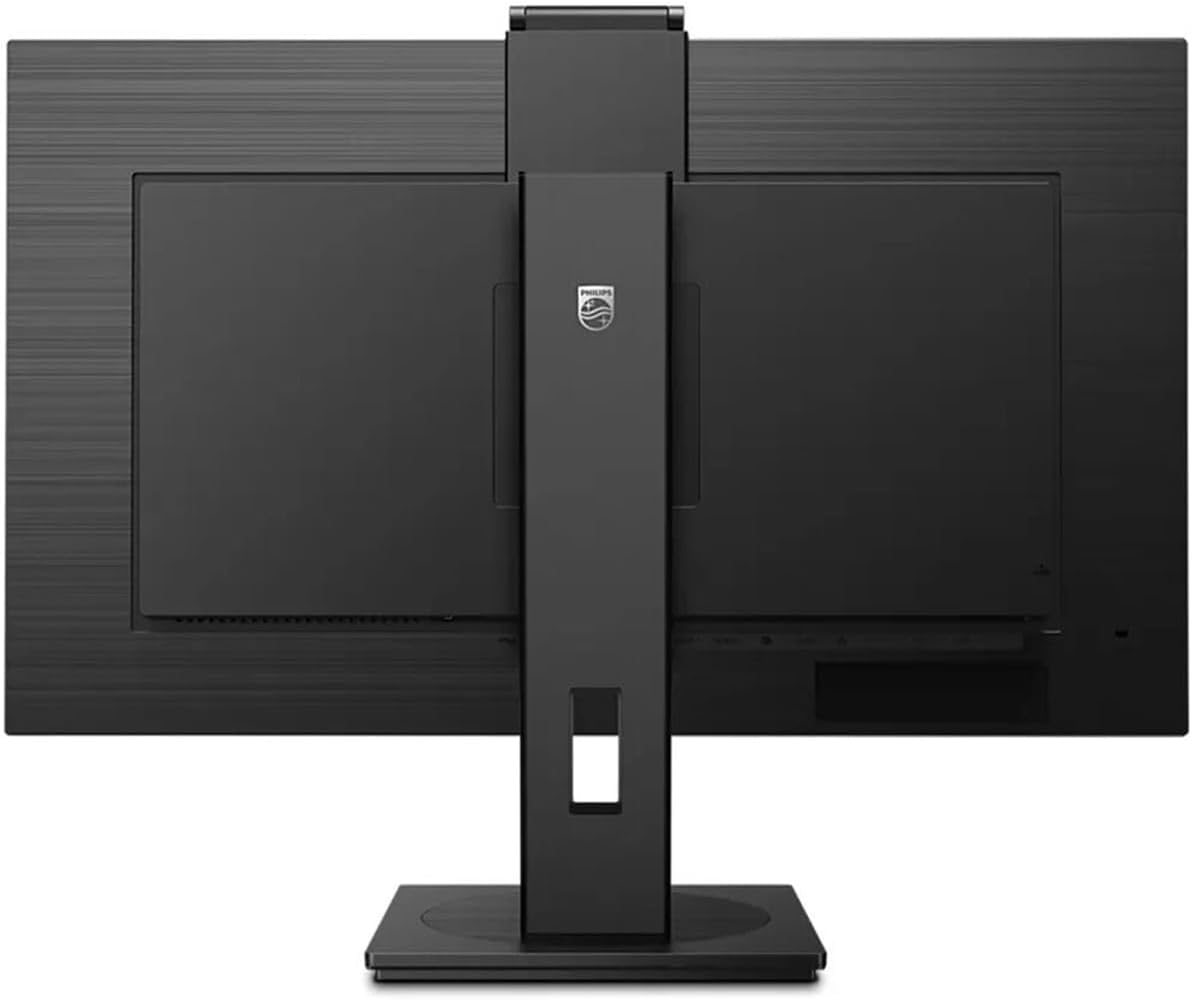
פיגורע 4.2: דערציען view of the monitor with input ports.
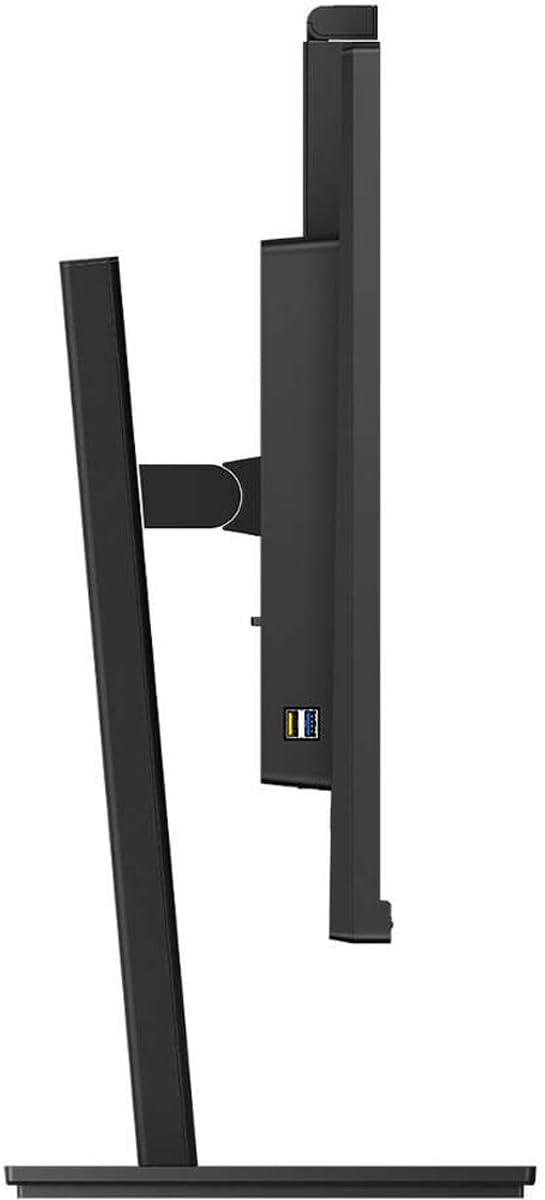
פיגורע 4.3: זייַט view showing USB ports.
4.3 ערשט קאַנפיגיעריישאַן
After connecting all necessary cables, power on the monitor and your computer. The monitor should automatically detect the input signal. If not, use the monitor's On-Screen Display (OSD) menu to select the correct input source.
5. אַפּערייטינג ינסטרוקטיאָנס
5.1 מאַכט אויף / אַוועק
דריק דעם מאַכט קנעפּל וואָס געפינט זיך אויפן מאָניטאָר צו עס אנצינדן אָדער אויסלעשן. די מאַכט אינדיקאַטאָר ליכט וועט זיך אָנצינדן ווען דער מאָניטאָר איז אַקטיוו.
5.2 USB-C Docking Functionality
The integrated USB-C docking station allows for a single-cable solution for video, data transfer, and laptop power charging (up to 90W). Connect your compatible laptop via the USB-C port on the monitor to utilize this feature. Peripherals connected to the monitor's USB ports and the RJ-45 Ethernet port will also be accessible to your laptop.
5.3 אויפֿשפּרינג־פֿענצטער Webקאַם מיט Windows Hello ™
The monitor features an innovative pop-up webcam. When needed, the webcam extends from the top of the monitor. It is equipped with advanced sensors for Windows Hello™ facial recognition, enabling secure and fast login to Windows devices. When not in use, the webcam can be securely tucked back into the monitor for privacy.
5.4 דיספּליי טעכנאָלאָגיעס
- UltraClear 4K UHD (3840 x 2160): Provides highly detailed and crisp images for professional applications.
- IPS טעכנאָלאָגיע: אָפפערס ברייט viewing angles (178/178 degrees) and consistent color accuracy, suitable for graphic design and professional use.
- פליקער-פריי טעכנאָלאָגיע: Regulates brightness to reduce screen flicker, minimizing eye fatigue during extended use.
- נידעריק בלו מאָדע: A software solution that reduces harmful shortwave blue light emissions, promoting eye comfort.
- PowerSensor: Detects user presence and automatically reduces monitor brightness when the user steps away, saving up to 80% energy.
- LightSensor: Adjusts picture brightness based on ambient room lighting conditions for optimal viewing and minimal power consumption.
6. וישאַלט
6.1 רייניקונג די מאָניטאָר
צו רייניקן דעם מאָניטאָר עקראַן, ווישט עס אָפּ מיט אַ ווייכן, לינט-פֿרייע שטאָף. פֿאַר שווערע פֿלעקן, ווישט עס אָפּ לייכט.ampen the cloth with water or a mild, non-abrasive screen cleaner. Do not spray liquids directly onto the screen. For the monitor casinג, ניצט אַ ווייכן, טרוקענעם שטאָף.
6.2 סטאָרידזש
If storing the monitor for an extended period, ensure it is powered off and disconnected from the power source. Store it in a cool, dry place, ideally in its original packaging to protect it from dust and physical damage.
7. טראָובלעשאָאָטינג
אויב איר טרעפט פּראָבלעמען מיט אייער מאָניטאָר, באַציעט זיך צו די פאלגענדע געוויינטלעכע לייזונגען:
| פּראָבלעם | מעגלעך סיבה | לייזונג |
|---|---|---|
| קיין בילד אויף פאַרשטעלן | שטראָם קאַבל אָפּגעטיילט; ווידעא קאַבל אָפּגעטיילט אָדער לויז; אומרעכט אַרייַנגאַנג מקור אויסגעקליבן. | Check power and video cable connections. Ensure the correct input source is selected via the OSD menu. |
| בילד איז פארשוואומען אדער פארדרייט | Incorrect resolution; Faulty video cable. | Set the display resolution to 3840 x 2160. Try a different video cable. |
| Webקאַמעראַ אַרבעט נישט | USB-C cable not connected or faulty; Webcam privacy setting enabled; Operating system driver issue. | Ensure the USB-C cable is securely connected and supports data transfer. Check privacy settings in your operating system. For Mac Mini users, if the camera disconnects after sleep mode, try restarting the monitor or ensuring the USB-C cable is fully functional. Update USB drivers if necessary. |
| קיין קלאַנג פֿון מאָניטאָר רעדנערס | קול צו נידעריג; אומרעכטע אודיאָ אויסגאַנג אויסגעקליבן אויף קאָמפּיוטער. | Adjust monitor volume via OSD. Select the monitor as the default audio output device in your computer's sound settings. |
8. ספּעסאַפאַקיישאַנז
The following table outlines the key technical specifications for the Philips 329P1H monitor:
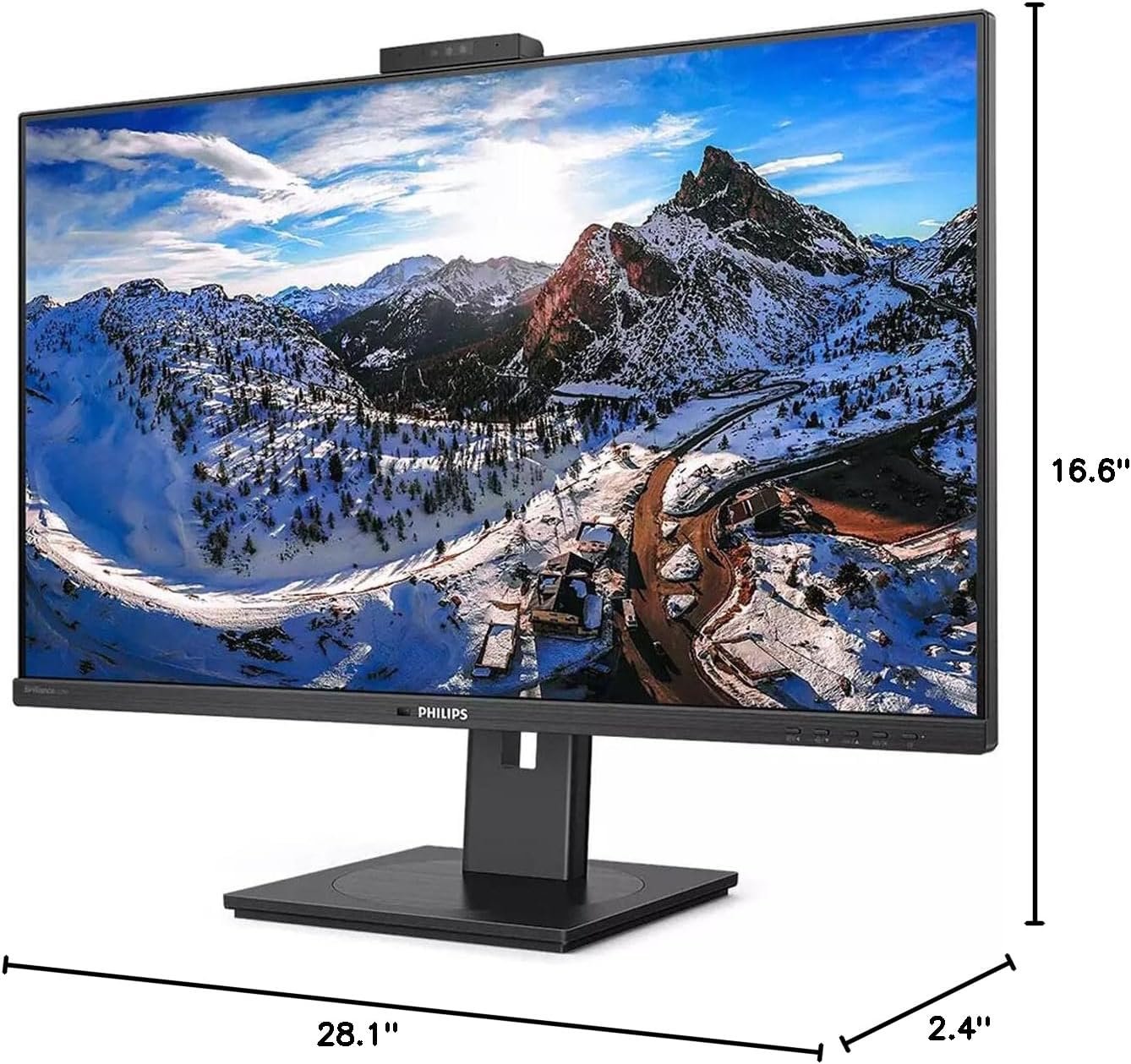
פיגור 8.1: מאָניטאָר דימענסיעס.
| שטריך | באַשרייַבונג |
|---|---|
| מאָדעל נומער | 329 פּ 1 ה |
| פאַרשטעלן גרייס | 31.5 Inches (viewקענען) |
| מאַקסימום סקרין האַכלאָטע | 3840 רענטגענ 2160 (4K UHD) |
| אַספּעקט פאַרהעלטעניש | 16:9 |
| ענטפער צייט | 4 מיז GTG |
| ברייטנאַס | 350 ניט |
| דערפרישן קורס | 75 הז |
| טאַפליע טיפּ | IPS |
| באַקלייט טעכנאָלאָגיע | WLED |
| קאַנעקטיוויטי | USB Type-C (with Power Delivery), HDMI, DisplayPort, RJ-45 Ethernet |
| Webקאַם | Pop-up with Windows Hello™ |
| פּונקט וואָג | 18.06 פונט |
| פּראָדוקט דימענשאַנז (LxWxH) | 2.4 X 28.1 X 16.6 אינטשעס |
| קאָליר | טעקסטשערד שווארצע |
9. וואָראַנטי און שטיצן
פֿאַר וואָראַנטי אינפֿאָרמאַציע און טעכנישע שטיצע, ביטע זען די וואָראַנטי קאַרטל וואָס איז אַרייַנגערעכנט מיט דיין פּראָדוקט אָדער באַזוכן די באַאַמטער Philips שטיצע וועבזייטל webזייטל. האַלט אייער קויף קוויטל ווי אַ באַווייַז פון קויפן פֿאַר וואָראַנטי קליימז.