1. איבערview
The FIFINE K669PRO2 is a USB condenser microphone designed for various applications including podcasting, gaming, streaming, voice-overs, and online meetings. It features RGB lighting, a tap-to-mute function, a gain control knob, and a cardioid pickup pattern for clear audio capture. This manual provides instructions for setting up, operating, and maintaining your microphone.
2. פּעקל אינהאַלט
ביטע טשעקט די אינהאַלט פון די פּאַקעט צו זיכער מאַכן אַז אַלע זאכן זענען דאָרט:
- FIFINE K669PRO2 USB Condenser Microphone with Pop Filter
- USB-C to USB-A Cable (6.5ft / 2m)
- דרייַפוס שטייט
- באַניצער ס מאַנואַל

Figure 2.1: Package Contents. Includes the microphone with pop filter, USB cable, tripod stand, and user manual.
3. סעטאַפּ גייד
Follow these steps to set up your FIFINE K669PRO2 microphone:
3.1 פיזישע פֿאַרזאַמלונג
- Attach the Tripod Stand: Screw the microphone onto the included tripod stand. Ensure it is firmly attached and stable on your desk.
- אינסטאַלירן דעם פּאָפּ פֿילטער: Attach the pop filter to the microphone's shock mount. This helps reduce plosive sounds for clearer audio.

Figure 3.1: Plug and Play setup. The microphone connects directly to your computer via the provided USB cable.
3.2 פֿאַרבינדן זיך צו דיין מיטל
- פאַרבינדן די וסב קאַבלע: Plug the USB-C end of the cable into the microphone and the USB-A end into an available USB port on your computer (PC/Mac) or gaming console (PS4/PS5).
- סיסטעם דערקענונג: Your operating system should automatically detect and install the necessary drivers. The microphone is plug-and-play, requiring no additional software installation.
- אויסקלייבן ווי איינגאַבע מיטל:
- Windows: נאַוויגירן צו געזונט סעטטינגס > אַרייַנשרייַב and select "FIFINE K669PRO2" as your input device.
- macOS: נאַוויגירן צו סיסטעם פּרעפֿערענצן > געזונט > אַרייַנשרייַב and select "FIFINE K669PRO2".
- PS4/PS5: נאַוויגירן צו סעטטינגס > דיווייסאַז > אַודיאָ דעוויסעס and select "FIFINE K669PRO2" as your input device.
4. אַפּערייטינג ינסטרוקטיאָנס
4.1 געווינען קאָנטראָל
The microphone features a gain control knob on the front. Rotate the knob to adjust the microphone's input sensitivity. Turn clockwise to increase gain and counter-clockwise to decrease it. Adjust the gain to achieve optimal audio levels without distortion.

Figure 4.1: Front panel controls, including the gain knob for volume adjustment.
4.2 שטום פֿונקציע
Tap the mute button on the front of the microphone to instantly mute or unmute your audio. The LED indicator will change color to show the mute status (e.g., green for active, red for muted), providing a visual reminder.
Figure 4.2: Front panel controls, highlighting the tap-to-mute button.
4.3 RGB לייטינג קאָנטראָל
The microphone features customizable RGB lighting. Use the RGB control key on the back of the microphone to cycle through different lighting modes and colors. There are three lighting modes and over nine color options available.

Figure 4.3: RGB lighting in action, showcasing dynamic solid-color, dynamic multi-color, and static solid color modes.

פיגורע 4.4: דערציען view of the microphone, indicating the RGB control button.
4.4 Cardioid Pickup Pattern
The K669PRO2 utilizes a cardioid polar pattern. This means the microphone primarily picks up sound from the front, reducing unwanted noise from the sides and rear. Position the microphone directly towards the sound source (e.g., your mouth) for optimal voice capture.
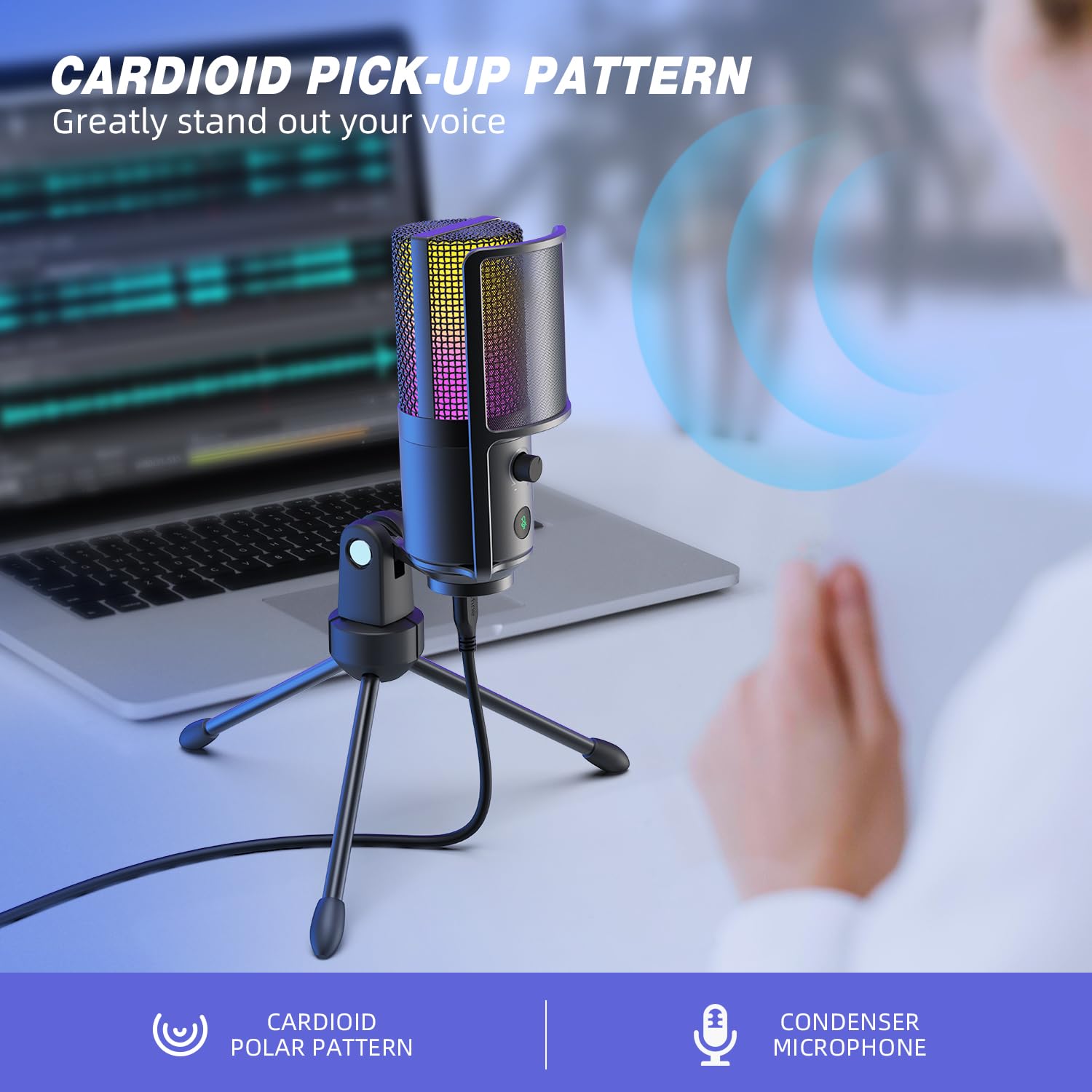
Figure 4.5: Cardioid pickup pattern illustration, demonstrating focused sound capture.
5. וישאַלט
- רייניקונג: Use a soft, dry cloth to clean the microphone's exterior. Avoid using liquid cleaners or solvents, as they may damage the device.
- סטאָרידזש: When not in use, store the microphone in a dry, dust-free environment.
- האַנדלינג: באַהאַנדלט דעם מיקראָפאָן מיט פֿאָרזיכט. פֿאַרמײַדט עס צו לאָזן פֿאַלן אָדער אויסשטעלן עס צו שטאַרקע קלאַפּן, וואָס קענען אַפֿעקטירן זײַן פאָרשטעלונג.
6. טראָובלעשאָאָטינג
| פּראָבלעם | מעגלעך סיבה | לייזונג |
|---|---|---|
| קיין קלאַנג אַרויסגאַנג פֿון מיקראָפֿאָן. |
|
|
| Low volume or weak audio. |
|
|
| פארדרייטע אדער אומקלארע אודיא. |
|
|
| RGB לייטינג ארבעט נישט. |
|
|
7. ספּעסאַפאַקיישאַנז
| מאָדעל | K669PRO2 |
| פּאָליאַר מוסטער | ונידירעקטיאָנאַל (קאַרדיאָיד) |
| קאַנעקטיוויטי טעכנאָלאָגיע | וסב |
| קאַנעקטער טיפּ | USB-C (on mic), USB-A (on cable) |
| קאַמפּאַטאַבאַל דעוויסעס | PC, Mac, PS4, PS5 |
| מאַטעריאַל | מעטאַל |
| אָפטקייַט ענטפער | 20 הערץ - 20 קילאָהערץ |
| סיגנאַל-צו-נויז ראַטיאָ | 70 דב |
| מאַכט מקור | קאָרדעד עלעקטריק (וסב פּאַוערד) |
| פּונקט וואָג | 508 ג |
| אַרייַנגערעכנט קאַמפּאָונאַנץ | Microphone, USB Cable, Tripod Stand, Pop Filter |
8. וואָראַנטי און שטיצן
For warranty information, technical support, or customer service inquiries, please refer to the official FIFINE webזייטל אדער קאנטאקט זייער קאסטומער סופארט גלייך. פרטים קען מען געווענליך געפינען אויף דער פראדוקט פאקאדזש אדער די פאבריקאנט'ס אפיציעלע אנליין קאנאלן.
You can visit the FIFINE store for more information: FIFINE אפיציעלע קראָם


