1. הקדמה
Thank you for choosing the Logitech G435 Lightspeed and Bluetooth Wireless Gaming Headset. This lightweight headset is designed to provide high-fidelity audio and clear communication across multiple gaming platforms and devices. This manual will guide you through the setup, operation, maintenance, and troubleshooting of your new headset.
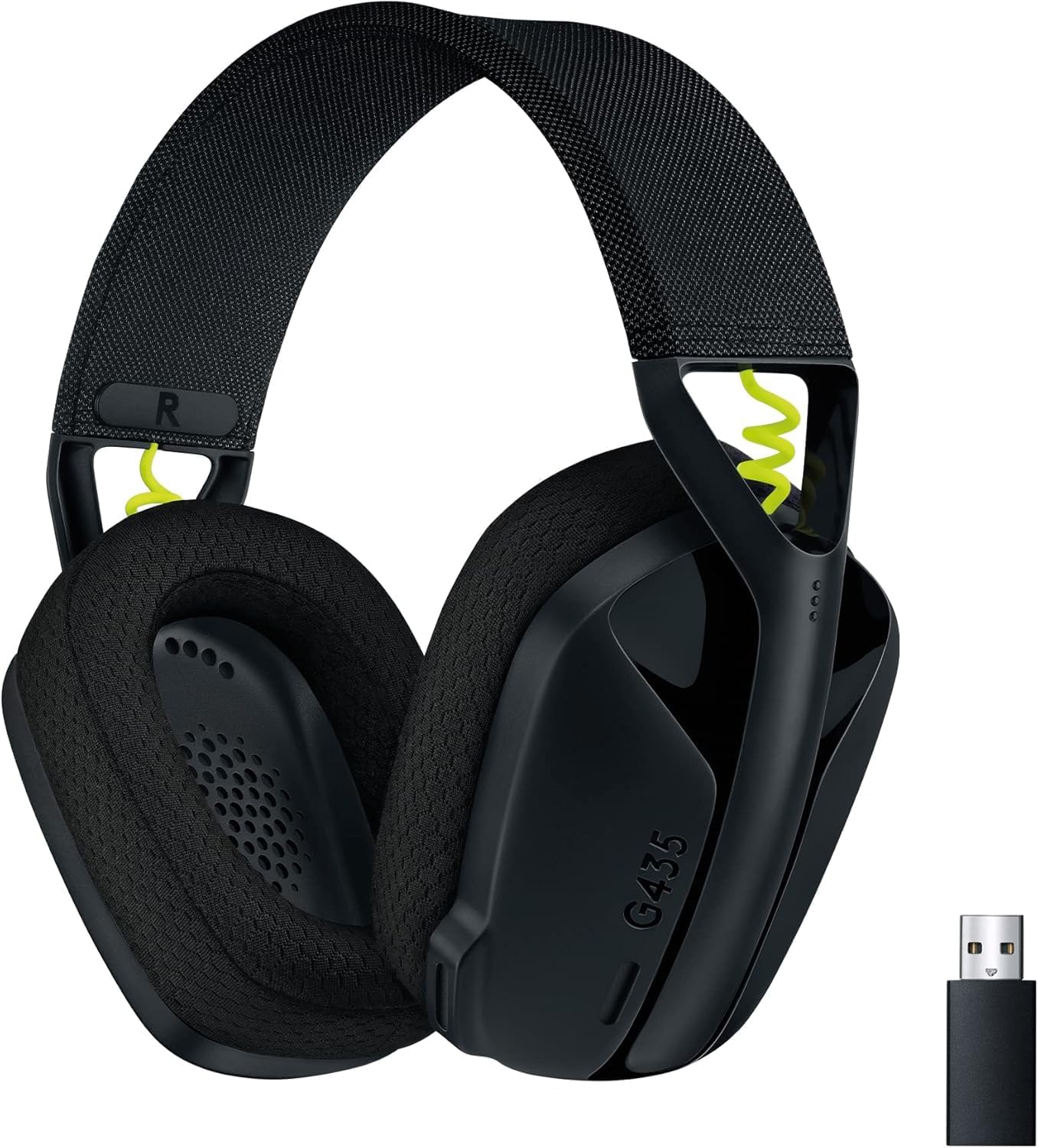
Figure 1: Logitech G435 Headset and USB Lightspeed Receiver
2. שליסל פֿעיִקייטן
- צווייפאַכיקע ווירעלעס קאָנעקטיוויטי: Connects via Lightspeed USB-A receiver for low-latency gaming or Bluetooth for mobile devices.
- הויך-פאַדעליטי אַודיאָ: Features 40 mm audio drivers for balanced, immersive sound. Compatible with Dolby Atmos, Tempest 3D AudioTech, and Windows Sonic for surround sound experiences.
- Clear Voice Communication: Integrated dual beamforming microphones eliminate the need for a mic arm, reducing background noise for clear communication.
- לייטווייט פּלאַן: Weighs only 165 grams (5.8 oz) for extended comfort during long gaming sessions.
- לאנג באַטאַרייע לעבן: הנאה אַרויף צו 18 שעה פון קעסיידערדיק נוצן אויף אַ איין אָפּצאָל.
- באַקוועמע אויער קישנס: Designed with memory foam ear cushions for total comfort.
3. סעטאַפּ
3.1 Lightspeed Wireless Connection (PC, PlayStation)
- Insert the Lightspeed USB-A receiver into a USB port on your PC or PlayStation console.
- Power on your G435 headset by pressing and holding the Power button for 3 seconds.
- The headset will automatically connect to the Lightspeed receiver. The status indicator light on the headset will turn cyan.

Figure 2: Lightspeed Wireless for Pro-Grade Connection
3.2 Bluetooth Connection (Smartphones, Nintendo Switch)
- With the headset powered on, press and hold the Power button and the Mute button simultaneously for 3 seconds to enter Bluetooth pairing mode. The status indicator light will blink blue.
- On your device (smartphone, Nintendo Switch), go to Bluetooth settings and select "G435" from the list of available devices.
- Once connected, the status indicator light on the headset will turn solid blue.
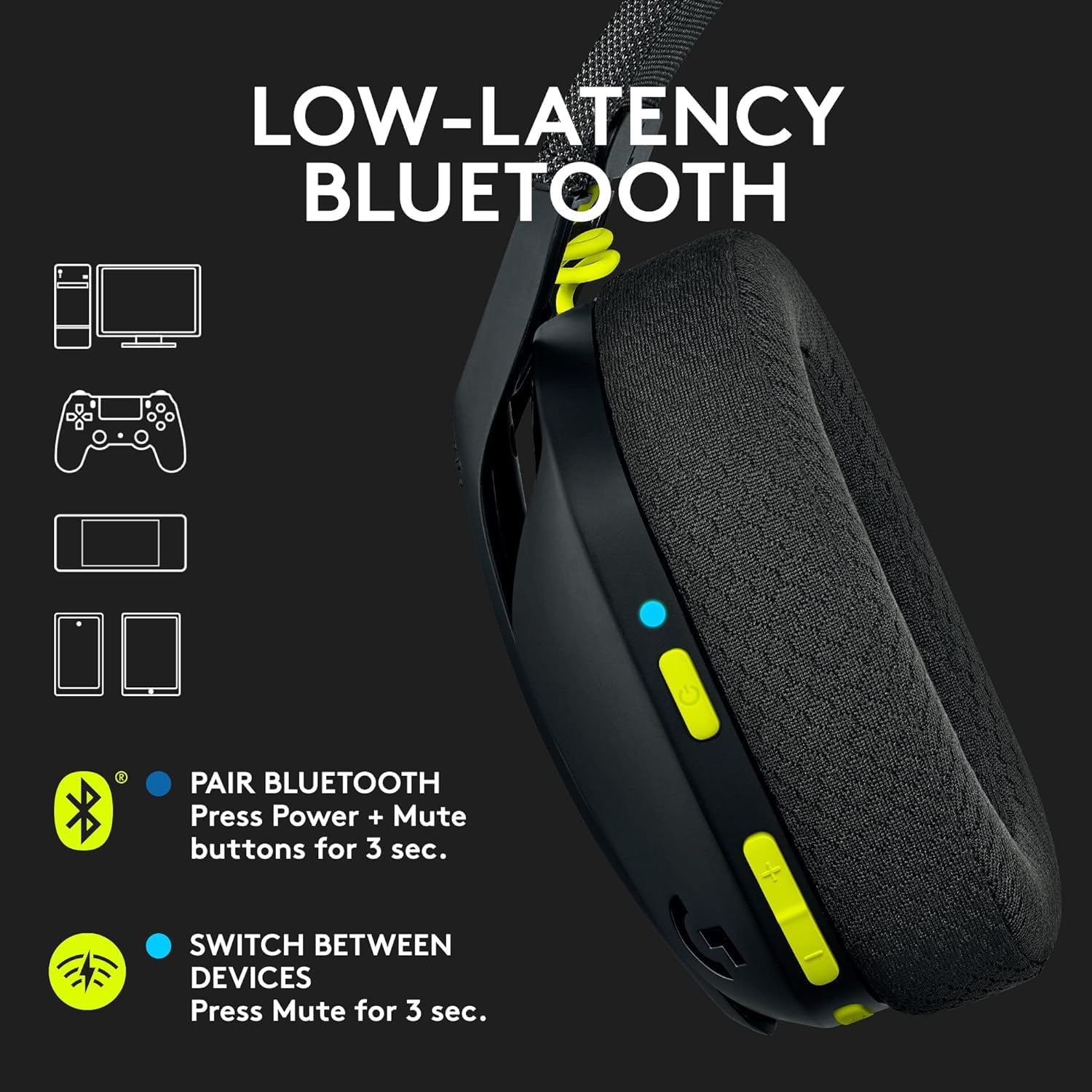
Figure 3: Low-Latency Bluetooth Connectivity
3.3 Switching Between Lightspeed and Bluetooth
To switch between Lightspeed and Bluetooth connections, press and hold the Mute button for 3 seconds. The status indicator light will change to reflect the active connection (cyan for Lightspeed, blue for Bluetooth).
4. אַפּערייטינג ינסטרוקטיאָנס
4.1 מאַכט אויף / אַוועק
- מאַכט אויף: דריקן און האַלטן די מאַכט קנעפּל פֿאַר 3 סעקונדעס.
- מאַכט אַוועק: דריקן און האַלטן די מאַכט קנעפּל פֿאַר 3 סעקונדעס.
4.2 באַנד קאָנטראָל
Use the volume rocker buttons located on the left earcup to adjust the audio output level.
4.3 מיקראָפאָן שטום
Press the dedicated Mute button on the left earcup to mute or unmute the microphone. The status indicator light will change to indicate the microphone status.

Figure 4: Dual Beamforming Microphones
5. וישאַלט
5.1 רייניקונג
- ווישן די כעדסעט מיט אַ ווייך, טרוקן שטאָף.
- ניצט נישט פליסיקע רייניגער אדער שברייענדע מאַטעריאַלן.
- The memory foam ear cushions can be gently cleaned with a damp שטאָף און מילד זייף, און דערנאָך לאָזן עס גאָר טרוקן אין דער לופט.
5.2 באַטערי טשאַרדזשינג
To charge the headset, connect the included USB-C cable to the charging port on the headset and to a USB power source. The status indicator light will show charging status (red while charging, green when fully charged). A full charge provides up to 18 hours of battery life.
6. טראָובלעשאָאָטינג
6.1 No Audio/Connectivity Issues
- זיכער מאַכן אַז די כעדסעט איז אנגעצונדן און גאָר אויפגעלאָדן.
- For Lightspeed connection, verify the USB-A receiver is securely plugged into the device and the headset's status indicator is cyan.
- For Bluetooth connection, ensure Bluetooth is enabled on your device and the headset is paired (status indicator blue). Try re-pairing if necessary.
- קאָנטראָלירט די וואָלומען לעוועלס אויף ביידע די כעדסעט און אייער פֿאַרבונדענע מיטל.
- זיכער מאַכן אַז די כעדסעט איז אויסגעקליבן ווי די אַודיאָ אַרויסגאַנג מיטל אין דיין סיסטעם סעטטינגס.
6.2 מיקראָפאָן אַרבעט נישט
- Ensure the microphone is not muted (check the Mute button and status indicator).
- Verify the headset is selected as the input device in your system's audio settings.
- Check for any software updates for your device or headset drivers.
7. ספּעסאַפאַקיישאַנז
| מאָדעל נאָמען | Logitech G435 |
| נומער מאָדעל נומער | 097855168252 |
| קאַנעקטיוויטי | Lightspeed Wireless (USB-A), Bluetooth 5.0 |
| ווירעלעסס ראַנגע | אַרויף צו 10 מעטער |
| אַודיאָ דריווערס | 40 מם דינאַמיש דריווערס |
| אָפטקייַט ענטפער | 20 הערץ - 20 קילאָהערץ |
| ימפּידאַנס | 45 Ohms (passive) |
| מיקראָפאָן | Dual embedded beamforming microphones |
| באַטערי לעבן | אַרויף צו 18 שעה |
| טשאַרדזשינג פּאָרט | וסב-C |
| וואָג | 165 גראַמז (5.8 אונסעס) |
| דימענשאַנז | 6 X 3 X 7 אינטשעס |
| קאַמפּאַטאַבאַל דעוויסעס | PC, Smartphones, PlayStation, Nintendo Switch |
8. אפיציעלע פּראָדוקט ווידעאָס
ווידעא 1: אן איבערview of the Logitech G435 Wireless Gaming Headset, highlighting its features and design.
9. וואָראַנטי און שטיצן
9.1 צוריקקומען פּאָליטיק
This product is eligible for a 90-day refund/replacement return policy. Please refer to your purchase documentation for specific terms and conditions.
9.2 פאַבריקאַנט שטיצע
פֿאַר טעכנישע שטיצע, וואָראַנטי קליימז, אָדער נאָך פּראָדוקט אינפֿאָרמאַציע, ביטע באַזוכט די באַאַמטער לאָגיטעטש שטיצע website or contact their customer service. Specific warranty details are typically provided with your product packaging.


