הקדמה
Thank you for choosing the Nasuque Bluetooth Keyboard. This wireless, rechargeable, and ultra-slim keyboard is designed for seamless compatibility with Mac OS and iOS devices, including MacBook Pro/Air, iMac, iPhone, and iPad Pro/Air/Mini. Featuring a full-size layout with a numeric keypad and a stable scissor mechanism beneath each key, it offers a comfortable and precise typing experience. Its multi-device capability allows you to connect and switch between up to three devices effortlessly.

Image: The Nasuque Bluetooth Keyboard in silver, showcasinג זײַן פולער אויסלייג און שלאַנק פּראָfile.
פּעקל אינהאַלט
ביטע זיכער מאַכן אַז אַלע זאכן זענען פאַראַן אין דיין פּעקל:
- Nasuque Bluetooth Keyboard
- וסב טשאַרדזשינג קאַבלע
- Dust Cover (Silicone protector)
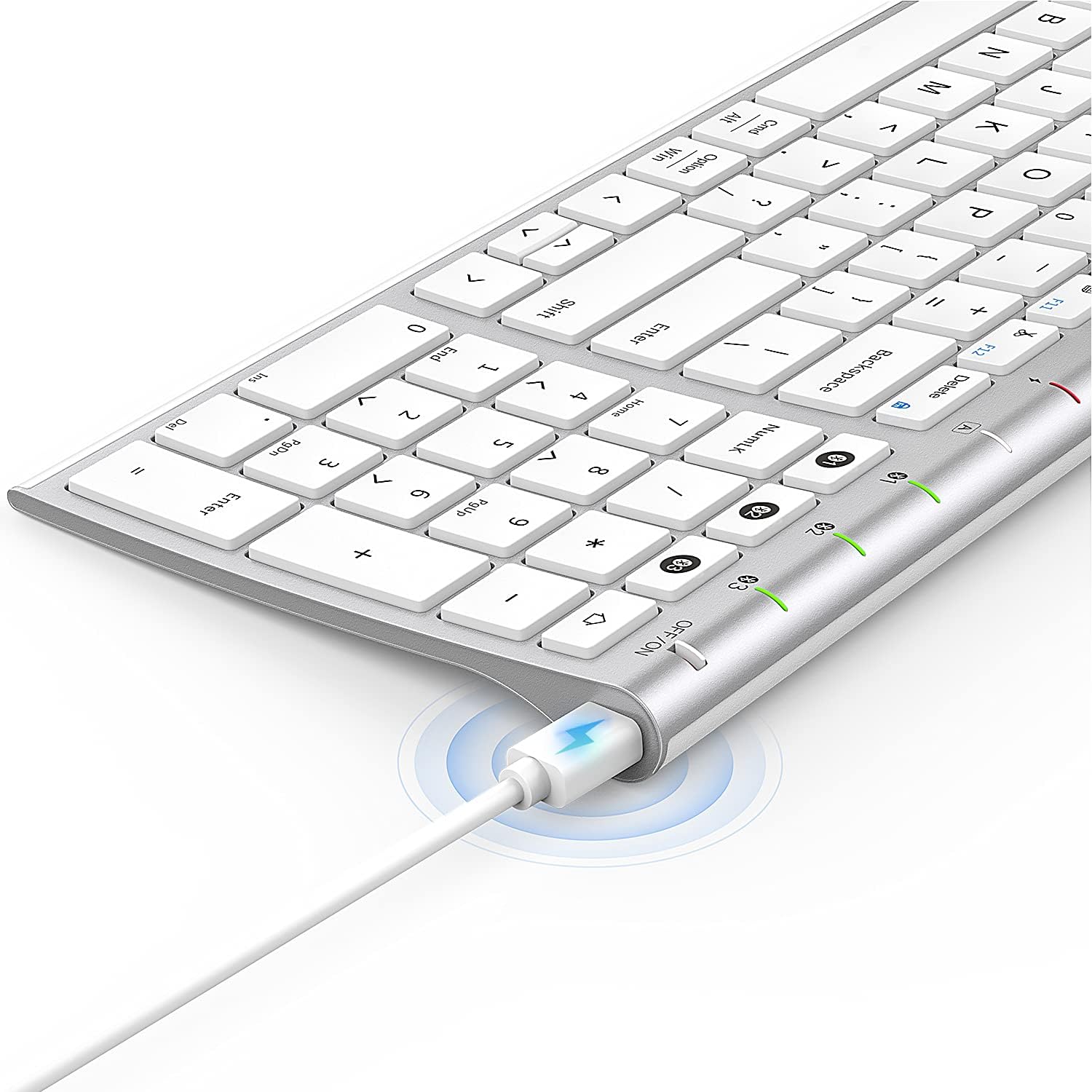
Image: The included USB charging cable, used to recharge the keyboard's built-in battery.
סעטאַפּ & פּערינג
מאַכט אויף / אַוועק
Locate the ON/OFF switch on the top right side of the keyboard. Slide the switch to the "ON" position to power on the keyboard. Slide it to "OFF" when not in use to conserve battery.
טשאַרדזשינג די קלאַוויאַטור
The keyboard features a built-in rechargeable lithium battery. Connect the included USB charging cable to the charging port on the keyboard and the other end to a USB power source (e.g., computer USB port, USB wall adapter). The charging indicator light will illuminate during charging and turn off when fully charged.
מולטי-דעווייס בלועטוט פּערינג
This keyboard supports connection with up to three devices simultaneously. Follow these steps to pair your devices:
- פאַרזיכערן די קלאַוויאַטור איז פּאַוערד אויף.
- דרוק די Fn קנעפּל און איינער פון די בלועטוט קאַנאַל קנעפּלעך (1, 2, אָדער 3) simultaneously to select a channel. For first-time pairing, choose an unused channel.
- לאנג דריקן די Fn key and the selected Bluetooth channel key (1, 2, אָדער 3) for 3-5 seconds until the corresponding channel indicator light (01, 02, אָדער 03) starts blinking rapidly. This indicates the keyboard is in pairing mode.
- On your device (MacBook, iMac, iPhone, iPad, etc.), go to Bluetooth settings and enable Bluetooth.
- זוכן פֿאַר available devices. The keyboard will appear as "Nasuque Keyboard" or similar. Select it to connect.
- אַמאָל פארבונדן, וועט די אינדיקאַטאָר ליכט אויפהערן צו בלינקען און בלייבן פעסט פֿאַר אַ פּאָר סעקונדעס איידער עס וועט זיך אויסלעשן.
- Repeat these steps for up to two additional devices using the other Bluetooth channels.
To switch between paired devices, simply short press the Fn key and the corresponding Bluetooth channel key (1, 2, אָדער 3).
סיסטעם רעקווירעמענץ: Compatible with Mac OS X 10.12 or higher and Bluetooth 4.0 or higher.

Image: The keyboard's top right corner showing the three Bluetooth channel indicators (01, 02, 03) for multi-device pairing.

Image: An illustration demonstrating the keyboard's ability to easily switch between a laptop, tablet, and smartphone.
Video: A demonstration of the Nasuque Bluetooth Keyboard's multi-device connectivity and ease of use with various Apple devices.
אַפּערייטינג ינסטראַקשאַנז
פֿונקציע קיז
The keyboard features a row of function keys (F1-F12) that perform various system functions when pressed in combination with the Fn key. These include media controls (play/pause, volume), brightness adjustment, and other shortcuts common to Mac OS.
נומעריק קיפּאַד
The integrated numeric keypad provides convenient data entry for numbers and calculations. Ensure the Num Lock key is active if needed for specific applications.

בילד: א נאָענטע בילד view of the keyboard's compact full-size layout, highlighting the numeric keypad.
טייפּינג דערפאַרונג
The keyboard utilizes a stable scissor mechanism beneath each key, providing a responsive and comfortable typing experience with a low profile.
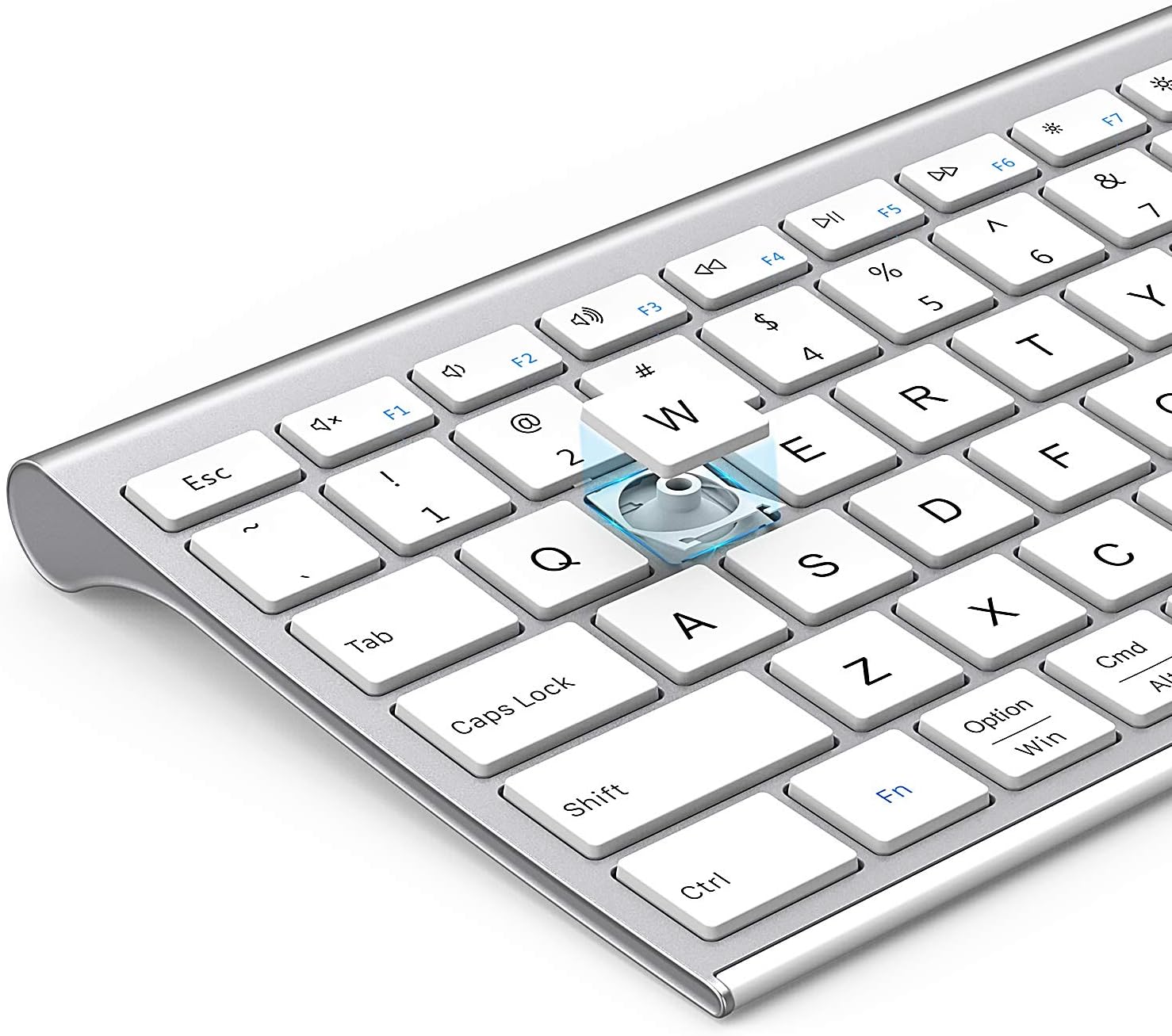
בילד: אן עקספלאדירטע view of a keycap, illustrating the underlying scissor mechanism for stable and precise typing.
וישאַלט
כדי צו זיכער מאַכן די לאַנגלעבעניש און אָפּטימאַלע פאָרשטעלונג פון דיין קלאַוויאַטור, נאָכפאָלגן די וישאַלט גיידליינז:
- רייניקונג: ניצט אַ ווייכע, טרוקענע, לינט-פֿרייע שטאָף צו ווישן די ייבערפֿלאַך פֿון דער קלאַוויאַטור. פֿאַר שווערע שמוץ, אַ ביסל ווייכןampווייקט דעם שטאָף מיט וואַסער אָדער אַ מילדער רייניקונג לייזונג. פֿאַרמייַדט איבעריקע פֿײַכטקייט.
- שטויב דעקל: Utilize the included silicone dust cover when the keyboard is not in use to protect it from dust, spills, and debris.
- סטאָרידזש: האַלט די קלאַוויאַטור אין אַ קיל, טרוקן אָרט אַוועק פון דירעקט זונשייַן און עקסטרעמע טעמפּעראַטורן.
- ויסמיידן ליקווידס: Do not expose the keyboard to liquids. In case of accidental spills, immediately power off the keyboard and allow it to dry completely before use.
טראָובלעשאָאָטינג
If you encounter issues with your Nasuque Bluetooth Keyboard, please refer to the following common solutions:
| פּראָבלעם | מעגלעך סיבה | לייזונג |
|---|---|---|
| Keyboard does not connect or is not detected. | Keyboard is off, low battery, not in pairing mode, or device Bluetooth is off. |
|
| די קנעפלעך רעאגירן נישט אדער טייפן נישט ריכטיג. | Low battery, connection interference, or software issue. |
|
| Difficulty switching between devices. | Incorrect key press or device not properly paired to selected channel. |
|
ספּעסאַפאַקיישאַנז
| שטריך | דעטאַל |
|---|---|
| מאָדעל | B09XQL2NJY |
| קאַנעקטיוויטי | Bluetooth (Multi-device support for up to 3 devices) |
| קאַמפּאַטאַבילאַטי | Mac OS X 10.12 or higher, Bluetooth 4.0 or higher (MacBook Pro/Air, iMac, iPhone, iPad Pro/Air/Mini) |
| דימענסיעס (L X W X H) | 14.41 X 4.92 X 0.64 אינטשעס |
| וואָג | 1.12 פונט |
| באַטערי | קריקאָנלאָדלעך ליטהיום באַטערי |
| אַפּערייטינג דיסטאַנסע | אַרויף צו 8 מעטער (26 פֿיס) |
| Key Mechanism | שער-באַשטימען |

Image: Diagram illustrating the precise dimensions of the Nasuque Bluetooth Keyboard.
וואָראַנטי & שטיצן
For warranty information, technical support, or any inquiries regarding your Nasuque Bluetooth Keyboard, please contact the manufacturer directly through the retailer's platform or the contact information provided with your purchase. Please retain your proof of purchase for warranty claims.