1. פּראָדוקט איבערview
The ZIOCOM 2-in-1 Wireless Bluetooth Transmitter/Receiver is a versatile audio adapter designed to enhance your audio experience by adding Bluetooth capabilities to non-Bluetooth devices. It functions as both a transmitter (TX mode) to send audio from your TV, PC, or MP3 player to Bluetooth headphones or speakers, and a receiver (RX mode) to stream audio from your smartphone or tablet to wired speakers, car stereos, or home sound systems. Featuring Bluetooth 5.0 and aptX Low Latency technology, it ensures high-quality audio with minimal delay.

Figure 1: ZIOCOM 2-in-1 Wireless Bluetooth Transmitter/Receiver and accessories.
פּעקל אינהאַלט:
- ZIOCOM 2-in-1 Bluetooth Transmitter/Receiver (BH045B)
- 3.5 מם אַודיאָ קאַבלע
- רקאַ צו 3.5 מם אַודיאָ קאַבלע
- וסב טשאַרדזשינג קאַבלע
- באַניצער מאַנואַל

Figure 2: Package contents including the device, various cables, and user manual.
2. מיטל אויסלייג און קאָנטראָלס

Figure 3: Device layout with key components labeled.
- מולטיפונקטיאָן קנעפּל: Power On/Off, Play/Pause, Answer/End/Reject Calls, Redial.
- Volume Up/Previous Song Button: Increase volume, navigate to previous track.
- Volume Down/Next Song Button: Decrease volume, navigate to next track.
- פּערינג קנעפּל: הייבט אן בלועטוט פארינג מאָדע.
- TX/RX סוויטש: טוישט צווישן טראַנסמיטער און ופנעמער מאָדעס.
- ינדיקאַטאָר ליכט: ווײַזט דעם סטאַטוס פֿון דעם אַפּאַראַט (פֿאַרבונדן, פֿאַרבונדן, אויפֿלאָדן).
- געבויט-אין מיק: פֿאַר הענט-פֿרײַ רופן אין RX מאָדע.
- טיפּ C טשאַרדזשינג פּאָרט: פֿאַר אָפּלאָדן די אינעווייניקסטע באַטאַרייע.
- AUX פּאָרט: 3.5mm audio input/output.
3. סעטאַפּ און טשאַרדזשינג
ערשט טשאַרדזשינג:
Before first use, fully charge the device. Connect the supplied USB charging cable to the Type-C charging port on the adapter and the other end to a USB power source (e.g., computer USB port, USB wall adapter). The indicator light will show charging status and turn off when fully charged. A full charge takes approximately 2 hours.
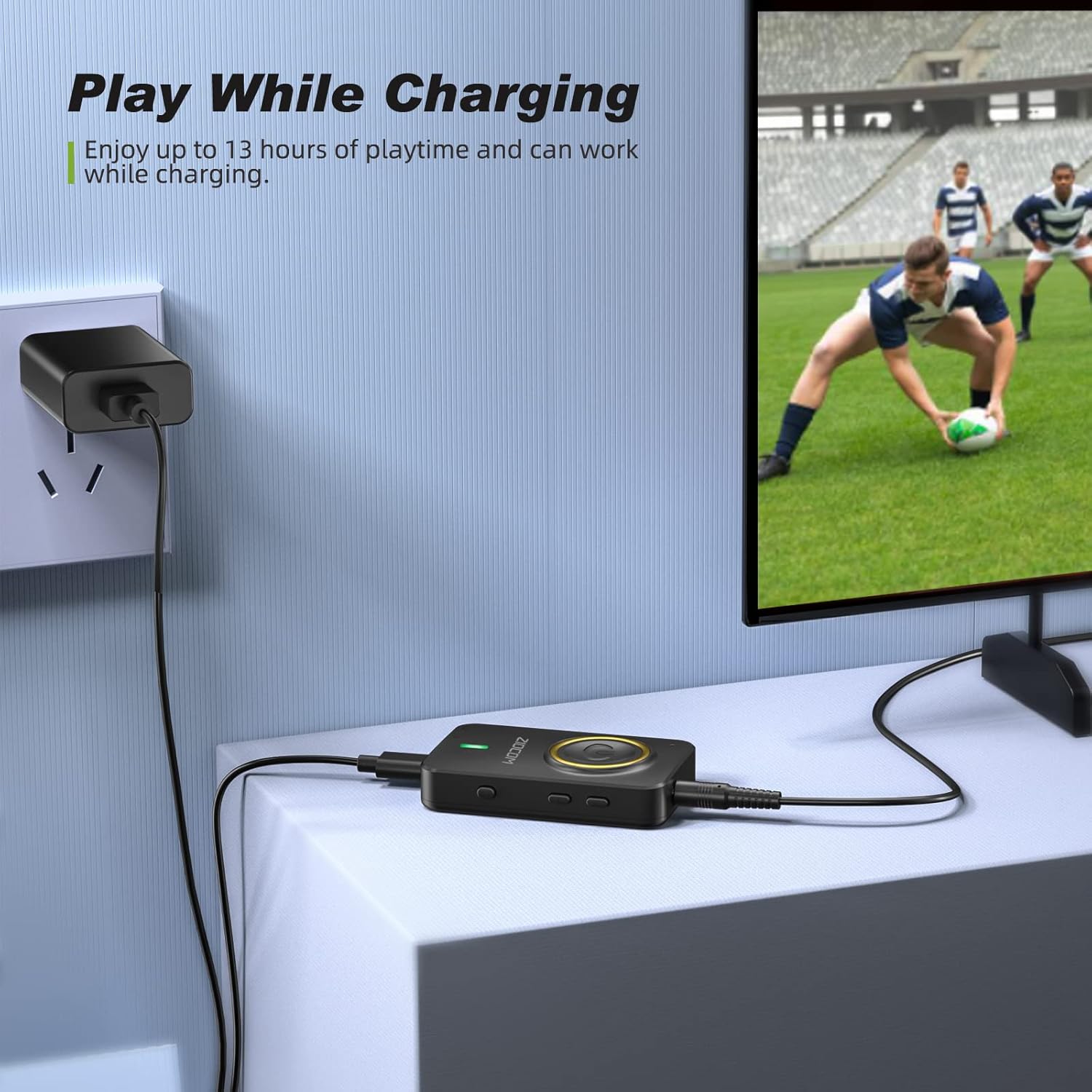
Figure 4: The device can be used while charging, providing extended playtime.
מאַכט אויף / אַוועק:
- מאַכט אויף: Press and hold the Multifunction Button for 3 seconds until the indicator light turns on.
- מאַכט אַוועק: Press and hold the Multifunction Button for 3 seconds until the indicator light turns off.
4. אַפּערייטינג מאָדעס
The ZIOCOM adapter supports two primary operating modes: Transmitter (TX) and Receiver (RX). Use the טקס / רקס סוויטש on the side of the device to select the desired mode.

פיגורע 5: איבערview of Transmitter (TX) and Receiver (RX) modes.
4.1. טראַנסמיטער (TX) מאָדע
In TX mode, the adapter transmits audio from non-Bluetooth devices (e.g., TV, PC, MP3 player) to Bluetooth-enabled headphones or speakers.
Setup for TX Mode:
- טוישן דעם אפאראט צו TX mode using the TX/RX switch.
- Connect the ZIOCOM adapter to your audio source (TV, PC, MP3 player) using the 3.5mm audio cable or the RCA to 3.5mm audio cable. Plug the 3.5mm end into the adapter's AUX port and the other end into the audio output port of your source device.
- Power on the adapter. It will automatically enter pairing mode, indicated by a rapidly flashing blue light.
- Place your Bluetooth headphones or speaker into pairing mode.
- The adapter will automatically search for and connect to nearby Bluetooth devices. Once connected, the indicator light will turn solid blue.

Figure 6: Enjoying low latency audio from TV in TX mode. (Note: Your receiving device must also support aptX Low Latency for optimal performance.)
Dual-Link in TX Mode:
The adapter can connect to two Bluetooth headphones/speakers simultaneously in TX mode.
- Connect the first Bluetooth device as described above.
- Once the first device is connected, press the פּערינג קנעפּל on the ZIOCOM adapter. The indicator light will flash rapidly again.
- Put the second Bluetooth headphone/speaker into pairing mode.
- The adapter will connect to the second device. Both devices will now receive audio simultaneously.

Figure 7: Dual-link feature allowing two Bluetooth headphones to connect to a TV.
4.2. ריסיווער (RX) מאָדע
In RX mode, the adapter receives audio from Bluetooth-enabled devices (e.g., smartphones, tablets) and plays it through wired speakers, car stereos, or home sound systems.
Setup for RX Mode:
- טוישן דעם אפאראט צו RX mode using the TX/RX switch.
- Connect the ZIOCOM adapter to your wired audio system (speakers, car stereo) using the 3.5mm audio cable or the RCA to 3.5mm audio cable. Plug the 3.5mm end into the adapter's AUX port and the other end into the audio input port of your wired system.
- Power on the adapter. It will automatically enter pairing mode, indicated by a rapidly flashing blue light.
- אויף דיין סמאַרטפאָנע אָדער טאַבלעט, געבן בלועטאָאָטה און זוכן פֿאַר
פֿאַרבונדענע דאָקומענטן - בה 045 ב

ZIOCOM BT5804F בלועטוט טראַנסמיטער ופנעמער באַניצער מאַנואַל
אויספאָרשן דעם ZIOCOM BT5804F בלועטוט טראַנסמיטער און ריסיווער. די באַניצער מאַנואַל גיט דעטאַלירטע אינסטרוקציעס, ספּעציפֿיקאַציעס און פֿעיִקייטן פֿאַר דעם אַודיאָ אַדאַפּטער, אַרייַנגערעכנט aptX נידעריק לעטענסי און בייפּאַס מאָדע.
ZIOCOM BT5809 בלועטאָאָטה 5.0 טראַנסמיטער ופנעמער באַניצער גייד
א פולשטענדיגע באַניצער פירער פֿאַר די ZIOCOM BT5809, אַ וויירלעס לאַנג-רייכווייַט בלועטוט 5.0 טראַנסמיטער, ריסיווער, און בייפּאַס מיטל. לערנט וועגן פּראָדוקט ספּעסיפיקאַציעס, סעטאַפּ, אָפּעראַציע מאָדעס (ריסיווער, טראַנסמיטער, בייפּאַס), פּערינג, טראָובלעשווטינג, און וואָראַנטי אינפֿאָרמאַציע.
ZIOCOM RC02 בלועטוט אוקס אַדאַפּטער באַניצער מאַנואַל
User manual for the ZIOCOM RC02 Bluetooth Aux Adapter. Learn about product specifications, how to pair and use the device for wireless audio streaming and hands-free calls, troubleshooting, and maintenance. Compatible with car stereos and home audio systems.
ZIOCOM BT4853C בלועטאָאָטה 5.0 טראַנסמיטער ופנעמער באַניצער מאַנואַל
באַניצער מאַנואַל פֿאַר די ZIOCOM BT4853C בלועטוט 5.0 טראַנסמיטער און ופנעמער. גיט אינסטרוקציעס וועגן סעטאַפּ, אָפּעראַציע אין TX און RX מאָדעס, פּערינג, באַנד קאָנטראָל, און טראָובלעשווטינג פֿאַר דעם וויירלעסס אַודיאָ אַדאַפּטער.
ZIOCOM LK02 Air Conduction Headphones User Manual
User manual for ZIOCOM LK02 Air Conduction Headphones. Details specifications, connection methods, controls, how to wear, charging, precautions, and support for these Bluetooth V5.1 wireless headphones.
ZIOCOM PTX-BT4807B בלועטאָאָטה ופנעמער באַניצער מאַנואַל
User manual for the ZIOCOM PTX-BT4807B Bluetooth Receiver, providing instructions on setup, operation, and specifications for wireless audio streaming to home stereo systems and car speakers.