1. פּראָדוקט איבערview
The tectake Zola Electric Height-Adjustable Desk is designed to provide a dynamic and ergonomic workspace. Featuring continuous electric height adjustment, a robust particle board tabletop, and a solid steel frame, this desk offers stability and comfort. Its powerful motor ensures smooth transitions between sitting and standing positions, while the flexible frame design maximizes legroom. The integrated touchpad allows for easy height adjustments and memory function for preferred settings. An anti-collision system enhances safety during operation.

Image 1.1: The tectake Zola Electric Height-Adjustable Desk, showcasing its sleek black design and sturdy construction.
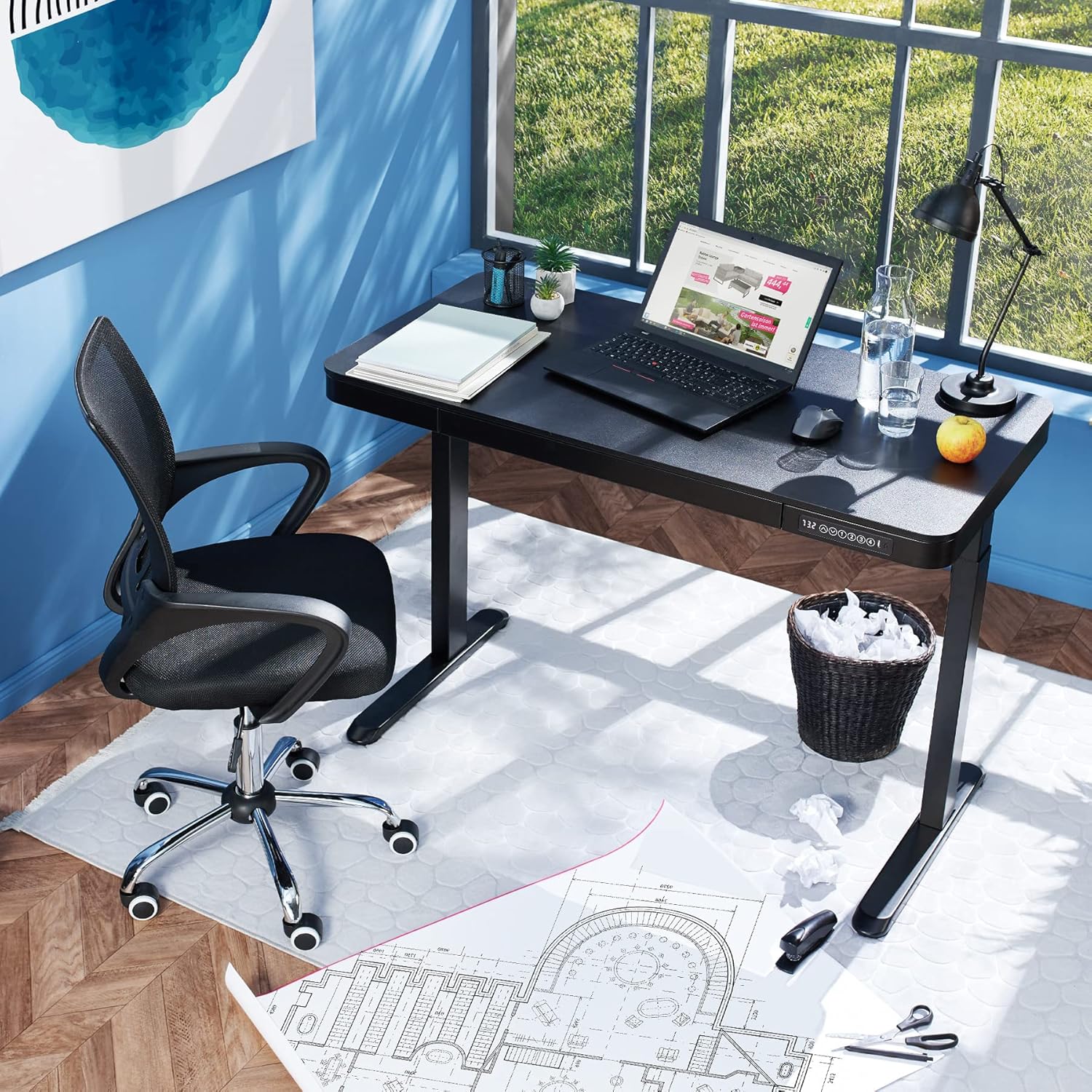
Image 1.2: The desk integrated into a modern office environment, demonstrating its practical use.
2. זיכערקייַט אינסטרוקציעס
- לייענען אַלע ינסטראַקשאַנז קערפאַלי איידער פֿאַרזאַמלונג און נוצן.
- האַלט קינדער און חיות אַוועק פון דעם טיש בעת אָפּעראַציע.
- Ensure all screws and bolts are tightened securely before use. Periodically check and re-tighten as necessary.
- Do not overload the desk. The maximum load capacity is 45 kg.
- Keep hands and fingers clear of moving parts during height adjustment. The desk is equipped with an anti-collision system, but caution is still advised.
- נאָר נוצן די צוגעשטעלט מאַכט אַדאַפּטער.
- Do not disassemble or modify the motor or control unit. Contact qualified personnel for repairs.
- Place the desk on a level surface. Adjustable feet can compensate for minor unevenness.
3. פּעקל אינהאַלט
באַשטעטיקט אַז אַלע קאָמפּאָנענטן זענען פאַראַן און נישט געשעדיגט איידער איר הייבט אָן צו פֿאַרזאַמלען. אויב עס פֿעלן אָדער זענען געשעדיגט טיילן, קאָנטאַקטירט קונה שטיצע.
- Tabletop with integrated drawer and control panel
- לינקס פוס אַסעמבלי
- רעכט לעג אַסעמבלי
- פֿיס (2x)
- מאַכט אַדאַפּטער און קאַבלע
- Assembly Hardware (screws, Allen key, etc.)
- ינסטרוקטיאָן מאַנואַל (דעם דאָקומענט)
4. אַסעמבלי גייד
Assembly is required for this product. It is recommended to have two people for easier and safer assembly. Clear a spacious area for assembly and lay out all components.
שריט-דורך-סטעפּ אַסעמבלי:
- Attach Leg Assemblies to Tabletop: Carefully place the tabletop upside down on a soft, clean surface to prevent scratches. Align the left and right leg assemblies with the pre-drilled holes on the underside of the tabletop. Secure them using the provided screws and Allen key. Ensure the motor cables are not pinched.
- Attach Feet to Leg Assemblies: Slide the feet onto the bottom of each leg assembly. Secure them with the appropriate screws.
- פאַרבינדן מאַכט קאַבלע: Locate the power input port on the control unit (usually on the underside of the tabletop near the control panel). Connect the power cable firmly.
- שטעלט דעם טיש: With assistance, carefully flip the desk upright and move it to its desired location. Adjust the plastic feet at the bottom of the legs to ensure the desk is stable and level on uneven floors.
- ערשט מאַכט-אַרויף: Plug the power adapter into a wall outlet. The control panel display should light up.

Image 4.1: Dimensional drawing of the desk, useful for planning space and assembly.

בילד 4.2: זייט view illustrating the robust leg structure and height adjustment mechanism.
5. אָפּעראַציע גייד
The tectake Zola desk features an intuitive control panel for easy height adjustment and memory functions.
קאָנטראָל פּאַנעל פאַנגקשאַנז:

Image 5.1: The control panel, showing the digital height display and control buttons.
- דיגיטאַל ווייַז: ווײַזט די איצטיקע הייך פֿון טיש אין סענטימעטער.
- אַרויף/אַראָפּ פײַלן (↑ / ↓): דריק און האלט אן צו קאנטינעווערליך צופאסן די הייך פון די טיש ארויף אדער אראפ. לאזט לאזן דעם קנעפל צו אפשטעלן ביי דער געוואונטשענער הייך.
- זכּרון קנעפּלעך (1, 2, 3, 4): די קנעפּלעך לאָזן אײַך ראַטעווען און צוריקרופן ביז פֿיר בילכער הייך סעטינגס.
- צו ראַטעווען אַ הייך: Adjust the desk to your desired height using the up/down arrows. Press and hold one of the memory buttons (1-4) until the display flashes or beeps, indicating the height has been saved.
- צו געדענקען א הייך: Simply press the corresponding memory button (1-4). The desk will automatically move to the saved height.
- אַנטי-קאליזיע סיסטעם: The desk is equipped with a sensitive anti-collision system. If the desk encounters an obstruction during height adjustment, it will stop and slightly reverse direction to prevent damage.
- USB-A and USB-C Ports: Located on the control panel, these ports can be used to charge small electronic devices.

Image 5.2: Detail of the USB-A and USB-C charging ports for convenient device charging.

Image 5.3: Visual representation of the desk's adjustable height range.
Integrated Drawer:
The desk includes a convenient integrated drawer for storing small office supplies, helping to keep your workspace tidy.

Image 5.4: The desk's integrated drawer, providing discreet storage.

Image 5.5: Detail of the drawer's smooth-gliding mechanism.
6. וישאַלט און קער
- רייניקונג: ווישט אָפּ די טיש־איבערפֿלאַך און די פֿיס מיט אַ ווייכן, דamp שטאָף. פֿאַרמײַדט ניצן שאַרפֿע כעמיקאַלן אָדער אַברייסיוו רייניגער, ווײַל זיי קענען שאַטן די ענדיקונג.
- רעגולער טשעקס: קאָנטראָלירט פּעריִאָדיש אַלע שרויפן און פֿאַרבינדונגען צו זיכער מאַכן אַז זיי בלייבן פֿעסט. פֿעסטשטײַערט ווידער אויב נייטיק.
- קאַבלע פאַרוואַלטונג: Ensure power cables are not tangled or pinched, which could lead to damage or malfunction.
7. טראָובלעשאָאָטינג
| פּראָבלעם | מעגלעך סיבה | לייזונג |
|---|---|---|
| דער טיש רירט זיך נישט. | No power; cable disconnected; motor error. | Check power connection to wall outlet and desk. Ensure all cables are securely connected. Unplug and replug the power cable to reset the system. |
| דער טיש באוועגט זיך נישט גלייך אדער מאכט אומגעווענליכע גערוישן. | לויזע פֿאַרבינדונגען; פֿאַרשטאָפּונג; אומגלייכע לאַסט. | Check all assembly screws for tightness. Ensure there are no obstructions under or around the desk. Distribute weight evenly on the tabletop. |
| אַנטי-קאַליזשאַן סיסטעם אַקטיוויזירט זיך אָפט. | Obstruction; sensitive setting. | Ensure the path of movement is clear. If the issue persists without clear obstruction, consult customer support. |
| די זכּרון פונקציע אַרבעט נישט. | אומרעכטע שפּאָר־פּראָצעדור. | Refer to 'Operation Guide' section 5 for correct saving procedure (press and hold memory button until confirmation). |
8. טעכניש ספּעסאַפאַקיישאַנז
| שטריך | באַשרייַבונג |
|---|---|
| מאָדעל נומער | 404316 |
| קוילעלדיק דימענשאַנז (L X W X H) | Approx. 1204 x 604 x 720 - 1220 mm |
| Tabletop Dimensions (L x W x H) | בעערעך. 1204 X 604 X 64.5 מם |
| Inner Drawer Dimensions (L x W x H) | בעערעך 60 רענטגענ 29 רענטגענ 5 סענטימעטער |
| Lifting Columns per Side | 2 main columns (approx. 4.5 x 7.5 cm) |
| Adjustable Feet Range | בעערעך. 1.2 סענטימעטער |
| מאָטאָר ראַש לעוועל | <50 dB |
| ליפטינג ספּיד | 25 מם/ס |
| מאָטאָר מאַכט | 52.2 וו |
| אַרייַנשרייַב וואָלtage | 100-240 V |
| קאַבלע לענג | בעערעך. 310 סענטימעטער |
| מאַסע קאַפּאַציטעט | 45 קג |
| פּראָדוקט וואָג | בעערעך. 32 קג |
| מאַטעריאַלס | Powder-coated steel, particle board, polychloride, ABS plastic |
9. וואָראַנטי און שטיצן
For information regarding warranty terms and conditions, please refer to the purchase documentation or contact your retailer. For technical support or inquiries about replacement parts, please visit the official tectake webזייטל אדער קאנטאקט זייער קאסטומער סערוויס דעפארטמענט. האלט אייער קויף קוויטל אלס באווייז פון קויפן.
פאַבריקאַנט: טעקטאַקע
סאָרט: TecTake


