1. הקדמה
This manual provides essential instructions for the proper use and maintenance of your LOTUS Smartwatch Model 50003/A. Please read this guide thoroughly before using your smartwatch to ensure optimal performance and longevity.
The LOTUS Smartwatch 50003/A features an intuitive interface and elegant design, offering a variety of smart functions. It is equipped with Bluetooth connectivity, allowing seamless synchronization with your mobile devices. This synchronization enables features such as call and message notifications, music control, and other practical functions for daily life.
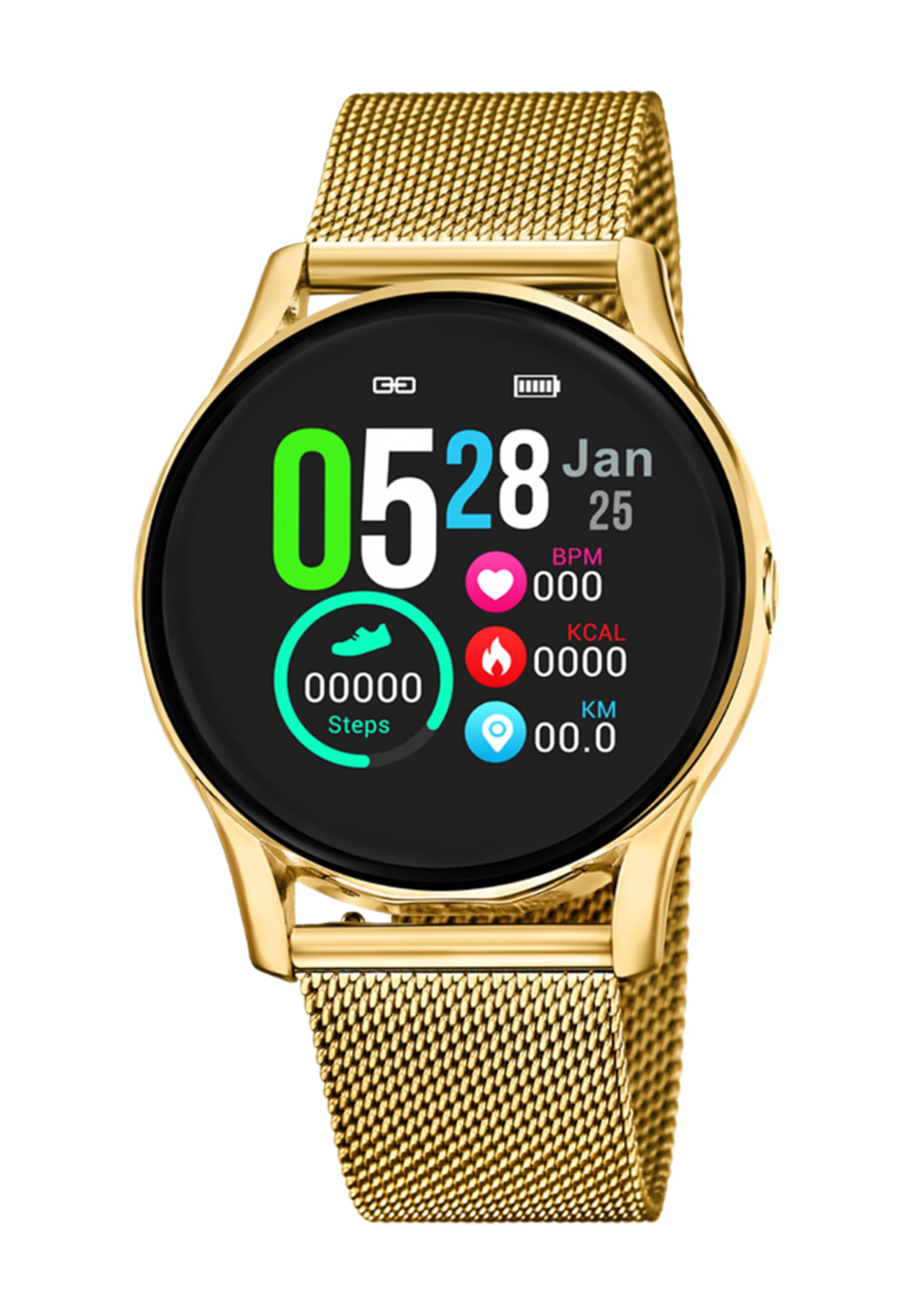
בילד 1.1: פראָנט view of the LOTUS Smartwatch 50003/A.
2. פּעקל אינהאַלט
Please check the package contents upon unboxing. The standard package for the LOTUS Smartwatch 50003/A should include:
- LOTUS Smartwatch 50003/A
- טשאַרדזשינג קאַבלע
- באַניצער מאַנואַל (דעם דאָקומענט)
3. סעטאַפּ גייד
3.1. אויפלאָדן די סמאַרטוואַטש
Before initial use, fully charge your smartwatch.
- פֿאַרבינדט דעם טשאַרדזשינג קאַבל צום טשאַרדזשינג פּאָרט אויף דער הינטערשטער זייגער פֿון דער סמאַרטוואַטש.
- שטעקט אריין דעם אנדערן עק פונעם טשאַרדזשינג קאַבל אין א USB מאַכט אַדאַפּטער (נישט אַרייַנגערעכנט) אדער א קאָמפּיוטער'ס USB פּאָרט.
- דער זייגער אויסשטעל וועט ווײַזן דעם טשאַרדזשינג סטאַטוס. לאָזט אַרום 2-3 שעה פֿאַר אַ פֿולע טשאַרדזשינג.
3.2. אינסטאַלירן די באַגלייטער אַפּ
To unlock all features and synchronize your smartwatch with your smartphone, you need to install the official LOTUS Connected app.
- Scan the QR code provided in the watch packaging or search for "LOTUS Connected" in your smartphone's app store (Google Play Store for Android, Apple App Store for iOS).
- אראפקאפיע און ינסטאַלירן די אַפּ.
- גיי די ינסטראַקשאַנז אויף דעם עקראַן צו שאַפֿן אַ חשבון אָדער קלאָץ אין.

Image 3.2: Synchronizing the smartwatch with the companion app on a smartphone.
3.3. פארבינדן מיט אייער סמאַרטפאָון
Ensure Bluetooth is enabled on your smartphone and the smartwatch is charged.
- Open the LOTUS Connected app on your smartphone.
- Follow the app's instructions to add a new device.
- The app will search for available smartwatches. Select "LOTUS 50003/A" from the list.
- Confirm the pairing request on both your smartphone and smartwatch if prompted.
- אַמאָל פּערד, וועט די זייגער סינקראָניזירן צייט און דאַטן מיט דיין טעלעפאָן.
4. אַפּערייטינג ינסטרוקטיאָנס
4.1. יקערדיק נאַוויגאַציע
- טאָוטשסקרעען: סווייפּ לינקס/רעכטס, אַרויף/אַראָפּ צו נאַוויגירן דורך מעניוז און פֿעיִקייטן. צאַפּן צו סעלעקטירן.
- זייַט קנעפּלעך: The smartwatch may have one or more physical buttons. Typically, one button serves as a power on/off, back, or home button. Refer to the on-screen prompts for specific button functions.

בילד 4.1: עקס.ample of a smartwatch display showing activity data.
4.2. שליסל פֿעיִקייטן
- נאָטיפיקאַטיאָנס: Receive alerts for incoming calls, messages, and app notifications directly on your wrist. Manage notification settings via the LOTUS Connected app.
- מוזיק קאָנטראָל: Control music playback on your connected smartphone (play, pause, skip tracks, adjust volume).
- אַקטיוויטעט טראַקינג: Monitor steps, distance, calories burned, and sleep patterns. View דעטאַלירטע סטאַטיסטיק אין דער באַגלייטער אַפּ.
- וואַסער קעגנשטעל: The smartwatch is water resistant. Avoid prolonged submersion or use in hot water/steam. Refer to specifications for exact water resistance rating.
5. וישאַלט
5.1. רייניקן אייער סמאַרטוואַטש
- ווישט ווי דעם זייגער-עקראַן און קערפּער מיט אַ ווייכן, לינט-פֿרייע שטאָף.
- פֿאַר שווערן שמוץ, אַ ביסל דampשווענק דעם שטאָף מיט וואַסער. פֿאַרמייַדט שטרענגע כעמיקאַלן אָדער אַברייסיוו מאַטעריאַלן.
- זיכער מאַכן אַז די טשאַרדזשינג קאָנטאַקטן זענען ריין און טרוקן איידער טשאַרדזשינג.
5.2. באַטערי קער
- Charge the smartwatch regularly. Avoid letting the battery completely drain for extended periods.
- Do not expose the smartwatch to extreme temperatures, as this can affect battery life and performance.
- If the watch will not be used for a long time, charge it to about 50% before storing.
6. טראָובלעשאָאָטינג
6.1. געוויינטלעכע פראבלעמען און לייזונגען
- זייגער טוט זיך נישט אן: זיכער מאַכן אַז די זייגער איז גאָר אויפגעלאָדן. פֿאַרבינדט עס צום טשאַרדזשער און וואַרט אַ פּאָר מינוט איידער איר פּרוּווט עס אָנצוצינדן.
- קען נישט צוזאמענשטעלן מיט סמאַרטפאָון:
- מאַכן זיכער אַז בלועטאָאָטה איז ענייבאַלד אויף דיין סמאַרטפאָנע.
- זייט זיכער אז די סמאַרטוואַטש איז אין דערגרייך פון אייער טעלעפאָן.
- ריסטאַרט ביידע דיין סמאַרטפאָון און סמאַרטוואַטש
- פרובירט אפצופּאַרן און ווידער צופּאַרן דעם דעווייס דורך די אַפּ.
- מעלדונגען נישט באקומען:
- Check notification settings in the LOTUS Connected app.
- זיכער מאַכן אַז די אַפּ האט די נויטיקע פּערמישאַנז אויף דיין סמאַרטפאָון.
- Verify that the smartwatch is properly connected via Bluetooth.
- קורץ באַטאַרייע לעבן:
- רעדוצירן פאַרשטעלן ברייטנאַס.
- Disable unnecessary notifications or features.
- זיכער מאַכן אַז די זייגער איז גאָר אויפגעלאָדן איידער נוצן.
6.2. פאַבריק באַשטעטיק
If issues persist, a factory reset may resolve them. This will erase all data on the smartwatch and restore it to its original settings.
- Navigate to the "Settings" menu on your smartwatch.
- Look for an option like "System," "Reset," or "Factory Reset."
- באַשטעטיקן די באַשטעטיק ווען פּראַמפּטיד.
- After resetting, you will need to re-pair the smartwatch with your phone and set it up again.
7. ספּעסאַפאַקיישאַנז
| שטריך | דעטאַל |
|---|---|
| סאָרט | לאָטוס |
| מאָדעל נומער | 50003/א |
| קאָליר | שוואַרץ |
| אַפּערייטינג סיסטעם קאַמפּאַטאַבילאַטי | אַנדרויד, יאָס |
| פאַרשטעלן גרייס | 39.65 מילאַמיטערז |
| ספּעציעלע פֿעיִקייטן | וואַסער קעגנשטעליק |
| קאַמפּאַטאַבאַל דעוויסעס | סמאַרטפאָנע |
| באַטאַרייע זאַץ | ליטהיום מעטאַל |
| ספּער פּאַרץ אַוואַילאַביליטי | 5 יאר |
8. וואָראַנטי און שטיצן
Your LOTUS Smartwatch 50003/A comes with a manufacturer's warranty. Please refer to the warranty card included in your product packaging for specific terms and conditions.
רעזערוו טיילן פֿאַר דעם מאָדעל זענען בנימצא פֿאַר ביז 5 יאָר פֿון דעם טאָג פֿון קויפן.
For technical support, service, or warranty claims, please contact LOTUS customer service through their official webזייטל אדער די קאָנטאַקט אינפֿאָרמאַציע וואָס איז צוגעשטעלט אין אייער וואָראַנטי דאָקומענטאַציע.


