1. הקדמה
The MageGee V650 Wireless Keyboard and Mouse Combo is designed for efficient and comfortable use with your computer. This combo features a full-size 104-key keyboard with a number pad and multimedia shortcuts, paired with a sensitive and quiet mouse. Both devices connect wirelessly via a single 2.4G USB receiver, offering a stable connection within a 10-meter range.

Image 1.1: MageGee V650 Wireless Keyboard and Mouse Combo.

Image 1.2: Key features of the MageGee V650 combo.
2. פּעקל אינהאַלט
ביטע טשעק די פּאַקעט פֿאַר די פאלגענדע זאכן:
- 1 רענטגענ ווירעלעסס קיבאָרד
- 1 x ווירעלעסס מאַוס
- 1 x USB Receiver (stored inside the keyboard)
- 1 x AA באַטעריע (פֿאַר מויז)
- 2 x AAA באַטעריעס (פֿאַר קלאַוויאַטור)
- 1 x באַניצער מאַנואַל
3. סעטאַפּ אינסטרוקציעס
3.1. באַטאַרייע ייַנמאָנטירונג
- פֿאַר די קלאַוויאַטור: געפינט דעם באַטעריע אָפּטייל אויף דער אונטערשטער זייט פון דער קלאַוויאַטור. אַרײַנשטעלן צוויי AAA באַטעריעס, און זיכער מאַכן אַז די פּאָלאַריטעט איז ריכטיק (+/-).
- פֿאַר דער מויז: Locate the battery compartment on the underside of the mouse. Insert one AA battery, ensuring correct polarity (+/-).

Image 3.1: Keyboard battery compartment and USB receiver storage.
3.2. פֿאַרבינדן דעם USB ריסיווער
- Locate the USB receiver. It is typically stored in a dedicated slot on the underside of the keyboard for safekeeping.
- Plug the USB receiver into an available USB port on your computer (PC, desktop, laptop, or notebook).
- The system should automatically detect and install the necessary drivers. No additional software download is required.
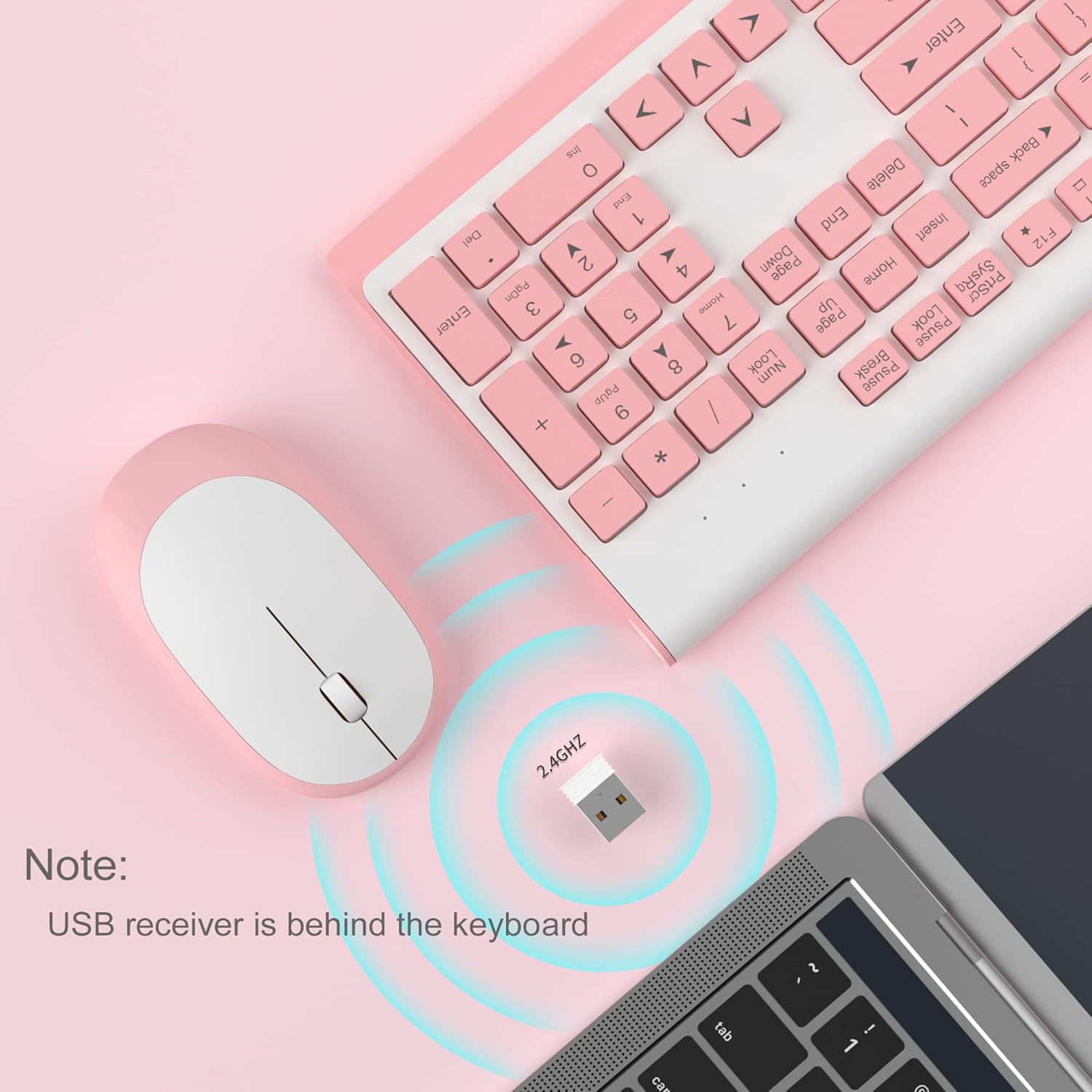
Image 3.2: USB receiver connection and storage location.

Image 3.3: 2.4G wireless connection diagram.
3.3. מאַכט אויף
Ensure the power switches on both the keyboard and mouse are in the 'ON' position. The devices should now be ready for use.
4. אַפּערייטינג ינסטרוקטיאָנס
4.1. קלאַוויאַטור פאַנגקשאַנז
The V650 keyboard features a standard 104-key layout, including a full number pad for data entry and dedicated arrow keys. The keys are designed for quiet and responsive typing.
מולטימעדיאַ שאָרטקאַץ
The keyboard includes 12 multimedia shortcuts accessible by pressing the Fn key in combination with the F1-F12 function keys. These shortcuts allow quick access to common functions such as volume control, media playback, and more.

Image 4.1: Keyboard multimedia function key combinations.
| קאָמבינאַציע | פֿונקציע |
|---|---|
| Fn + F1 | מולטימעדיאַ |
| Fn + F2 | באַנד - |
| Fn + F3 | באנד + |
| Fn + F4 | שטום |
| Fn + F5 | פֿריִערדיקע שפּירט |
| Fn + F6 | ווייַטער שפּור |
| Fn + F7 | שפּיל / פּויזע |
| Fn + F8 | האַלטן |
| Fn + F9 | האָמעפּאַגע |
| Fn + F10 | E- פּאָסט |
| Fn + F11 | מיין קאָמפּיוטער |
| Fn + F12 | פאַוואָריטעס |
4.2. מויז פונקציעס
The wireless mouse offers precise 1200 DPI tracking and quiet clicks. It features standard left and right click buttons and a scroll wheel for navigation.

Image 4.2: Mouse features: 1200 DPI and quiet operation.
4.3. אויטאָמאַטישער שלאָף מאָדע
To conserve battery life, both the keyboard and mouse will enter an automatic sleep mode after a period of inactivity. To wake them up, simply press any key on the keyboard or move the mouse.
5. וישאַלט און קער
- רייניקונג: ניצט אַ ווייכע, טרוקענע שטאָף צו רייניקן די ייבערפלאַכן פון דער קלאַוויאַטור און מויז. פֿאַר שווערע שמוץ, ניצט אַ ביסל טרוקן שטאָף.amp cloth can be used, but ensure no liquid enters the devices. Avoid harsh chemicals or abrasive cleaners.
- באַטערי פאַרבייַט: Replace batteries when performance degrades or devices stop responding. Always use new batteries of the specified type (AAA for keyboard, AA for mouse) and dispose of old batteries responsibly.
- סטאָרידזש: When not in use for extended periods, turn off the devices to save battery life. Store the USB receiver in its dedicated slot on the keyboard to prevent loss.
- סוויווע: Avoid exposing the devices to extreme temperatures, direct sunlight, or excessive moisture.
6. טראָובלעשאָאָטינג
If you encounter issues with your MageGee V650 combo, please refer to the following common solutions:
- No Connection / Lag:
- Ensure both the keyboard and mouse are powered on and have fresh batteries.
- איבערצייגט אז דער USB ריסיווער איז זיכער אריינגעשטעקט אין א ארבעטנדיקן USB פארט אויף אייער קאמפיוטער.
- פּרוּווט פּלאַגינג די וסב ופנעמער אין אַ אַנדערש וסב פּאָרט.
- Move the keyboard and mouse closer to the USB receiver to ensure they are within the 10-meter operating range.
- פֿאַרמײַדט צו שטעלן דעם ופנעמער לעבן אַנדערע וויירלעסע דעוויסעס אָדער גרויסע מעטאַלענע אָביעקטן וואָס קענען פאַרשאַפן שטערונג.
- Keys Not Responding / Stuck Keys:
- קאָנטראָלירן די באַטאַרייע לעוועלס און פאַרבייַטן אויב נייטיק.
- Gently clean around the affected keys to remove any debris that might be causing them to stick.
- מאַכט ווידער די פֿאַרבינדונג דורך אַרויסציען און ווידער אַרײַנשטעקן דעם USB ופנעמער.
- Mouse Not Working / Cursor Jumps:
- Ensure the mouse has a fresh AA battery and is powered on.
- רייניקט דעם אָפּטישן סענסאָר אויף דער אונטערשטער זײַט פֿון דער מויז.
- ניצט די מויז אויף אַ פּאַסיקער ייבערפלאַך (נישט שטאַרק רעפלעקטיוו אָדער טראַנספּאַרענט).
- מאַכט ווידער די פֿאַרבינדונג דורך אַרויסציען און ווידער אַרײַנשטעקן דעם USB ופנעמער.
- Letters Fading on Keys:
- This is typically a result of prolonged use and wear. While not a functional defect, it can affect visibility.
7. פּראָדוקט ספּעסאַפאַקיישאַנז
| שטריך | דעטאַל |
|---|---|
| מאָדעל | V650 |
| קאַנעקטיוויטי טעכנאָלאָגיע | 2.4G Wireless (Radio Frequency), USB Receiver |
| קלאַוויאַטור אויסלייג | Full Size, 104 Keys with Number Pad and 12 Multimedia Shortcuts |
| קלאַוויאַטור טיפּ | Scissor-cross low profile, Quiet Keys |
| מויז דפּי | 1200 דפּי |
| קאַמפּאַטאַבאַל דעוויסעס | PC, Desktop, Laptop, Notebook |
| אַפּערייטינג סיסטעמס | Windows XP / Vista / 7/8/10 |
| קלאַוויאַטור דימענסיאָנס | 16.06 x 6.6 x 1.3 אינטשעס (אומגעפער 40.8 x 16.8 x 3.3 ס״מ) |
| מויז דימענשאַנז | 4.25 x 2.4 x 1.18 אינטשעס (אומגעפער 10.8 x 6.1 x 3 ס״מ) |
| פּונקט וואָג | 1.63 פונט (אומגעפער 0.74 ק"ג) |
| קלאַוויאַטור באַטערי | 2 X AAA באַטעריז |
| מויז באַטערי | קסנומקס רענטגענ אַאַ באַטערי |
| ספּעציעלע שטריך | Round Keycaps, Ultra-Thin Design, Automatic Sleep Mode |

בילד 7.1: פּראָדוקט דימענסיעס.
8. גאַראַנטיע און קונה שטיצע
MageGee products are designed for reliability and performance. For any warranty inquiries, technical support, or assistance with your product, please contact MageGee customer support through the retailer where you purchased the item or visit the official MageGee store online.
איר קענט געפֿינען מער אינפֿאָרמאַציע און קאָנטאַקט דעטאַלן בײַ MageGee Store on Amazon.