1. הקדמה
א דאנק פארן קויפןasing the Karlsson Bamboo Mini Cube Alarm Clock. This compact and stylish alarm clock features a digital display, time and temperature functions, and an adjustable alarm volume. Please read this manual carefully before using the product to ensure proper operation and to maximize its lifespan.
2. זיכערקייַט אינפֿאָרמאַציע
- שטעלט נישט אויס דעם אפאראט צו עקסטרעמע טעמפעראטורן, דירעקטע זונשייַן, אדער הויכע הומידיטי.
- ויסמיידן דראַפּינג אָדער אונטערטעניק די מיטל צו שטאַרק ימפּאַקץ.
- פרובירט נישט צו צענעמען אדער פאררעכטן דעם אפאראט אליין. לאָזט איבער אלע סערוויסעס צו קוואַליפֿיצירטע פּערסאָנעל.
- Use only the specified power source (3 AAA batteries or compatible power cable).
- האַלטן אויס פון דערגרייכן פון קינדער.
3. פּעקל אינהאַלט
- Karlsson Bamboo Mini Cube Alarm Clock
- באַניצער מאַנואַל
Note: 3 AAA batteries and a power cable are not included and must be purchased separately.
4. פּראָדוקט איבערview
Familiarize yourself with the main components of your alarm clock.

פיגורע 4.1: פראָנט view of the Karlsson Bamboo Mini Cube Alarm Clock displaying the time.
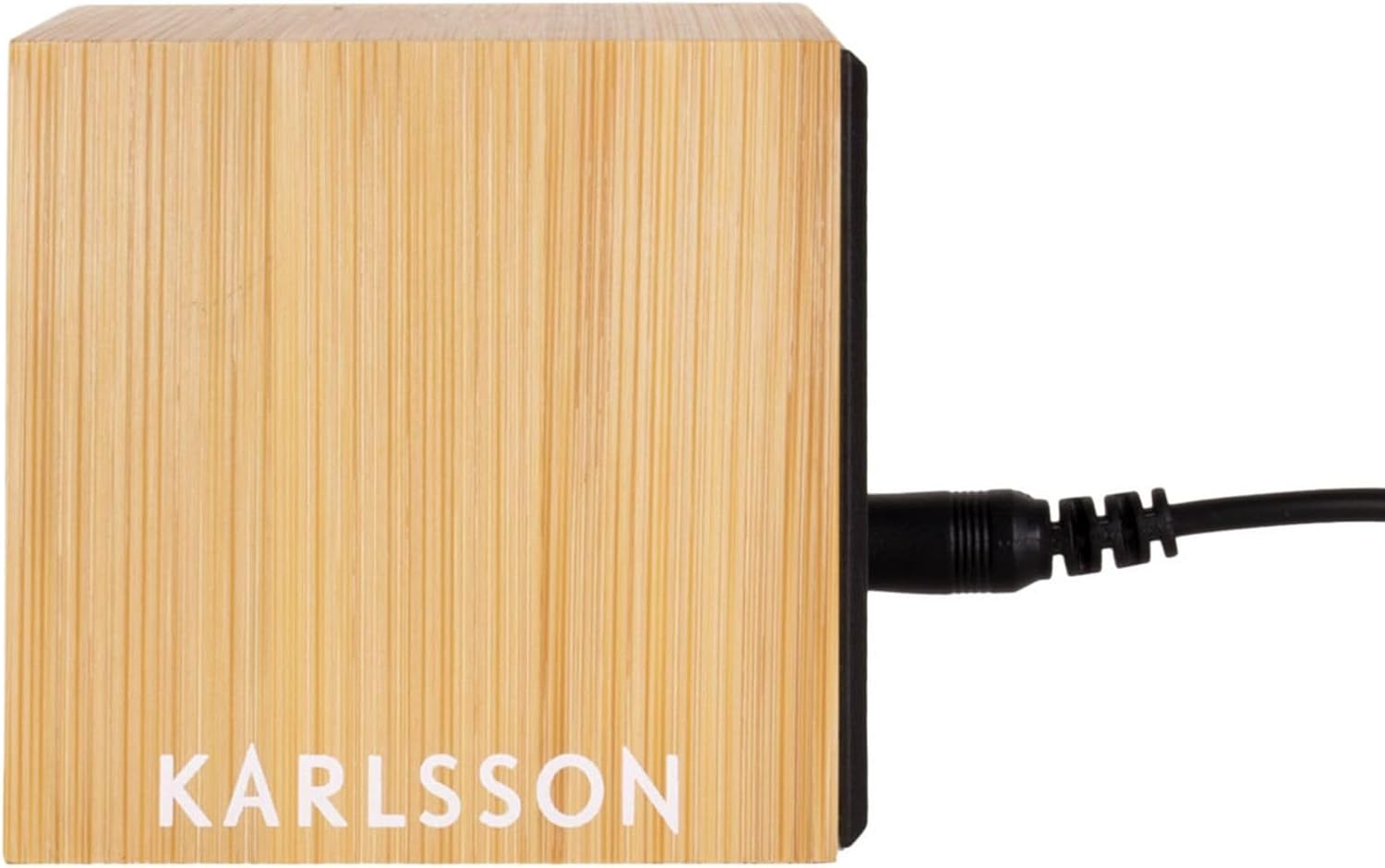
פיגורע 4.2: דערציען view of the alarm clock, showing the power input port.
The clock features a light brown bamboo casing with a black digital display. Control buttons are typically located on the back or bottom of the unit for setting time, alarm, and other functions.
5. סעטאַפּ
5.1. פּאַוערינג די מיטל
The alarm clock can be powered by 3 AAA batteries or via a compatible power cable (not included).
5.1.1. באַטאַרייע ייַנמאָנטירונג
- געפינט דעם דעקל פונעם באַטעריע־אָפּטייל אויף דער הינטערשטער אָדער אונטערשטער זײַט פונעם זייגער.
- אַראָפּנעמען די דעקל.
- Insert 3 new AAA batteries, ensuring correct polarity (+ and -).
- פאַרבייַטן די באַטאַרייע אָפּטייל דעקן סיקיורלי.
5.1.2. Power Cable Connection (Optional)
- Locate the power input port on the back of the clock (refer to Figure 4.2).
- Connect a compatible power cable (e.g., USB cable with appropriate adapter) to the port.
- צאַפּן די אנדערע סוף פון די קאַבלע אין אַ מאַכט מקור.
Note: Using the power cable may provide a continuous display, while battery power might activate the display only when sound is detected or a button is pressed to conserve energy.
6. אַפּערייטינג ינסטרוקטיאָנס
The clock typically has buttons for SET, UP, and DOWN, or similar controls.
6.1. באַשטעטיקן די צייט
- דרוק די שטעלן button (or equivalent) to enter time setting mode. The hour digits will typically flash.
- ניצן די UP און אַראָפּ קנעפּלעך צו סטרויערן די שעה.
- דרוק שטעלן again to move to the minute setting. The minute digits will flash.
- ניצן די UP און אַראָפּ קנעפּלעך צו סטרויערן די מינוט.
- דרוק שטעלן נאך א מאל צו באשטעטיגן און ארויסגיין פון צייט איינשטעלונג מאָדע.
6.2. באַשטעטיקן די שרעק
- דרוק די שרעק קנעפּל (אדער דריקן שטעלן multiple times until alarm icon flashes). The alarm hour digits will flash.
- ניצן די UP און אַראָפּ קנעפּלעך צו שטעלן די געוואונטשענע אַלאַרם שעה.
- דרוק שרעק (אָדער שטעלן) again to move to the alarm minute setting.
- ניצן די UP און אַראָפּ קנעפלעך צו שטעלן די געוואונטשענע שרעק מינוטן.
- דרוק שרעק (אָדער שטעלן) צו באַשטעטיקן.
- To activate/deactivate the alarm, look for a dedicated alarm ON/OFF switch or a specific button press sequence (e.g., short press of שרעק button). An alarm icon will typically appear on the display when active.
6.3. טעמפּעראַטורע ווייַז
The clock automatically displays the ambient temperature. This display may alternate with the time display or be shown simultaneously, depending on the model. No user input is typically required for this function.
6.4. אַדזשאַסטירן אַלאַרם באַנד
Some models allow adjustment of the alarm volume. Look for dedicated volume buttons (VOL+ / וואָל-) or a setting within the alarm setup menu. Consult the specific button labels on your device.
7. וישאַלט
- רייניקט די זייגער'ס אויבערפלאך מיט א ווייכן, טרוקענעם טוך. ניצט נישט קיין שרײַבנדיקע רייניגער אדער סאָלווענטן.
- If using batteries, replace them promptly when the display dims or functions become erratic. Remove batteries if the clock will not be used for an extended period to prevent leakage.
8. טראָובלעשאָאָטינג
| פּראָבלעם | מעגלעך סיבה | לייזונג |
|---|---|---|
| דער עקראַן איז ליידיק אָדער טונקל. | Low batteries or no power connection. | פאַרבייַטן באַטעריז אָדער פאַרבינדן צו אַ מאַכט מקור. |
| דער אַלאַרם קלינגט נישט. | אַלאַרם נישט אַקטיוויזירט אָדער פאַלש געשטעלט. | Ensure alarm is ON and set to the correct time. Check alarm volume. |
| די צייט איז נישט ריכטיק. | Time not set or power interruption. | Reset the time according to Section 6.1. |
| טעמפּעראַטור מעסטונג מיינט נישט ריכטיק. | Device placed near heat source/vent or in direct sunlight. | Move the clock to a location with stable ambient temperature. |
9. ספּעסאַפאַקיישאַנז
- סאָרט: קאַרלסאָן
- מאָדעל נומער: PTG-KA5723
- קאָליר: White (Note: Product description states Light Brown, but specifications list White. User should refer to product packaging for exact color.)
- פּראָדוקט דימענשאַנז (L x W x H): 16 X 3.81 X 12.19 סענטימעטער (6.3 X 1.5 X 4.8 אינטשעס)
- מאַטעריאַל: Wood (Bamboo)
- פֿעיִקייטן: Calendar display, Alarm
- נומער וואָג: 420 גראַמז (0.93 לבס)
- ווייַז טיפּ: דיגיטאַל
- מאַכט מקור: Battery Powered (3 AAA batteries, not included), optional power cable
10. וואָראַנטי און שטיצן
For warranty information and customer support, please refer to the documentation provided with your purchase or contact the retailer where the product was acquired. You may also visit the official Karlsson webפּלאַץ פֿאַר ווייַטער הילף.


