1. הקדמה
This manual provides essential information for the proper installation, configuration, and operation of your Hikvision Turbo HD DVR 8-Channel, model DS-7108HGHI-K1(S). Please read this manual thoroughly before using the device to ensure safe and efficient operation. Keep this manual for future reference.
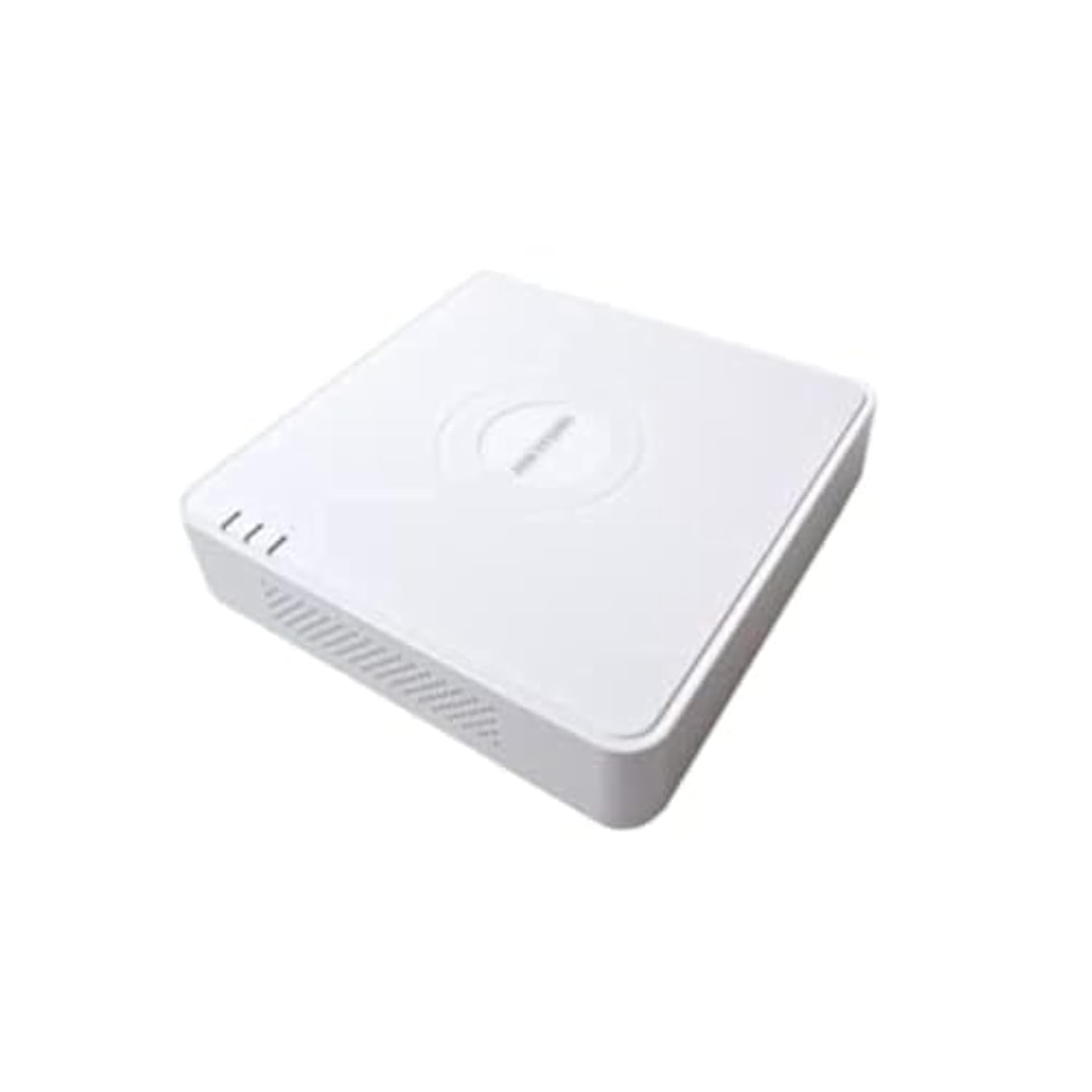
This image shows the Hikvision Turbo HD DVR unit from a front-side perspective, highlighting its compact design, ventilation grilles, and status indicator lights.
2. פּראָדוקט פֿעיִקייטן
- High-definition 8-channel Turbo HD DVR
- Supports audio transmission over coaxial cable
- Equipped with one SATA interface for storage
- שטאַרקע פּלאַסטיק casing for protection
- Video encoding capabilities up to 1080p Lite at 15 frames per second
- Advanced video compression: H.265 Pro+/H.265 Pro/H.265
3. סעטאַפּ גייד
3.1 אַנפּאַקינג און דורכקוק
Carefully unpack the DVR and all accessories. Verify that all components are present and undamaged. If any items are missing or damaged, contact your supplier immediately.
3.2 פֿאַרבינדן דעם DVR
- Connect Hard Drive (if not pre-installed): עפֿנט דעם DVR casing, connect the SATA data and power cables to the hard drive, and secure the drive.
- פֿאַרבינדן קאַמעראַס: Connect your Turbo HD cameras to the BNC video input ports on the rear panel.
- פֿאַרבינדן מאָניטאָר: ניצט אַן HDMI אדער VGA קאַבל צו פאַרבינדן אַ מאָניטאָר צו די קאָרעספּאָנדירנדיקע אַוטפּוט פּאָרט אויף די DVR.
- פאַרבינדן מויז: שטעקט אריין די USB מויז אין א USB פארט אויף די DVR.
- פאַרבינדן נעץ: Connect an Ethernet cable from your router/switch to the LAN port on the DVR for network access and remote viewing.
- פאַרבינדן מאַכט: Connect the power adapter to the DVR's power input and then to a power outlet. The DVR will power on automatically.
3.3 ערשט קאַנפיגיעריישאַן
Upon first power-on, the DVR will guide you through an initial setup wizard. This includes setting up a strong password, configuring network settings, and initializing the hard drive. Follow the on-screen prompts to complete the setup.
4. אַפּערייטינג ינסטרוקטיאָנס
4.1 לעבן View
נאך דער ערשטער סעטאַפּ, וועט דער DVR ווייזן די לעבעדיגע view from all connected cameras on the monitor. You can switch between single-camera view און מולטי-קאַמעראַ גריד view ניצנדיק די קאָנטראָלן אויפן עקראַן אָדער מויז.
4.2 רעקאָרדינג
The DVR is typically configured for continuous recording by default. You can access the recording schedule settings via the main menu to customize recording modes (e.g., motion detection, scheduled recording) for each channel.
4.3 פּלייבאַק
צו שייַעךview רעקאָרדעד פוtage, navigate to the Playback menu. Select the desired camera(s) and time range. You can use the timeline and playback controls to fast forward, rewind, or pause the video.
4.4 רימאָוט אַקסעס
פֿאַר ווייַט viewing on a mobile device or computer, ensure the DVR is connected to the internet. Download the official Hik-Connect app (or client software) and follow the instructions to add your DVR using its serial number or QR code. This allows you to view live feeds and playback recordings from anywhere with an internet connection.
5. וישאַלט
5.1 רעגולער רייניקונג
Keep the DVR clean by wiping its exterior with a soft, dry cloth. Ensure ventilation openings are free from dust and obstructions to prevent overheating.
5.2 פירמוואַרע דערהייַנטיקונגען
קאָנטראָלירט פּעריִאָדיש דעם Hikvision באַאַמטער website for firmware updates. Keeping your DVR's firmware up-to-date ensures optimal performance, security, and access to new features. Follow the provided instructions carefully when performing updates.
5.3 דאַטאַ באַקקופּ
רעגלמעסיג באַקאַפּן וויכטיקע ווידעאָ טעקעסtage to an external USB drive or network storage. This helps prevent data loss in case of hard drive failure or other unforeseen issues.
6. טראָובלעשאָאָטינג
6.1 קיין ווידעא ארויסגאַנג
- Check all video cable connections (BNC, HDMI, VGA) to ensure they are secure.
- באַשטעטיקן אַז דער מאָניטאָר איז אנגעצונדן און איינגעשטעלט צו דער ריכטיקער אינפוט מקור.
- Ensure cameras are powered and functioning correctly.
6.2 נעץ פֿאַרבינדונג פּראָבלעמען
- Confirm the Ethernet cable is properly connected to both the DVR and the router/switch.
- Check network settings in the DVR menu (IP address, gateway, DNS). Ensure they are correct for your network.
- Restart your router/switch and the DVR.
6.3 פּראָבלעמען מיטן רעקאָרדירן
- Verify that a hard drive is installed and properly initialized.
- Check the recording schedule and settings for the affected channels.
- זייט זיכער אז עס איז גענוג פריי פלאץ אויף דער הארט דרייוו.
7. ספּעסאַפאַקיישאַנז
| שטריך | דעטאַל |
|---|---|
| פאַבריקאַנט | Hikvision |
| מאָדעל נומער | DS-7108HGHI-K1(S) |
| פּראָדוקט דימענשאַנז (ב רענטגענ ד x ה) | 10 x 10 x 3 cm (approximate, based on video) |
| פּונקט וואָג | 1000 גראַם (1 ק"ג) |
| קאַנעקטיוויטי טעכנאָלאָגיע | עטהערנעט |
| קאַמפּאַטאַבאַל דעוויסעס | אַפּאַראַט |
| זכּרון סטאָרידזש קאַפּאַסיטי | 4 Terabytes (HDD not included) |
| שווער דיסק גרייס | 4 Terabytes (Maximum supported) |
| מאַכט קאַנסאַמשאַן | 17 וואטס |
| נומער פון טשאַנאַלז | 8 |
| דיגיטאַל ווידעא מעדיע פֿאָרמאַט | mp4 |
8. וואָראַנטי און שטיצן
For specific warranty terms and conditions, please refer to the documentation provided with your purchase or contact Hikvision directly. Technical support may be available through the Hikvision official website or your authorized dealer.


