הקדמה
Welcome to the user manual for your Ttec AirBeat Lite 2 True Wireless Stereo (TWS) Bluetooth Headset. This manual provides detailed instructions on how to set up, operate, and maintain your headset to ensure optimal performance and longevity. Please read this manual carefully before using your device.
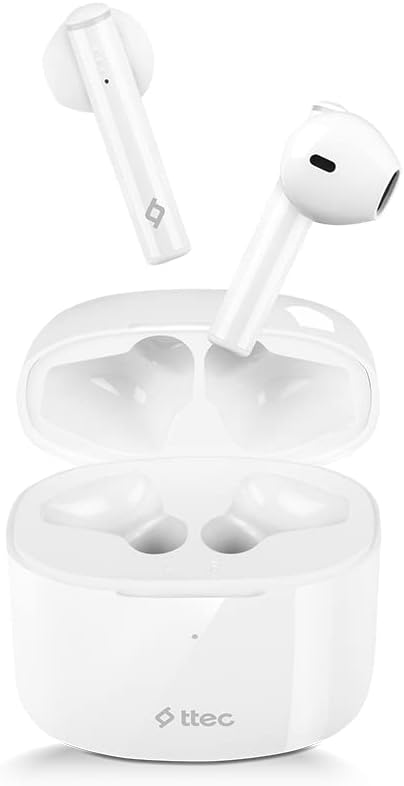
Image: The Ttec AirBeat Lite 2 earbuds resting in their open charging case, showcasing their compact and sleek white design.
וואָס איז אין די קעסטל
Upon opening your Ttec AirBeat Lite 2 package, you should find the following components:
- Ttec AirBeat Lite 2 True Wireless Earbuds (Left and Right)
- טשאַרדזשינג קאַסע
- USB טשאַרדזשינג קאַבל (טיפּ-C, טיפּיש)
- באַניצער מאַנואַל (דעם דאָקומענט)
- Ear Cushions (pre-installed or additional sizes, as per product specifications)
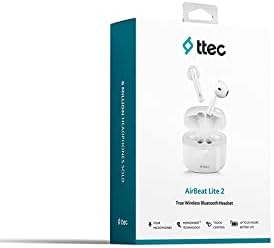
Image: The retail packaging for the Ttec AirBeat Lite 2 headset, displaying the product image and brand logo.
סעטאַפּ
1. Charging the Headset and Case
Before first use, it is recommended to fully charge both the earbuds and the charging case. The charging case acts as a portable power bank for your earbuds.
- טשאַרדזשינג די קאַסטן: Connect the provided USB charging cable to the charging port on the case and plug the other end into a USB power adapter (not included) or a computer's USB port. The indicator light on the case will show charging status.
- טשאַרדזשינג די עאַרבודז: Place the earbuds into their respective slots in the charging case. Ensure they are correctly seated. The earbuds will automatically begin charging.

Image: The Ttec AirBeat Lite 2 charging case with earbuds, illustrating battery life and quick charge capabilities. A 15-minute charge provides 1 hour of use, with 6 hours of earbud charge life and 26 hours total with the case.
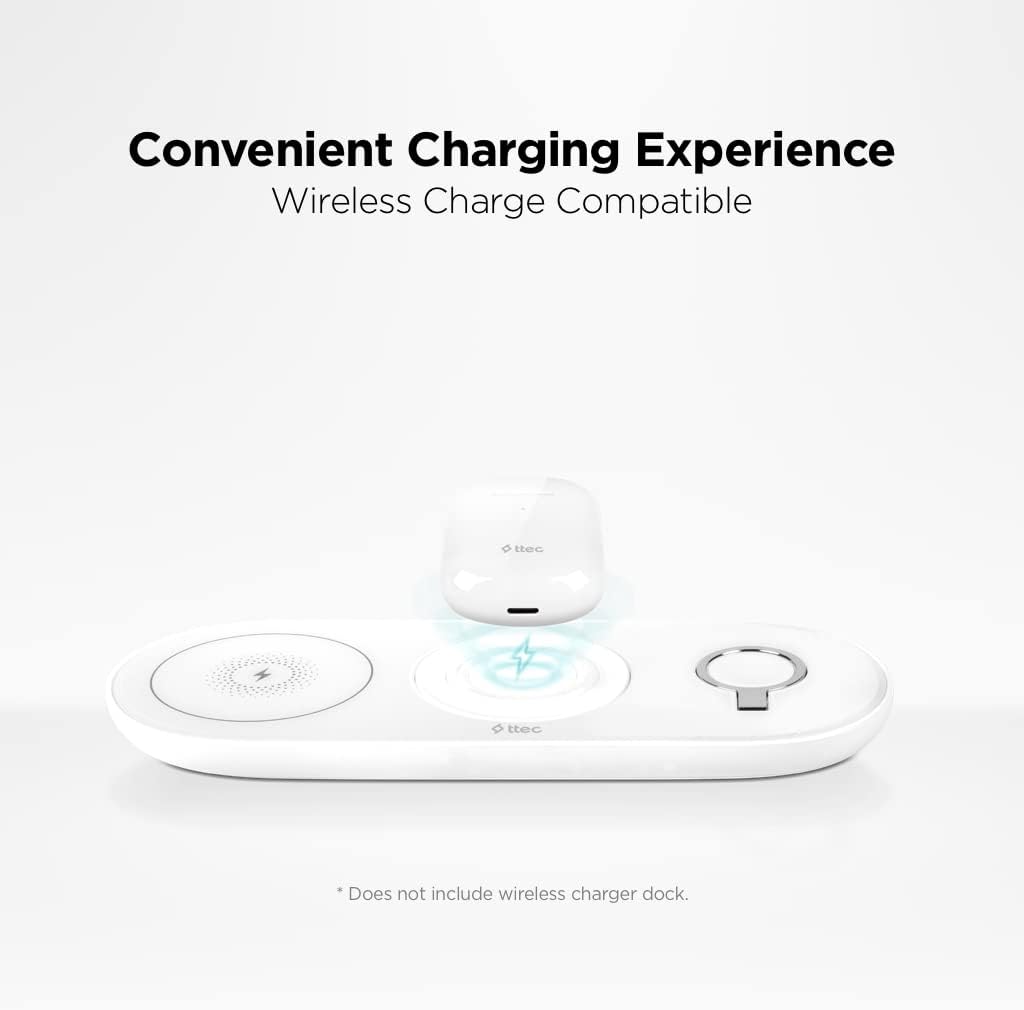
Image: The Ttec AirBeat Lite 2 charging case placed on a wireless charging pad, demonstrating its wireless charge compatibility. Note: Wireless charger dock is not included.
2. פּערינג מיט אַ מיטל
The Ttec AirBeat Lite 2 uses Bluetooth 5.0 for a fast and stable connection.
- זיכער מאַכן אַז די אויערקנעפּלעך זענען אויפגעלאָדן און געלייגט אין די טשאַרדזשינג קעסטל.
- עפֿנט דעם טשאַרדזשינג קעסטל. די אויערקנעפּלעך וועלן אויטאָמאַטיש אַרײַן אין פּערינג מאָדע (די אינדיקאַטאָר ליכטלעך קענען בליצן).
- אויף אייער דעווייס (סמאַרטפאָן, טאַבלעט, לאַפּטאָפּ), גייט צו בלועטוט סעטטינגס און אַקטיווירט בלועטוט.
- זוכן פֿאַר available devices. Select "Ttec AirBeat Lite 2" from the list.
- אַמאָל פארבונדן, וועלן די אויערקנעפּלעך אָנווייַזן אַ געראָטענע פּאָרינג (למשל, אַ שטימע פּראָמפּט אָדער אַ קאָנסטאַנט ליכט).
The earbuds support MonoSmart Technology, allowing both earbuds to be used independently. You can connect either the left or right earbud alone if desired.

Image: A person wearing a Ttec AirBeat Lite 2 earbud, illustrating the fast and easy Bluetooth 5.0 connection technology.
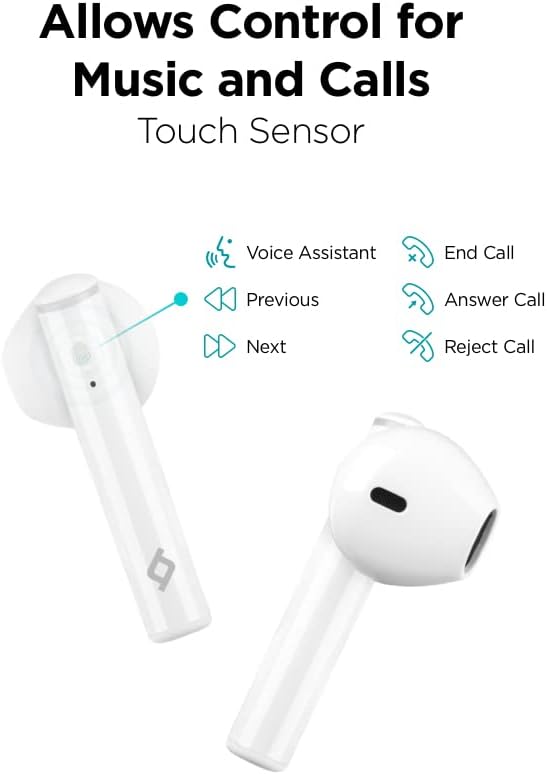
Image: A person using a single Ttec AirBeat Lite 2 earbud, demonstrating the MonoSmart Technology that allows independent use of either earbud.
אַפּערייטינג ינסטראַקשאַנז
ריר קאָנטראָלס
The Ttec AirBeat Lite 2 features intuitive touch sensors on each earbud for easy control of music playback and calls.

Image: A close-up of the Ttec AirBeat Lite 2 earbud, highlighting the touch sensor area and illustrating various control functions: Voice Assistant, Previous/Next track, End/Answer/Reject Call.
| קאַמף | פֿונקציע |
|---|---|
| איין טאַפּ | שפּילן/פּויזירן מוזיק, ענטפֿערן/ענדיגן רוף |
| טאָפּל צאַפּן (לינקס עאַרבוד) | פֿריִערדיקע שפּירט |
| טאָפּל צאַפּן (רעכט עאַרבוד) | ווייַטער שפּור |
| דרייַיק טאַפּ | אַקטאַווייט די קול אַססיסטאַנט |
| לאנג דרוק (2 סעקונדעס) | אָפּוואַרפן רופן |
Music and Call Quality
The Ttec AirBeat Lite 2 delivers an impressive music experience with superior sound and deep bass. For calls, it features 4 microphones and ENC (Environmental Noise Cancelling) technology, ensuring excellent call clarity by reducing background noise.
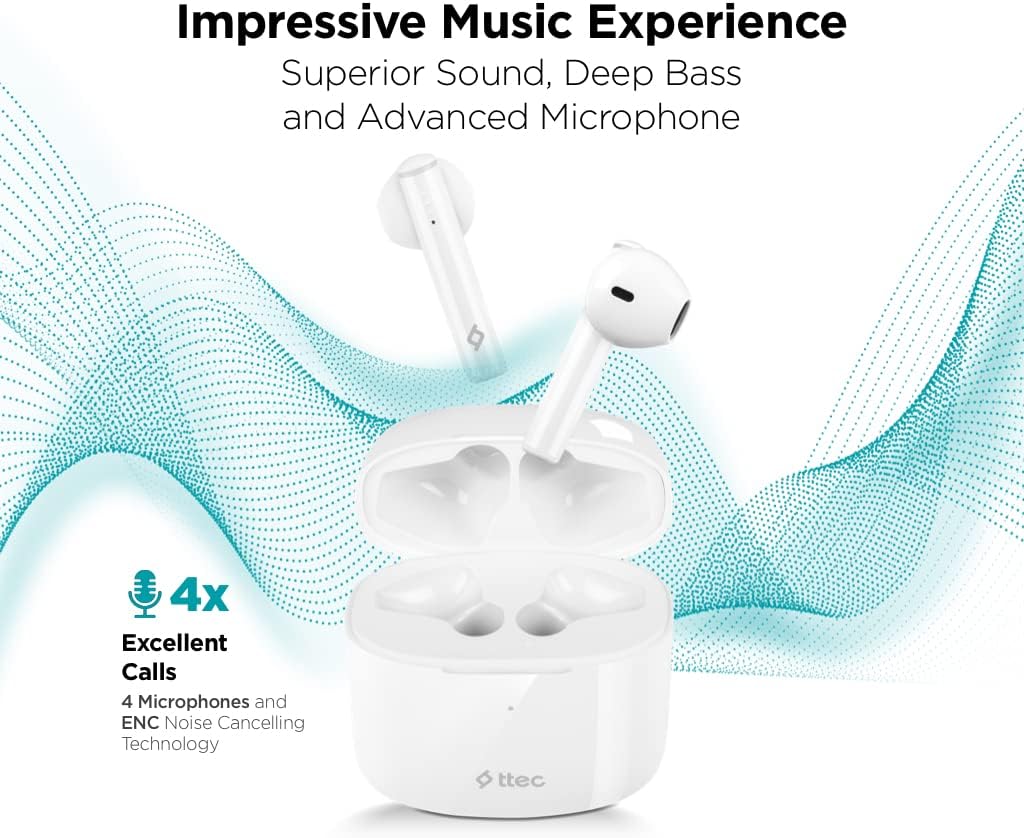
Image: The Ttec AirBeat Lite 2 earbuds in their case, surrounded by sound wave graphics, highlighting superior sound, deep bass, advanced microphone, and 4x excellent calls with ENC Noise Cancelling Technology.
וישאַלט
Proper maintenance ensures the longevity and optimal performance of your Ttec AirBeat Lite 2 headset.
- רייניקונג: Regularly clean the earbuds and charging case with a soft, dry, lint-free cloth. Do not use abrasive cleaners or solvents. Gently remove any earwax or debris from the earbud tips and speaker mesh using a small, soft brush or cotton swab.
- סטאָרידזש: ווען נישט אין באַנוץ, לייגט די אויערן-קנעפּלעך אין זייער טשאַרדזשינג קעסטל צו באַשיצן זיי פון שטויב, שמוץ און גשמיות שעדיקן. לייגט די קעסטל אין אַ קיל, טרוקן אָרט אַוועק פון דירעקט זונשייַן און עקסטרעמע טעמפּעראַטורן.
- וואַסער קעגנשטעל: The earbuds are IPX4 rated, meaning they are sweat and water resistant. This protects them from splashing water from any direction. However, they are not waterproof and should not be submerged in water or exposed to heavy rain. Dry them thoroughly if they get wet.
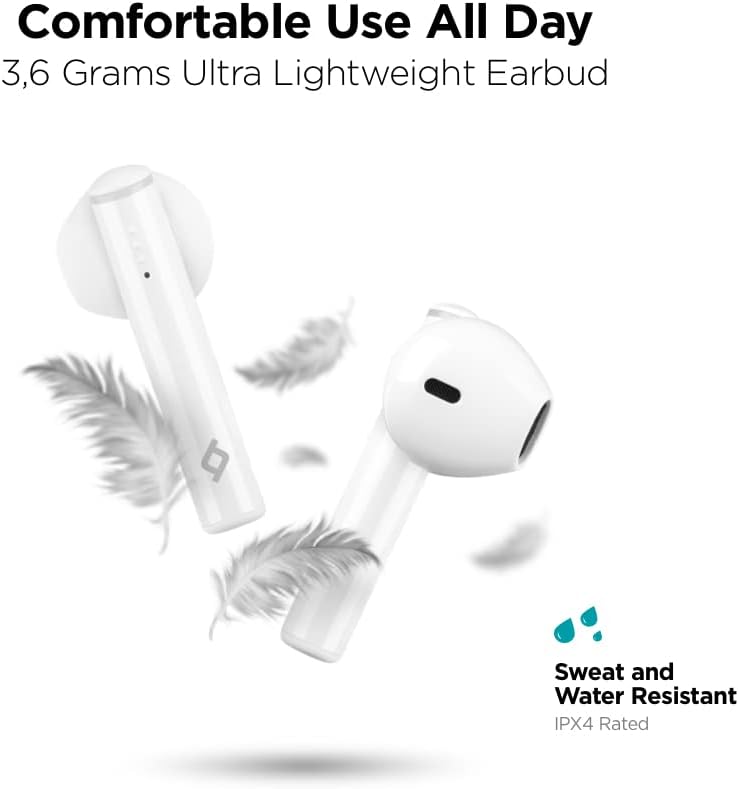
Image: Ttec AirBeat Lite 2 earbuds floating among feathers, emphasizing their ultra-lightweight design (3.6 grams) and highlighting their IPX4 sweat and water resistance.
טראָובלעשאָאָטינג
If you encounter any issues with your Ttec AirBeat Lite 2 headset, try the following troubleshooting steps:
- No Sound from Earbuds:
- זיכער מאַכן אַז די אויערקנעפּלעך זענען אויפֿגעלאָדן.
- קאָנטראָלירט צי די אויערקנעפּלעך זענען ריכטיק צוגעפּאַסט מיט אייער דעווייס.
- פֿאַרגרעסערט דעם קול אויף ביידע אייער דעווייס און די אויערקנעפּלעך.
- פרובירט ווידער צו פארבינדן די אויערקנעפלעך.
- עאַרבודז ניט פּערינג:
- מאַכן זיכער אַז בלועטאָאָטה איז ענייבאַלד אויף דיין מיטל.
- Make sure the earbuds are in pairing mode (open case).
- אויסלעשן בלוטוט אויף אנדערע נירביי דעוויסעס וואָס קען פּרובירן צו פאַרבינדן.
- Forget "Ttec AirBeat Lite 2" from your device's Bluetooth list and try pairing again.
- טשאַרדזשינג ישוז:
- זיכער מאַכן אַז דער טשאַרדזשינג קאַבל איז זיכער פארבונדן צו ביידע דעם קעסטל און די מאַכט מקור.
- פּרוּווט אַ אַנדערש וסב קאַבלע אָדער מאַכט אַדאַפּטער.
- רייניקט די טשאַרדזשינג קאָנטאַקטן אויף ביידע די אויערקנעפּלעך און די קעסטל.
- ינטערמיטאַנט קשר:
- Ensure your device is within the Bluetooth range (typically 10 meters/33 feet) without significant obstacles.
- פֿאַרמײַדן שטאַרקע עלעקטראָמאַגנעטישע שטערונגען.
- Try restarting both the earbuds (by placing them in the case and closing it) and your connected device.
אויב די פראבלעם בלייבט, ביטע זעט די שטיצע סעקציע פאר ווייטערדיגע הילף.
ספּעסאַפאַקיישאַנז
| שטריך | דעטאַל |
|---|---|
| מאָדעל נאָמען | AirBeat Lite 2 |
| קאַנעקטיוויטי טעכנאָלאָגיע | ווירעלעסס (בלועטאָאָטה) |
| ווירעלעסס קאָמוניקאַציע טעכנאָלאָגיע | בלועטאָאָטה 5.0 |
| אַרייַנגערעכנט קאַמפּאָונאַנץ | Ear Cushions, USB Charging Cable |
| מאַטעריאַל | פּלאַסטיק |
| ספּעציפיש ניצט | Travel, Everyday Use |
| קאַמפּאַטאַבאַל דעוויסעס | Cellphones, Television, Tablets, Telephones, Laptops, Desktops, Smart Speaker |
| קאָנטראָל טיפּ | ריר קאָנטראָל |
| אויער פּלייסמאַנט | אין אויער |
| פאָרם פאַקטאָר | אין אויער |
| ראַש קאָנטראָל | ענוויראָנמענטאַל ראַש קאַנסאַלינג (ENC) |
| עאַרבוד ווייט | 3.6 grams (approx. per earbud) |
| IP שאַץ | IPX4 (שווייס און וואַסער קעגנשטעליק) |
| באַטעריע לעבן (אויערקנעפּלעך) | 6 שעה (בעערעך) |
| גאַנץ באַטאַרייע לעבן מיט קעסטל | 26 שעה (בעערעך) |
Note: Some specifications from raw data have been refined for accuracy based on product images and primary description (e.g., ENC instead of ANC, earbud weight instead of package weight).
זיכערקייַט אינפֿאָרמאַציע
ביטע לייענט און פאלגט די זיכערהייט גיידליינז צו פאַרמייַדן שעדיקן צו אייער מיטל אָדער שאָדן צו זיך:
- דו זאלסט נישט דיסאַסעמבאַל, פאַרריכטן אָדער מאָדיפיצירן די פּראָדוקט.
- האַלט דעם אַפּאַראַט אַוועק פון עקסטרעמע טעמפּעראַטורן, הומידיטי און קאָראָזיווע סאַבסטאַנצן.
- ויסמיידן דראַפּינג אָדער אונטערטעניק די מיטל צו שטאַרק ימפּאַקץ.
- שטעלט נישט אויס דעם טשאַרדזשינג קעסטל צו וואַסער אָדער פייכטקייט.
- ניצט נאָר באַשטעטיקטע טשאַרדזשינג קייבאַלז און אַדאַפּטערס.
- פארלענגערטע אויסשטעלונג צו הויכע קלאנגען קען שאדן דעם הערן. שטעלט אפ דעם וואליום צו א מיטלמעסיגן לעוועל.
- Be aware of your surroundings when using earbuds, especially in traffic or dangerous situations.
- אָפּזאָגן דעם פּראָדוקט ריספּאַנסאַבלי לויט די היגע רעגיאַליישאַנז.
וואָראַנטי און שטיצן
Ttec products are designed for quality and reliability. For warranty information and customer support, please refer to the official Ttec webזייטל אדער קאָנטאַקט אייער לאקאלן הענדלער.
For technical assistance or inquiries, please visit the Ttec support page or contact their customer service directly. Keep your purchase receipt as proof of purchase for warranty claims.
אָנליין רעסורסן:
- Official Ttec Webפּלאַץ: www.ttec.com.tr (ביטע באַשטעטיקן די ריכטיקע רעגיאָנאַלע webוועבזייטל פֿאַר שטיצע)


