הקדמה
Thank you for choosing the Kipcush K1 White Noise Machine. This device is designed to create a peaceful environment, aiding in relaxation and sleep for individuals of all ages. It features 14 high-fidelity sounds, an adjustable night light, and convenient timer and memory functions. Please read this manual thoroughly to ensure proper use and maintenance of your device.
זיכערקייַט אינפֿאָרמאַציע
וואָרענען:
- For adult use only. Do not leave within reach of children without supervision.
- Unplug the device from the power outlet when not in use or during cleaning.
- Avoid prolonged exposure to high sound levels to prevent potential hearing damage.
- שטעלט נישט אויס דעם אפאראט צו וואסער אדער איבעריגע פייכטקייט.
- דו זאלסט נישט פּרווון צו דיסאַסעמבאַל אָדער פאַרריכטן די מיטל זיך. קאָנטאַקט קונה שטיצן פֿאַר הילף.
פּעקל אינהאַלט
- Kipcush K1 White Noise Machine
- מאַכט אַדאַפּטער
- באַניצער מאַנואַל

פּראָדוקט איבערview
The Kipcush K1 features an intuitive design with touch controls for easy operation.

קאָנטראָלס:
- Top Touch Grille: Used for turning the night light on/off and adjusting light settings.
- באַנד קנעפּלעך (+/-): Located on the side, these buttons adjust the sound volume.
- Timer Button (T): Located on the side, this button cycles through timer options.
- Sound Selection Buttons: Located on the top ring, these buttons allow you to cycle through the available soundscapes.
סעטאַפּ
- ופשליסן די מאַשין: Carefully remove the Kipcush K1 White Noise Machine and its accessories from the packaging.
- פאַרבינדן מאַכט: Plug the provided power adapter into the DC input port on the back of the machine. Then, plug the adapter into a standard electrical outlet.
- אָרט: Place the machine on a stable, flat surface away from water sources and direct sunlight.
אַפּערייטינג ינסטראַקשאַנז
מאַכט אויף / אַוועק
The device powers on automatically when plugged in. To turn off the sound and light, press and hold the power button (usually indicated by a circle with a vertical line) on the top ring until the device powers down. Press it again to power on.
Sound Selection and Volume Adjustment
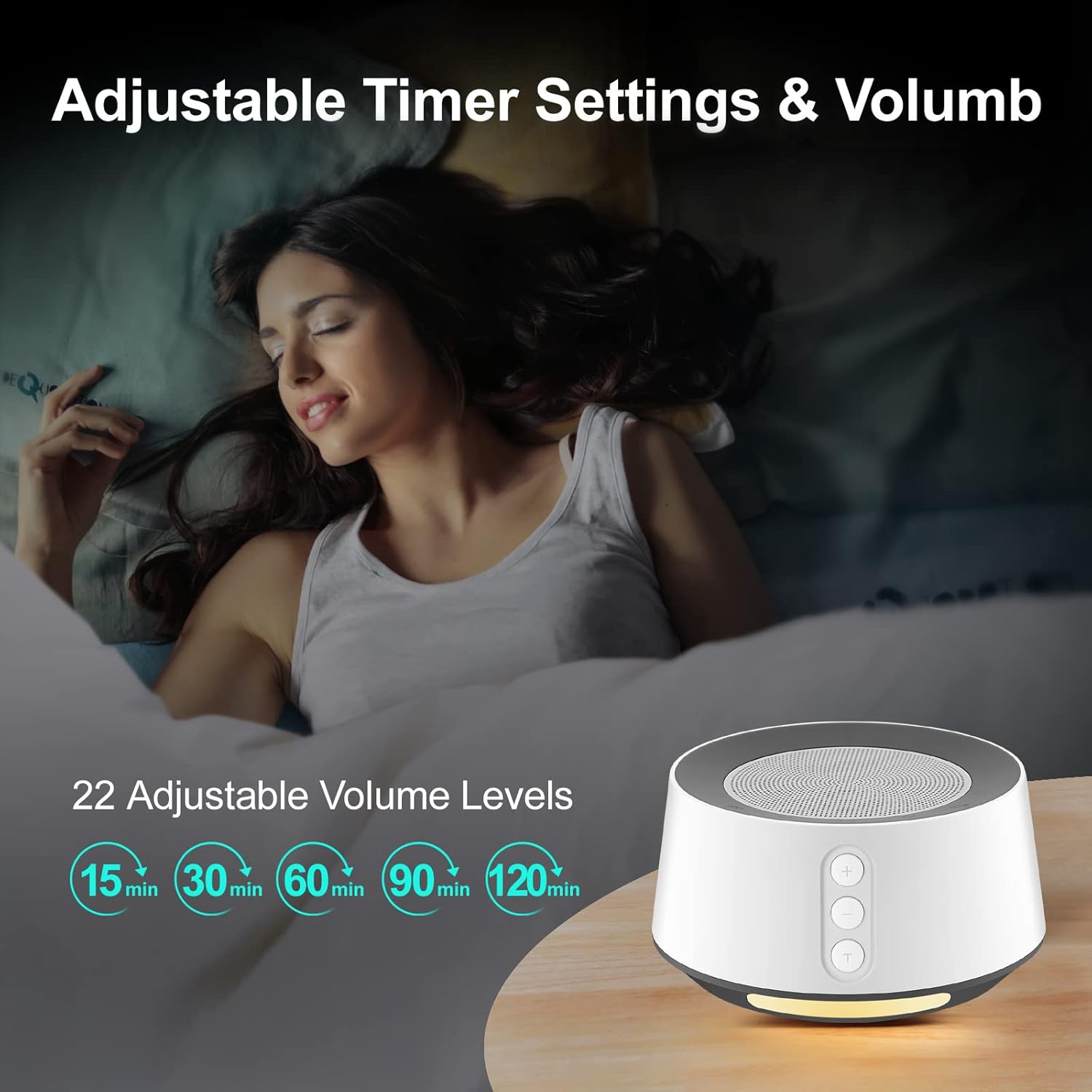
The Kipcush K1 offers 14 high-fidelity soothing sounds, including white noise, pink noise, brown noise, fan noise, nature sounds, and lullabies. It also features 22 adjustable volume settings.
- אויסקלייַבן געזונט: Press the sound selection buttons on the top ring to cycle through the available soundscapes.
- סטרויערן באַנד: Use the '+' and '-' buttons on the side of the machine to increase or decrease the volume.

נאַכט ליכט אָפּעראַציע
The device includes a comfortable ambient night light with 6 different light options and 10 adjustable brightness levels.
- קער ליכט אויף / אַוועק: Tap the large touchable speaker mesh on the top to turn the light on or off.
- סטרויערן ברייטנאַס: Once the light is on, tap and hold the touch grille, or use specific light control buttons on the top ring (if available, refer to device markings) to cycle through brightness levels or light colors.

טייַמער פֿונקציע
The Kipcush K1 offers timer functions at 15, 30, 60, 90, and 120-minute intervals. It can also play sound continuously throughout the night.
- שטעלן טימער: Press the 'T' button on the side to cycle through the available timer settings. The indicator light will show the selected duration.
- קעסיידערדיק שפּיל: If no timer is set, the machine will play continuously until manually turned off.
זכּרון פֿונקציע
The device is equipped with a memory function that recalls the last sound and volume settings used. This eliminates the need to reconfigure your preferred settings each time you turn on the machine.
וישאַלט
- רייניקונג: Disconnect the power adapter before cleaning. Use a soft, dry cloth to wipe the exterior of the machine. Do not use liquid cleaners or abrasive materials.
- סטאָרידזש: When not in use for extended periods, store the machine in a cool, dry place, away from direct sunlight and extreme temperatures.
- ויסמיידן אַבסטראַקשאַנז: Ensure the speaker grille and any ventilation openings are free from dust and obstructions.
טראָובלעשאָאָטינג
| פּראָבלעם | מעגלעך סיבה | לייזונג |
|---|---|---|
| די מיטל טוט נישט מאַכט אויף. | Not properly plugged in; Power outlet issue; Damaged adapter. | Ensure the power adapter is securely connected to both the machine and a working electrical outlet. Try a different outlet. If the issue persists, contact customer support. |
| קיין קלאַנג אָדער נידעריקער קלאַנג אַרויסגאַבע. | Volume too low; Incorrect sound selected. | Increase the volume using the '+' button. Cycle through sound options to ensure a sound is selected. |
| נאכט ליכט ארבעט נישט. | ליכט איז אויסגעלאָשן; העלקייט געשטעלט אויף מינימום. | Tap the top touch grille to turn on the light. Adjust brightness levels. |
| די דעווייס שליסט זיך אויס אומגעריכט. | טייַמער פֿונקציע אַקטיווייטיד. | Check if a timer is set. If continuous play is desired, ensure no timer is active. |
ספּעסאַפאַקיישאַנז
- מאָדעל נומער: K1
- סאָרט: קיפּקושיש
- מאַכט מקור: קאָרדעד עלעקטריק
- מאַטעריאַל: פּלאַסטיק
- דימענסיעס: 4.8 X 4.76 X 4.02 אינטשעס
- וואָג: 15.2 אונסעס
- סאָונד טראַקס: 14 High-Fidelity Soundtracks
- באַנד לעוועלס: 22
- Night Light Levels: 10 Brightness Levels, 6 Ambient Light Options
- טיימער אָפּציעס: 15, 30, 60, 90, 120 minutes, or continuous play
- ספּעציעלע פֿעיִקייטן: Memory Function, Full Touch Metal Grille and Buttons
וואָראַנטי און שטיצן
Kipcush products are designed for reliability and performance. For warranty information, technical support, or any questions regarding your Kipcush K1 White Noise Machine, please refer to the contact information provided on the product packaging or visit the official Kipcush webזייטל. ביטע באַהאַלטן אייער קויפן באַווייַז פֿאַר וואָראַנטי קליימז.


