הקדמה
Thank you for choosing the MageGee GT860 96-Key Wired RGB Backlit Gaming Keyboard. This keyboard is designed for both gaming and daily use, featuring a compact layout, ergonomic design, and customizable RGB backlighting. This manual will guide you through the setup, operation, and maintenance of your new keyboard to ensure optimal performance and user experience.
פּעקל אינהאַלט
- MageGee GT860 96-Key Wired RGB Backlit Gaming Keyboard
- באַניצער מאַנואַל
פּראָדוקט איבערview
קלאַוויאַטור אויסלייג
The MageGee GT860 features a 92% compact layout, retaining essential keys while offering a space-saving design. It includes a full numeric keypad and function keys.

Image: The MageGee GT860 keyboard showcasing its 96-key layout with RGB backlighting and black and yellow keycaps.

בילד: א דעטאַלירטע view of the standard 96-key layout with full RGB backlighting, highlighting the compact yet functional design.
שליסל פֿעיִקייטן
- 92% קאָמפּאַקט אויסלייג: Offers a balance between full functionality and a space-saving design.
- מעמבראַן מיט מעכאַנישן געפיל: Utilizes advanced imitation mechanical technology for a tactile typing experience.
- ערגאָנאָמיק פּלאַן: Key layout is engineered for comfortable use during extended periods, reducing fatigue.
- RGB באַקלייטונג: Features multiple lighting modes and colors, with adjustable brightness and breathing speed.
- צאַפּן און שפּיל: No drivers required for basic functionality.
- ברייט קאַמפּאַטאַבילאַטי: Supports Windows 10, 8, 7, XP, VISTA, and Mac OS.
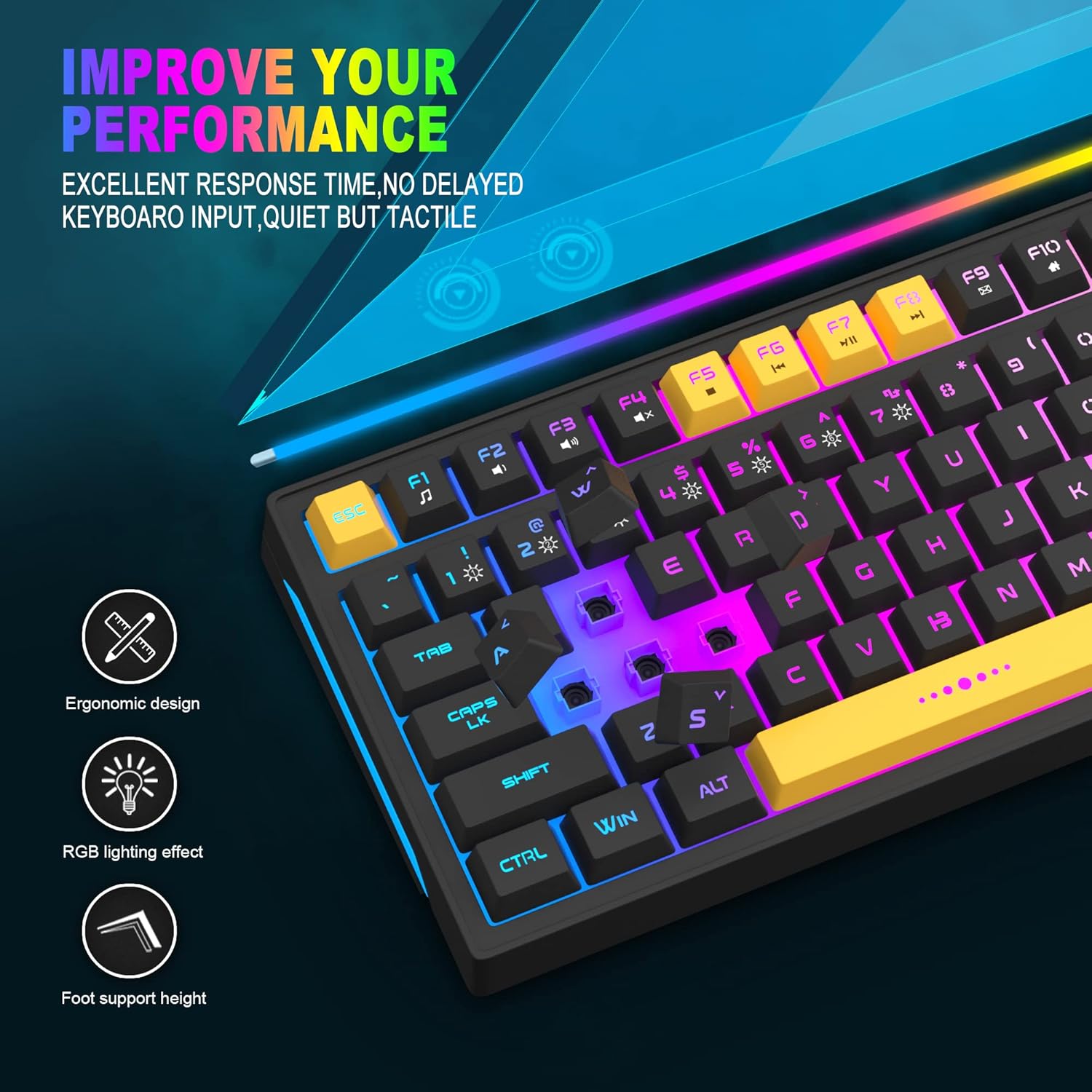
Image: Close-up showing the ergonomic design and RGB lighting effect of the keyboard, emphasizing comfort and visual appeal.

בילד: א זייט view of the keyboard illustrating its thoughtful ergonomic design with a 7-degree tilt for improved typing posture.
סעטאַפּ אינסטרוקציעס
- Unpack the keyboard and ensure all package contents are present.
- Connect the USB cable from the keyboard to an available USB port on your computer.
- The keyboard is plug-and-play and should be automatically recognized by your operating system (Windows, Mac OS). No additional drivers are typically required for basic functionality.
- Once connected, the RGB backlighting will illuminate, indicating the keyboard is powered on and ready for use.
אַפּערייטינג ינסטראַקשאַנז
RGB באַקלייט קאָנטראָל
The MageGee GT860 keyboard features customizable RGB backlighting with various modes and effects.
- טוישן לייטינג מאָדעס: דרוק די FN key combined with keys 1 דורך 6 to cycle through different RGB lighting effects and colors.
- אַדזשאַסטינג ברייטנאַס: Use specific key combinations (refer to keyboard legends or experiment with FN + Arrow keys if not explicitly labeled) to increase or decrease backlight brightness.
- Adjusting Breathing Speed: Some modes allow adjustment of the breathing or animation speed.

Image: The keyboard displaying various RGB backlit lighting modes, illustrating the range of color options available.

Image: A dynamic view פון די קלאַוויאַטור ווייַזןasing its 18 RGB LED light effects, highlighting the vibrant backlighting.
Multimedia and Function Keys
The keyboard includes dedicated function keys (F1-F12) that can be accessed by pressing the FN קנעפּל גלײַכצײַטיק מיטן געוואונטשענעם F-קנעפל.
| שליסל קאָמבינאַציע | פֿונקציע |
|---|---|
| פן + פ1 | מעדיע פּלייַער |
| פן + פ2 | באַנד אַראָפּ |
| פן + פ3 | באַנד אַרויף |
| פן + פ4 | שטום |
| פן + פ5 | פֿריִערדיקע שפּירט |
| פן + פ6 | ווייַטער שפּור |
| פן + פ7 | שפּיל / פּויזע |
| פן + פ8 | האַלטן |
| פן + פ9 | בליצפּאָסט |
| פן + פ10 | היים בלאַט |
| פן + פ11 | מעגילע לאַק |
| פן + פ12 | קאַלקולאַטאָר |

Image: Diagram illustrating the various multimedia and function key combinations using the FN key (FN + F1-F12).
וישאַלט
To ensure the longevity and optimal performance of your MageGee GT860 keyboard, follow these maintenance guidelines:
- רייניקונג: Regularly clean the keyboard with a soft, dry cloth. For deeper cleaning, use compressed air to remove dust and debris from between the keys. A slightly damp cloth (not wet) can be used for keycap surfaces.
- ויסמיידן ליקווידס: גיס נישט קיין פליסיקייטן אויף דער קלאַוויאַטור. אויב עס גייט אויס א פליס, זאָלט איר גלייך אָפּשטעקן די קלאַוויאַטור פֿון אייער קאָמפּיוטער און לאָזן עס גאָר טרוקן ווערן איידער איר עס ווידער פֿאַרבינדט.
- סטאָרידזש: האַלט די קלאַוויאַטור אין אַ קיל, טרוקן אָרט אַוועק פון דירעקט זונשייַן און עקסטרעמע טעמפּעראַטורן ווען נישט אין באַנוץ פֿאַר לענגערע פּעריאָדן.
- קאַבלע זאָרגן: פֿאַרמײַדט צו בייגן אָדער דרייען דעם USB קאַבל צו פֿיל כּדי צו פֿאַרמײַדן אינערלעכע שאָדן.

בילד: א נאָענטע בילד view of the keyboard with some keycaps removed, showing the underlying switches. This illustrates the internal structure for cleaning purposes.
טראָובלעשאָאָטינג
If you encounter issues with your MageGee GT860 keyboard, please refer to the following common troubleshooting steps:
- קלאַוויאַטור ניט ריספּאַנדינג:
- Ensure the USB cable is securely connected to both the keyboard and your computer's USB port.
- פרובירט צו קאנעקטן די קלאַוויאַטור צו אַן אַנדער USB פּאָרט אויף אייער קאָמפּיוטער.
- פּרובירט די קלאַוויאַטור אויף אַן אַנדער קאָמפּיוטער צו באַשטימען צי די פּראָבלעם איז מיט דער קלאַוויאַטור אָדער מיט אייער סיסטעם.
- באַקלייטונג אַרבעט נישט אָדער איז נישט ריכטיק:
- Verify that the keyboard is properly connected and receiving power.
- Cycle through the RGB lighting modes using פן + קסנומקס-קסנומקס to ensure a mode is selected.
- אַדזשאַסטירן די העלקייט סעטטינגס.
- שליסלען רעגיסטרירט זיך נישט:
- Clean the affected keys to remove any debris that might be obstructing the switch.
- Ensure no software conflicts are present (e.g., other keyboard drivers or gaming software).
- אומגעריכטע אויפפירונג:
- ריסטאַרט דיין קאָמפּיוטער.
- If the issue persists, contact MageGee customer support for further assistance.
ספּעסאַפאַקיישאַנז
| שטריך | דעטאַל |
|---|---|
| סאָרט | MageGee |
| מאָדעל | GT860 |
| אויסלייג | 96 Keys (92% Compact) |
| קאַנעקטיוויטי | ווייערד וסב |
| באַקלייט | RGB Backlit (Multiple modes) |
| שליסל טיפּ | Membrane with Mechanical Feeling |
| ערגאָנאָמיקס | ערגאָנאָמיק פּלאַן |
| קאַמפּאַטאַבאַל אַס | Windows 10, 8, 7, XP, VISTA, Mac OS |
| פּראָדוקט דימענשאַנז | 35.56 X 10.16 X 5.08 סענטימעטער (14 X 4 X 2 אינטשעס) |
| וואָג | 744 ג (1.64 לבס) |
| Voltage | 5 וואלטס |
| קאָליר | שוואַרץ געל |
וואָראַנטי און שטיצן
For warranty information or technical support, please refer to the documentation provided with your purchase or contact MageGee customer service directly. Contact details can typically be found on the manufacturer's official webוועבזייטל אדער אויף דער פּראָדוקט פּאַקאַדזשינג.
ביטע באַהאַלטן אייער קויפן-באַווייַז פֿאַר יעדע וואָראַנטי-פאָדערונג.


