1. הקדמה
Thank you for choosing the MageGee GT860 Wired Keyboard. This manual provides detailed instructions for setting up, operating, and maintaining your new keyboard. The GT860 is a 96-key compact layout keyboard designed for gaming and daily use, featuring RGB backlighting and an ergonomic design.

Image: The MageGee GT860 wired keyboard showcasing its compact 96-key layout and vibrant RGB backlighting.
2. פֿעיִקייטן
- 92% Compact Minimalism Layout: Retains all commonly used keys in a space-saving design.
- Membrane with Mechanical Feeling: Utilizes advanced imitation mechanical technology for a tactile typing experience.
- ערגאָנאָמיק פּלאַן: Key layout is engineered for comfortable use, reducing fatigue during long sessions.
- Upgrade RGB Backlit Lighting Effect: Features a variety of light colors and modes, with adjustable brightness and breathing speed. Letters on keys are illuminated.
- High Quality and Reliable Performance: Plug and play functionality, compatible with Windows 10/8/7/XP/VISTA and Mac OS.

Image: Visual representation of the keyboard's ergonomic design, RGB lighting effects, and adjustable foot support for improved performance.

בילד: א נאָענטע בילד view of the keyboard with some keycaps removed, illustrating the underlying membrane switch mechanism that provides a mechanical-like feel.
3. סעטאַפּ גייד
- ופשליסן די קלאַוויאַטור: נעמט פֿאָרזיכטיק אַרויס די קלאַוויאַטור פֿון איר פּאַקעט.
- פאַרבינדן צו קאָמפּיוטער: Locate an available USB port on your computer. Insert the USB cable from the MageGee GT860 keyboard into the USB port.
- דרייווער ינסטאַלירונג: The keyboard is plug-and-play. Your operating system (Windows, Mac OS) will automatically detect and install the necessary drivers. No additional software installation is required.
- אָרט: Place the keyboard on a stable, flat surface. Adjust the integrated feet on the underside of the keyboard for your preferred typing angle.
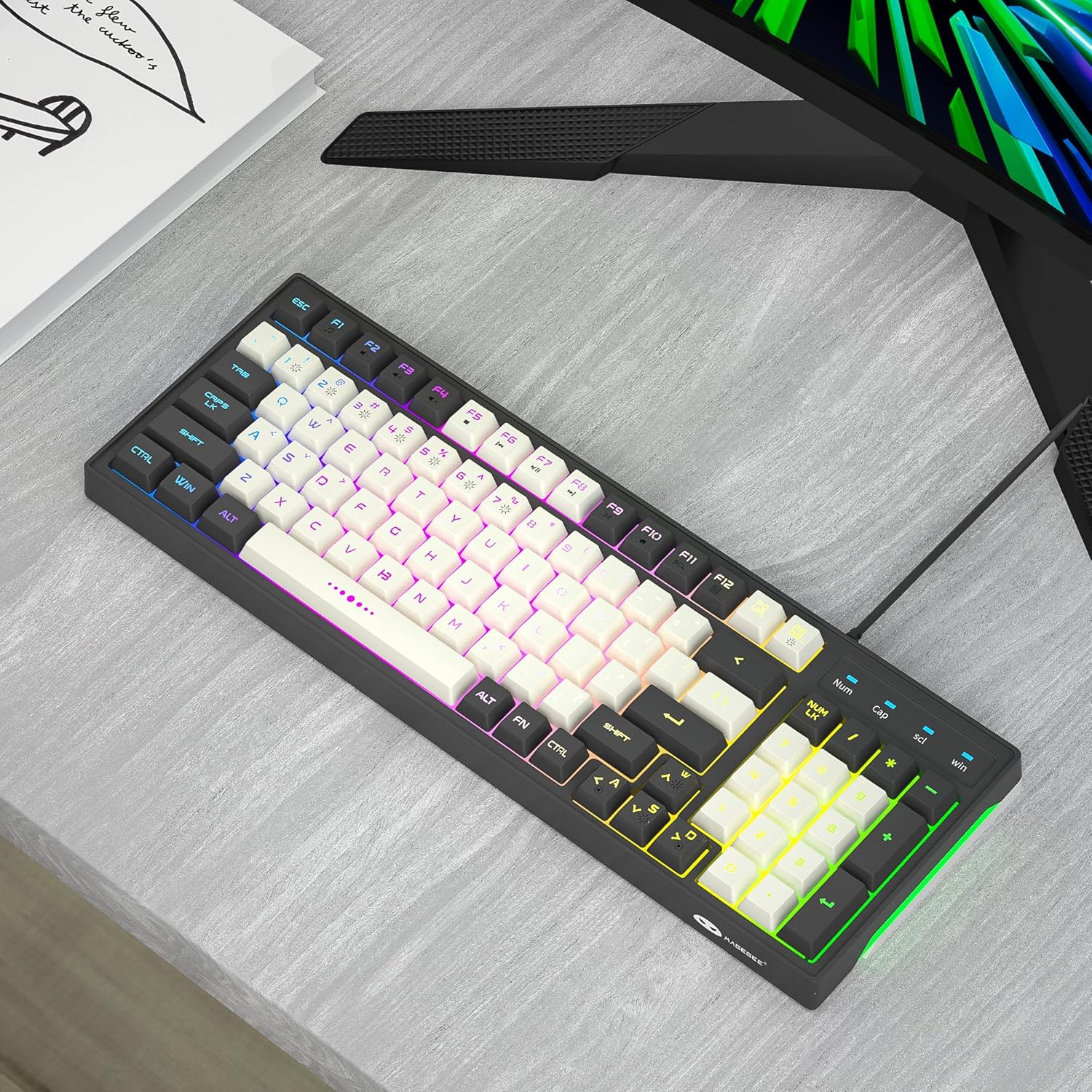
Image: The MageGee GT860 keyboard positioned on a desk, ready for use with a computer monitor, demonstrating a typical setup.
4. אַפּערייטינג ינסטרוקטיאָנס
4.1 RGB באַקלייט קאָנטראָל
The MageGee GT860 keyboard features multiple RGB lighting modes. Use the Function (Fn) key in combination with other keys to control the backlight:
- Fn + Scroll Lock (SCL): Cycle through different RGB lighting modes.
- Fn + Page Up (PGUP): פֿאַרגרעסערן די ברייטקייט פֿון דער באַקלייט.
- Fn + Page Down (PGDN): פֿאַרקלענערן די ברייטקייט פֿון דער באַקלייט.
- Fn + פײַל קנעפּלעך (לינקס/רעכטס): Adjust lighting effect speed (for dynamic modes).

Image: The MageGee GT860 keyboard showcasing its 18 distinct RGB lighting modes, illustrating the variety of visual effects available.

Image: A detailed diagram illustrating the various Function (Fn) key combinations for controlling RGB backlight effects and accessing multimedia functions on the MageGee GT860 keyboard.
4.2 מולטימעדיאַ פונקציעס
Access multimedia controls by holding the Fn key and pressing the corresponding F-keys:
- Fn+F1: מעדיע פּלייַער
- Fn+F2: באַנד אַראָפּ
- Fn+F3: באַנד אַרויף
- Fn+F4: שטום
- Fn+F5: פֿריִערדיקע שפּירט
- Fn+F6: ווייַטער שפּור
- Fn+F7: שפּיל / פּויזע
- Fn+F8: האַלטן
- Fn+F9: בליצפּאָסט
- Fn+F10: היים בלאַט
- Fn+F11: מעגילע לאַק
- Fn+F12: קאַלקולאַטאָר
5. וישאַלט
To ensure the longevity and optimal performance of your MageGee GT860 keyboard, follow these maintenance guidelines:
- רייניקונג: Regularly clean the keyboard with a soft, dry cloth. For dust and debris between keys, use compressed air. For stubborn dirt, a slightly damp א שטאָף מיט מילדן זייף קען גענוצט ווערן, זיכער מאַכנדיק אַז קיין פליסיקייט וועט נישט אַרײַן אין דער קלאַוויאַטור.
- ויסמיידן ליקווידס: גיס נישט קיין פליסיקייטן אויף דער קלאַוויאַטור. אויב עס גייט אויס א פליס, זאָלט איר גלייך אָפּשטעקן די קלאַוויאַטור פֿון אייער קאָמפּיוטער און לאָזן עס גאָר טרוקן ווערן איידער איר עס ווידער פֿאַרבינדט.
- סטאָרידזש: ווען נישט אין באַנוץ פֿאַר לענגערע פּעריאָדן, זאָל מען האַלטן די קלאַוויאַטור אין אַ ריינער, טרוקענער סביבה, אַוועק פֿון דירעקטער זון און עקסטרעמע טעמפּעראַטורן.
- שעפּן מיט זאָרג: פֿאַרמײַדט צו לאָזן פֿאַלן די קלאַוויאַטור אָדער אויסשטעלן זי צו שטאַרקע קלאַפּן.
6. טראָובלעשאָאָטינג
If you encounter issues with your MageGee GT860 keyboard, refer to the following common problems and solutions:
| פּראָבלעם | מעגלעך לייזונג |
|---|---|
| די קלאַוויאַטור רעאַגירט נישט. |
|
| Backlight is not working or is dim. |
|
| געוויסע קנעפּלעך אַרבעטן נישט. |
|
7. ספּעסאַפאַקיישאַנז
| שטריך | דעטאַל |
|---|---|
| מאָדעל | GT860 |
| קאַנעקטיוויטי טעכנאָלאָגיע | וסב ווייערד |
| נומער פון קיז | 96 |
| קלאַוויאַטור באַשרייַבונג | גיימינג |
| ספּעציעלע פֿעיִקייטן | RGB Backlit, Ergonomic Design, Anti-Ghosting |
| קאַמפּאַטאַבאַל דעוויסעס | PC, Gaming Console (via USB) |
| אַפּערייטינג סיסטעם קאַמפּאַטאַבילאַטי | Windows 10, Windows 8, Windows 7, Windows XP, Windows VISTA, Mac OS |
| פּראָדוקט דימענשאַנז | 14 X 6 X 2 אינטשעס (35.56 X 15.24 X 5.08 סענטימעטער) |
| פּונקט וואָג | 1.63 פונט (0.74 קג) |
| קאָליר | Grey White Keycaps |
8. וואָראַנטי און שטיצן
MageGee products are designed for reliability and performance. For any product inquiries, technical support, or warranty claims, please refer to the contact information provided with your purchase or visit the official MageGee webזייטל. ביטע באַהאַלטן אייער קויפן באַווייַז פֿאַר וואָראַנטי צוועקן.
For further assistance, you may visit the MageGee store on Amazon: MageGee Amazon Store


