הקדמה
Thank you for choosing the Final ZE3000 True Wireless Earbuds. This manual provides essential information for the proper setup, operation, and maintenance of your earbuds to ensure an optimal audio experience. Please read this manual thoroughly before use.
וואָס איז אין די קעסטל
- Final ZE3000 True Wireless Earbuds (Left and Right)
- טשאַרדזשינג קאַסע
- וסב-C טשאַרדזשינג קאַבלע
- באַניצער מאַנואַל (דעם דאָקומענט)
- אויער-שפּיצן (פאַרשידענע גרייסן)

Image: Final ZE3000 True Wireless Earbuds and their charging case, displayed in black.
פּראָדוקט איבערview
The Final ZE3000 earbuds are designed for high-fidelity sound reproduction with a focus on comfort and stable wireless connectivity. Each earbud features a touch control panel and an LED indicator.

בילד: נאָענט-אַרויף view of the Final ZE3000 earbuds, highlighting their unique geometric design and audiophile-level quality.

Image: The Final ZE3000 charging case, showcasing its premium SHIBO textured finish.
סעטאַפּ
1. אויפלאָדן די אויערקנעפּלעך און קעסטל
Before first use, fully charge the earbuds and charging case. Connect the supplied USB-C cable to the charging port on the case and a USB power source. The LED indicator on the case will show charging status. A full charge takes approximately 1.5 hours.

Image: Final ZE3000 earbuds placed inside their charging case.
2. פּערינג מיט אַ מיטל
- Open the charging case. The earbuds will automatically enter pairing mode, and the LED indicators on the earbuds will flash.
- אויף אייער דעווייס (סמאַרטפאָן, טאַבלעט, אאז"וו), אַקטיווירט בלועטוט.
- זוכן פֿאַר available Bluetooth devices and select "ZE3000" from the list.
- אַמאָל פארבונדן, וועלן די LED אינדיקאַטאָרן אויף די אויערקנעפּלעך אויפהערן צו בלינקען.
The ZE3000 uses Bluetooth 5.2 for a stable connection up to 10 meters.

Image: A smartphone screen showing the 'ZE3000' listed as an available Bluetooth device for pairing.
3. צופּאַסן די אויערקנעפּלעך
Proper fit is crucial for sound quality and comfort. Choose the eartips that provide the best seal and comfort for your ears. Gently insert the earbuds into your ear canals and twist slightly until they feel secure.
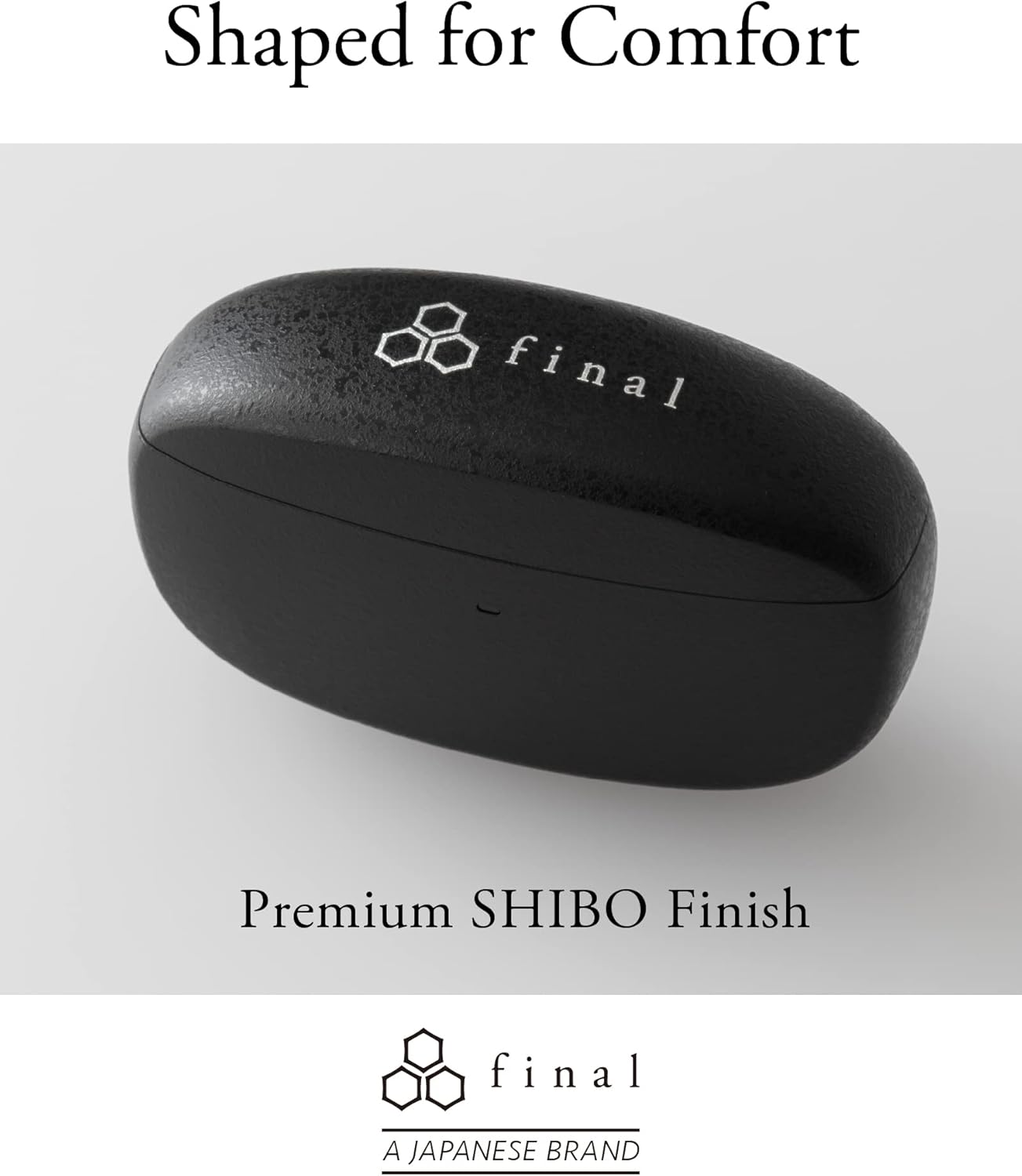
Image: A person demonstrating the correct way to wear the Final ZE3000 earbuds for a secure and comfortable fit.
אַפּערייטינג ינסטראַקשאַנז
ריר קאָנטראָלס
The ZE3000 earbuds feature intuitive touch controls on the outer surface of each earbud.

Image: Diagram illustrating the location of the touch control panel, microphone, and LED indicator on the earbud.
| קאַמף | פֿונקציע |
|---|---|
| איין צאַפּ (לינקס/רעכטס) | שפּיל / פּויזע מוזיק, ענטפֿערן / סוף רופן |
| טאָפּל טאַפּ (רעכטס) | ווייַטער שפּור |
| טאָפּל טאַפּ (לינקס) | פֿריִערדיקע שפּור |
| דרייַיק צאַפּן (רעכט) | באַנד אַרויף |
| דרייַיק צאַפּן (לינקס) | באַנד אַראָפּ |
| לאַנג דריקן (לינקס/רעכטס) | אַקטאַווייט די קול אַסיסטאַנט |
מאַכט אויף / אַוועק
- מאַכט אויף: עפֿנט דעם טשאַרדזשינג קעסטל, און די אויערקנעפּלעך וועלן זיך אויטאָמאַטיש אָנצינדן און זיך פֿאַרבינדן צום לעצטן פֿאַרבונדענעם אַפּאַראַט.
- מאַכט אַוועק: לייגט די אויערקנעפּלעך צוריק אין די טשאַרדזשינג קעסטל און מאַכט צו דעם דעקל. זיי וועלן זיך אויטאָמאַטיש אויסלעשן און אָנהייבן טשאַרדזשינג.
וישאַלט
רייניקונג
רייניקט רעגולער אייערע אויערן-קנעפּלעך און טשאַרדזשינג קעסטל צו האַלטן די פאָרשטעלונג און היגיענע.
- ניצט אַ ווייכן, טרוקענעם, לינט-פֿרייעם שטאָף צו ווישן די אויערקנעפּלעך און די טשאַרדזשינג קעסטל.
- אַראָפּנעמען די אויער־שפּיצן און רייניקן זיי מיט מילד זייף און וואַסער, און דערנאָך טרוקן זיי גוט איידער איר עס צוריק באַפעסטיקט.
- רייניקט זאַכט די טשאַרדזשינג קאָנטאַקטן אויף ביידע די אויערן-קנעפּלעך און די קעסטל מיט אַ טרוקענעם וואַטע שטאַפּל.
סטאָרידזש
ווען נישט אין באַנוץ, לייגט די אויערקנעפּלעך אין זייער טשאַרדזשינג קעסטל צו באַשיצן זיי און זיכער מאַכן אַז זיי בלייבן טשאַרדזשד.
וואַסער קעגנשטעל (IPX4)
The Final ZE3000 earbuds are IPX4 water-resistant, meaning they are protected against splashing water from any direction. They are not designed for submersion in water. Avoid exposing them to heavy rain, showering, or swimming.
טראָובלעשאָאָטינג
- קיין קלאַנג/קאַנעקשאַן פּראָבלעמען:
- זיכער מאַכן אַז די אויערקנעפּלעך זענען אויפֿגעלאָדן.
- באַשטעטיקן אַז בלועטוט איז ענייבאַלד אויף אייער מיטל און די אויערקנעפּלעך זענען אויסגעקליבן.
- פּרוּווט אָפּצופּאַרן און ווידער צופּאַרן די אויערקנעפּלעך מיט אייער דעווייס.
- זיכער מאַכן אַז קיין אַנדערע דעוויסעס זענען נישט אַקטיוו פֿאַרבונדן צו די אויערקנעפּלעך.
- איין עאַרבוד טוט נישט אַרבעטן:
- לייגט צוריק ביידע אויערן-קנעפּלעך אין דעם קעסטל, מאַכט צו דעם דעקל, וואַרט אַ פּאָר סעקונדעס, און עפֿנט ווידער.
- Check charging contacts for debris.
- ריר קאָנטראָלס רעאַגירן נישט:
- זיכער מאַכן אַז אייערע פינגער זענען ריין און טרוקן.
- Try restarting the earbuds by placing them in the case and closing the lid.
ספּעסאַפאַקיישאַנז
| שטריך | דעטאַל |
|---|---|
| מאָדעל נומער | ZE3000 |
| קאַנעקטיוויטי טעכנאָלאָגיע | בלועטאָאָטה 5.2 |
| ווירעלעסס קאָמוניקאַציע | בלועטאָאָטה |
| אַודיאָ דרייווער טיפּ | דינאַמיש דרייווער |
| אָפטקייַט ראַנגע | 20 הערץ - 20,000 הערץ |
| באַטעריע לעבן (אויערקנעפּלעך) | אַרויף צו 7 שעה |
| גאַנץ שפּיל צייט (מיט קעסטל) | אַרויף צו 35 שעה |
| טשאַרדזשינג צייט | בעערעך. 1.5 שעה |
| קאָנטראָל טיפּ | ריר קאָנטראָל |
| וואַסער קעגנשטעל מדרגה | IPX4 (וואַסער קעגנשטעליק) |
| בלועטאָאָטה קייט | 10 מעטער |
| פּונקט וואָג | 42 גראַם (גאַנץ) |
| פּראָדוקט דימענשאַנז | 1.38 X 2.76 X 0.98 אינטשעס |
שטיצן
For further assistance or inquiries, please visit the official Final store or contact customer support.