1. הקדמה
This manual provides instructions for the Akko ACR61 61-Key 60% RGB Hot-swappable Wired Mechanical Gaming Keyboard. It covers setup, operation, maintenance, and troubleshooting to ensure optimal performance and longevity of your device.
The Akko ACR61 keyboard features a 60% layout, RGB backlighting, and hot-swappable switches, allowing for customization and enhanced typing experiences. It utilizes PBT double-shot keycaps for durability and N-key rollover for precise input.
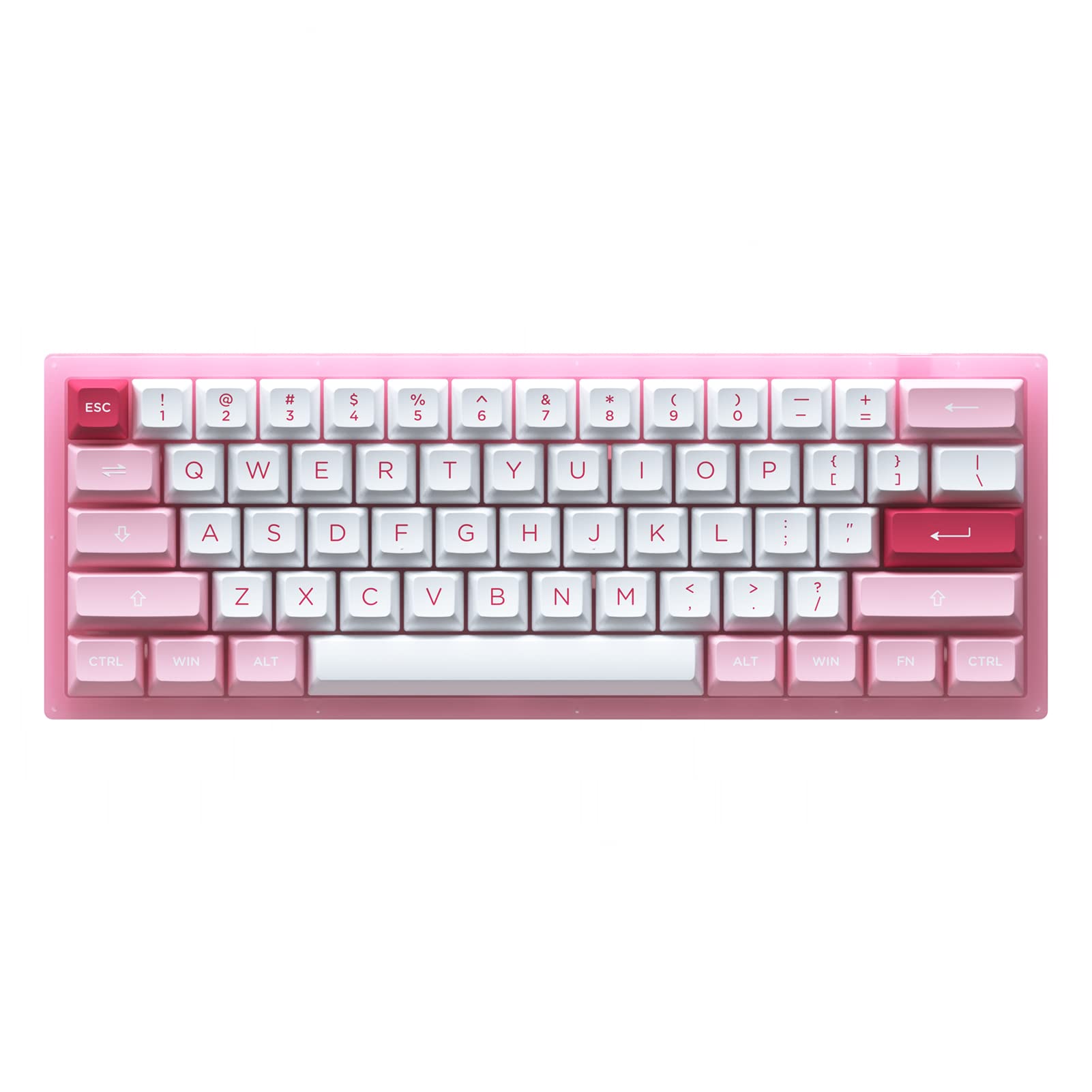
Image 1.1: Akko ACR61 keyboard showcasing the Prunus Lannesiana design and Jelly Pink switches.
2. סעטאַפּ
2.1 פּעקל אינהאַלט
- Akko ACR61 Mechanical Keyboard
- וסב-C צו וסב-א קאַבלע
- קייקאַפּ פּולער
- באַשטימען פּולער
- Additional Keycaps (if included)
2.2 פֿאַרבינדן די קלאַוויאַטור
- Locate the USB-C port on the back or side of the Akko ACR61 keyboard.
- פֿאַרבינדט דעם USB-C עק פֿונעם צוגעשטעלטן קאַבל צום קלאַוויאַטור.
- Connect the USB-A end of the cable to an available USB port on your computer or device.
- The keyboard will be automatically recognized by most operating systems. No additional drivers are typically required for basic functionality.
3. אַפּערייטינג ינסטרוקטיאָנס
3.1 גרונטלעכע שליסל פונקציעס
The Akko ACR61 is a 60% keyboard, meaning some functions are accessed via the 'Fn' key combined with other keys. Refer to the keycap legends for specific Fn combinations.
- Fn + [קנעפל]: Accesses secondary functions printed on the front or side of keycaps (e.g., arrow keys, F-row keys, multimedia controls).
- N-Key Rollover (NKRO): The keyboard supports simultaneous key presses without conflicts, which is beneficial for fast typing and gaming.
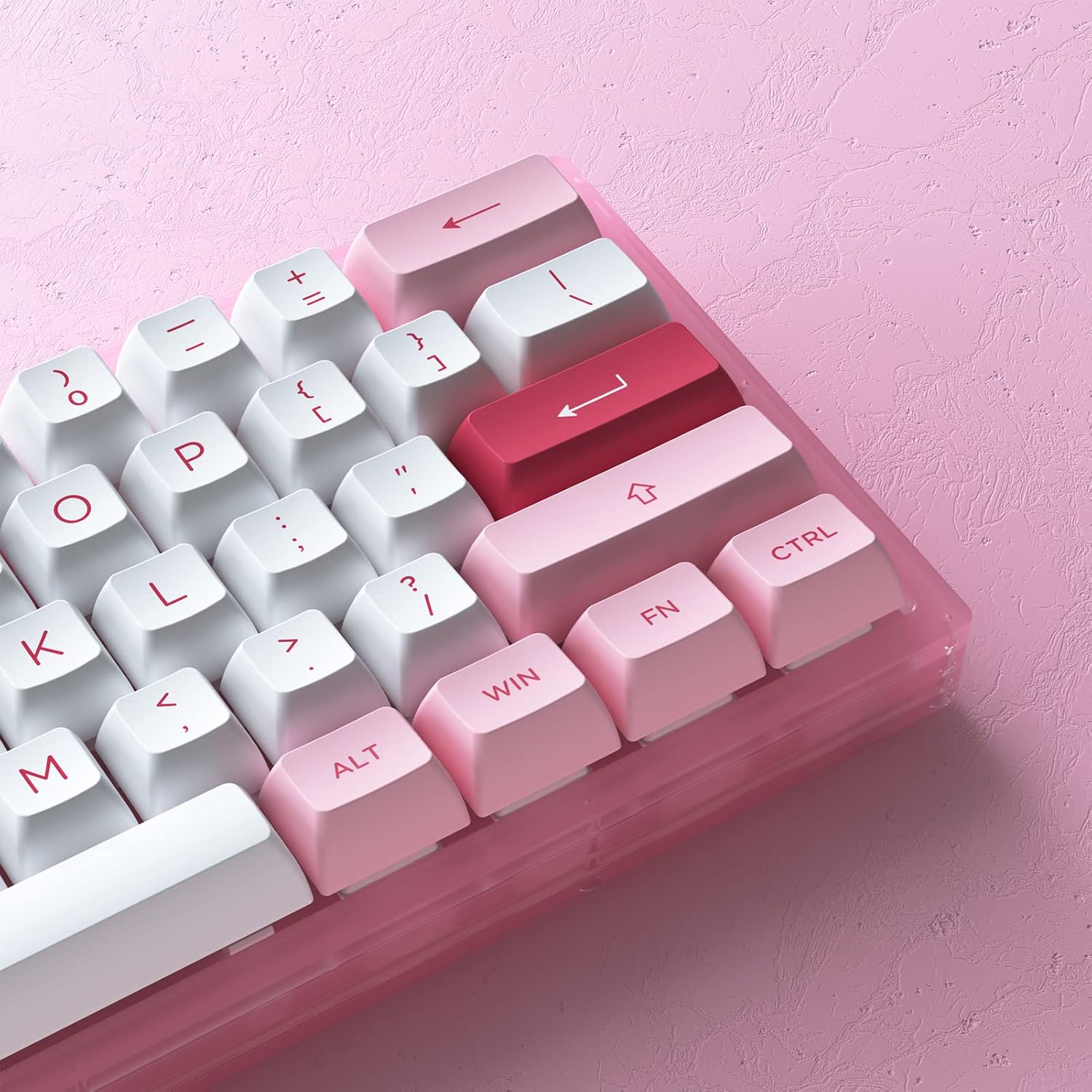
בילד 3.1: נאָענט־אַרויף view of the Akko ACR61 keycaps, illustrating primary and secondary functions.
3.2 RGB באַקלייטונג קאָנטראָל
The keyboard features built-in RGB backlighting with customizable light animation effects. Specific key combinations, often involving the 'Fn' key, are used to cycle through lighting modes, adjust brightness, and change colors.
- Fn + [קנעפל]: Typically used to change RGB effects, speed, or direction. Consult the keyboard's specific keycap legends or software for exact combinations.
- Underglow LED: The keyboard also features underglow LED lighting, which can be controlled independently or in conjunction with the main RGB backlighting.
3.3 פּראָגראַמירבאַרקייט
The Akko ACR61 keyboard is programmable, allowing users to remap keys and create macro sequences. This functionality is typically managed through dedicated software provided by Akko. Keys used for controlling Macro mode (Esc/Win/Fn) cannot be remapped.
- שליסל רעמאַפּינג: Assign different functions to individual keys.
- מאַקראָו רעקאָרדינג: Record a sequence of keystrokes and assign it to a single key for quick execution.
4. וישאַלט
4.1 רייניקן די קלאַוויאַטור
רעגולערע רייניקונג העלפט אויפהאלטן די קלאַוויאַטור'ס אויסזען און פאַנגקשאַנאַליטעט.
- דיסקאָנעקט די קלאַוויאַטור פֿון דיין קאָמפּיוטער.
- ניצט אַ ווייכע באַרשט אָדער קאָמפּרעסירטע לופט צו באַזייַטיקן שטויב און דעבריס פון צווישן די קלאַוויאַטורן.
- For keycap cleaning, gently remove keycaps using a keycap puller. Wash them with mild soap and water, then ensure they are completely dry before reattaching.
- ווישט די קלאַוויאַטור ייבערפלאַך מיט אַ לײַכטן דamp, א לינט-פֿרײַער שטאָף. פֿאַרמײַדט איבעריקע פֿײַכטקייט.
4.2 הייס-סוואַפּאַבל סוויטשיז
The Akko ACR61 features premium TTC gaming 5-pin hot-swappable sockets, allowing you to change switches without soldering.

Image 4.1: A Jelly Pink mechanical switch, illustrating the hot-swappable design.
- רימוווינג אַ סוויטש: Use the provided switch puller to carefully grip the top and bottom clips of the switch. Gently pull the switch straight up and out of the socket. Avoid bending the pins.
- Installing a Switch: Align the pins of the new switch with the holes in the PCB socket. Ensure the pins are straight. Gently push the switch straight down until it clicks into place. Do not force the switch; if resistance is met, check pin alignment.
5. טראָובלעשאָאָטינג
5.1 קלאַוויאַטור רעאַגירט נישט
- זיכער מאַכן אַז דער USB קאַבל איז זיכער פארבונדן צו ביידע די קלאַוויאַטור און דעם קאָמפּיוטער.
- פרובירט צו קאנעקטן די קלאַוויאַטור צו אַן אַנדער USB פּאָרט אויף אייער קאָמפּיוטער.
- פּרובירט די קלאַוויאַטור אויף אַן אַנדער קאָמפּיוטער צו אויסשליסן סיסטעם-ספּעציפֿישע פּראָבלעמען.
- אויב איר ניצט אַ USB כאַב, פּרוּווט צו פאַרבינדן גלייך צום קאָמפּיוטער.
5.2 RGB לייטינג ארבעט נישט אדער נישט ריכטיג
- זייט זיכער אז די קלאַוויאַטור איז ריכטיק פארבונדן און האט א מאַכט.
- Use the designated Fn key combinations to cycle through lighting modes or adjust brightness.
- If using Akko software, ensure it is running and configured correctly.
5.3 ספּעציפֿישע שליסלען אַרבעטן נישט
- For hot-swappable switches, carefully remove the keycap and then the switch for the affected key. Reinstall the switch, ensuring the pins are straight and fully seated.
- Test with a known working switch in the problematic socket to determine if the issue is with the switch or the socket.
- Ensure no debris is obstructing the switch mechanism.
6. ספּעסאַפאַקיישאַנז
| שטריך | דעטאַל |
|---|---|
| מאָדעל | ACR61 |
| אויסלייג | 61-Key (60%) |
| קאַנעקטיוויטי | מיט אַ דראָט (USB-C) |
| סוויטשיז | Hot-swappable TTC Gaming 5-pin sockets (Jelly Pink Switches included) |
| קייקאַפּס | PBT Double Shot ASA Profile |
| באַקלייט | RGB with Underglow LED |
| אַנטי-גהאָסטינג | N-Key Rollover (NKRO) |
| פּראָגראַממאַביליטי | Yes (via software, excluding Esc/Win/Fn) |
| מאַטעריאַל | Polybutylene Terephthalate (Keycaps) |
| פּונקט וואָג | 15.5 אונסעס |
| פּעקל דימענשאַנז | 13.7 X 8.78 X 1.93 אינטשעס |
7. וואָראַנטי און שטיצן
For warranty information and technical support, please refer to the official Akko webזייטל אדער קאנטאקט זייער קאסטומער סערוויס גלייך. האלט אייער באווייז פון קויפן פאר יעדע גאראנטיע טענות.
Official Akko Store: Akko Store on Amazon


