1. פּראָדוקט איבערview
The MageGee MK-Box is a compact 60% mechanical gaming keyboard designed for both gaming and office use. It features 68 keys, including separate arrow keys and Fn function keys, providing essential functionality while saving desk space. The keyboard is equipped with mechanical blue switches for a tactile and clicky typing experience, and it boasts charming blue LED backlighting with multiple customizable modes.
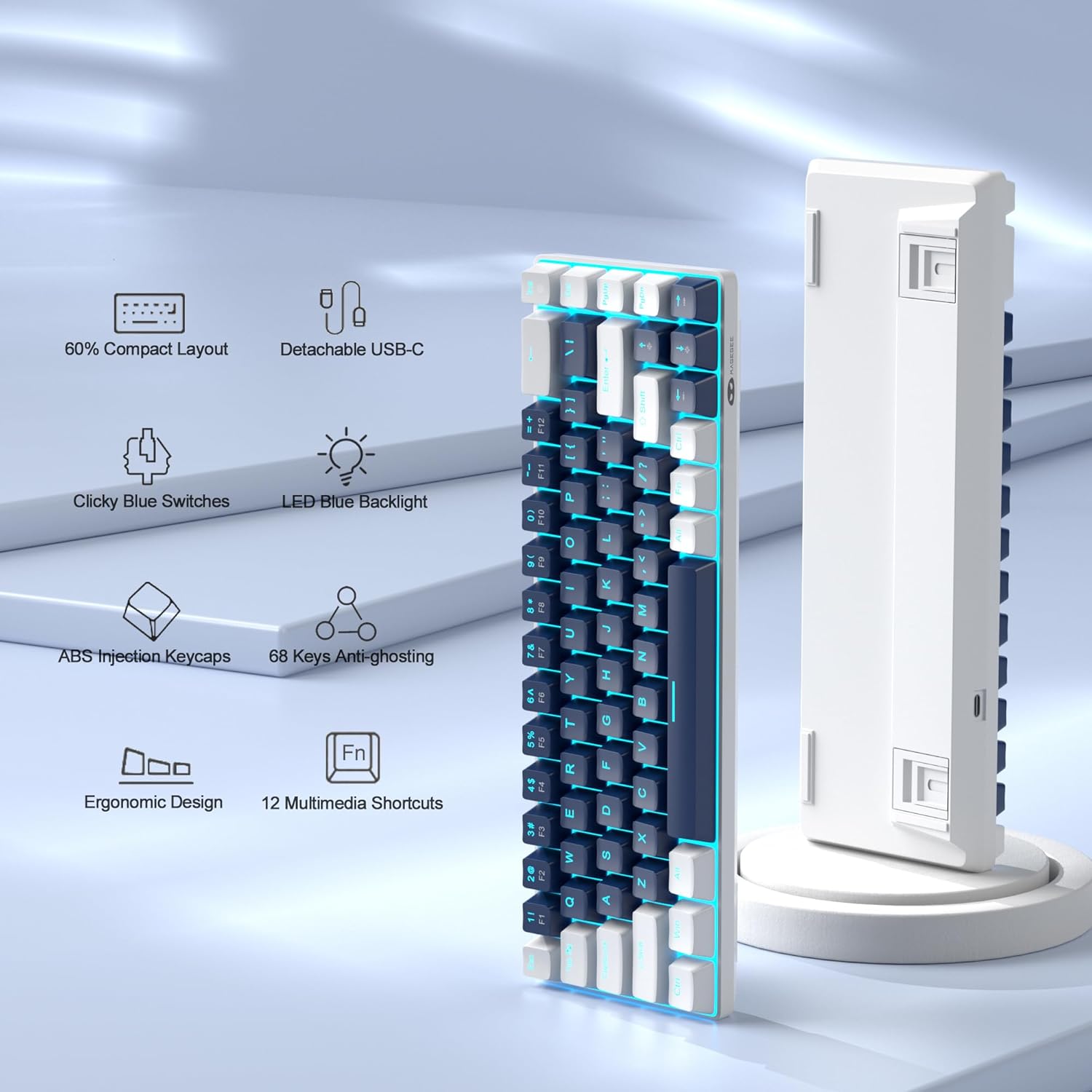
Figure 1: Key features of the MageGee MK-Box keyboard.
2. סעטאַפּ גייד
2.1 אויספּאַקן און פֿאַרבינדונג
Carefully remove the keyboard from its packaging. The MK-Box connects via a detachable USB-C cable, ensuring a stable and reliable connection to your device.

Figure 2: MageGee MK-Box keyboard with its USB cable.

Figure 3: Detachable USB-C connection for easy setup.
Connect the USB-C end of the cable to the keyboard and the USB-A end to an available USB 2.0 port on your computer (Windows, Linux, or Mac). The keyboard is plug-and-play, requiring no additional drivers or software installation.
2.2 אַדזשאַסטירן טייפּינג ווינקל
The MK-Box features double kickstand feet on its underside, allowing you to adjust the typing angle for improved ergonomics and comfort during extended use.

Figure 4: Adjustable kickstand feet for ergonomic comfort.
3. אַפּערייטינג ינסטרוקטיאָנס
3.1 קלאַוויאַטור אויסלייג און פונקציע קנעפּלעך
The MK-Box features a mini portable 60% compact layout with 68 keys. Despite its small size, it includes separate arrow keys and full F1-F12 function keys accessible via the Fn key, making it suitable for both gaming and productivity.
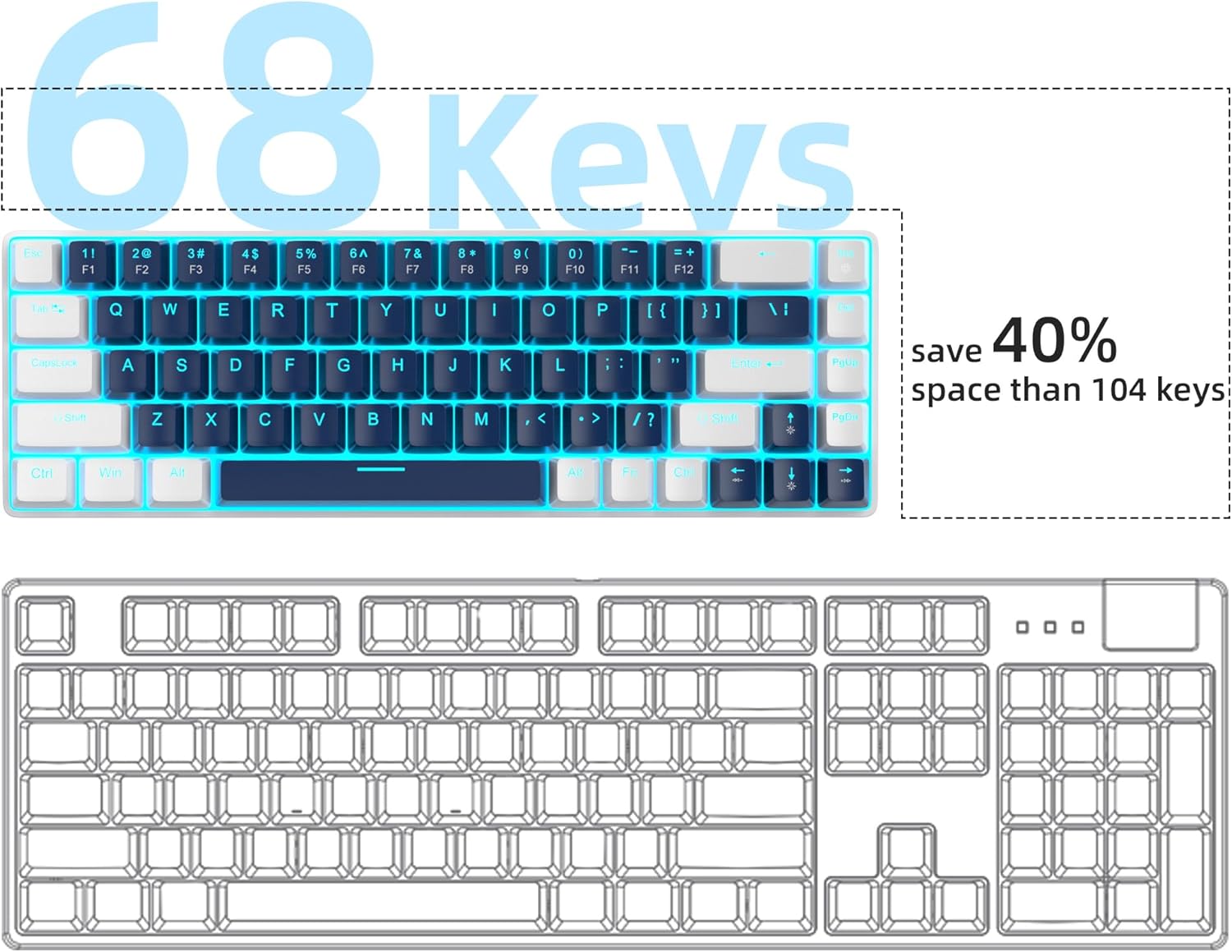
Figure 5: Space-saving 68-key compact layout.
3.2 באַקלייט קאָנטראָל
The keyboard features classic charming blue LED backlighting with approximately 15 different modes. You can control the backlight effects, brightness, and speed using the following key combinations:
- Fn + ינס: באַשטימען צווישן פאַרשידענע באַקלייט מאָדעס.
- Fn + ↑ (ארויף פײַל): פֿאַרגרעסערן די ברייטקייט פֿון דער באַקלייט.
- Fn + ↓ (אַראָפּ פײַל): פֿאַרקלענערן די ברייטקייט פֿון דער באַקלייט.
- Fn + ← (לינקער פײַל): פאַרמינערן באַקלייט גיכקייַט.
- Fn + → (רעכטס פײַל): פֿאַרגרעסערן באַקלייט גיכקייט

Figure 6: Backlight control key combinations.
3.3 Mechanical Blue Switches
The MK-Box is equipped with mechanical blue switches, known for their distinct tactile bump and audible click sound. These switches provide excellent input feeling and strong mechanical feedback, ideal for typing and gaming.
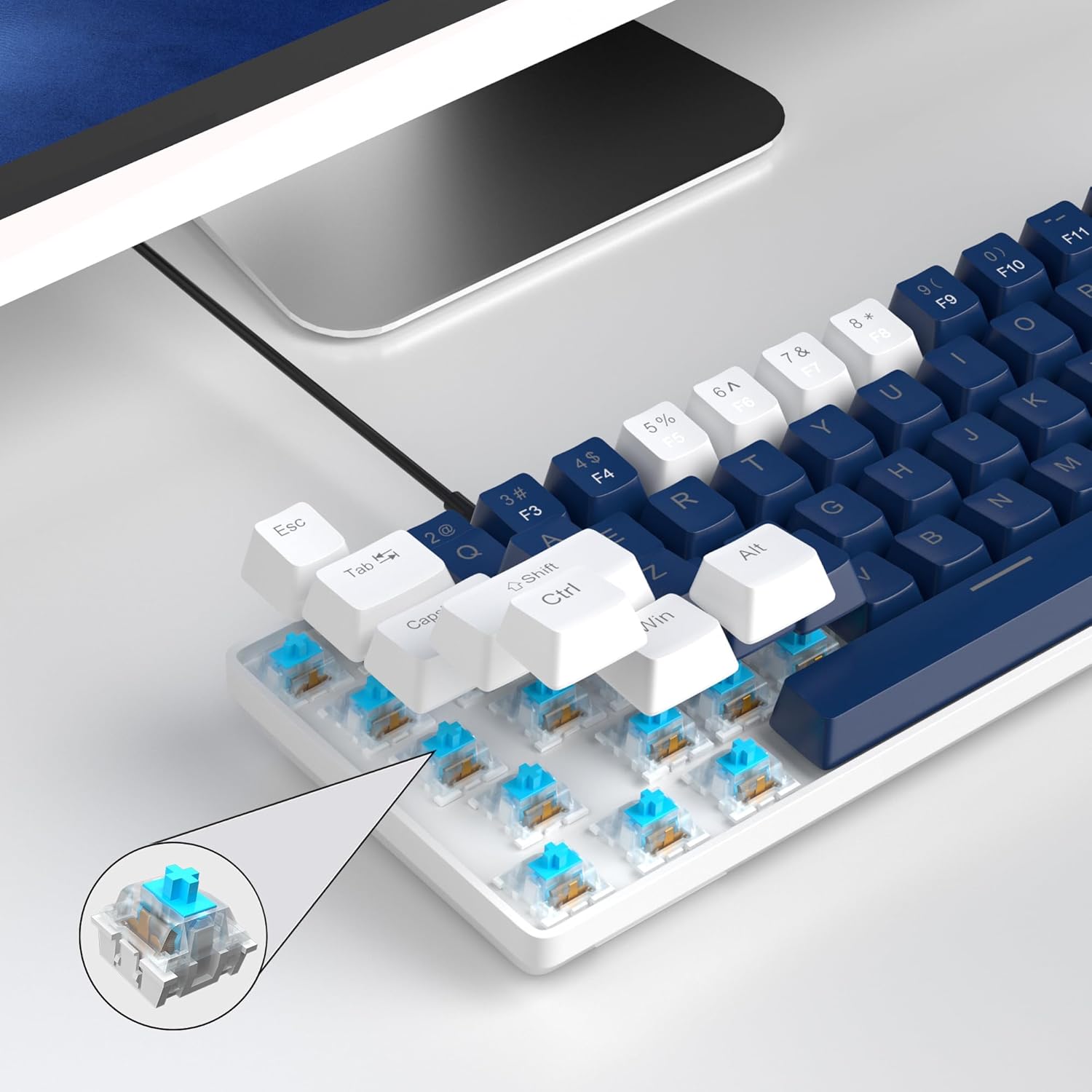
Figure 7: Detail of the mechanical blue switch.
3.4 אַנטי-גאָוסטינג
All 68 keys on the MK-Box feature full anti-ghosting, ensuring that every keystroke is registered accurately, even during rapid and simultaneous key presses in intense gaming sessions.

Figure 8: Full anti-ghosting for accurate input.
3.5 אפיציעלע פּראָדוקט ווידעאָ
ווידעא 1: אפיציעלע פּראָדוקט ווידעא ווייַזונגasing the MageGee 60% Gaming Keyboard with Blue Switches, including demonstrations of its features and backlighting.
4. וישאַלט
To ensure the longevity and optimal performance of your MageGee MK-Box keyboard, follow these maintenance tips:
- רייניקונג: Regularly clean the keycaps and the area between them using a soft brush or compressed air to remove dust and debris. For stubborn dirt, gently wipe keycaps with a damp שטאָף.
- קאַבלע פאַרוואַלטונג: The detachable USB cable allows for easy storage and transport, reducing wear and tear on the cable and port.
- ויסמיידן ליקווידס: האַלט פליסיקייטן אַוועק פון דער קלאַוויאַטור צו פאַרמייַדן שעדיקן צו די אינעווייניקסטע קאָמפּאָנענטן.
5. טראָובלעשאָאָטינג
If you encounter any issues with your MageGee MK-Box keyboard, refer to the following common troubleshooting steps:
- קלאַוויאַטור ניט ריספּאַנדינג:
- זייט זיכער אַז דער USB קאַבל איז זיכער פארבונדן צו ביידע די קלאַוויאַטור און דיין קאָמפּיוטער.
- פרובירט צו קאנעקטן די קלאַוויאַטור צו אַן אַנדער USB פּאָרט אויף אייער קאָמפּיוטער.
- פּרובירט די קלאַוויאַטור אויף אַן אַנדער קאָמפּיוטער צו באַשטימען צי די פּראָבלעם איז מיט דער קלאַוויאַטור אָדער מיט אייער סיסטעם.
- באַקלייט אַרבעט נישט/נישט ריכטיק:
- דרוק Fn + ינס to cycle through backlight modes.
- אַדזשאַסטירן ליכטיקייט ניצן Fn + ↑ (Up Arrow) or Fn + ↓ (Down Arrow).
- Keys Not Registering (Ghosting):
- The keyboard has full anti-ghosting. If specific keys are not registering, ensure no debris is lodged under the keycap.
- Consider gently removing the keycap (using a keycap puller if available) and cleaning the switch area.
6. ספּעסאַפאַקיישאַנז
| שטריך | דעטאַל |
|---|---|
| פּראָדוקט דימענשאַנז | 12.13 X 3.98 X 1.54 אינטשעס |
| פּונקט וואָג | 1.5 פונט |
| פאַבריקאַנט | MageGee |
| קאַנעקטיוויטי טעכנאָלאָגיע | USB (ווייערד) |
| קלאַוויאַטור באַשרייַבונג | Mechanical, Gaming, Ergonomic |
| באַשטימען טיפּ | בלוי סוויטש |
| נומער פון קיז | 68 |
| באַקלייט קאָליר | Blue (Single Color) |
| קאַמפּאַטאַבאַל דעוויסעס | Laptop, PC (Windows, Linux, Mac) |

Figure 9: Keyboard dimensions.
7. וואָראַנטי און שטיצן
The MageGee MK-Box keyboard comes with a standard manufacturer's warranty. For specific warranty details, claims, or technical support, please refer to the warranty information provided with your product packaging or visit the official MageGee webפּלאַץ.
For further assistance, you may also contact MageGee customer support directly. Please have your product model number (MK-Box) and purchase details ready when contacting support.
אָנליין שטיצן: Visit the MageGee Store on Amazon


