הקדמה
א דאנק פארן קויפןasing the Core Innovations 150" LCD Home Theater Projector. This manual provides essential information for setting up, operating, and maintaining your projector to ensure optimal performance and longevity. Please read this manual thoroughly before use and retain it for future reference.
פּראָדוקט איבערview
The Core Innovations 150" LCD Home Theater Projector is designed to deliver an immersive viewing experience with its adjustable screen size and versatile connectivity options.

קאַמפּאָונאַנץ און קאָנטראָלס
Familiarize yourself with the projector's various ports and controls for seamless operation.

1. Headphone Jack (3.5mm)
2. AV אַרייַנשרייַב
3. מיקראָ סד קאַרד שפּעלטל
4. HDMI Inputs 1 & 2
5. וסב פּאָרט
6. DC IN (Power Input)

סעטאַפּ גייד
- אויספּאַקן: Carefully remove the projector and all accessories from the packaging. Ensure all included components are present: Power Cord, User Manual, HDMI Cable, Remote Control, Projector Lens Cover.
- אָרט: שטעלט דעם פּראָיעקטאָר אויף אַ שטאַרקער, גלאַטער ייבערפלאַך. פֿאַר אָפּטימאַלן viewing, position the projector directly in front of your projection surface (screen or wall). Ensure adequate ventilation around the projector.
- מאַכט קשר: Connect the included power cord to the DC IN port (6) on the projector and then plug it into a standard electrical outlet.
- מאַכט אויף: דרוק די מאַכט קנעפּל אויף די פּראַדזשעקטער אָדער די ווייַט קאָנטראָל צו קער אויף די מיטל.
- פאָקוס אַדזשאַסטמאַנט: Rotate the focus adjustment knob located near the lens until the projected image appears clear and sharp.
- Keystone Correction: If the projected image appears trapezoidal (wider at the top or bottom), use the keystone correction feature to adjust it into a rectangular shape. This is typically done via a dial or digital setting on the projector or remote.

אַפּערייטינג ינסטראַקשאַנז
קאַנעקטינג דעוויסעס
דער פּראָיעקטאָר שטיצט פֿאַרשידענע אַרייַנשרייַב קוואלן:
- הדמי: Connect your laptop, gaming console (PS5), Roku, or other HDMI-enabled devices to either HDMI Input 1 or 2 (4).
- וסב: Insert a USB flash drive (up to 1000GB) into the USB Port (5) to play media files גלייַך.
- מיקראָ סד קאַרד: Insert a Micro SD card into the Micro SD Card Slot (3) to access stored media.
- פון: Use the AV Input (2) for older devices with composite video and stereo audio outputs.
- ווגאַ: Connect a computer via the VGA port for video output.


Adjusting Projection Size
The projector supports an adjustable screen size between 32 inches and 150 inches. Adjust the distance of the projector from the screen to achieve your desired projection size. Use the focus knob to maintain image clarity after adjusting the distance.

אַודיאָ רעזולטאַט
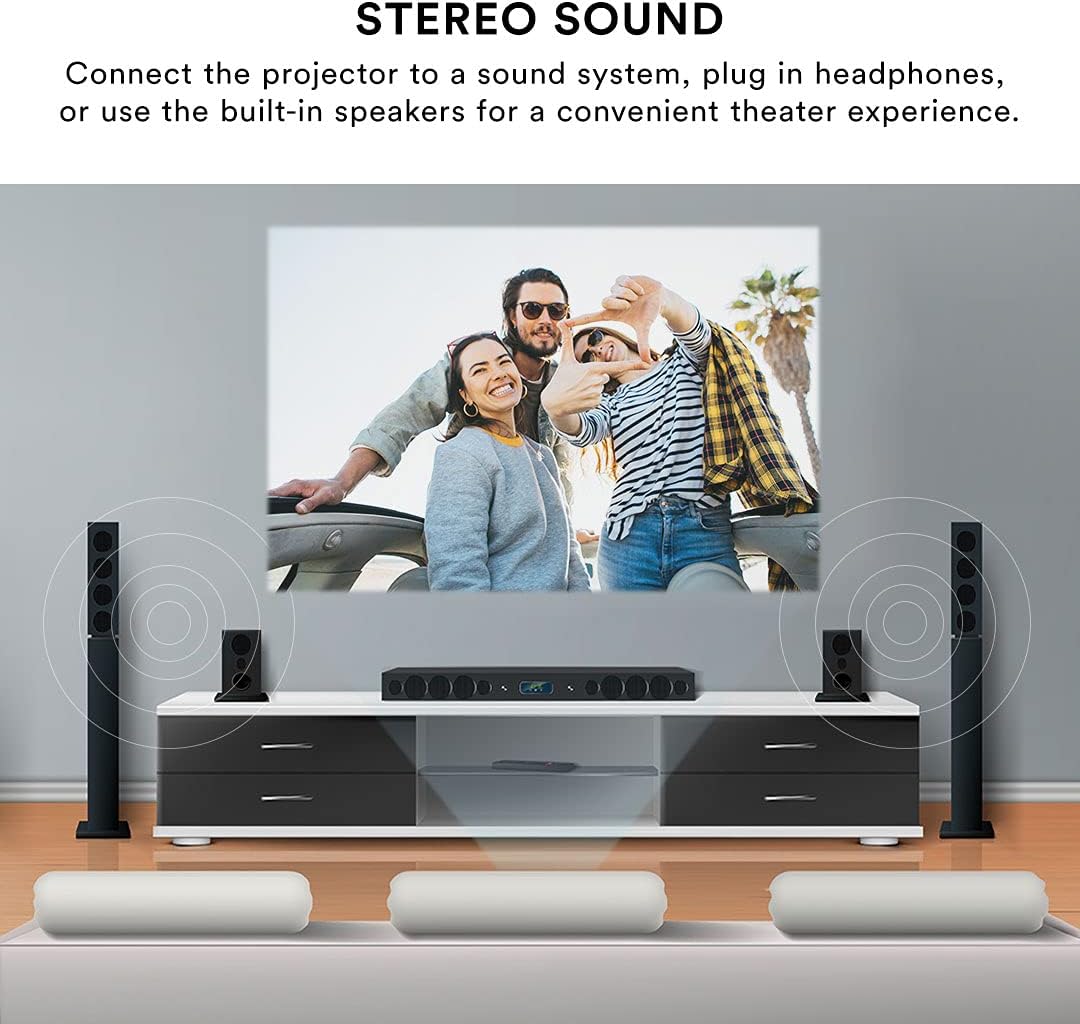
The projector features built-in speakers for convenient audio playback. For enhanced sound quality, you can connect external speakers or headphones using the 3.5mm Headphone Jack (1).
ווייַט קאָנטראָל
The included remote control allows for effortless operation from a distance. Use it to power on/off, select input sources, navigate menus, adjust volume, and control playback.
וישאַלט
געהעריגע אויפהאלטונג גאראנטירט די לאנגעוויטי און פאָרשטעלונג פון אייער פּראָיעקטאָר.
- לענס רייניקונג: ניצט אַ ווייכע, לינט-פֿרייע שטאָף ספּעציעל דיזיינד פֿאַר אָפּטישע לענסעס צו פֿאָרזיכטיק ווישן די פּראָיעקטאָר לענס. פֿאַרמייַדט ניצן אַברייסיוו רייניגער אָדער איבערגעטריבענע קראַפֿט, וואָס קען קראַצן די לענס.
- עקסטעריאָר רייניקונג: ווישט אָפּ די אויסערלעכע זייט פון פּראָיעקטאָר מיט אַ ווייכן, טרוקענעם שטאָף. פֿאַר שווערע פֿלעקן, ניצט אַ ביסל טרוקן שטאָף.amp א שטאָף קען גענוצט ווערן, אָבער זאָרגט אַז קיין פליסיקייט זאָל נישט אַרײַנגיין אין דעם אַפּאַראַט.
- ווענטילאַטיאָן: Ensure the projector's ventilation openings are clear and unobstructed. Do not place the projector on soft surfaces that may block airflow. Proper ventilation prevents overheating.
- סטאָרידזש: When not in use for extended periods, store the projector in a cool, dry place, away from direct sunlight and extreme temperatures. Use the lens cover to protect the lens from dust.
טראָובלעשאָאָטינג
אויב איר טרעפט פּראָבלעמען מיט אייער פּראָיעקטאָר, זעט די פאלגענדע געוויינטלעכע פּראָבלעמען און לייזונגען:
| פּראָבלעם | מעגלעך סיבה | לייזונג |
|---|---|---|
| קיין בילד נישט פּראָיעקטירט | Power cable disconnected; Incorrect input source selected; Device not connected properly. | Check power connection; Select the correct input source (HDMI, USB, AV); Ensure source device is powered on and connected securely. |
| די בילד איז בלערי | Focus not adjusted; Projector too far/close to screen; Lens dirty. | Adjust the focus knob; Adjust projector distance; Clean the lens. |
| בילד איז פארדרייט (טראַפּעזאָיד) | פּראָיעקטאָר נישט פּערפּענדיקולאַר צום עקראַן. | Use keystone correction to adjust the image. |
| קיין געזונט | Volume too low; External speakers not connected; Source device audio settings. | Increase projector volume; Ensure external speakers are connected and powered; Check audio output settings on your source device. |
| ווייַט קאָנטראָל נישט ארבעטן | באַטעריעס נידעריק/טויט; שטערונג צווישן ווייַטקאָנטראָל און פּראָיעקטאָר; ווייַטקאָנטראָל סענסאָר בלאָקירט. | Replace batteries; Remove any obstructions; Ensure remote is pointed at the projector's IR sensor. |
| Projector is overheating or fan is loud | פארשטאפטע ווענטילאציע; פארלענגערטע באנוץ. | Ensure ventilation openings are clear; Allow the projector to cool down if used for extended periods. |
ספּעסאַפאַקיישאַנז
| שטריך | דעטאַל |
|---|---|
| סאָרט | האַרץ יננאָוואַטיאָנס |
| מאָדעל נומער | CJR600BL |
| פּראָדוקט דימענשאַנז | 8.1 X 3.4 X 6.1 אינטשעס |
| פּונקט וואָג | 2 פונט |
| פּרויעקציע גרייס | 32" - 150" |
| קאַנטראַסט פאַרהעלטעניש | 300:1 |
| ווייַז האַכלאָטע | 1280 X 720 |
| קאַנעקטיוויטי טעכנאָלאָגיע | HDMI (x2), USB, Micro SD, AV, VGA |
| אַודיאָ | Built-in speakers, 3.5mm headphone jack |
| פאָרם פאַקטאָר | פּאָרטאַטיוו |
| אַרייַנגערעכנט קאַמפּאָונאַנץ | Power Cord, User Manual, HDMI Cable, Remote Control, Projector Lens Cover |
וואָראַנטי און שטיצן
וואָראַנטי אינפֿאָרמאַציע
This Core Innovations projector comes with a 1-יאָר לימיטעד וואָראַנטי from the date of purchase, covering 90 days for parts and labor. Please retain your proof of purchase for warranty claims.
קונה שטיצן
For technical assistance, troubleshooting beyond this manual, or warranty inquiries, please contact Core Innovations customer support. Refer to the contact information provided on the product packaging or the official Core Innovations webפּלאַץ.


