1. הקדמה
The Apple 67W USB-C Power Adapter is designed to provide fast and efficient charging for compatible USB-C devices, including MacBook Pro, MacBook Air, iPhone, and iPad models. This manual provides important information regarding the proper setup, operation, maintenance, and safety of your power adapter.
2. פּעקל אינהאַלט
באַשטעטיקט אַז אייער פּעקל כּולל די פאלגענדע זאַך:
- עפּל 67 וו וסב-C מאַכט אַדאַפּטער
Note: A USB-C charging cable is sold separately and is required for use with this power adapter.
3. פֿעיִקייטן
- שנעל, עפעקטיוו טשאַרדזשינג: Delivers 67 watts of power for rapid charging.
- אוניווערסאַלע USB-C קאָמפּאַטאַביליטי: Works with a wide range of USB-C enabled devices.
- Recommended Pairing: Ideal for 13-inch MacBook Pro (2016 and later) and 14-inch MacBook Pro with Apple M1 Pro chip (8-core CPU).
- Fast-Charging for MacBook Air: Enables 0 to 50 percent charge in approximately 30 minutes with MacBook Air M2 chip models.
- סאָליד פּלאַן: Lightweight and portable for use at home, office, or while traveling.
4. זיכערקייַט אינפֿאָרמאַציע
Read all safety information below before using the power adapter to avoid injury or damage to your device.
- עלעקטריקאַל זיכערקייַט:
- Use only with compatible power outlets (120 Volts AC).
- Do not use the adapter if it is damaged, frayed, or has exposed wires.
- Avoid using in wet environments or near liquids.
- פרובירט נישט צו צענעמען אדער מאדיפיצירן דעם אדאפטער.
- היץ: The power adapter may become warm during normal operation. Ensure adequate ventilation and do not cover it.
- קינדער: Keep the power adapter and cables out of reach of children.
- געהעריק קשר: Ensure the adapter is fully inserted into the power outlet and the USB-C cable is securely connected to both the adapter and your device.
5. סעטאַפּ
- ופשליסן די אַדאַפּטער: Carefully remove the Apple 67W USB-C Power Adapter from its packaging.
- פאַרבינדן USB-C קאַבל: Obtain a compatible USB-C charging cable (sold separately). Connect one end of the USB-C cable to the USB-C port on the power adapter.
- צאַפּן אין די מאַכט אָוטלעט: Extend the prongs on the power adapter and plug it firmly into a standard electrical wall outlet (120V).
- פאַרבינדן צו מיטל: Connect the other end of the USB-C cable to the charging port on your compatible device (e.g., MacBook, iPhone, iPad).
The device should indicate that it is charging. If not, ensure all connections are secure and the power outlet is active.

Image: Apple 67W USB-C Power Adapter with its foldable prongs extended.
6. אַפּערייטינג ינסטרוקטיאָנס
Once connected, the Apple 67W USB-C Power Adapter will automatically begin charging your device. The charging speed will depend on your device's battery level and its power management system.
- שנעל טשאַרדזשינג: For devices that support fast charging, such as the MacBook Air with M2 chip, the adapter can charge the battery from 0% to 50% in approximately 30 minutes.
- אָפּטימאַל פאָרשטעלונג: For best results, use the adapter with Apple-recommended USB-C charging cables.
- דיסקאַנעקטינג: To disconnect, first unplug the USB-C cable from your device, then unplug the adapter from the wall outlet.
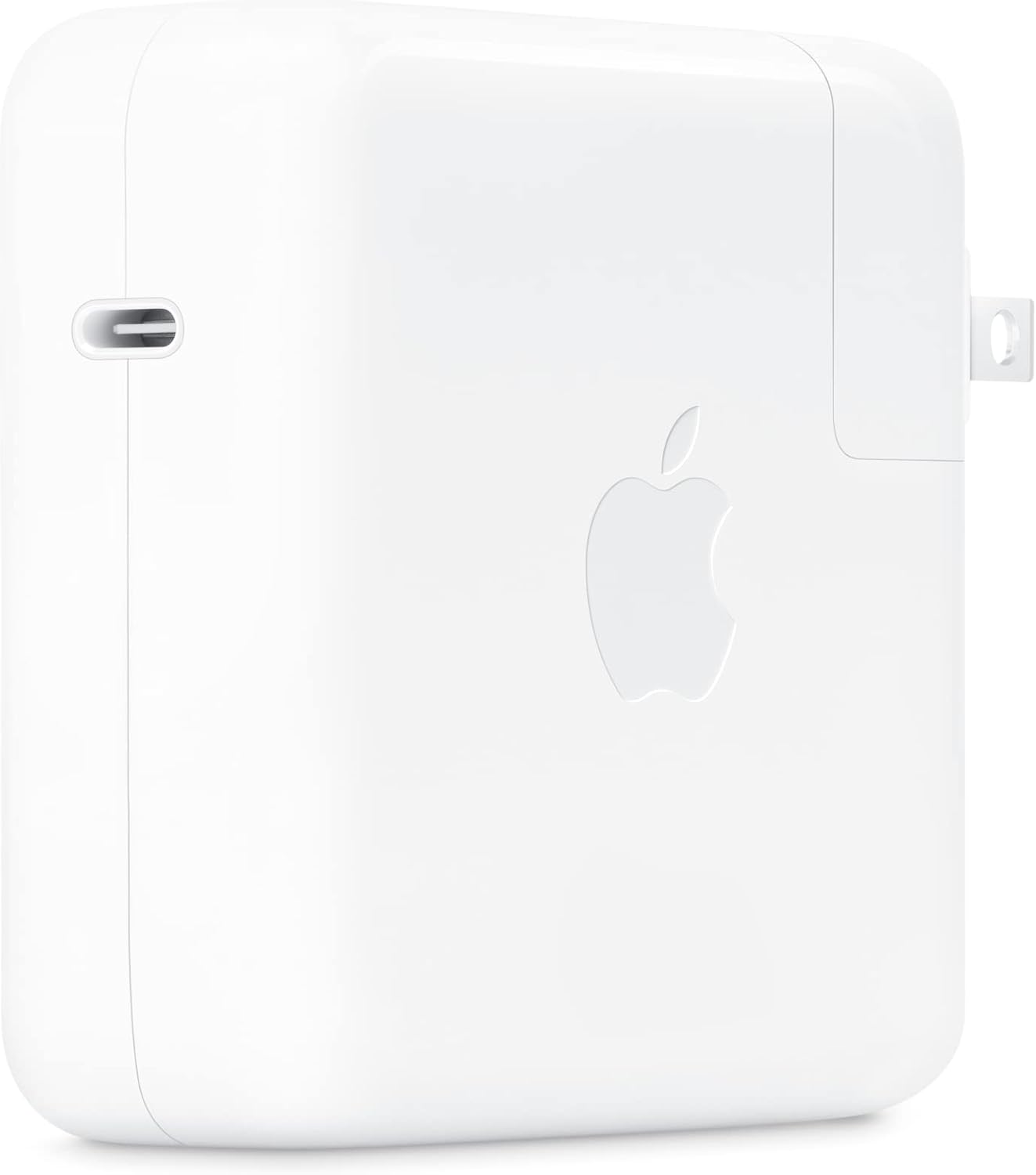
בילד: זייט view of the Apple 67W USB-C Power Adapter, highlighting the USB-C port.
7. וישאַלט
- רייניקונג: Disconnect the adapter from power before cleaning. Use a soft, dry, lint-free cloth. Do not use liquid cleaners or aerosols.
- סטאָרידזש: Store the adapter in a cool, dry place when not in use. Avoid extreme temperatures.
- קאַבלע זאָרגן: Avoid bending or crimping the charging cable excessively, as this can damage the internal wires.
8. טראָובלעשאָאָטינג
| פּראָבלעם | לייזונג |
|---|---|
| מיטל ניט טשאַרדזשינג. |
|
| פּאַמעלעך טשאַרדזשינג. |
|
| אַדאַפּטער פילט זיך הייס. |
|
9. ספּעסאַפאַקיישאַנז
| מאָדעל נומער | MKU63AM/A |
| וואָסtage | 67 וו |
| אַרייַנשרייַב וואָלtage | 120 וואלטס |
| קאַנעקטער טיפּ | וסב טיפּ-C |
| גאַנץ וסב פּאָרץ | 1 |
| פּראָדוקט דימענשאַנז | 4.21 X 4.21 X 1.28 אינטשעס |
| פּונקט וואָג | 8.8 אונסעס |
| קאַמפּאַטאַבאַל דעוויסעס | Phone, tablet, computer (e.g., iPhone 15/16 series, MacBook Pro, MacBook Air, iPad) |
| ספּעציעלע פֿעיִקייטן | Fast Charging, Lightweight Design, Retractable Plug, Travel-friendly |
10. וואָראַנטי און שטיצן
The Apple 67W USB-C Power Adapter typically comes with a איין יאָר לימיטעד וואָראַנטי פֿון דעם קויפֿדאַטום. די וואָראַנטי דעקט פֿאַבריקאַציע־דעפֿעקטן אונטער נאָרמאַלן באַנוץ.
For detailed warranty terms, technical support, or service, please visit the official Apple Support webזייטל אדער קאנטאקט עפל קאסטומער סערוויס גלייך. האלט אייער באווייז פון קויפן פאר גאראנטיע טענות.
עפּל שטיצן Webפּלאַץ: support.apple.com


