הקדמה
Thank you for choosing the HTC True Wireless Bluetooth Earbuds 2. This manual provides detailed instructions on how to set up, operate, and maintain your earbuds to ensure optimal performance and longevity. Please read this manual carefully before using the product.
וואָס איז אין די קעסטל
- 1 קס טשאַרדזשינג פאַל
- 1 קס וסב טיפּ-C קאַבלע
- 1 קס קוויק אָנהייב גייד
- 2x True Wireless Earbuds (Left and Right)
- 2x pairs of rubber tips (large and small) - Note: A medium pair is likely pre-installed.
פּראָדוקט איבערview
Familiarize yourself with the components of your HTC True Wireless Bluetooth Earbuds 2 and their charging case.

Image: The HTC True Wireless Earbuds 2, with one earbud outside the open charging case, showing the charging contacts and indicator light.
The charging case features a USB-C port for charging and an LED indicator to show charging status. Each earbud has touch-sensitive surfaces for control and charging contacts at the bottom.
סעטאַפּ
1. אויפלאָדן די אויערקנעפּלעך און קעסטל
פארן ערשטן באַנוץ, זיכערט זיך אז ביידע די אויערקנעפּלעך און די טשאַרדזשינג קעסטל זענען גאָר אויפגעלאָדן.
- Place the earbuds into the charging case. Ensure they are correctly seated; the indicator lights on the earbuds should illuminate, indicating charging.
- Connect the USB Type-C cable to the charging port on the case and the other end to a USB power source (e.g., computer, wall adapter).
- The charging case's indicator light will show charging status. A full charge for the case provides up to 3 additional charges for the earbuds, extending total playtime to 32 hours.

Image: The HTC True Wireless Earbuds 2 in their charging case, illustrating the long battery life performance with up to 8 hours listening time per charge and 32 hours total with the 500mAh charging case.
2. פּערינג מיט אַ מיטל
די אויערקנעפּלעך נוצן בלועטוט 5.1 פֿאַר שנעלע און סטאַבילע פֿאַרבינדונגען.
- עפֿנט דעם טשאַרדזשינג קעסטל. די אויערקנעפּלעך וועלן אויטאָמאַטיש אַרײַן אין פּערינג מאָדע.
- אויף אייער דעווייס (סמאַרטפאָן, טאַבלעט, לאַפּטאָפּ), אַקטיווירט בלועטוט.
- זוכן פֿאַר "HTC TWS3" or "HTC True Wireless Earbuds 2" in the list of available Bluetooth devices.
- Select the earbuds to connect. Once connected, you will hear a confirmation tone.

Image: The HTC True Wireless Earbuds 2 and their charging case positioned near a smartphone, demonstrating the quick and easy pairing process facilitated by the latest Bluetooth 5.1 chipset.
The earbuds can be used individually or together. For optimal stereo sound, use both earbuds. They maintain a stable connection up to 10 meters (32 feet) from your device.
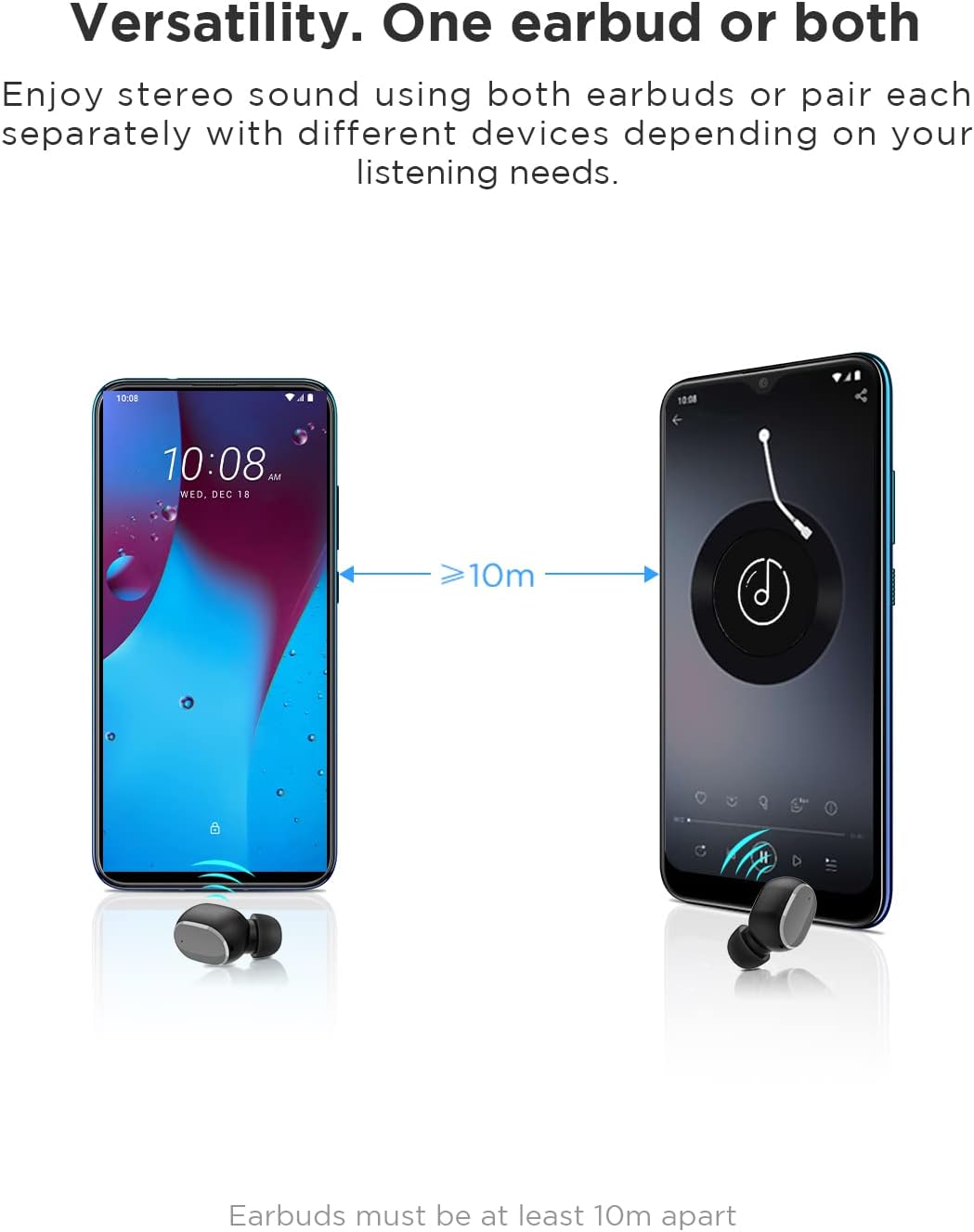
Image: An illustration showing two smartphones and earbuds, emphasizing the versatility of using one or both earbuds and the effective operating range of at least 10 meters.
אַפּערייטינג ינסטראַקשאַנז
The HTC True Wireless Bluetooth Earbuds 2 feature intuitive touch controls for various functions.

Image: A detailed diagram illustrating the simple touch controls for the HTC True Wireless Earbuds 2, including commands for play/pause, track navigation, call management, voice assistant, and volume control.
| קאַמף | פֿונקציע |
|---|---|
| צאַפּן איין עאַרבוד אַמאָל | Play / Pause music, Answer / End call |
| צאַפּן צוויי מאָל אויף די לינקס עאַרבוד | פאַרגרעסערן באַנד |
| צאַפּן צוויי מאָל אויף די רעכט עאַרבוד | פאַרמינערן די באַנד |
| צאַפּן דריי מאָל אויף יעדער עאַרבוד | אַקטאַווייט די קול אַססיסטאַנט |
| צאַפּן און האַלטן די לינקס עאַרבוד פֿאַר 2 סעקונדעס | שפּיל פרייַערדיק ליד |
| צאַפּן און האַלטן די רעכט עאַרבוד פֿאַר 2 סעקונדעס | שפּיל ווייַטער ליד |
| Tap and hold either earbud for 2 seconds (during incoming call) | אַראָפּגיין רופן |
| Tap either earbud 5 times | Clear pairing / Restore factory settings |
The earbuds are designed for comfortable, long-term wear, weighing only 4.4g per earbud. They come with three different sizes of ear tips to ensure a secure and comfortable fit.

Image: A person comfortably wearing an HTC earbud, accompanied by illustrations highlighting the ergonomic design, skin-friendly material, and the inclusion of three different earplug sizes for optimal fit and comfort.
וישאַלט
רייניקונג
רעגולערע רייניקונג העלפט אויפהאלטן קלאַנג קוואַליטעט און היגיענע.
- ניצט אַ ווייכן, טרוקענעם, לינט-פֿרייעם שטאָף צו ווישן די אויערקנעפּלעך און די טשאַרדזשינג קעסטל.
- For earwax or debris in the ear tips or speaker mesh, use a small, soft brush or cotton swab. Do not use sharp objects.
- ויסמיידן ניצן אַברייסיוו רייניגער, אַלקאָהאָל, אָדער כעמישע סאָלוואַנץ.
סטאָרידזש
ווען נישט אין באַנוץ, לייגט די אויערן-קנעפּלעך אין זייער טשאַרדזשינג קעסטל צו באַשיצן זיי און האַלטן זיי טשאַרדזשד.
- האַלטן אין אַ קיל, טרוקן אָרט, אַוועק פון עקסטרעמע טעמפּעראַטורן און דירעקט זונשייַן.
- פֿאַרמײַדן אויפֿצוהיטן אין שטויביגע אָדער שמוציקע סביבות.
וואַסער קעגנשטעל (IPX5)
The HTC True Wireless Bluetooth Earbuds 2 are rated IPX5 water-resistant, meaning they can withstand a sustained, low-pressure water jet spray. This makes them suitable for workouts and light rain.
- טונקט נישט די אויערן-קנעפּלעך אין וואַסער.
- די טשאַרדזשינג קעסטל איז נישט וואַסער-קעגנשטעליק. האַלט עס טרוקן.
- זיכער מאַכן אַז די אויערקנעפּלעך זענען טרוקן איידער איר לייגט זיי צוריק אין די טשאַרדזשינג קעסטל צו פאַרמייַדן שעדיקן.
טראָובלעשאָאָטינג
אויב איר טרעפט פּראָבלעמען מיט אייערע אויערן-קנעפּלעך, באַזירט זיך אויף די פאלגענדע געוויינטלעכע לייזונגען:
| פּראָבלעם | לייזונג |
|---|---|
| עאַרבודס זענען נישט פּערינג מיט די מיטל |
|
| נאָר איין אויערקנעפּל האָט קלאַנג |
|
| עאַרבודס נישט טשאַרדזשינג |
|
| שלעכטע געזונט קוואַליטעט אָדער דיסקאַנעקשאַנז |
|
ספּעסאַפאַקיישאַנז
Detailed technical specifications for the HTC True Wireless Bluetooth Earbuds 2.
| שטריך | דעטאַל |
|---|---|
| מאָדעל נאָמען | TWS 2 (HTC TWS3) |
| קאַנעקטיוויטי טעכנאָלאָגיע | ווירעלעס (בלוטוט 5.1) |
| כעדפאָונז דזשאַק | USB (פֿאַר טשאַרדזשינג קעסטל) |
| קאָנטראָל טיפּ | ריר, באַנד קאָנטראָל |
| וואַסער קעגנשטעל מדרגה | IPX5 (עאַרבודז) |
| מיקראָפאָן פֿאָרמאַט | Built-In, Stereo |
| שפּיל צייט (עאַרבודז) | ביז 8 שעה (איין אָפּצאָל) |
| רעדן צייט (אויערקנעפּלעך) | ביז 6 שעה (איין אָפּצאָל) |
| גאַנץ שפּילצייט מיט טשאַרדזשינג קעסטל | אַרויף צו 32 שעה |
| טשאַרדזשינג קאַסע באַטאַרייע קאַפּאַציטעט | 500 מאַה |
| Earbud Weight (Single) | 4.4ג |
| מאַקסימום אַפּערייטינג דיסטאַנסע | 32 פֿיס (אומגעפער 10 מעטער) |
| קאַמפּאַטאַבאַל דעוויסעס | Android, Laptops, iPhone |
| מאַטעריאַל | פּלאַסטיק |
| פּראָדוקט דימענשאַנז | 4.34 x 4.34 x 3.45 ס״מ; 160 ג (גאַנצע פּאַקעט) |
זיכערקייַט אינפֿאָרמאַציע
Please observe the following safety guidelines for safe and effective use:
- נעמט נישט אויס, פאררעכט, אדער מאדיפיצירט נישט דאס פראדוקט. דאס קען פאראורזאכן פייער, עלעקטרישע שאק, אדער גאנצע שאדן צום פראדוקט.
- האַלט דעם פּראָדוקט אַוועק פון עקסטרעמע טעמפּעראַטורן, דירעקט זונשייַן און הויך הומידיטי.
- ויסמיידן דראַפּינג אָדער אונטערטעניק דעם פּראָדוקט צו שטאַרק ימפּאַקץ.
- ניצט נישט די אויערקנעפּלעך מיט צו הויכע קולות פאר לענגערע צייטן, ווייל דאָס קען שאַטן די הערן.
- האַלטן אויס פון דערגרייכן פון קינדער און פּעץ.
- Dispose of the product and its batteries responsibly according to local regulations.
קונה שטיצן
For further assistance or inquiries, please contact HTC customer support through their official channels. Refer to the product packaging or the official HTC webפּלאַץ פֿאַר קאָנטאַקט אינפֿאָרמאַציע.
Note: Specific warranty details are not provided in this manual. Please refer to your purchase documentation or the manufacturer's webפּלאַץ פֿאַר וואָראַנטי אינפֿאָרמאַציע.


