הקדמה
The Koss TWS250i True Wireless Earbuds offer a seamless audio experience with Bluetooth 5.0 connectivity, intuitive touch controls, and a portable USB-C charging case. This manual provides essential information for setting up, operating, maintaining, and troubleshooting your earbuds.
פּראָדוקט איבערview
Your Koss TWS250i package includes the true wireless earbuds and a compact charging case. The earbuds are designed for comfort and secure fit, ensuring optimal sound delivery.

Image: Koss TWS250i True Wireless Earbuds and charging case on a wooden surface.
The charging case not only protects your earbuds but also provides additional battery life on the go. Inside the case, you'll find designated slots for each earbud (Left and Right).
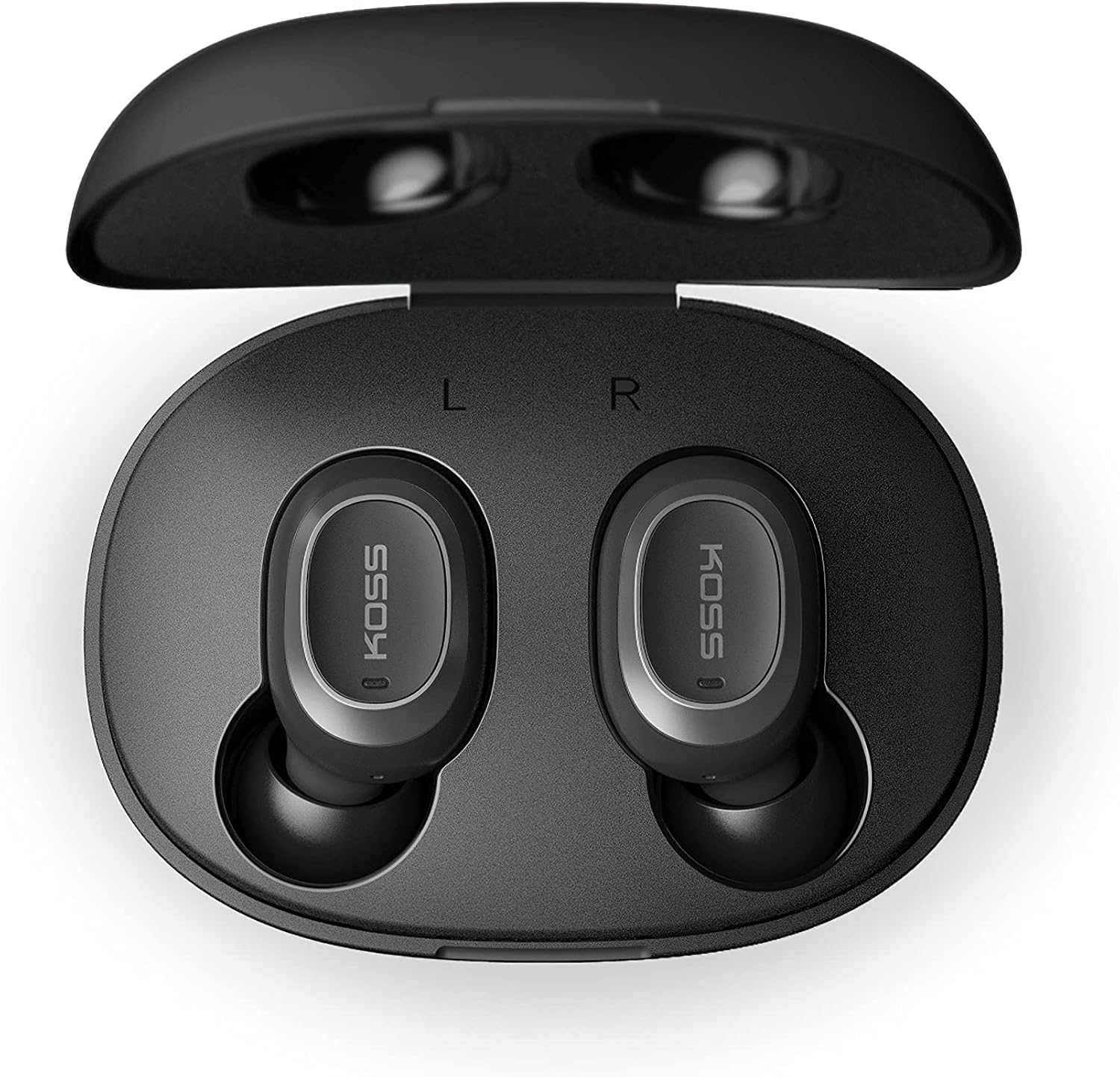
Image: Open Koss TWS250i charging case with both earbuds inside, showing L and R indicators.
To ensure the best fit and sound quality, the earbuds come with multiple sizes of silicone ear tips (Small, Medium, Large). Experiment with these to find the size that provides a comfortable and secure seal in your ear canal.

Image: Single Koss TWS250i earbud next to small, medium, and large silicone ear tips.
סעטאַפּ
1. טשאַרדזשינג
Before initial use, ensure both the earbuds and the charging case are fully charged. Connect the provided USB-C cable to the charging port on the case and to a power source. LED indicators on the front of the case will illuminate to show the charging status. When earbuds are placed inside the case, they will automatically begin charging.
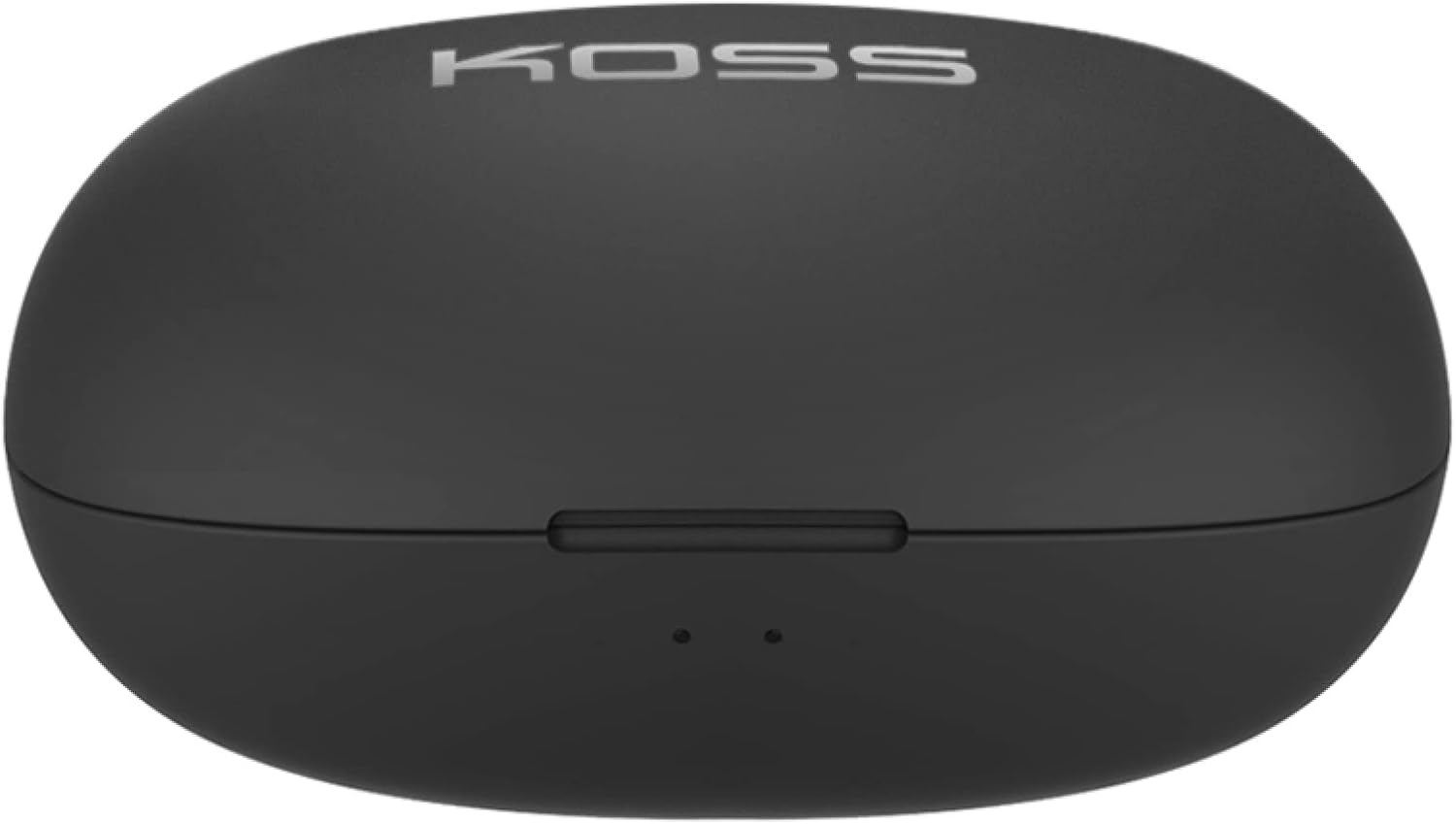
Image: Closed Koss TWS250i charging case, showing the USB-C charging port.
Video: Official product video demonstrating the Koss TWS250i True Wireless Earbuds, including their design, charging case, and basic features.
2. פּערינג
- Remove both earbuds from the charging case. They will automatically enter pairing mode, indicated by a flashing red and blue light on one of the earbuds.
- אויף אייער סמאַרטפאָון, טאַבלעט, אָדער אַנדער בלוטוט-ענייבאַלד מיטל, נאַוויגירט צו די בלוטוט סעטטינגס.
- Select "Koss TWS250i" from the list of available devices to connect.
- Once successfully paired, the earbuds will connect automatically to your device whenever they are removed from the charging case.
3. פּאַסן
Choosing the correct ear tip size is essential for both comfort and sound performance. Experiment with the included Small, Medium, and Large silicone ear tips to find the best fit for your ears. A proper seal will enhance bass response and passive noise isolation.

Image: Man wearing a Koss TWS250i earbud, smiling and looking at his phone.
אַפּערייטינג ינסטראַקשאַנז
1. ריר קאָנטראָלס
The Koss TWS250i earbuds feature intuitive touch controls on their outer surface:
- מאַכט אויף / אַוועק: Long press the touch surface until the earbuds power on or off.
- שפּיל / פּויזע מוזיק: איין צאַפּן אויף יעדער עאַרבוד.
- ענטפֿערן / סוף רופן: איין צאַפּן אויף יעדער עאַרבוד.
- באַנד אַרויף: איין קליק אויף די רעכט עאַרבוד.
- באַנד אַראָפּ: איין קליק אויף די לינקס עאַרבוד.
- האָפּקען שפּור פאָרויס: Longer touch on the רעכט עאַרבוד.
- איבערשפרינגען דעם טרעק צוריק: Longer touch on the לינקס עאַרבוד.
2. Dual Connect Functionality
The TWS250i earbuds support dual connect, allowing each earbud to function independently. This means you can use one earbud while the other charges, or share one earbud with a friend. Both earbuds have built-in microphones, ensuring clear communication regardless of whether you use one or both.
וישאַלט
- רייניקונג: רייניקט רעגולער די אויערקנעפּלעך און די טשאַרדזשינג קעסטל מיט אַ ווייכן, טרוקענעם שטאָף. פֿאַרמייַדט די נוצן פון שאַרפע מאַטעריאַלן אָדער שאַרפע כעמיקאַלן.
- סטאָרידזש: שטענדיק האַלטן די אויערקנעפּלעך אין זייער טשאַרדזשינג קעסטל ווען זיי זענען נישט אין באַנוץ צו באַשיצן זיי און האַלטן זיי טשאַרדזשד.
- טעמפּעראַטור: Avoid exposing the earbuds and case to extreme temperatures, direct sunlight, or high humidity.
טראָובלעשאָאָטינג
- קיין געזונט אָדער נעבעך געזונט קוואַליטעט:
- זיכער מאַכן אַז די אויערקנעפּלעך זענען גוט איינגעזעצט אין אייערע אויערן מיט אַ גוטן פאַרמאַכן. פּרוּווט פֿאַרשידענע גרייסן פון די אויער-שפּיצן.
- Check the volume levels on both your connected device and the earbuds.
- Verify that the earbuds are correctly paired and within the Bluetooth range of your device.
- עאַרבודז ניט פּערינג:
- מאַכן זיכער אַז די עאַרבודז זענען גאָר באפוילן.
- Remove both earbuds from the case to activate pairing mode (indicated by flashing red/blue lights).
- אויף דיין מיטל,
פֿאַרבונדענע דאָקומענטן - TWS250i

KOSS TWS250i True Wireless Earbuds User Manual
User guide for KOSS TWS250i True Wireless Earbuds, covering setup, pairing, touch controls, charging, specifications, and safety warnings.
קאָסס בלועטוט כעדסעטס באַניצער גייד, ספּעסיפיקאַציעס און זיכערהייט אינפֿאָרמאַציע
א פולשטענדיגע באַניצער פירער פֿאַר קאָס בלועטוט כעדסעטס, אַרייַנגערעכנט מאָדעלן KOSS BT115i V2, KOSS BT232i V2, KOSS BT221i V2, KOSS KSC35 Wireless V2, און KOSS UTILITY UBTA. דעקט זיכערהייט וואָרענונגען, וואָראַנטי, טעכנישע ספּעציפֿיקאַציעס, און באַטאַרייע וישאַלט.
קאָסס TWS150i טרו וויירלעסס אויערקנעפּלעך באַניצער מאַנואַל און אינסטרוקציעס
אן אויספירלעכע אנווייזונג צו ניצן אייערע Koss TWS150i True Wireless Earbuds, וואס באדעקט סעטאַפּ, פּערינג, קאָנטראָלס, טשאַרדזשינג און זיכערהייט אינפֿאָרמאַציע.
קאָסס KPH30 וויירלעס כעדפאָונז באַניצער גייד
באַניצער גייד פֿאַר די קאָסס KPH30 וויירלעס כעדפאָונז, וואָס דעקט סעטאַפּ, אָפּעראַציע, זיכערקייט און ספּעציפֿיקאַציעס.
KOSS BTS1 בלועטוט רעדנער: באַניצער גייד, פֿעיִקייטן און זיכערהייט אינפֿאָרמאַציע
א פולשטענדיגע אנווייזונג צום KOSS BTS1 בלועטוט רעדנער, מיט פרטים וועגן זיינע אייגנשאפטן, קאנעקטיוויטי, צוהערן מאָדעס, טשאַרדזשינג, ליכט אינדיקאַטאָרן, זיכערהייט וואָרענונגען, וואָראַנטי און קאָנפאָרמאַטי אינפֿאָרמאַציע.
קאָסס פּאָרטאַ פּראָ וויירלעס אויף-אויער כעדפאָונז באַניצער גייד
באַניצער גייד פֿאַר די קאָס פּאָרטאַ פּראָ וויירלעס אויף-אויער כעדפאָונז, וואָס דעקט פראָנט און הינטן קאָנטראָלס, טשאַרדזשינג, בלועטוט פּערינג, און מוזיק/רוף פאַנגקשאַנז.