1. הקדמה
Welcome to the instruction manual for your Hyperkin Duke Wired Controller. This officially licensed controller is designed to provide a classic gaming experience with modern compatibility for Xbox Series X|S, Xbox One, and Windows 10 PCs. This special edition features an Xbox 20th Anniversary design.

בילד 1.1: פראָנט view of the Hyperkin Duke Wired Controller, White 20th Anniversary Edition.
2. פּעקל אינהאַלט
זיכער מאַכן אַז אַלע זאכן זענען פאַראַן אין פּעקל:
- Hyperkin Duke Wired Controller (White)
- Detachable Type-C Braided Cable

Image 2.1: Hyperkin Duke Wired Controller product packaging.
3. קאָנטראָללער אויסלייג
Familiarize yourself with the controller's buttons and features:
- לינקע און רעכטע אנאלאגע שטעקנס: פֿאַר פּינקטלעכע באַוועגונג און קאַמעראַ קאָנטראָל.
- ד-פּאַד: ריכטונגס-איינגאב.
- א, ב, X, Y קנעפּלעך: נאָרמאַלע אַקציע קנעפּלעך.
- Left and Right Triggers (LT, RT): Pressure-sensitive for nuanced control.
- Left and Right Bumpers (LB, RB): Mirror the original black and white buttons for expanded functionality.
- Xbox קנעפּל: Features an animated original Xbox startup screen.
- ייַנטיילן קנעפּל: For capturing screenshots and video clips (functionality may vary by platform).
- View קנעפּל: Accesses in-game menus or system functions.
- מעניו קנעפּל: גייט אריין אין שפּיל אָדער אַפּ מעניוז.
- 3.5 מם כעדסעט דזשאַק: For connecting compatible headsets.

בילד 3.1: פראָנט view of the controller highlighting the main controls.
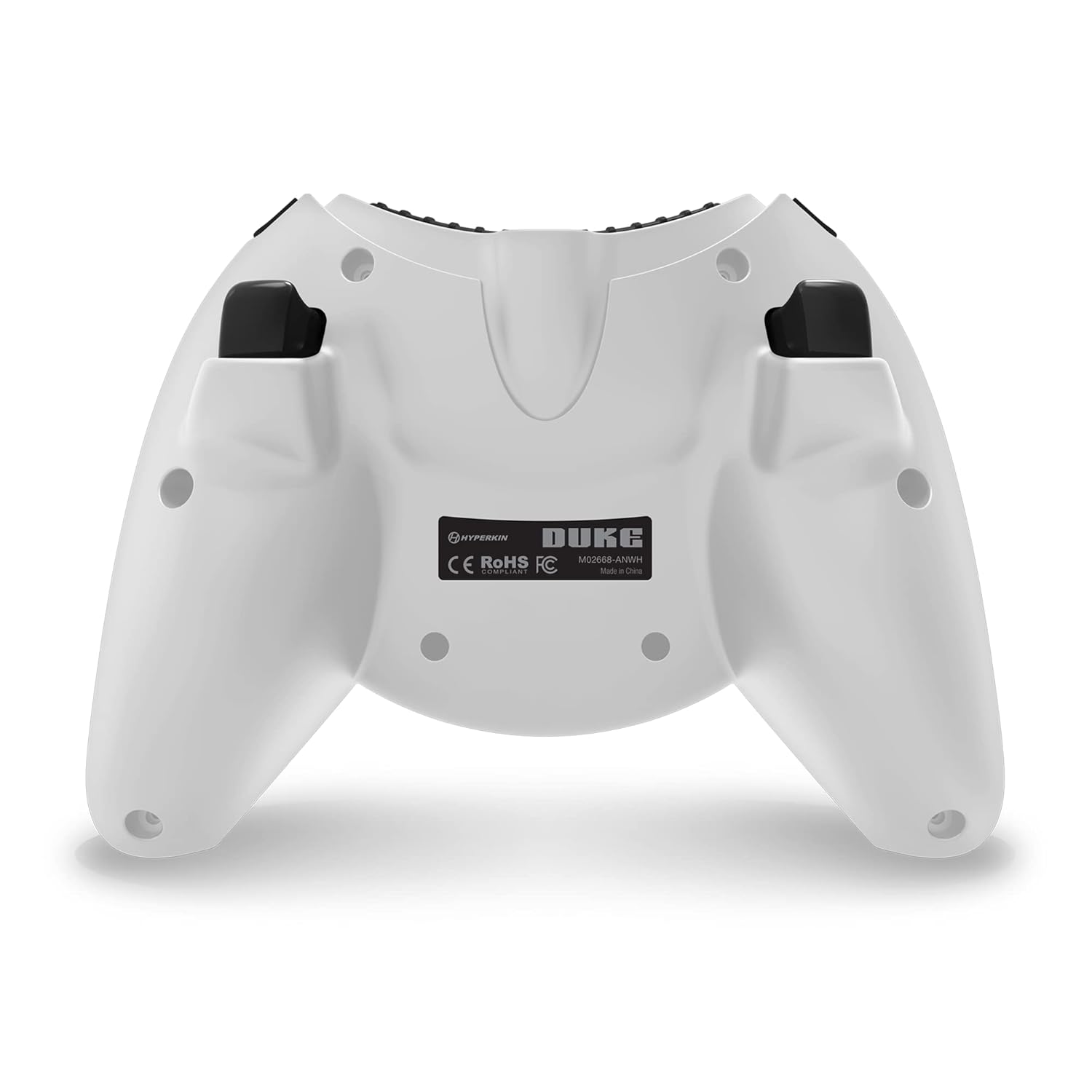
בילד 3.2: צוריק view פון די קאָנטראָללער.

Image 3.3: Detail of the Share button and detachable Type-C cable connection.
4. סעטאַפּ
The Hyperkin Duke Wired Controller is designed for simple plug-and-play functionality.
- Connect the detachable Type-C braided cable to the port on the top of the controller.
- Plug the USB-A end of the cable into an available USB port on your Xbox Series X|S, Xbox One console, or Windows 10 PC.
- The controller will automatically be detected and configured by your system. The Xbox button will illuminate, and the animated startup screen will play.
Video 4.1: This video demonstrates the animated Xbox button startup sequence on the Hyperkin Duke controller.
5. אַפּערייטינג ינסטרוקטיאָנס
Once connected, the controller functions similarly to standard Xbox controllers, with additional nostalgic elements.
- גיימינג: Use the analog sticks for movement and camera control, the D-pad for directional input, and the A, B, X, Y buttons for in-game actions.
- Precision Triggers: The analog triggers (LT, RT) offer variable input, ideal for racing games or actions requiring precise pressure.
- Bumpers (LB, RB): These buttons provide additional input options, often used for secondary actions or menu navigation.
- Xbox קנעפּל: Press the Xbox button to access the console's guide menu or the PC's Xbox Game Bar. The animated startup screen will play upon connection or when the button is pressed.
- ייַנטיילן קנעפּל: Utilize the Share button to quickly capture and share your gameplay moments.
- כעדסעט נוצן: Plug any compatible 3.5mm headset into the jack for in-game audio and voice chat.
- ווייבריישאַן באַמערקונגען: The controller provides haptic feedback to enhance immersion during gameplay.
6. וישאַלט און קער
To ensure the longevity and optimal performance of your controller, follow these care guidelines:
- רייניקונג: Use a soft, dry cloth to wipe down the controller. Avoid using abrasive cleaners, solvents, or harsh chemicals, as these can damage the surface and internal components.
- סטאָרידזש: Store the controller in a cool, dry place away from direct sunlight, extreme temperatures, and excessive humidity.
- קאַבלע זאָרגן: Handle the detachable Type-C cable with care. Avoid sharp bends, kinks, or excessive pulling, which can damage the cable or the connector ports. Always grasp the connector head when plugging or unplugging.
- ויסמיידן טראפנס: Protect the controller from drops or impacts, as these can cause internal damage.
7. טראָובלעשאָאָטינג
If you encounter issues with your Hyperkin Duke Wired Controller, refer to the following common solutions:
| פּראָבלעם | לייזונג |
|---|---|
| קאָנטראָללער נישט ריספּאַנדינג | Ensure the detachable Type-C cable is securely connected to both the controller and the console/PC. Try a different USB port on your system. Restart your console or PC. |
| Input issues (e.g., stick drift, unresponsive buttons) | For PC, try calibrating the controller through your operating system's game controller settings. Ensure no debris is obstructing buttons or sticks. If the issue persists, contact Hyperkin support. |
| No vibration feedback | Check in-game settings to ensure vibration is enabled. Verify that vibration settings are active in your console or PC's controller settings. |
| קיין אַודיאָ פֿון כעדסעט | Ensure your 3.5mm headset is fully plugged into the controller's jack. Check your console or PC's audio settings to confirm the headset is selected as the output device. Test the headset with another device if possible. |
Video 7.1: This video demonstrates a potential issue with the left trigger on the controller. If you experience similar issues, refer to the troubleshooting table and contact support.
8. ספּעסאַפאַקיישאַנז
- מאָדעל נומער: M02668-ANWH
- קאַמפּאַטאַבילאַטי: Xbox Series X|S, Xbox One, Windows 10 PCs
- קאַנעקטיוויטי: Wired (Detachable USB Type-C cable)
- דימענסיעס: 6.5 X 5.25 X 3 אינטשעס (16.5 X 13.3 X 7.6 סענטימעטער)
- וואָג: בעערעך 11.99 אונסעס (340 גראַמז)
- פֿעיִקייטן: Precision analog triggers, vibration feedback, 3.5mm headset jack, Share button, animated Xbox button, 20th Anniversary design.
9. וואָראַנטי און שטיצן
For detailed warranty information, product registration, and customer support, please visit the official Hyperkin webזייטל אדער קאנטאקט זייער קאסטומער סערוויס דעפארטמענט. האלט אייער באווייז פון קויפן פאר גאראנטיע טענות.
Hyperkin Official Webפּלאַץ: www.hyperkin.com


