הקדמה
Thank you for choosing the iHome AutoVac Halo Robot Vacuum and Mop Combo. This manual provides essential information for the safe operation, maintenance, and troubleshooting of your device. Please read it thoroughly before first use and keep it for future reference.
וואָס איז אַרייַנגערעכנט
באַשטעטיקן אַז אַלע קאָמפּאָנענטן זענען פאַראַן אין דער פּאַקעט:
- iHome AutoVac Halo Robot Vacuum
- אַוטאָ-עמפּטי באַזע
- אָפּווישן פּאַדס
- Replacement Side Brush
- PowerMop Attachment
- באַרשט רייניקונג געצייַג
- פאַרבייַט העפּאַ פילטער
- ווייַט קאָנטראָל
- שטויב באַג
- מאַכט קאַבלע

Image: All components of the iHome AutoVac Halo, including the robot vacuum, auto-empty base, mop pads, side brush, PowerMop attachment, cleaning tool, HEPA filter, remote control, dust bag, and power cable.
סעטאַפּ גייד
1. Prepare the Robot Vacuum
- Remove any protective film from the robot's surface.
- Remove and discard any bumper guards or packing materials.

בילד: אויבן view of the iHome AutoVac Halo Robot Vacuum, showing its clean, minimalist design.
2. Place the Auto-Empty Base
Choose an ideal location for the auto-empty base:
- לעבן אַן עלעקטריקאַל ווענטיל.
- Away from obstructions (ensure at least 2 feet on either side and 5 feet in front).
- In an area with a strong Wi-Fi signal.

Image: The iHome AutoVac Halo Robot Vacuum docked with its auto-empty base, illustrating proper placement.
3. ערשטע אויפלאָדונג
Connect the power cable to the auto-empty base and plug it into an outlet. Place the AutoVac Halo onto the base. The robot's LED indicators will light up. Allow the robot to fully charge before its first cleaning cycle (up to 5 hours). The LED will turn solid green when charging is complete.
Video: Demonstrates the initial setup and charging process for the iHome AutoVac Halo, including connecting the base and docking the robot.
4. Connect to Wi-Fi and App Setup
Download the "iHome Clean" app from your device's app store. Follow the in-app instructions to connect your AutoVac Halo to your home Wi-Fi network and add it as a device. This enables smart mapping, scheduling, and remote control features.

Image: Screenshot of the iHome Clean app displaying a mapped floor plan, illustrating the smart mapping capabilities.
אַפּערייטינג ינסטראַקשאַנז
1. Preparing Your Home for Cleaning
Before starting a cleaning cycle, ensure the area is free of small objects, loose cables, and anything that could obstruct the robot or get tangled in its brushes. This helps prevent the robot from getting stuck and ensures efficient cleaning.
2. אָנהייבן אַ רייניקונג ציקל
איר קענט אָנהייבן אַ רייניקונג ציקל אין עטלעכע וועגן:
- On-Device: Press the Power button on the robot.
- ווייַט קאָנטראָל: Use the provided remote control to start/stop cleaning.
- iHome Clean App: Use the app for advanced control, including auto-clean, region cleaning, area cleaning, and spot cleaning.
- קול קאָנטראָל: Connect to Amazon Echo or Google Home for voice commands.
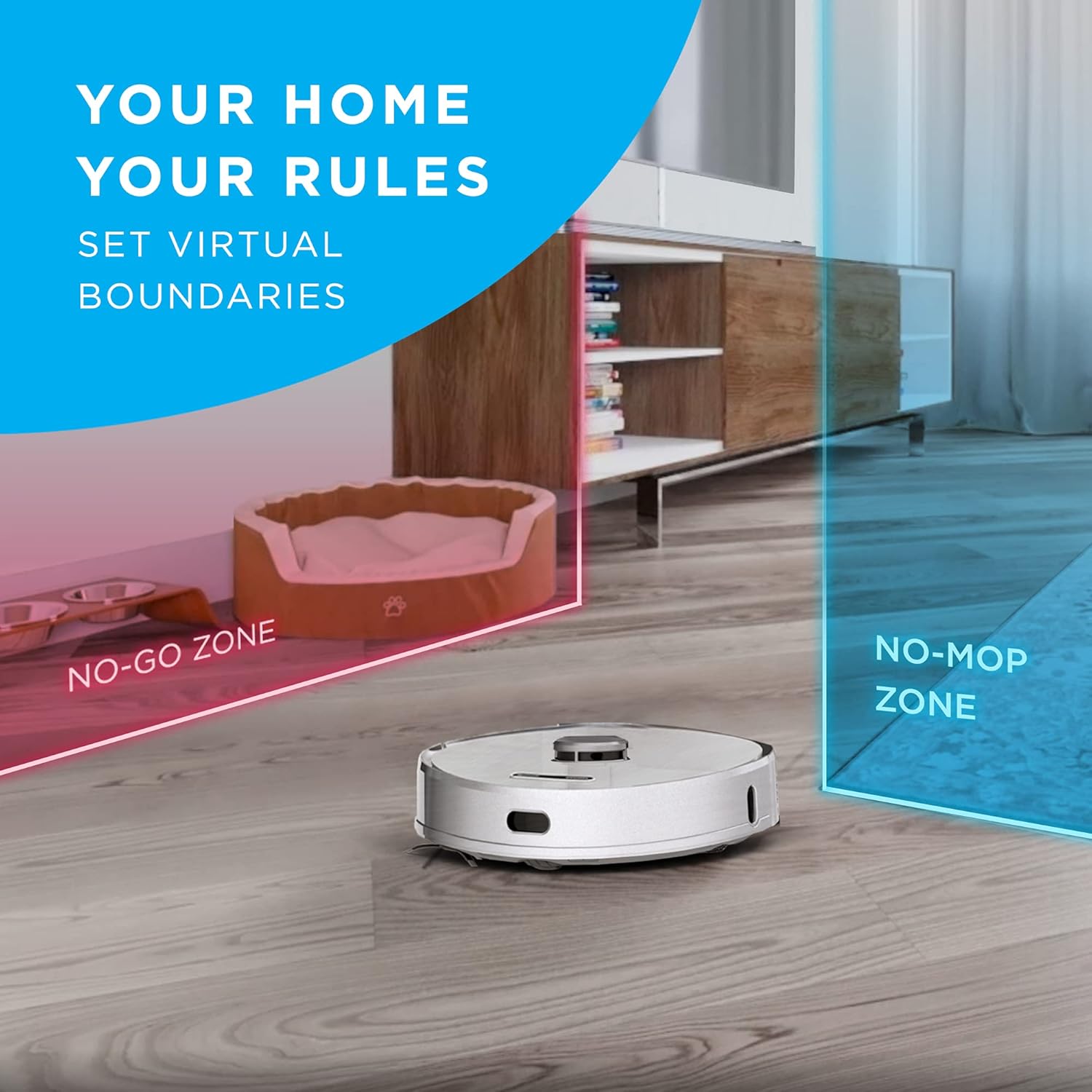
Image: The iHome AutoVac Halo actively cleaning a hard floor, demonstrating its operation.
3. קלוגע מאַפּינג און נאַוויגאַציע
The AutoVac Halo uses LiDAR Visual Navigation Technology to map your home. During its first few runs, it will create a detailed floor plan. This map allows for efficient, systematic cleaning and enables features like:
- ווירטועלע גרענעצן: Set "No-Go Zones" or "No-Mop Zones" via the app to restrict cleaning in specific areas.
- סקעדזשולד רייניקונג: Schedule cleaning for specific rooms or times.
- פאַקטיש-צייט טראַקינג: Monitor the robot's progress and location on the map in the app.
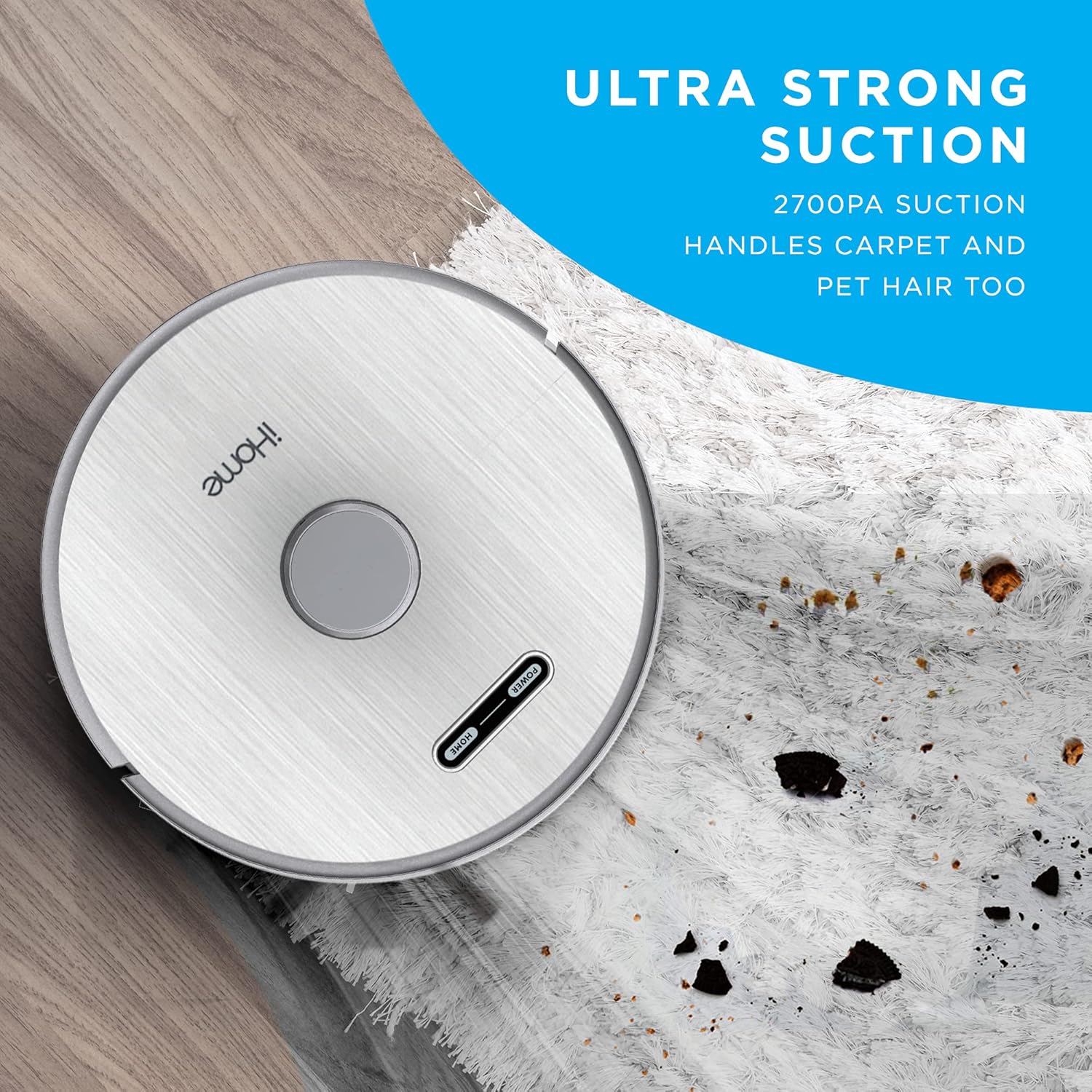
Image: The iHome AutoVac Halo navigating a room, with virtual boundaries (No-Go Zone, No-Mop Zone) overlaid on a floor plan.
4. Vacuum and Mop Functions
The AutoVac Halo offers both vacuuming and mopping capabilities. It is suitable for hardwood floors, tile, and low-pile carpets. For mopping, attach the PowerMop attachment and fill the water tank (if applicable, specific instructions for mop attachment are in the full manual). Adjust suction and mop settings via the app.

Image: The iHome AutoVac Halo demonstrating its mopping function on a hard floor, leaving a clean path.
וישאַלט
Regular maintenance ensures optimal performance and extends the lifespan of your AutoVac Halo.
1. Auto-Empty Base Dust Bag
The auto-empty base automatically transfers dirt from the robot's dustbin into a disposable dust bag. Replace the dust bag when the indicator light on the base signals it is full, or approximately every 30-60 days depending on usage.

Image: A hand removing a full dust bag from the iHome Auto-Empty Base, ready for disposal.
2. Robot Dustbin and Filter
Although the base self-empties, periodically check and clean the robot's internal dustbin and HEPA filter. Tap out loose debris and rinse the filter under running water (ensure it's completely dry before re-inserting). Replace the HEPA filter every 3-6 months.
3. Brushes and Wheels
Regularly inspect and clean the main brush, side brushes, and wheels. Use the provided cleaning tool to remove tangled hair or debris. Replace worn-out side brushes as needed.
4. Mop Pads
After each mopping cycle, remove and clean the mop pads. They can be hand-washed or machine-washed. Ensure they are dry before reattaching.
טראָובלעשאָאָטינג
If you encounter issues with your iHome AutoVac Halo, refer to the following common solutions:
| פּראָבלעם | מעגלעך סיבה | לייזונג |
|---|---|---|
| ראָבאָט נישט טשאַרדזשינג | Not properly docked; power cable loose; charging contacts dirty. | Ensure robot is correctly aligned on the base. Check power cable connection. Clean charging contacts on both robot and base. |
| ראָבאָט בלייבט אָפט שטעקן | Loose cables, small objects, or thick carpets. | Clear the cleaning area of obstructions. Use virtual boundaries in the app for problem areas. |
| נעבעך רייניקונג פאָרשטעלונג | Full dustbin/dust bag; clogged filter; worn brushes. | Empty dustbin/replace dust bag. Clean or replace filter. Clean or replace brushes. |
| ווי-פי קשר ישוז | Weak Wi-Fi signal; incorrect network password; router issues. | Ensure strong Wi-Fi signal near the base. Re-enter Wi-Fi credentials in the app. Restart your router. |
| Main Wheel Error | Debris caught in wheels; wheel malfunction. | Check wheels for obstructions and clean them. If the error persists, contact customer support. |
ספּעסאַפאַקיישאַנז
- סאָרט: iHome
- מאָדעל נאָמען: iHRV7
- ספּעציעלע פֿעיִקייטן: LiDAR Navigation, Self-Emptying, Smart Mapping
- קאָליר: ווייַס
- פילטער טיפּ: פּאַטראָן
- באַטאַרייע לעבן: אַרויף צו 3 שעה
- מאַכט מקור: באַטאַרייע פּאַוערד
- באַטעריז: 1 ליטהיום יאָן באַטאַרייע פארלאנגט (אַרייַנגערעכנט)
- קאָנטראָל אופֿן: שטימע, אַפּ, ווײַט
- קאַמפּאַטאַבאַל דעוויסעס: Amazon Echo, Google היים
- פאָרם פאַקטאָר: ראָבאָטיש
- UPC: 860004017271
- פּראָדוקט דימענשאַנז: 13 X 13 X 4 אינטשעס
- נומער וואָג: 5 פונט
- ייבערפלאַך רעקאָמענדאַציע: Hardwood floors, tile, low-pile carpets
וואָראַנטי און שטיצן
For warranty information, technical support, or service inquiries, please refer to the warranty card included in your product packaging or visit the official iHome webזייטל. האַלט אייער קויף קוויטל ווי אַ באַווייַז פון קויפן פֿאַר וואָראַנטי קליימז.
אָנליין שטיצן: www.ihome.com/support
פֿאַרבונדענע דאָקומענטן - iHRV7
 |
iHome AUTOVAC Eclipse Series Robot Vacuum and Mop User Manual This user manual provides comprehensive instructions for the iHome AUTOVAC Eclipse Series 2-in-1 Robot Vacuum and Mop, covering setup, operation, safety, app connectivity, and maintenance for efficient home cleaning. |
 |
iHome Autovac Halo IHRV7 באַזיצער ס גייד באַזיצער'ס גייד פֿאַר די iHome Autovac Halo ראָבאָט וואַקוום קלינער, מאָדעל IHRV7. כולל זיכערהייט אינסטרוקציעס, פּראָדוקט איבערview, סעטאַפּ, באַניץ, וישאַלט, טראָובלעשווטינג, און FCC אינפֿאָרמאַציע. |
 |
iHome AUTOVAC NOVA S1 PRO באַזיצער גייד: סעטאַפּ, וישאַלט און טראָובלעשאָאָטינג א פולשטענדיגע אייגענטומער-פירער פארן iHome AUTOVAC NOVA S1 PRO ראָבאָט וואַקוום קלינער. לערנט וועגן סעטאַפּ, אַפּ באַניץ, וישאַלט, טראָובלעשווטינג, און וואָראַנטי אינפֿאָרמאַציע פֿאַר אייער iHome רייניקונג מיטל. |
 |
iHome Autovac Eclipse iHRV2 Owner's Guide: Setup, Operation, and Maintenance Comprehensive owner's guide for the iHome Autovac Eclipse robot vacuum cleaner (Model iHRV2). Learn how to set up, use, maintain, and troubleshoot your device. Includes product overview, cleaning modes, app connection, safety instructions, and FCC statement. |
 |
iHome AutoVac Juno ראָבאָט וואַקוום קלינער (מאָדעל iHRV9) באַזיצער גייד א פירער פארן איי-היים אויטא-וואק דזשונא ראָבאָט וואַקוום קלינער (מאָדעל iHRV9), וואָס גיט דעטאַלירטע אינסטרוקציעס וועגן סעטאַפּ, אָפּעראַציע, וישאַלט, טראָובלעשווטינג און וואָראַנטי אינפֿאָרמאַציע. |
 |
iHome Autovac Nova (Model iHRV6) באַזיצער ס גייד א פולשטענדיגע באַזיצער־פירער פֿאַרן iHome Autovac Nova (מאָדעל iHRV6) ראָבאָטישן וואַקוום־קליינער, וואָס באַדעקט סעטאַפּ, אָפּעראַציע, וישאַלט און פּראָבלעם־לייזונג. |