1. הקדמה
Thank you for choosing the XTRIKE ME GK-915 Mechanical Gaming Keyboard. This keyboard is designed for an enhanced gaming and typing experience, featuring responsive mechanical switches and customizable backlighting. This manual provides essential information for proper setup, operation, and maintenance of your new keyboard.
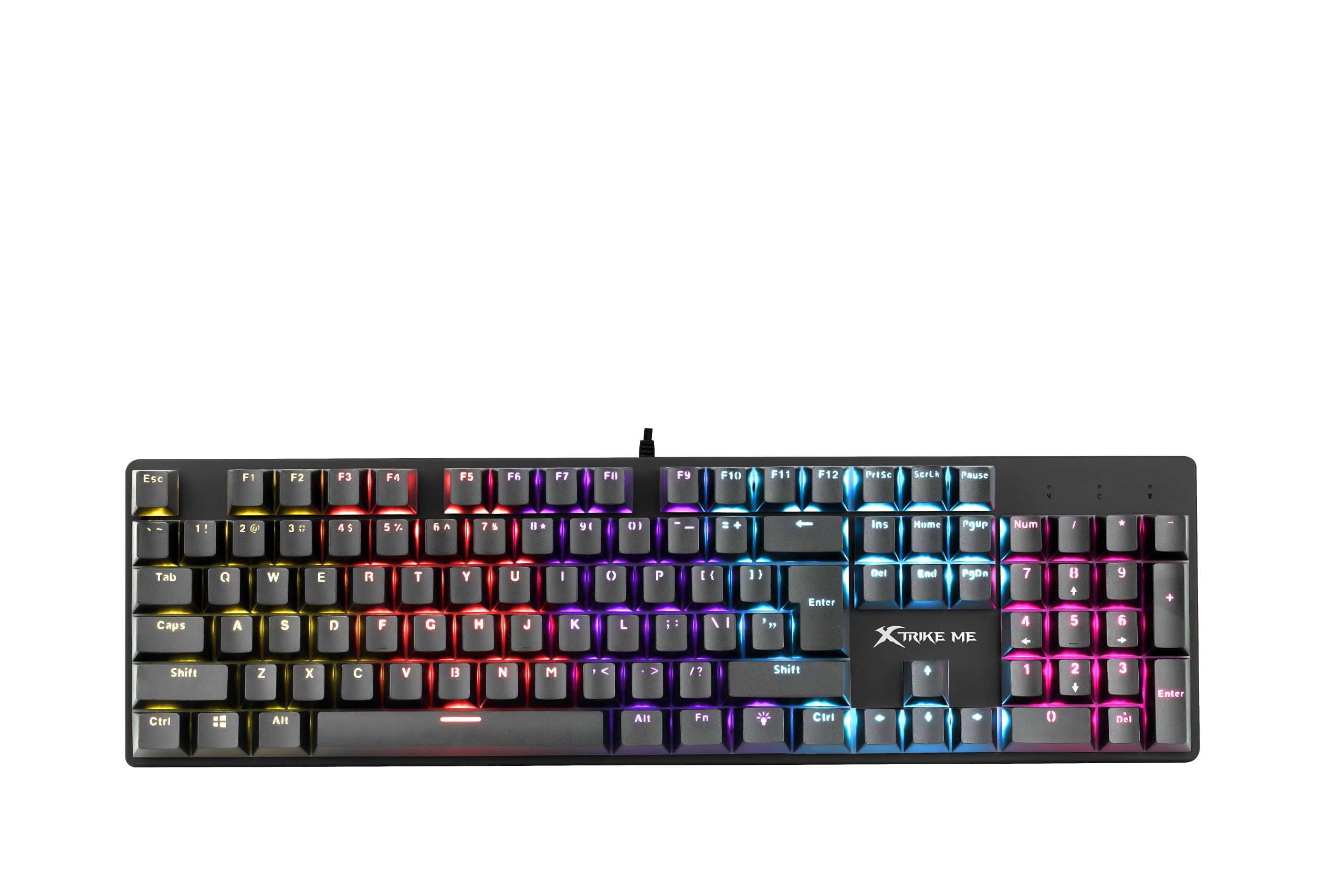
Image 1.1: The XTRIKE ME GK-915 Mechanical Gaming Keyboard. This image displays the full keyboard layout, highlighting the vibrant RGB backlighting on the keys and the detachable keycaps.
2. פּעקל אינהאַלט
ביטע קאָנטראָלירט דעם אינהאַלט פֿון דער פּאַקעט קערפֿול. אויב עס פֿעלן אָדער זענען געשעדיגט, קאָנטאַקטירט אייער הענדלער.
- XTRIKE ME GK-915 Mechanical Gaming Keyboard
- וסב-C צו וסב-א קאַבלע
- באַניצער מאַנואַל (דעם דאָקומענט)
3. פּראָדוקט פֿעיִקייטן
The XTRIKE ME GK-915 keyboard offers a range of features designed for performance and customization:
- מעטשאַניקאַל סוויטשיז: Provides tactile feedback and durability for a superior typing and gaming experience.
- 25-שליסל ראָולאָוווער: Ensures that up to 25 simultaneous key presses are registered accurately, preventing ghosting during intense gaming sessions.
- Multi-Color Backlighting: Features individual LED backlighting for each key, offering vibrant illumination.
- 12 לייטינג מאָדעס: Choose from various preset lighting effects to personalize your keyboard's appearance.
- USB-C קאַנעקטיוויטי: Provides a reliable and fast wired connection to your computer.
- דוראַבאַל קאַנסטראַקשאַן: Built with a plastic body for longevity.
4. סעטאַפּ אינסטרוקציעס
Follow these steps to connect and begin using your XTRIKE ME GK-915 keyboard:
- ופשליסן די קלאַוויאַטור: Carefully remove the keyboard and USB-C cable from its packaging.
- פאַרבינדן די קאַבלע: Insert the USB-C end of the cable into the port on the keyboard.
- פאַרבינדן צו קאָמפּיוטער: צאַפּן די וסב-א סוף פון די קאַבלע אין אַ בנימצא וסב פּאָרט אויף דיין קאָמפּיוטער.
- דרייווער ינסטאַלירונג: The keyboard is plug-and-play. Your operating system (e.g., Windows 10) will automatically detect and install the necessary drivers. No additional software installation is typically required for basic functionality.
- באַשטעטיקן פאַנגקשאַנאַליטי: Once connected, the keyboard's backlight should illuminate. Test by typing in a text editor to ensure all keys are responsive.
5. אַפּערייטינג ינסטרוקטיאָנס
This section details how to use the various functions of your keyboard, particularly the backlighting.
5.1 באַקלייט קאָנטראָל
The GK-915 features multiple backlight modes and brightness levels.
- טוישן לייטינג מאָדעס: דרוק די Fn + ינס key combination to cycle through the 12 available lighting modes.
- אַדזשאַסטינג ברייטנאַס: ניצן Fn + אַרויף עראָו to increase backlight brightness and Fn + אַראָפּ עראָו צו פאַרמינערן ברייטנאַס.
- Adjusting Speed/Direction (for dynamic modes): For certain dynamic lighting modes, you can adjust the speed or direction using Fn + לינקס עראָו און Fn + רעכט עראָו.
5.2 מולטימעדיאַ און פונקציע קנעפּלעך
The keyboard includes function keys that can be combined with the Fn key for multimedia control and other shortcuts. Refer to the keycaps for specific icons indicating their secondary functions (e.g., volume control, media playback).
- Fn + F1-F12: These combinations typically control multimedia functions (e.g., play/pause, stop, previous/next track, volume up/down, mute) or system functions (e.g., open browser, email).
- Fn + געווינען: Locks the Windows key to prevent accidental presses during gaming.
6. וישאַלט
Proper care and maintenance will extend the lifespan of your keyboard.
- רייניקונג:
- אָפּשטעקן די קלאַוויאַטור פֿון אייער קאָמפּיוטער איידער איר רייניקט.
- ניצט אַ ווייכן, טרוקענעם שטאָף צו ווישן די ייבערפלאַך פון דער קלאַוויאַטור.
- פֿאַר שטויב און שמוץ צווישן שליסלען, ניצט קאָמפּרעסירטע לופט.
- פֿאַרמײַדט די נוצן פֿון שאַרפֿע כעמיקאַלן אָדער אַברייזיוו מאַטעריאַלן, ווײַל די קענען שעדיקן די ענדיקונג אָדער די קלאַוויאַטורן.
- ספּילז: In case of liquid spills, immediately disconnect the keyboard and allow it to dry completely before reconnecting. Do not attempt to use it while wet.
- סטאָרידזש: האַלט די קלאַוויאַטור אין אַ קיל, טרוקן אָרט אַוועק פון דירעקט זונשייַן און עקסטרעמע טעמפּעראַטורן.
7. טראָובלעשאָאָטינג
אויב איר טרעפט פּראָבלעמען מיט אייער קלאַוויאַטור, זעט די פאלגענדע געוויינטלעכע פּראָבלעמען און לייזונגען:
| פּראָבלעם | מעגלעך סיבה | לייזונג |
|---|---|---|
| די קלאַוויאַטור רעאַגירט נישט. | לויזע פֿאַרבינדונג, דעפֿעקטיווער USB פּאָרט, דרייווער פּראָבלעם. |
|
| Backlight is not working or stuck. | Backlight settings, software conflict. |
|
| געוויסע קנעפּלעך אַרבעטן נישט. | שמוץ אונטערן קאפ, דעפעקטיווער סוויטש. |
|
8. ספּעסאַפאַקיישאַנז
Detailed technical specifications for the XTRIKE ME GK-915 Mechanical Gaming Keyboard:
- סאָרט: קסטריקע מיר
- מאָדעל: גק-915
- קאַנעקטיוויטי: ווייערד, USB-C
- שליסל איבערגאַנג: 25-שליסל אַנטי-גהאָסטינג
- באַקלייט: Multi-color, individual LED per key, 12 lighting modes
- מאַטעריאַל: פּלאַסטיק
- קאָליר: שוואַרץ
- דימענשאַנז (L x W x H): 44.5 X 15.5 X 4 סענטימעטער
- וואָג: 920 ג
- קאַמפּאַטאַבאַל אַפּערייטינג סיסטעם: Windows 10 (and generally compatible with other modern OS)
- רעקאַמענדיד נוצן: גיימינג
9. וואָראַנטי און שטיצן
9.1 וואָראַנטי אינפֿאָרמאַציע
XTRIKE ME products are manufactured to the highest quality standards. This product is covered by a limited warranty from the date of purchase. Please retain your proof of purchase for warranty claims. The warranty covers manufacturing defects but does not cover damage caused by misuse, accident, modification, or unauthorized repair. For specific warranty terms and conditions, please refer to the warranty card included with your product or visit the official XTRIKE ME webפּלאַץ.
9.2 קונה שטיצן
If you have any questions, require technical assistance, or need to report an issue with your XTRIKE ME GK-915 keyboard, please contact our customer support team. You can typically find contact information (email, phone, or support portal) on the XTRIKE ME official webוועבזייטל אדער דורך אייער הענדלער.
אָנליין רעסורסן: For additional information, FAQs, and driver updates (if applicable), please visit the official XTRIKE ME webפּלאַץ.


