1. הקדמה
1.1 פּראָדוקט איבערview
The lightmaXX Vega BAT LED is a versatile, battery-powered uplight designed for various lighting applications. It features four 12-watt RGBAWUV (Red, Green, Blue, Amber, White, UV) LEDs, providing a broad spectrum of color mixing capabilities. With an 80W power output, this fixture supports both 6 and 10 DMX channels for precise control in professional setups. Operating modes include automatic programs, sound-activated effects, master/slave configurations, and convenient control via an infrared (IR) remote.
1.2 זיכערקייַט אינפֿאָרמאַציע
- שטענדיק פאַרבינדן די מיטל צו אַ גראָונדעד מאַכט ווענטיל.
- עפֿנט נישט דעם קעסטל; עס זענען נישטאָ קיין טיילן וואָס דער באַניצער קען סערוויסן אינעווייניק. לאָזט איבער אַלע סערוויסינג צו קוואַליפֿיצירטע פּערסאָנעל.
- ויסמיידן דירעקט אויג ויסשטעלן צו די ליכט מקור.
- זיכער מאַכן גענוג ווענטילאַציע אַרום דעם אַפּאַראַט צו פאַרמייַדן איבערהיצונג.
- האַלט דעם אַפּאַראַט אַוועק פון נעץ און עקסטרעמע טעמפּעראַטורן.
- דעם מיטל מוזן זיין ערד.
2. פּעקל אינהאַלט
Please check that all items listed below are present and in good condition upon unpacking:
- lightmaXX Vega BAT LED 4x12 W RGBAWUV unit
- IR רימאָוט קאָנטראָל
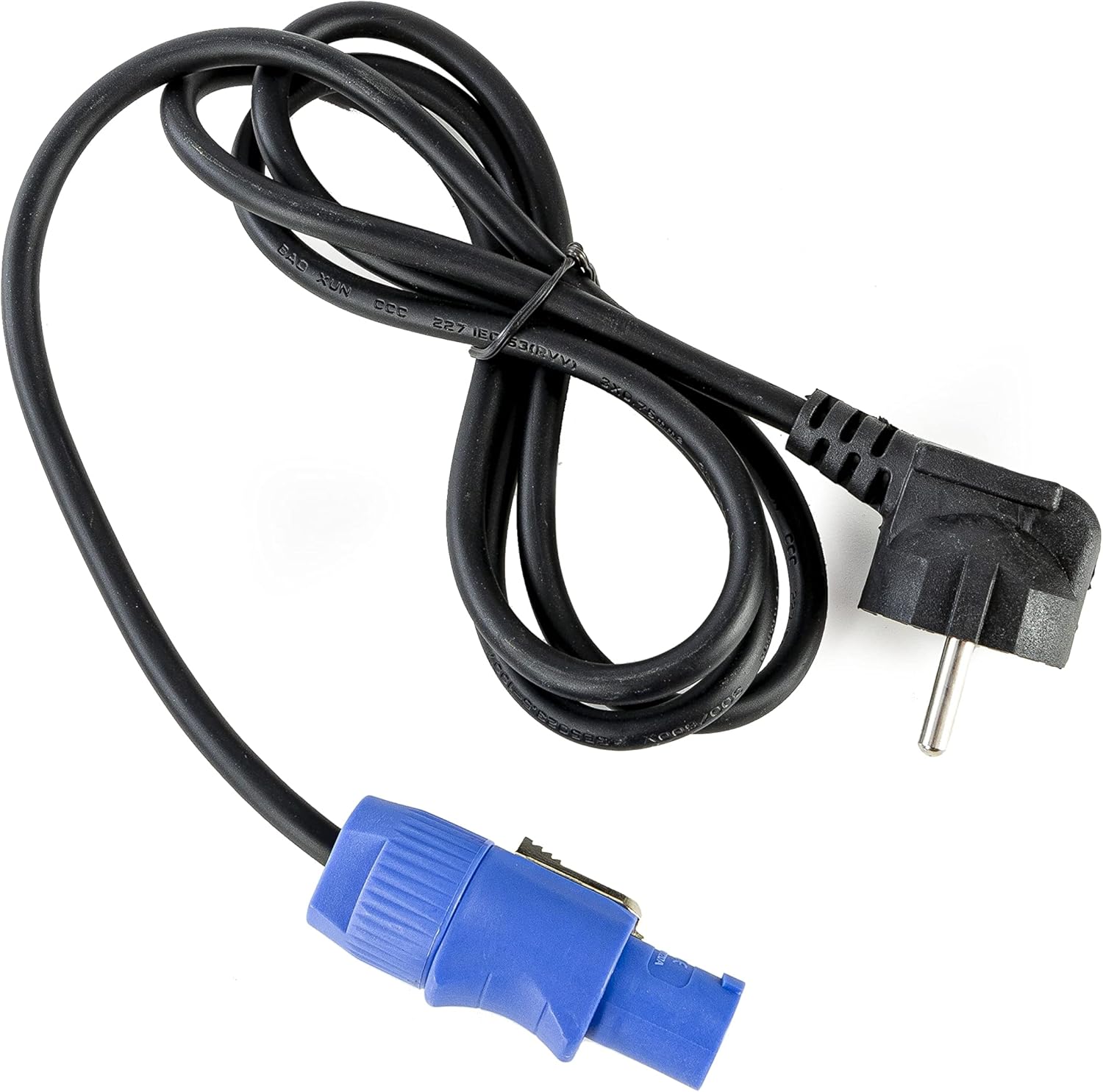
- מאַכט קאַבלע
- ינסטרוקטיאָן מאַנואַל (דעם דאָקומענט)

בילד 2.1: Power cable with a standard European plug and a blue locking connector for the light fixture.
בילד 2.2: Infrared remote control with various color, mode, and numerical buttons for operating the LED spot.
3. סעטאַפּ
3.1 ערשט טשאַרדזשינג
Before first use, fully charge the internal battery. Connect the provided power cable to the unit's power input and then to a suitable 240V AC power outlet. The charging indicator (if available on the display) will show the charging status. A full charge typically takes several hours.
3.2 פּלייסמאַנט
Position the Vega BAT LED on a stable, flat surface or mount it using appropriate clamps and safety cables (not included) to a truss or stand. Ensure the unit is placed in a location with good air circulation and away from direct heat sources or flammable materials.
3.3 קאַנעקשאַנז
For standalone operation, simply power on the unit after charging. For DMX control, connect a DMX cable from your DMX controller to the DMX IN port of the Vega BAT LED. If linking multiple units, connect the DMX OUT of the first unit to the DMX IN of the next, and so on.

בילד 3.1: דנאָ view of the light fixture showing the power input, DMX ports, and regulatory labels.
4. אָפּעראַציע
4.1 קאָנטראָל פּאַנעל
The unit features an onboard control panel with a display and four buttons: MENU, DOWN, UP, and ENTER. This panel allows for direct access to settings and operating modes.

בילד 4.1: פראָנט view of the control panel with display and navigation buttons.

בילד 4.2: Top view of the control panel, showing the display and button layout.
- מעניו: גייט דורך די הויפּט מעניו אָפּציעס.
- אַראָפּ: Decreases values or navigates down through menu options.
- אַרויף: Increases values or navigates up through menu options.
- אַרייַן: באַשטעטיקט אויסוואַלן אָדער גייט אַרײַן אין אונטער-מעניועס.
4.2 יר רימאָוט קאָנטראָל
The included IR remote control provides convenient wireless operation for various functions, including color selection, mode changes, and power on/off.
- ON/OFF: מאַכט די אַפּאַראַט אויף אָדער אַוועק.
- R, G, B, A, W, UV: Direct access to Red, Green, Blue, Amber, White, and Ultraviolet colors.
- 0-9: Numerical buttons for selecting specific programs or DMX addresses.
- אָטאַמאַטיק: אַקטיוויזירט אויטאָמאַטישן פּראָגראַם מאָדע.
- סטראָבע: Activates strobe effect.
- FADE: אַקטאַווייץ קאָליר וועלקן מאָדע.
- קלאַנג: אַקטיוויזירט קלאַנג-אַקטיווירטן מאָדע.
4.3 אַפּערייטינג מאָדעס
The Vega BAT LED offers several operating modes:
- אָטאַמאַטיק מאָדע: The unit cycles through pre-programmed color changes and effects. Selectable via the control panel or IR remote.
- געזונט מאָדע: The light reacts to ambient sound, creating dynamic effects. Sensitivity can often be adjusted via the control panel.
- בעל / שקלאַף מאָדע: Link multiple units where one acts as the master, controlling all connected slave units. Connect DMX cables in a daisy chain.
- DMX מאָדע: For professional control using a DMX controller. The unit supports 6 or 10 DMX channels, allowing for granular control over color mixing, dimming, strobe, and internal programs. Set the DMX address via the control panel.

בילד 4.3: The light fixture emitting ultraviolet (UV) light.

בילד 4.4: The light fixture emitting amber-colored light.
5. וישאַלט
5.1 רייניקונג
Regularly clean the lens and exterior housing with a soft, lint-free cloth. For stubborn dirt, a slightly damp cloth can be used. Do not use abrasive cleaners or solvents, as they may damage the finish or optical components.
5.2 באַטערי קער
To prolong battery life, avoid fully discharging the unit frequently. If storing the unit for an extended period, ensure the battery is charged to approximately 50-70% and recharge it every 3-6 months. Store in a cool, dry place.
5.3 סטאָרידזש
When not in use, store the Vega BAT LED in its original packaging or a suitable protective case to prevent damage from dust, moisture, and impacts.
6. טראָובלעשאָאָטינג
- אַפּאַראַט טוט זיך נישט אָן: Ensure the battery is charged or the power cable is securely connected to a live outlet. Check the power switch.
- No light output: Verify the unit is powered on and not in standby mode. Check selected operating mode and brightness settings.
- IR remote not working: Ensure there are no obstructions between the remote and the unit's IR receiver. Check the remote's battery.
- DMX control issues: Verify DMX cable connections, DMX address settings on the unit, and DMX channel mode. Ensure your DMX controller is functioning correctly.
- באַטעריע לעבן איז קורץ: The battery may require a full charge cycle. Over time, battery capacity can decrease; consider battery replacement if performance significantly degrades.
7. ספּעסאַפאַקיישאַנז
| שטריך | באַשרייַבונג |
|---|---|
| סאָרט | lightmaXX |
| מאָדעל | Vega BAT LED 4x12 W RGBAWUV |
| ליכט מקור | 4 x 12W RGBAWUV LEDs |
| גאַנץ וואַטtage | 80 וו |
| דמקס טשאַנאַלז | 6 אָדער 10 טשאַנאַלז |
| אַפּערייטינג מאָדעס | Automatic, Sound, Master/Slave, DMX |
| קאָנטראָל | Onboard display/buttons, IR Remote |
| Voltage | 240 וואלט |
| פּראָדוקט דימענשאַנז | 24.2 X 21 X 19.6 סענטימעטער |
| Manufacturer Reference | LIG0016385-000 |
| לאַנד פון אָריגין | דייטשלאנד |
| ערשטער בנימצא | 16 אויגוסט 2021 |
8. וואָראַנטי און שטיצן
For warranty information and technical support, please refer to the documentation provided at the time of purchase or contact your authorized lightmaXX dealer. Keep your proof of purchase for warranty claims.


